LightBlog

samedi 26 octobre 2019

Motorola One Macro Camera Review: A New Precedent for Budget Macro Photography

The race to broaden the scope of budget smartphone photography is more intense than ever. Brands like Realme, Redmi, Honor, and others have tried to outpace each other by introducing budget and mid-range devices with as many as four cameras on the back. Motorola is trying to enter this competition but with the philosophy of one sensor at a time. To that end, Motorola announced three camera-centric smartphones in the Motorola One series earlier this year: the Motorola One Vision, One Action, and One Zoom. Continuing this trend, the company recently unveiled a fourth device this year in the Motorola One series, and it focuses on macro photography. The Motorola One Macro comes with budget specifications, and its biggest highlight is its 2MP macro camera.

While 2MP macro sensors have been instrumental to this fad of multi-camera smartphone photography, Motorola is the first brand to actually pay attention to the actual utility of the camera, especially at an affordable pricing segment. To really take advantage of this sensor, the macro camera on the Motorola One Macro supports autofocus, which allows it to take macro images from a close distance of just 2cm (~0.8″). While the macro camera puts the One Macro ahead of its competition, it raises one question: Is macro photography a big enough feature to justify purchasing a smartphone? We explored this question in our camera review of the Motorola One Macro.

motorola one macro review

Motorola spent some years dabbling with experimental technologies like modular components, but that has not attracted many users. Motorola’s current philosophy of more conservative experimentations, on the other hand, has played relatively well. Unlike its competitors that burden consumers with a lot of options, Motorola has always launched single variants of their devices, and the same goes for the Motorola One Macro. It comes in a 4GB/64GB configuration with a hybrid microSD card slot for expandable storage.

The Motorola One Macro was first announced in India, which also happens to be the first market where the smartphone is available. Motorola has kept the price under Rs. 10,000 (< $150) since this price bracket has the most success in the country. The smartphone was also announced globally alongside the Moto G8 Plus, Moto G8 Play, and Moto E6 Play, and it will be available in Latin America, Europe, the United Kingdom, and Australia. The pricing in these areas is higher compared to India due to a lack of competition from other brands.

In this article, the primary focus will be on the macro photography skills of the Motorola One Macro. But before we dive into the details, let me give you a quick overview of the specifications, the design, and the display on the Motorola One Macro.

Motorola One Macro Specifications

Specification Motorola One Macro
Display
  • 6.2-inch HD+, LCD
  • 720 x 1520p
SoC MediaTek Helio P70
  • 4 x Cortex A73 @ 2.0GHz + 4 x Cortex A53 @ 2.0GHz
RAM 4GB
Storage 64GB, hybrid microSD card slot
Battery 4,000 mAh
USB Type-C, 10W Fast charging
Headphone jack Yes
Rear Cameras
  • 13MP, f/2.0, 1.12µm, laser autofocus
  • 2MP, f/2.2 depth sensor
  • 2MP, f/2.2, 1.75µm dedicated macro lens
Front Camera
  • 8MP, f/2.2, 1.12µm
Connectivity
  • 802.11 b/g/n Wi-Fi
  • Bluetooth 4.2
  • GPS, Galileo, GLONASS, LTEPP, SUPL
Android Version Android 9 Pie

Solid build leaves a good first impression

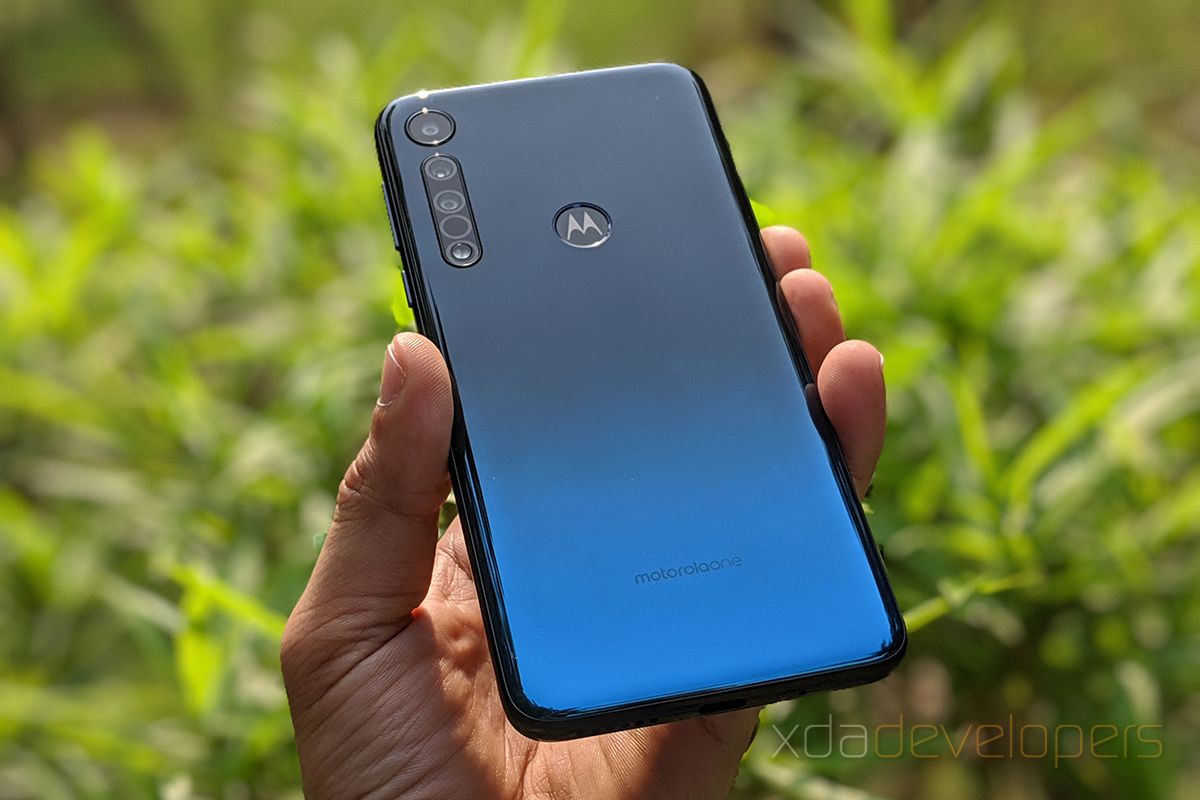
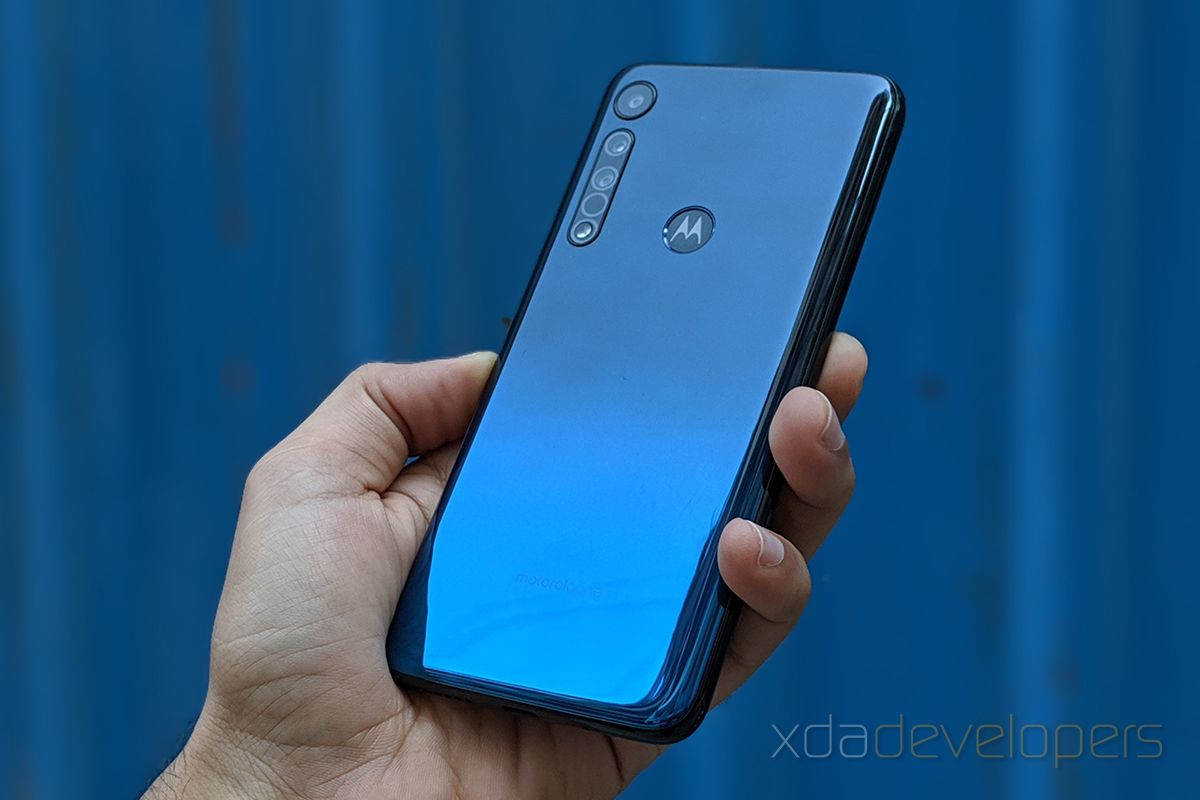
The build quality of the Motorola One Macro impressed me when I first got my hands on the device. In the palm, the smartphone feels very rigid and shows no sign of bend or flex even though Motorola primarily relies on polycarbonate for the construction. The rear panel comes with a reflective blue finish, but unlike the last two devices in the Motorola One series – the Motorola One Vision and the One Action – there’s no underlying pattern. The smooth surface, with a gradient between light and dark shades of blue, can be easily mistaken for glass, but the surface’s tendency to get easily scuffed might call for some attention or the use of a case. Fortunately, Motorola includes a transparent and flexible TPU case in the box.
motorola one macro camera review

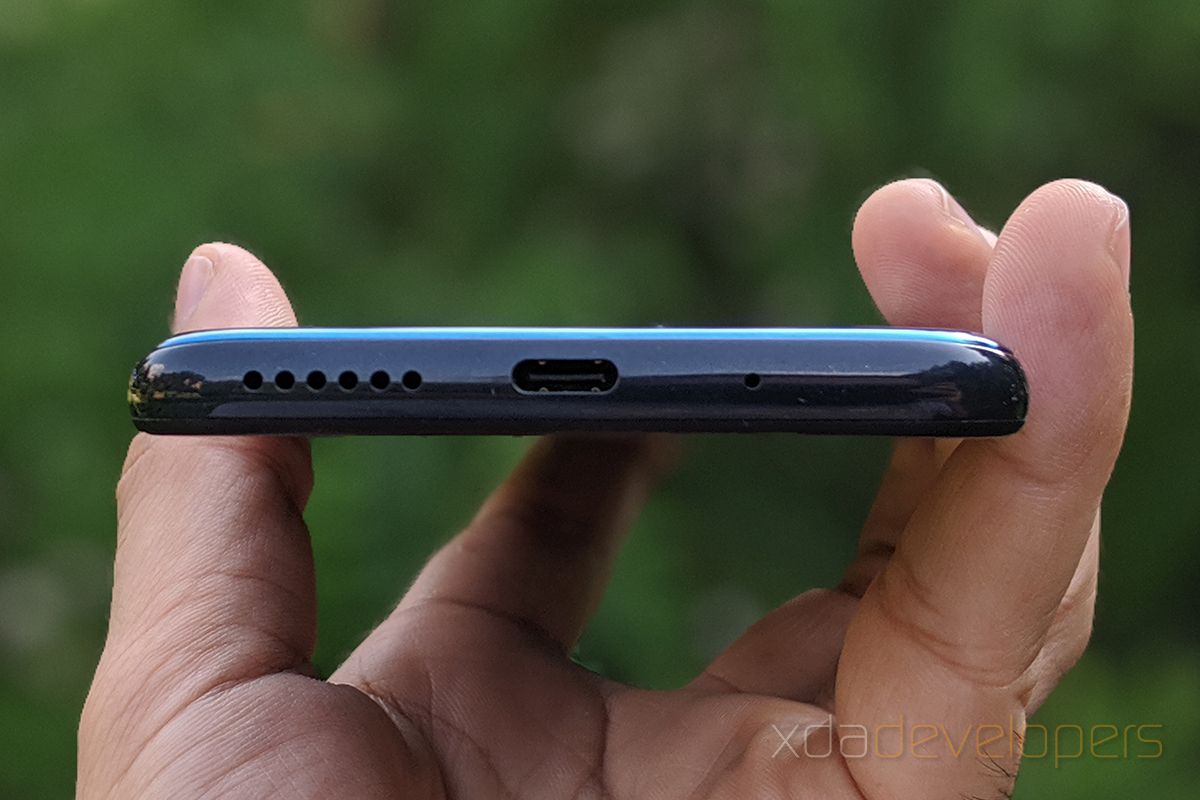
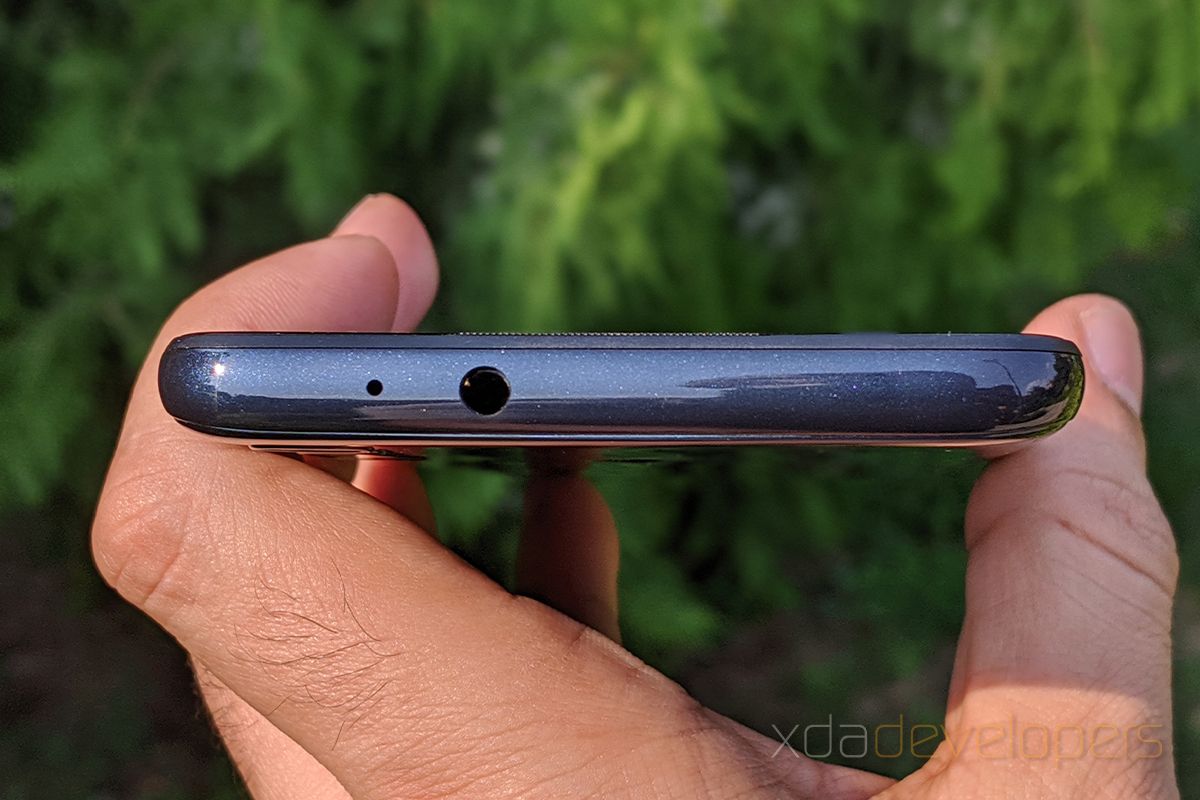
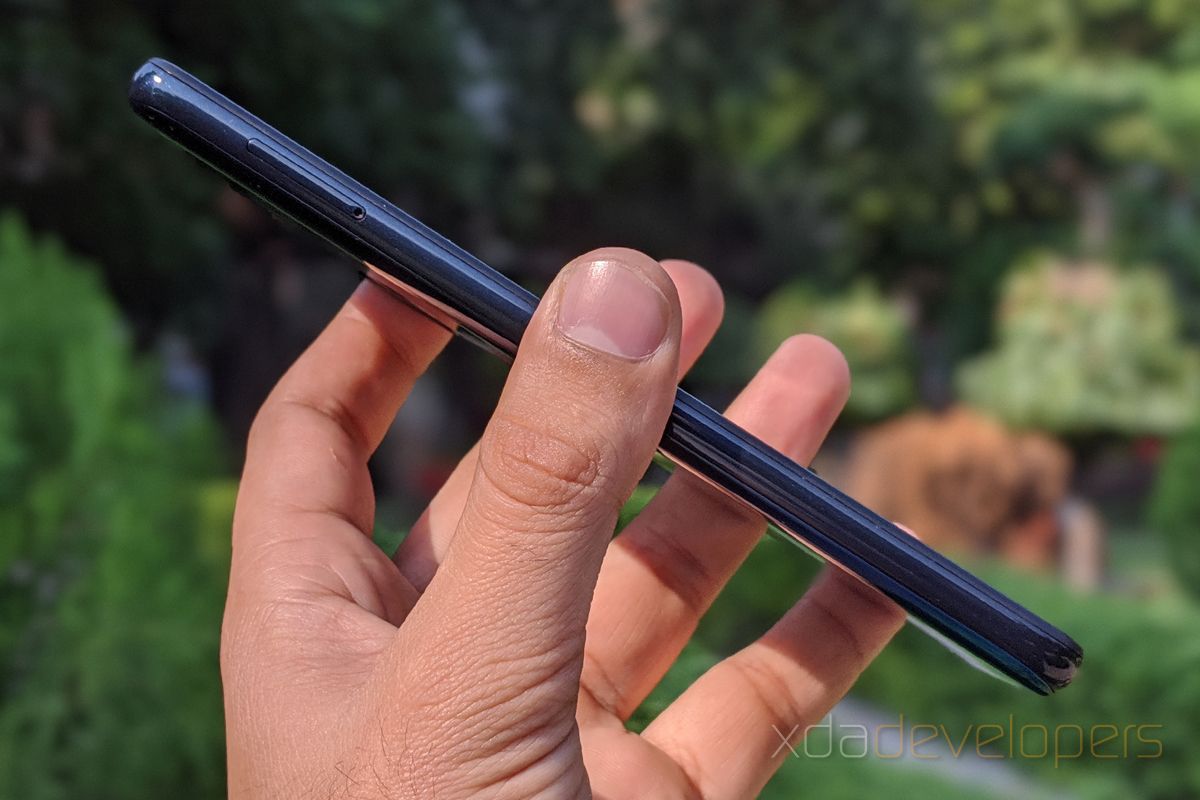
The smooth finish on the back panel is punctuated by the in situ Motorola logo which lies on top of the fingerprint scanner. Motorola is keeping it simple in terms of button placement, and the overall design is in line with their previous phones; the power and the volume buttons are on the right side, while the left side features the hybrid SIM slot. The bottom has a USB-C port, the primary microphone, and the mono speaker, whereas the headphone jack and the secondary microphone are on the top. The power button is accented with grooves and overall, the buttons feel very tactile and solidly built. Meanwhile, the frame is made of plastic and is finely laid with glitter that becomes visible under strong light.

motorola one macro review motorola one macro review motorola one macro review motorola one macro review

Under the plastic, Motorola is using an aluminum skeleton to reinforce the build. This does make the Motorola One Macro bulkier but also very sturdy, especially in comparison with many other devices in this price bracket that flex easily even with little pressure applied. There’s a tiny “Motorola One” logo etched near the bottom of the back panel, and Motorola has decided to continue with the “One” branding even though the phone is not part of the Android One program.

On the front, the Motorola One Macro features a 6.2-inch IPS LCD with a resolution of 720 x 1520. This panel has a 19:9 aspect ratio and noticeable bezels including a thick chin, all of which collectively results in a screen-to-body ratio of 82%. Despite the HD+ resolution, the display is fairly crisp, and Motorola India told me that they have worked hard to make the lower resolution less noticeable. They appear to have succeeded since the display has vivid colors and the text is clearly visible without any color distortions, giving the impression that it’s midway between an HD and a Full HD display. Furthermore, you get three presets, namely Natural, Boosted, and Saturated, to set the color saturation levels of the display.

motorola one macro review

The pixel tearing, however, becomes evident when you’re watching videos on the phone since the 6.2-inch HD+ display only supports videos (including DRM content) at a maximum resolution of 720p. Another aspect that calls for improvement is the display’s brightness. The brightness is not uniform through the display and the central part is visibly brighter than the edges. Since the IPS panel is backlit along the bottom edge, you can see some of the backlight seeping into the screen area along the bottom edge.
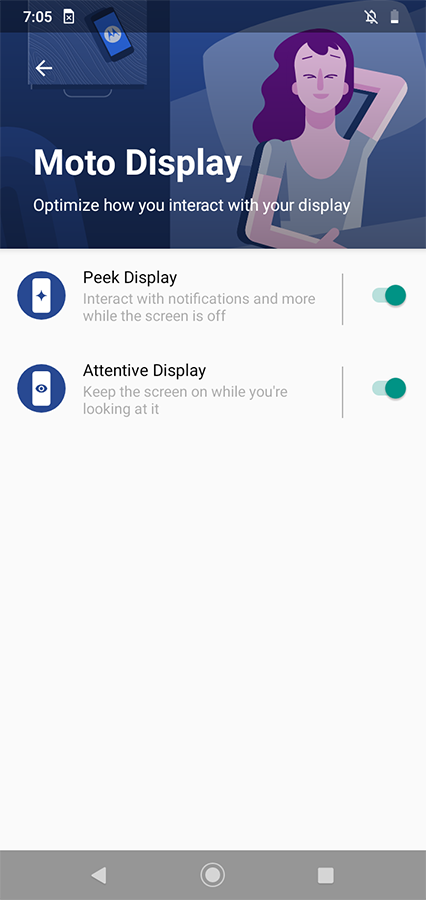
Motorola compensates for these shortcomings by adding features including an always-on Peek Display, which allows you to view time, weather, or notifications directly from the screen, and an Attentive Display which keeps the screen on while you keep looking at it – or at least while holding the phone in front of your face.

Overall, the Motorola One Macro is built in sync with Motorola’s existing design philosophy for its other Motorola One devices (excluding the tall 21:9 display phones in the line up). The display is one weak link in an otherwise impressive build at this price range, but when it comes to viewing the hardware as a whole, the MediaTek Helio P70 may be a dealbreaker for certain users. Certainly, it will perform better than the Exynos 9609 on the Motorola One Vision and the One Action, although not as powerfully as some of the other similarly priced competitors such as the Redmi Note 8 or the Realme 5, both of which feature Qualcomm’s Snapdragon 665.

The Motorola One Action snatches the lead back when it comes to macro photography, which as I mentioned above, is the smartphone’s primary selling point. I put that, along with the primary 13MP camera and the 8MP selfie camera, to test in the following section.

Motorola One Macro: Zooming into the micro world

Motorola’s decision to launch a new smartphone that focuses on macro photos is an interesting strategy. Other brands have hopped on board the macro photography trend at various levels – Huawei and sub-brand Honor paid attention to it with the P30 Pro and Honor 20 series, respectively, OnePlus did it with the OnePlus 7T, and even Realme and Xiaomi did it with devices like the Realme 5/5 Pro and Redmi Note 8/8 Pro. However, none of these brands claims to accomplish what Motorola does with the One Macro. While the Huawei P30 Pro and the OnePlus devices use wide-angle cameras for macro photography and can only get as close as 2.5cm, the others have dedicated macro cameras but without any autofocus capabilities. Motorola, on the other hand, is proudly boasting a minimum focal length of 2cm on the Motorola One Macro, and this is further improved by autofocus capabilities.

motorola one macro review

Spec-wise, the macro camera on the Motorola One Macro uses a 1/5″ sensor with a pixel size of 1.75µm and the lens it is paired with has an aperture of f/2.2. Besides the 2MP macro camera, the One Macro features a 13MP primary sensor and a 2MP depth sensor. To augment edge detection and enable faster focusing, the smartphone comes with laser autofocus. Unfortunately, the laser autofocus can only be utilized by the primary camera and not by the macro camera. On the front, the One Macro gets an 8MP camera for selfies.

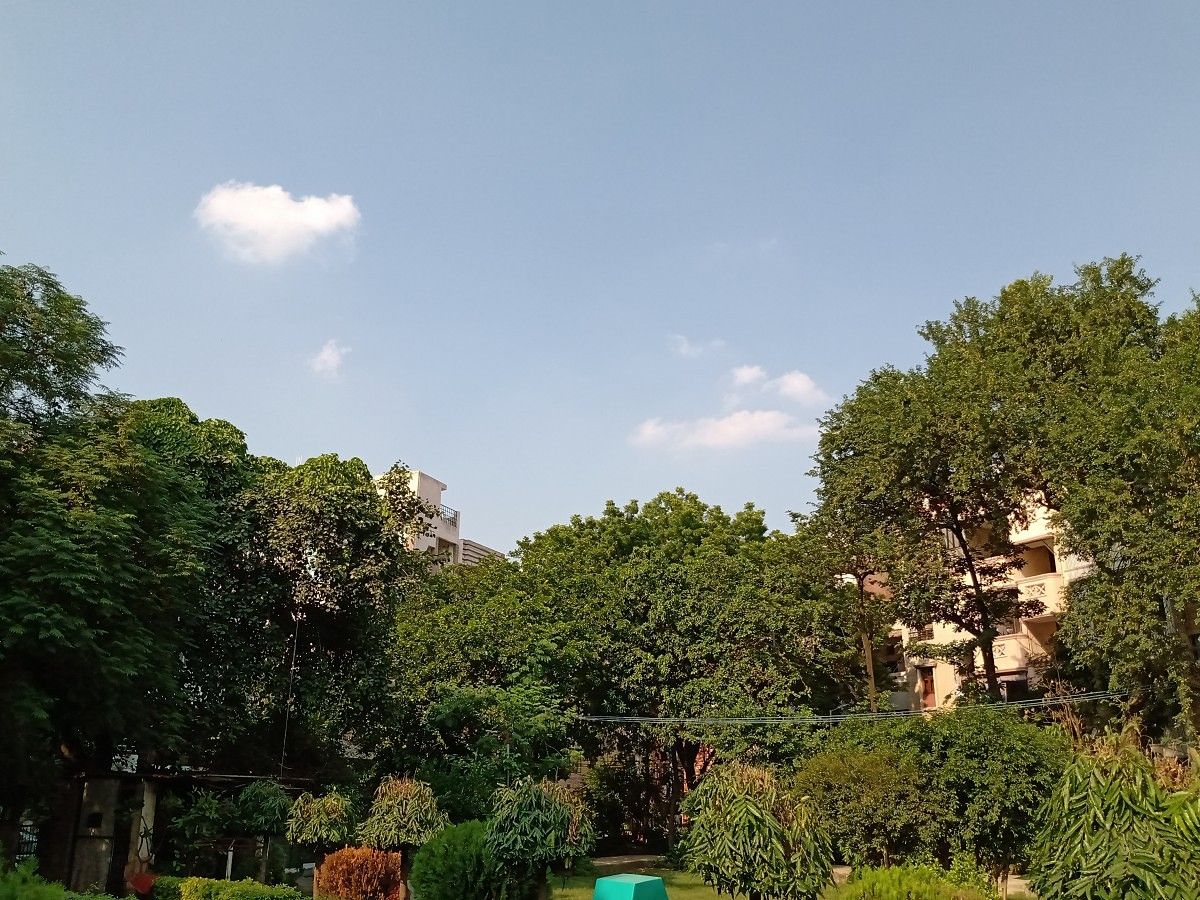
Whether this 13MP can be called the “primary” camera in the case of the Motorola One Macro is debatable. Comparatively, it is much easier to say that the 2MP macro camera is more compelling. The 13MP camera does a fair job, but there’s nothing surprising about its performance, especially considering the similarly-priced Redmi Note 8 comes with a 48MP quad-camera setup. The colors on the images taken with the One Macro’s 13MP camera are just average; dynamic range isn’t too great, either. These images are warmer than what I prefer, with a yellow filter over the entire image.

motorola one macro review

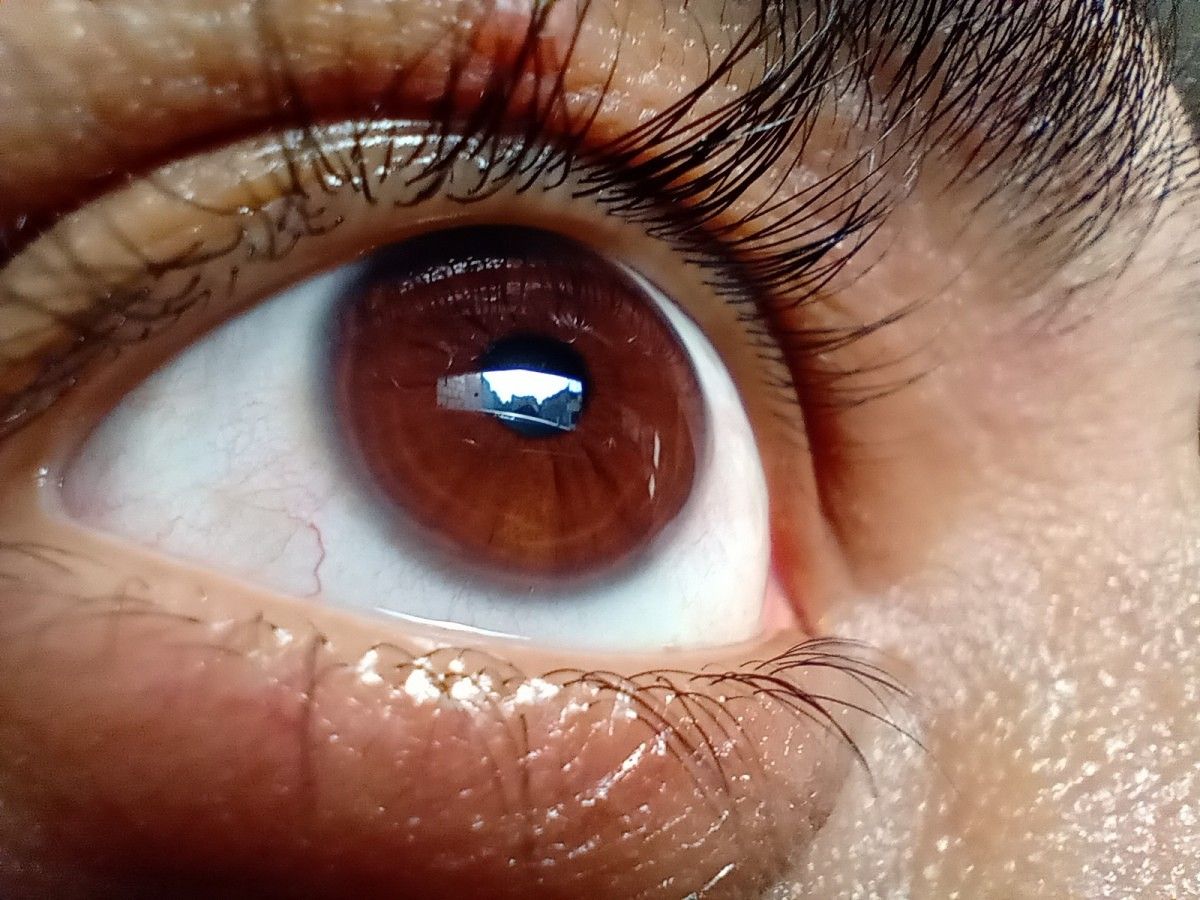
So, obviously, I didn’t spend much time trying to change my view about the 13MP camera but instead shifted my focus towards the macro camera, which is the eponym for the smartphone. I tried to use the camera with some unusual subjects that I wouldn’t normally choose for my camera reviews. And I was definitely surprised – pleasantly in most cases – to witness the Motorola One Macro’s aptitude for close-range shots. Take a look at some of the images taken at a distance of nearly two centimeters.
motorola one macro camera review motorola one macro camera review motorola one macro camera review

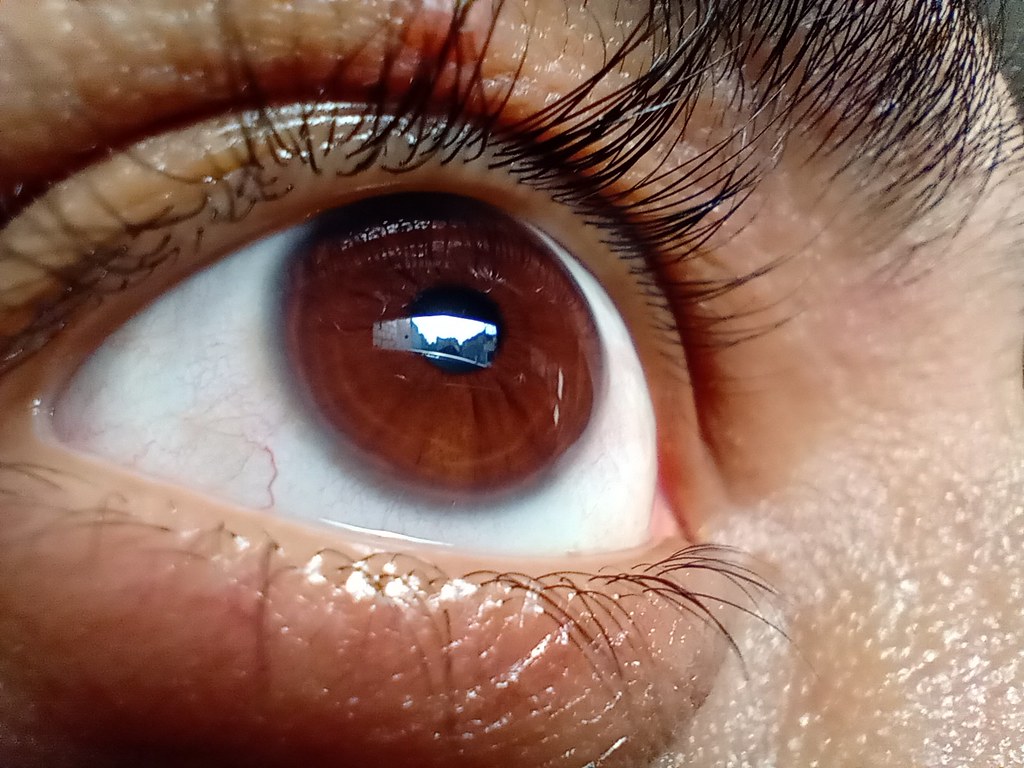
The Motorola One Macro takes a neat close-up of my eye, managing to focus on what’s being reflected off my cornea. The bug in the second image is slightly blurred, but the fact that it was smaller than a centimeter is what makes it impressive. The image on the bottom left is a close-range shot of lichen growing on rock, and before clicking this image, I had no clue that lichen actually consisted of tiny leaves that only appear to be a big green mass from afar. The fourth image captures the fine weave on the surface of a microfiber cloth. Given the small focal length of ~2cm, there is slight blurring in the parts of the image that fall out of the focal range but without any fish-eye effect.

Some more images taken from a close range are included in the Flickr gallery below. Besides these, I took some more images to emphasize the natural bokeh caused because of the short focal range. Below are a few examples.

motorola one macro camera review motorola one macro camera review motorola one macro camera review

Each image validates the macro camera is doing a commendable job at capturing details on tiny objects, most of which measure in the order of millimeters. Meanwhile, the edge detection attests that there is no artificial blurring. However, the One Macro does struggle while trying to focus on objects if their color matches that of the background.

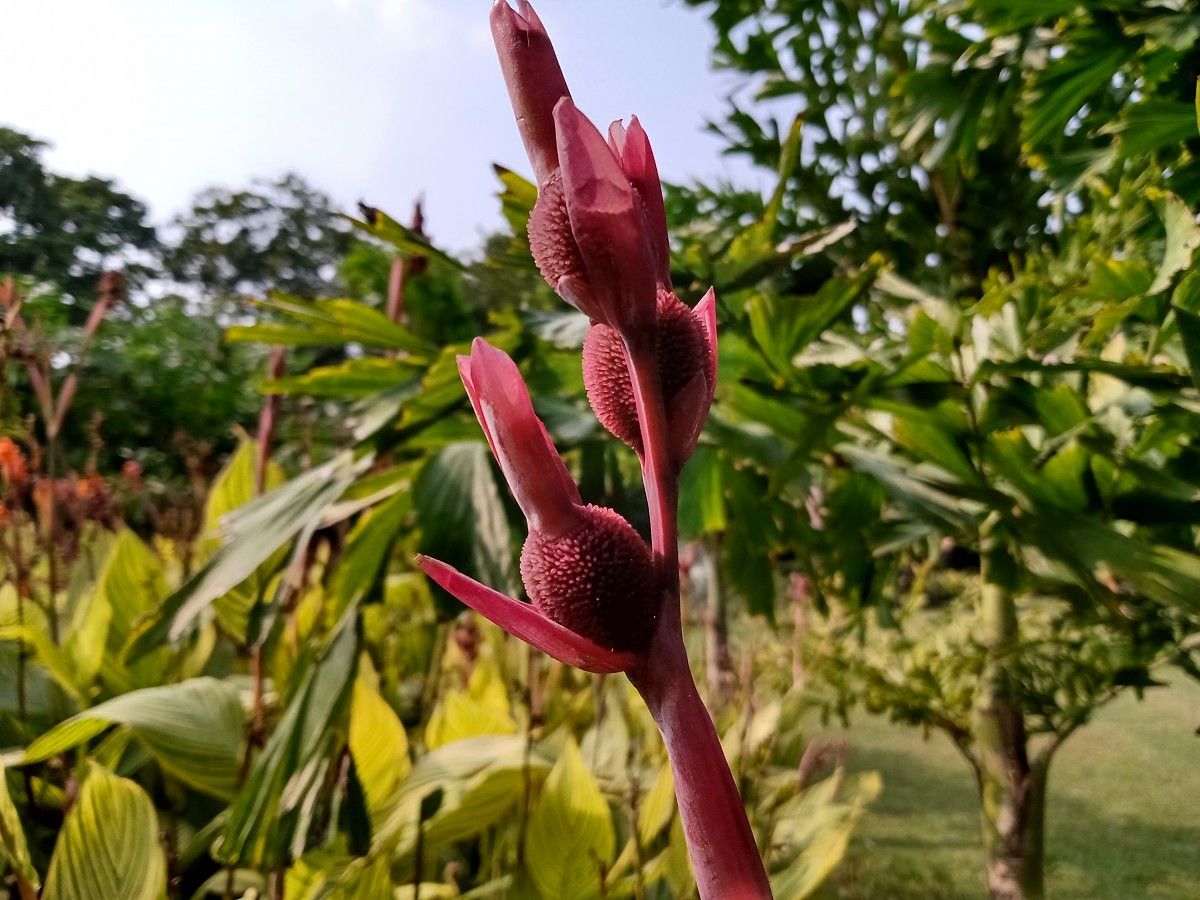
Naturally, these results can also be produced by using digital zoom with a steady hand, but it is still surprising to see how close the macro camera on the Motorola One Macro can get. Hence, I took images using both the 13MP camera and the macro camera for a comparison of their capabilities. These images in the side-by-side comparison below should help you decide which is better. Clearly, the images on the left were taken with the macro camera on the Motorola One Macro while the ones on the right were taken with the standard 13MP one.

motorola one macro camera review motorola one macro camera review motorola one macro camera review

The images taken with the macro camera are noticeably more saturated than the ones taken with the 13MP camera. Per the EXIF data, these macro shots have nearly two to three times the shutter speed as the ones taken in full 13MP resolution.

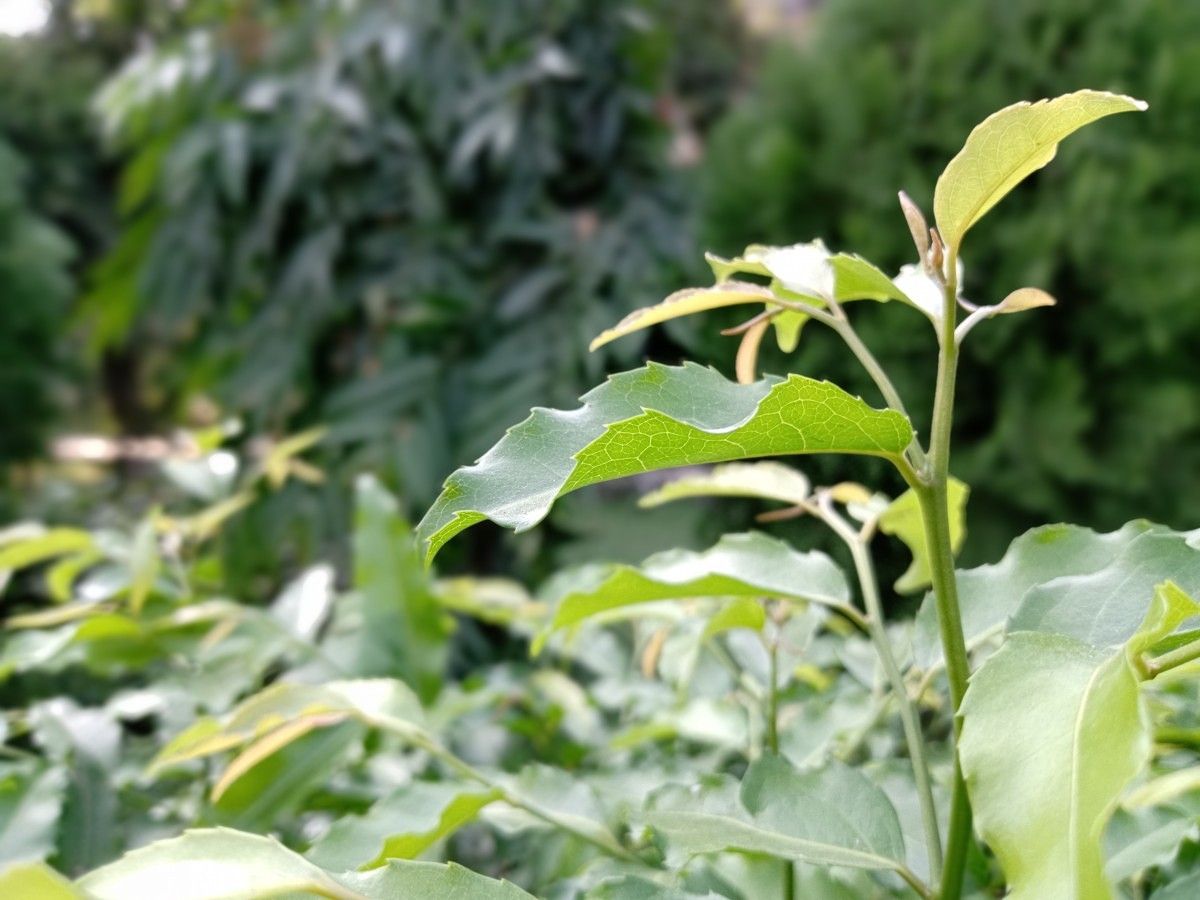
In terms of details, the macro images are better and this can be verified by zooming into the images taken using the other camera. Furthermore, the short focal range also gives the background in the macro images a narrower depth of field, helping the object in focus stand out.

motorola one macro camera review

The macro camera is pretty much limited to close range photography and the wide range shots taken with it are not at all appealing. In fact, the long range shots that I did take with the macro camera turned out to be blurred. Here’s an example:

It is, therefore, recommended to only use the macro camera for capturing objects at the micro scale. Additionally, the Motorola One Macro also supports Active Photos (Motorola’s moniker for Motion photos) and will take a burst of images instead of a single if it detects that either you or the object are moving.

Besides the macro mode, the Motorola One Macro can also capture images with a decent bokeh effect, thanks to the laser autofocus. This applies to images taken with or without people in them.

Portrait

As you can see above, the laser autofocus really helps with accurately detecting the edges of objects. Additionally, the portraits have a decent amount of details, but the colors in all the images appear washed out.

Selfies

A similar trend in terms of color saturation and temperature can also be seen in the case of the selfies taken with the 8MP camera on the front. These selfies notably have fewer details compared to the images taken with the 13MP rear camera. Edge detection is once again fairly good and you can get a live preview of the blur while taking selfies. If the results do not turn out to be what you are looking for, you can also adjust the strength of the blur in Google Photos.


You can find all of the images above along with some others in full resolution in the Flickr gallery below.
Motorola One Macro camera samples

Macro Video

Despite the color inaccuracies, I really like the images that the Motorola One Macro takes, and the phone can also record videos with the macro shots. These videos are limited to 720p, but if you wish to record activity at the micro-level just like I recorded these yellow ants in the video below, the feature will come in handy. Do note that each of these ants was almost 2mm in size.

I really wish Motorola had added a stabilization feature to the video mode, though I can’t complain much at this price. The videos will obviously turn out better, thus, if you use a tripod to keep the phone steady.

As part of the Moto Camera experience, the Motorola One Macro gets a bunch of Camera features. These include:

  • Spot Color to pop out a single color in an image,
  • Cinemagraph to take a burst of shorts after which you can then highlight part of the image to allow it to move while rest remains stationary,
  • Live Filter for a number of filters with live preview,
  • Slow-motion for recording videos at 120fps,
  • Timelapse to record videos at 4x, 8x, 16x, or 32x.

The Motorola One Macro also has a stock Android-like user interface along with support for Moto Actions, which has been part of the company’s software identity since the original Moto G.

Stock UI with familiar Motorola experience

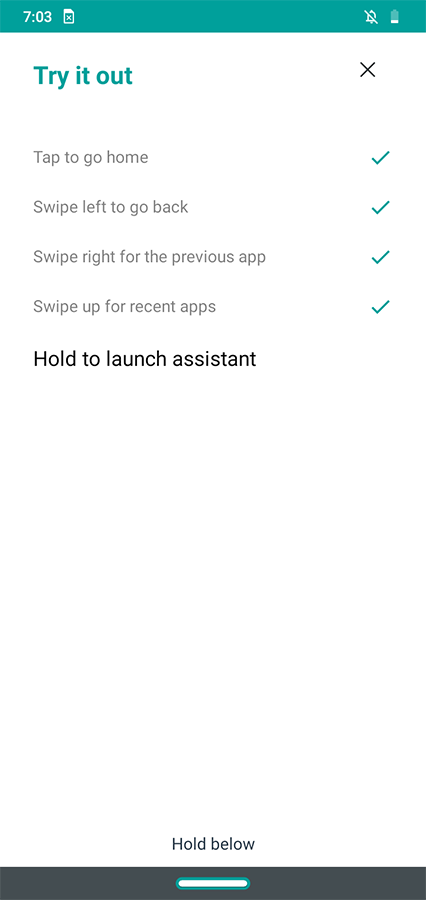
The Motorola One Macro features Moto Actions such as wrist flick for Quick Capture, chop-chop gesture for the flashlight, flip to Do Not Disturb, lift to unlock, and a lot more. The smartphone also comes with Motorola’s One Button Navigation gestures which let you navigate through the phone by swiping in different directions across the pill-shaped gesture bar at the bottom. As mentioned above, the Motorola One Macro also supports the always-on Peek Display as part of the software experience.

Currently, the smartphone runs on Android 9 Pie, and since it is not a part of the Android One Program, Motorola is only promising to deliver one major OS update (to Android 10) and two years of security updates. There’s no information on the availability of Android 10 for Motorola devices yet, but we will share this information as soon as we learn more.

Motorola One Macro: Is a Macro camera a viable selling point?

The Motorola One Macro produces some impressive macro images. It does exceptionally well in getting you closer to the micro world, especially when you consider its price. I feel this can set a new precedent for how manufacturers justify features rather than simply advertising them.

More intriguing than Motorola’s decision to offer macro photography as the selling point of a smartphone is the fact that they are doing so in the budget segment, which is already quite competitive, especially in markets like India. This approach of taking one camera at a time will definitely help foster the technology, but is it good enough to help Motorola attain the same level of popularity it once enjoyed – especially when brands like Huawei and Xiaomi are dominating parts of Asia? We’ll wait to see the consumer response towards this product in the coming months.

Motorola has launched devices more aggressively than ever recently with nearly ten phones in this year alone, including the new Moto G Series that was announced the other day. We’re also hoping for some more exciting stuff from Motorola including the much-awaited rebirth of the Motorola Razr brand and more devices in the Moto G8 line up.

The pricing and availability of the Motorola One Macro in different regions are as follows:

The post Motorola One Macro Camera Review: A New Precedent for Budget Macro Photography appeared first on xda-developers.


from xda-developers https://ift.tt/2PwayIP
via IFTTT

vendredi 25 octobre 2019

droidcon Toronto starts Nov. 13, and we have a 30% discount code for XDA readers

To celebrate the 10th anniversary of AndroidTO, this year, developers and enthusiasts are invited to attend the first-ever droidconTO. For those that don’t know, droidcon is a global network of conferences dedicated to the Android platform. Cities such as San Francisco, Boston, and New York hold their own droidcons, and this year it’s also being held in Toronto.

droidconTO will feature keynotes from Google, Facebook, Whatsapp, Shopify, Square, and more. droidcon is a global brand, but droidconTO is still driven by the Toronto tech community. If you’re familiar with AndroidTO, droidconTO is picking up from where it left off last year. There will be many speakers and sponsors from Toronto-native companies such as Intersect, Publicis, Sapient, Flipp, and Shopify. droidconTO has also made a commitment to embrace the diversity of Toronto by partnering with Women Who Code, an international non-profit organization.

The event begins on November 13th. If you’re interested in attending, we have a special offer for XDA readers. You can get 30% off your tickets by applying code xda2001 at checkout. Tickets are available for purchase on the droidcon website. Don’t wait, the event is coming up sooner than you think!

droidconTO Tickets

The post droidcon Toronto starts Nov. 13, and we have a 30% discount code for XDA readers appeared first on xda-developers.


from xda-developers https://ift.tt/33UPLm2
via IFTTT

[Update: Abandoned] Google could let you restore your Chromebook using your Android phone

Update (10/25/19 @ 2:10 PM ET): Google has seemingly abandoned a code change that would’ve let you restore your Chromebook using your Android phone.

One of the best things about using a Chromebook is that a vast majority of your files are backed up online. This means that in case of a hardware failure, you can rest assured that all your files can easily be downloaded again. However, if Chrome OS stops working for some reason, then you’ve got a completely different problem on your hands. As of now, the only way to restore Chrome OS is by creating a recovery media on a separate device and then installing it on your Chromebook. But now, Google seems to be working on a way to let you restore your Chromebook using your Android phone.

Chromebook recovery Android phone

According to a recent commit on the Chromium Gerrit, Chromebook owners will be able to use the Ctrl+P shortcut while in recovery mode to initiate recovery via an Android device. The code change request reveals that the new shortcut has been added due to the fact that the Android recovery device enumeration is potentially dangerous for other USB devices. Which is why it should only begin following explicit user intent.

Chromebook recovery Android phone

Once the feature goes live, Chromebook users will no longer have to use recovery media to restore their device. Currently, there’s no information on what the Android portion of this feature would look like. However, it’s speculated that Google might release a new Chrome OS recovery app on the Play Store which will allow users to download the correct recovery files for their device. The feature seems to be in its early stages of development and for now, there’s no information from Google regarding its official rollout. We expect to learn more when the feature finally goes live in a future Canary update.

Google’s developers have been working tirelessly to push a slew of new features to Chrome OS. Most recently, the Canary version of the platform received support for Wi-Fi network syncing and gave us a glimpse of media controls working on the lock screen.

Source: Chromium GerritVia: Chrome Story


Update: Abandoned

Well, just a couple of weeks after it was first discovered, it appears Google has abandoned a code change that would’ve let you restore your Chromebook using your Android phone. In the changelog on the Chromium Gerrit page, the owner simply says “Abandoned. Abandoning this change…” It’s possible the feature is being shelved for the time being and could come back. We’ll update this post if it does.

Thanks to XDA Member Some_Random_Username for the tip!

Source: Chromium Gerrit

The post [Update: Abandoned] Google could let you restore your Chromebook using your Android phone appeared first on xda-developers.


from xda-developers https://ift.tt/31Nvs9q
via IFTTT

[Update 3: Omaha & Dallas] Verizon enables 5G UWB in Washington D.C., Atlanta, Detroit, and Indianapolis

Update 3 (10/25/19 @ 12:45 PM ET): Verizon expands its 5G network coverage to Omaha and Dallas.

Update 2 (9/26/19 @ 1:15 PM ET): Verizon launches 5G service in New York City, Boise, and Panama City.

Update 1 (8/22/19 @ 12:15 PM ET): Verizon has announced the 5G rollout in Phoenix and a partnership with Boingo.

While many people are still skeptical about 5G, Verizon continues their rollout plans. Today, the company flipped the switch for four new cities: Atlanta, Detroit, Indianapolis, and Washington DC. Verizon is already selling a couple of 5G devices, but the list of available cities is still relatively small. So the continued expansion is good news.

Verizon’s 5G Ultra Wideband network is mmWave, just like AT&T, but different from Sprint’s sub-6Ghz network. One of the limitations of mmWave is you have to be in very specific locations to get the advertised 5G speeds. For example, read the description for Indianapolis below.

Indianapolis:

In Indianapolis, 5G Ultra Wideband service is initially available in parts of the following neighborhoods, Arsenal Heights, Bates Hendricks, Castleton, Crown Hill, Fountain Square, Grace Tuxedo Park, Hawthorne, Historic Meridian Park, Lockerbie Square, Ransom Place, Renaissance Place, St. Joseph Historic Neighborhood, Upper Canal and Woodruff Place and around such landmarks and public spaces as Garfield Park, and Indiana University School of Medicine.

Even if you have a 5G device and live in these cities, you may not be in the covered areas. These four new cities bring Verizon’s list up to nine, but they are still planning to have 5G in more than 30 cities by 2020. Soon, they will add the Galaxy Note 10 5G to the list of capable devices as well. Whether the market is ready or not, Verizon marches on with 5G.

Washington DC:

In Washington DC, consumers, businesses and government agencies can initially access Verizon’s 5G Ultra Wideband service in areas of Foggy Bottom, Dupont Circle, Cardozo / U Street, Adams Morgan, Columbia Heights, Le Droit Park, Georgetown Waterfront, Judiciary Square, Shaw, Eckington, NOMA, National Mall and the Smithsonian, Gallery Place / Chinatown, Mt. Vernon Square, Downtown, Penn Quarter, Brentwood, Southwest Waterfront, Navy Yard, and nearby Crystal City, VA, as well as around landmarks such as the Ronald Reagan National Airport, United States Botanical Gardens, Hart Senate Building, National Gallery of Art, Lafayette Square, The White House, Freedom Plaza, Farragut Square, George Washington University, Capital One Arena, Union Station, Howard University Hospital, George Washington University Hospital, and Georgetown Waterfront Park.

Atlanta:

In Atlanta, 5G Ultra Wideband service will initially be concentrated in parts of the following neighborhoods: Downtown, Midtown, Tech Square, and around such landmarks as The Fox Theater, Emory University Hospital Midtown, Mercedes-Benz Stadium, Home Depot Backyard, Centennial Olympic Park, Georgia Aquarium, World of Coca Cola, and parts of Renaissance Park.

Detroit:

In Detroit, 5G Ultra Wideband service will initially be concentrated in parts of the following areas: Dearborn, Livonia, and Troy, including areas around the Oakland-Troy Airport.

Source: Verizon


Update 1: Phoenix Launch + Boingo Partnership

Verizon’s 5G coverage is coming to Phoenix, AZ, bringing the list of 5G cities up to 10. The network will go live on August 23rd. Verizon also announced a partnership with Boingo to bring 5G Ultra Wideband service to indoor and public places.

This is important because Verizon’s current 5G network is essentially unusable indoors, a limitation of the technology they are using. The partnership should bring 5G to places like airports, stadiums, arenas, office buildings, hotels, etc.

Last, but not least, the Samsung Galaxy Note 10+ 5G will be available from Verizon tomorrow, August 23rd. The full retail price is $1,299.99.

Source: Verizon


Update 2: NYC, Boise, Panama City

Verizon’s 5G coverage is expanding to 3 more cities: New York City, Boise, and Panama City. In New York City, coverage will be in areas of Manhattan, Brooklyn, the Bronx, and around several landmarks. Verizon’s 5G technology limits coverage to very specific areas, so be sure to check the source below for all the exact locations you can access 5G in these cities.

Source: Verizon


Update 3: Omaha & Dallas

Today, Verizon has expanded 5G coverage to two more cities: Omaha, Nebraska and Dallas, Texas. This brings the number of cities with 5G coverage from Verizon up to 15. As with the previous announcements, the actual coverage areas are extremely specific. So if you live in these cities, be sure to check the link below to find out where you can get 5G speeds.

Source: Verizon

The post [Update 3: Omaha & Dallas] Verizon enables 5G UWB in Washington D.C., Atlanta, Detroit, and Indianapolis appeared first on xda-developers.


from xda-developers https://ift.tt/31aLIjV
via IFTTT

Learn to Handle Your Accounts Like a Pro with this $29 QuickBooks Training

Keeping track of your income and expenditure is a vital part of running a business or working freelance. But unless you are a trained accountant, working with financial software can be pretty confusing. The Complete QuickBooks Guru Bundle helps you get started with one of the most intuitive apps around. The bundle includes seven beginner-friendly courses and 85 hours of video tutorials — and you can get it now for just $29 via the XDA Developers Depot.

Unlike many accounting platforms, QuickBooks by Intuit was designed specifically for small businesses and freelancers. If you want to start bookkeeping or you simply want to take control of your finances, this training offers essential knowledge.

Through hands-on video lessons, you learn how to record both your personal and business figures in QuickBooks. The training covers profit and loss, equity, expenses, graphs, reports, and much more. You also discover how to use QuickBooks to handle your personal taxes, along with employee payroll.

The bundle includes downloadable PDF reference sheets, and certificates of completion for each course — particularly useful if you plan to take on bookkeeping work.

These courses are worth $1,400 in total, but you can grab them now for just $29 with this bundle.

 
The Complete QuickBooks Guru Bundle – $29

See Deal

The post Learn to Handle Your Accounts Like a Pro with this $29 QuickBooks Training appeared first on xda-developers.


from xda-developers https://ift.tt/2WfbSAM
via IFTTT

Verizon, Sprint, AT&T, and T-Mobile are teaming up to replace SMS with an RCS messaging app

RCS has long been described as “Google’s answer to iMessage.” That may or may not be true, but the fact is Android fans have put a lot of faith in this technology. Google has too, of course, as they’ve consistently tried to push it forward. One big hurdle they have been facing is carriers, especially in the US. Now, all four major carriers (AT&T, Verizon, T-Mobile, and Sprint) have joined forces on something called the “Cross-Carrier Messaging Initiative.”

The “Cross-Carrier Messaging Initiative” (CCMI) is designed to ensure that carriers move forward together to replace SMS with a next-generation standard. That is exactly what RCS is supposed to do, but carriers have been dragging their feet to support it. So how is the CCMI going to replace SMS? RCS is the answer, but maybe not in the way you would think.

The CCMI will release a new messaging app for Android phones next year. Yes, another messaging app. This app will most likely be the new default messaging app on Android devices sold by AT&T, Verizon, T-Mobile, and Sprint. The app will have all the RCS goodies you’d expect, such as typing indicators, high-res photos/videos, and improved group chat. And most importantly, it will be compatible with the global Universal Profile standard for RCS that has already been supported by carriers throughout the world.

Here’s where things get interesting. Doug Garland, general manager for the CCMI, says they will work with companies (such as Samsung and Google) to make sure their apps are interoperable. This means people who use Google’s Messages app will be able to use that instead. Google, however, was not mentioned in the press release, which may be a telling sign.

The CCMI seems to solve a lot of problems regarding the rollout of RCS in the US. It may not be the most elegant solution, but it is a step in the right direction. We’re not sure why the answer to every Android messaging problem seems to be releasing a brand new app. Carrier apps are notoriously bad and not very popular, but the mention of being able to use other apps instead is a good sign. All of this should go into motion next year. We’ll be anxiously waiting.


Source 1: Sprint | Via: The Verge

The post Verizon, Sprint, AT&T, and T-Mobile are teaming up to replace SMS with an RCS messaging app appeared first on xda-developers.


from xda-developers https://ift.tt/32Q0sGc
via IFTTT

Android 10 custom ROMs are available for the OnePlus 3/3T, Xiaomi Mi Pad 4 & Mi 6X, Huawei P Smart 2018, Samsung Galaxy A70, and Sony Xperia XA2 Ultra

Google released the Android 10 source code early last month, shortly after it rolled out stable Android 10 to the Pixel lineup. Since then, several devices have received Android 10-based custom ROMs, including the Xiaomi Redmi 2, Moto G 2015, Sony Xperia Z3 Compact, HTC 10, HTC One M8, Realme 3 Pro, Samsung Galaxy S7, Xiaomi Mi A2 Lite, Lenovo ZUK Z1, and Sony Xperia XA2. Most recently, the Xiaomi Mi A3, Moto G5S Plus, LeEco Le 2, Lenovo Vibe K5 Plus, Samsung Galaxy A5 and Huawei Mediapad M3 Lite got a taste of Android 10. And now, six more devices, including the OnePlus 3/3T, Xiaomi Mi Pad 4 & Mi 6X, Huawei P Smart 2018, Samsung Galaxy A70, and Sony Xperia XA2 Ultra, have joined the list.

OnePlus 3/3T

While OnePlus still plans to roll out Android 10 to the OnePlus 5 and OnePlus 5T, their predecessors won’t be getting the same treatment. Thankfully though, you now have three Android 10-based custom ROMs for the OnePlus 3 and OnePlus 3T. There’s, of course, an experimental build of LineageOS 17.0 for both the devices, along with a stable beta for the MSM Xtended XQ Release v2 and the Nitrogen OS beta. If you happen to have a OnePlus 3/3T lying around, you can try these custom ROMs on your phone by following the links below.

LineageOS 17.0 for the OnePlus 3/3T

MSM Xtended XQ Release 2 for the OnePlus 3/3T

Nitrogen OS Beta for the OnePlus 3/3T

OnePlus 3 XDA Forums || OnePlus 3T XDA Forums

Xiaomi Mi Pad 4/ Mi Pad 4 Plus

The Xiaomi Mi Pad 4 from last year has also received a LineageOS build based on Android 10. While the ROM is currently a beta release, it doesn’t seem to have any known issues. Try it out on your Mi Pad 4 by downloading it from the link below. Just make sure you flash TWRP v3.3.1 before flashing the ROM on your device.

LineageOS 17.0 for the Xiaomi Mi Pad 4/Plus

Xiaomi Mi Pad 4 XDA Forums

Xiaomi Mi 6X

The Xiaomi Mi 6X, which was launched under the Mi A2 moniker in some markets, has also received a LineageOS 17.0 ROM based on Android 10. The ROM works on both the Mi 6X and the Mi A2, but once again, you’ll need to flash TWRP v3.3.1 on your device before flashing the ROM.

LineageOS 17.0 for the Xiaomi Mi 6X

Xiaomi Mi A2 XDA Forums

Huawei P Smart 2018

The Huawei P Smart 2018, also known as the Huawei Enjoy 7S in China, has received an Android 10 AOSP custom ROM, with which you can enjoy a stock Android experience on your Huawei device. Before you go ahead and flash this ROM though, it’s worth noting that you might encounter some issues with the fingerprint scanner.

AOSP 10.0 for the Huawei P Smart 2018

Huawei P Smart XDA Forums

Samsung Galaxy A70

Samsung’s Galaxy A70 from earlier this year has also received a LineageOS 17.0 build based on Android 10. However, since the ROM is a beta release, it has a number of known issues. For instance, the VoLTE and VoWiFi are not working, the camera only offers an 8MP resolution, the camera preview is broken for 4:3 aspect ratio, and more. So I’d advise you not to flash this ROM on your daily driver in its current state.

LineageOS 17.0 for the Samsung Galaxy A70

Samsung Galaxy A70 XDA Forums

Sony Xperia XA2 Ultra

The Sony Xperia XA2 Ultra now also has an unofficial LineageOS 17.0 build based on Android 10. There are some minor issues in the current version of the ROM, but for the most part the ROM is good enough for day to day use. Try it out on your XA2 Ultra by following the link below.

LineageOS 17.0 for the Sony Xperia XA2 Ultra

Sony Xperia XA2 Ultra XDA Forums

The post Android 10 custom ROMs are available for the OnePlus 3/3T, Xiaomi Mi Pad 4 & Mi 6X, Huawei P Smart 2018, Samsung Galaxy A70, and Sony Xperia XA2 Ultra appeared first on xda-developers.


from xda-developers https://ift.tt/2pcyZA4
via IFTTT