LightBlog

mardi 29 octobre 2019

[Update 4: Preview Adds More Games] Project xCloud lets you stream Xbox One games to phones and tablets

Update 4 (10/29/19 @ 5 PM ET): Microsoft releases Xbox Console Streaming in preview, letting you stream any Xbox One game to your Android phone or tablet.

Update 3 (10/15/19 @ 8:42 AM ET): A preview of Microsoft’s xCloud game streaming service is now live for users in selected regions.

Update 2 (9/25/19 @ 10:30 AM ET): You can now sign-up for Microsoft’s xCloud game streaming service in the US, UK, and Korea.

Update 1 (6/9/19 @ 6:00 PM ET): During Microsoft’s E3 conference, Phil Spencer announced that xCloud will go into preview this October 2019. More details below.

With so many devices in our lives having displays, people demand more and more interconnectivity. They want to be able to use apps, games, and services on all their devices. Buy something on one screen and use it on all the others. Gaming is a big part of this, and Microsoft is enabling this interconnectivity possible with something called “Project xCloud.”

xCloud is Microsoft’s game streaming service that’s designed to allow users to stream Xbox games to your console, PC, or mobile devices. Microsoft has worked on this for a while already, and all existing and future Xbox games will be compatible with xCloud. That means you’ll be able to play console-quality games on your phone while on-the-go.

Controlling these games will be critical, especially on smaller devices like smartphones. Xbox Wireless Controllers can connect to PCs and smartphones for playing these games. Microsoft is working on ways to limit the latency usually experienced when streaming games. In fact, they have custom hardware in their data centers specifically for Project xCloud.

Trials for the service will open up sometime next year. Google just recently announced their own game streaming service, called Project Stream. They will also have to compete with NVIDIA GeForce Now and PlayStation Now. The battle to bring your games to all devices is heating up. We’ll have to wait and see how Microsoft’s service stacks up.

Source: Microsoft

Update 1: Going into preview in October 2019

The annual E3 gaming convention kicked off today and Microsoft’s press conference is chock full of new game announcements. Hot on the heels of Google’s Stadia event, Xbox chief Phil Spencer announced that the company’s own game streaming platform, xCloud, will go into preview this October.

Microsoft will enable cloud game streaming in two ways: through Project xCloud and through console streaming. The former uses Microsoft servers to stream games to your device while the latter uses your existing Xbox One as the xCloud server.


Update 2: Sign-ups Live

Microsoft announced its Project xCloud game streaming service in June and they are now accepting registrations for the preview. People in the US, UK, and Korea can sign up here to try the service. Public trials will begin in October and Microsoft will send invites to a “small number of participants” in the coming weeks. The games available in this preview include Gears 5, Halo 5: Guardians, Killer Instinct, and Sea of Thieves. You will need an Android 6.0+ phone or tablet with Bluetooth 4.0, a Microsoft account, and Bluetooth enabled Xbox One controller.

Via: The Verge


Update 3: Preview Live

Microsoft has officially launched a preview of Project xCloud for users in the US, UK, and Korea. Game streaming is limited to Gears 5Halo 5: GuardiansKiller Instinct, and Sea of Thieves during the initial preview phase. The preview phase allows Microsoft to receive feedback on their product from a wider range of gamers, devices, network environments, and real-world use-case scenarios. Invites for xCloud are rolling out today, so check your inbox if you have already signed up. If you haven’t yet, sign up from here.

Via: The Verge


Update 4: Preview Adds More Games

Microsoft is expanding the preview of its Console Streaming service to Xbox One users. This is the streaming service to go along with Project xCloud. It uses your console to stream games to your phone, whereas xCloud uses Microsoft’s servers.

If you’re an Xbox Insider in the Alpha and Alpha Skip-Ahead rings in the US and UK, you can now try a preview of Xbox Console Streaming. You’ll be able to play your owned and installed Xbox One games, including Xbox Game Pass titles, on an Android phone or tablet remotely from your home console.

Requirements:

  • An open or moderate NAT type
  • Upload bandwidth of at least 4.75 Mbps (9 Mbps preferred)
  • Network latency of 125 ms or less required (60 ms or less preferred)
  • The Xbox One console to be set to instant-on in the power options

Xbox Game Streaming (Preview) (Free, Google Play) →

Source: Microsoft | Via: The Verge

The post [Update 4: Preview Adds More Games] Project xCloud lets you stream Xbox One games to phones and tablets appeared first on xda-developers.


from xda-developers https://ift.tt/2NuzueU
via IFTTT

Android 11 may finally bring a proper, native Wireless ADB implementation

For Android app developers, ADB is an indispensable tool for debugging applications. With the ability to generate logs, push and pull files, sideload APKs, and enter the shell, ADB gives developers a lot of control over a test device while using a PC. While it’s possible to use ADB wirelessly by connecting to your device via TCP/IP*, many developers might not know about this so they simply stick with using a wired connection. Plus, wireless ADB currently isn’t that convenient if your device doesn’t have a static IP address or you’re dealing with multiple test devices. Finally, data transfer via ADB over TCP/IP happens in plain text, so it’s not a good idea to use it when connected to an untrusted network. Thankfully, it looks like Google is working on a proper, native, and (possibly) secure implementation of wireless ADB that could land in Android 11 next year.

Joshua Duong, a software engineer at Google, submitted multiple commits to the AOSP Gerrit that implement this feature. These commits create a WiFi service for ADB with support for secure pairing. We haven’t spotted evidence that the new implementation encrypts data in transit, but this feature is clearly still a work-in-progress so it may arrive in a later commit. On the user-side, Google plans to add a new “wireless debugging” switch in Developer Options that supports pairing devices by scanning a QR code or entering a 6 digit code.

Wireless ADB strings for Android 11

<string name="enable_adb_wireless">Wireless debugging</string>
<string name="enable_adb_wireless_summary">Debug mode when Wi\u2011Fi is connected</string>
<string name="adb_wireless_error">Error</string>
<string name="adb_wireless_settings">Wireless debugging</string>
<string name="adb_wireless_list_empty_off">To see and use available devices, turn on wireless debugging</string>
<string name="adb_pair_method_qrcode_title">Pair device with QR code</string>
<string name="adb_pair_method_qrcode_summary">Pair new devices using QR code Scanner</string>
<string name="adb_pair_method_code_title">Pair device with pairing code</string>
<string name="adb_pair_method_code_summary">Pair new devices using six digit code</string>
<string name="adb_paired_devices_title">Paired devices</string>
<string name="adb_wireless_device_connected_summary">Currently connected</string>
<string name="adb_wireless_device_details_title">Device details</string>
<string name="adb_device_connect">Connect</string>
<string name="adb_device_disconnect">Disconnect</string>
<string name="adb_device_forget">Forget</string>
<string name="adb_device_mac_addr_title_format">Device MAC address: %s</string>
<string name="adb_wireless_connection_failed_title">Connection unsuccessful</string>
<string name="adb_wireless_connection_failed_message">Make sure %s is connected to the correct network</string>
<string name="pairing_progress_category_title">Waiting for pairing requests..</string>
<string name="adb_pair_new_devices_title">Pair new devices</string>
<string name="adb_no_pairing_devices_found">No devices were found for pairing.</string>
<string name="adb_pairing_device_dialog_title">Pair with device?</string>
<string name="adb_pairing_device_dialog_pairing_code_label">Wi\u2011Fi pairing code</string>
<string name="adb_pairing_device_dialog_failed_title">Pairing unsuccessful</string>
<string name="adb_pairing_device_dialog_failed_msg">Make sure the device is connected to the same network.</string>
<string name="adb_wireless_verifying_qrcode_text">Checking QR code...</string>
<string name="adb_qrcode_pairing_device_failed_msg">Failed to pair the device. Either the QR code was incorrect, or the device is not connected to the same network.</string>
<string name="adb_discovery_enable_failed_title">Discovery unsuccessful</string>
<string name="adb_discovery_failed_msg">Failed to enable ADB wireless discovery. Please make sure you are connected on a Wi\u2011Fi network.</string>
<string name="keywords_adb_wireless">adb, debug, dev</string>

It looks like Google is finally putting development effort into this feature, so I’m hoping it’ll arrive in Android 11 next year. However, these commits haven’t been merged yet, so there’s no guarantee the feature will arrive in the next Android release. We’ll keep an eye out on the AOSP Gerrit to track when it gets merged and to find out more about this implementation.

*XDA Recognized Developer phhusson brought to my attention that ADB has support for multicast DNS, so it’s already possible to wirelessly connect to ADB without needing your device’s IP address. However, starting the service requires root and you can only have one device connected at a time, so it’s not an ideal solution. Plus, it isn’t documented anywhere publicly, so very few people know about it.


Thanks to XDA Recognized Developer luca020400 for the tip and to phhusson for pointing out mDNS support in ADB!

The post Android 11 may finally bring a proper, native Wireless ADB implementation appeared first on xda-developers.


from xda-developers https://ift.tt/31SXBel
via IFTTT

Razer unveils the Hammerhead True Wireless Earbuds and the Junglecat Gaming Controller

Razer has announced two products today. The first of these is the Hammerhead True Wireless Earbuds and the second is the Junglecat gaming controller. Besides the oddly aggressive names, these devices have some interesting features to offer. Let’s take a look at both of these announcements, starting with the true wireless earbuds.

Razer Hammerhead True Wireless Earbuds

Truly wireless earbuds are becoming more and more popular in the market. The category was popularized by Apple’s AirPods, while Samsung jumped in the fray with the well-received Galaxy Buds, with Google being a late entrant with the new Pixel Buds. Sony also has a product in the category with the WF1000XM3 earbuds that have ANC (active noise cancellation). The one thing that held back this product category was the audio lag in wireless earphones and headphones, which meant they weren’t great for gaming. Razer’s Hammerhead true wireless earbuds aims to solve this problem.

The Razer Hammerhead wireless earbuds have an ultra low-latency Bluetooth 5.0 connection. They come with a gaming mode that reduces latency to just 60ms, which is less than competing products. This will lead to immersive audio for games, etc, without the annoying lag and stutter that affects other Bluetooth earbuds, according to Razer.

The earphones are not in-ear unlike the Apple AirPods Pro and the Galaxy Buds, which means that background noise will be a significant issue as there is no sealing design. The design is more similar to the original AirPods.

Razer’s earphones have a 13mm driver and a 20-20kHz frequency response to deliver a “broad soundscape with beefy bass through to top-end clarity” for a great audio experience. When Gaming Mode is enabled, the sound and video on the user’s device will stay fully synced – that is, there will be no delays.

The Hammerhead true wireless earbuds have a three-hour battery life, with up to four charges from the included battery/carry case, for 15 hours in total. The case is charged via USB-C, and it will automatically charge the earbuds when not in use.

The earbuds have a mobile app that allows users to pair and customize it, change the voice prompt language or learn to use touch gestures. Once paired, the earbuds will automatically connect to the paired device each time they are taken from the case. They feature voice assistant compatibility and an IPX4 rating for sweat/splash protection.

Specifications of the Razer Hammerhead true wireless earbuds

Headphones

Frequency response: 20 Hz – 20kHz
Impedance: 32 ± 15% Ω
Sensitivity: 91 ± 3 dB @ 1 kHz
Max input power: 8mW
Drivers: 13 mm
Approximate weight: 45.0 g
Microphone

Frequency response: 300 Hz – 5 kHz
Signal-to-noise ratio: ≥ 55 dB
Sensitivity (@1 kHz): -42 ± 3 dB
Pickup pattern: Omnidirectional
Touch controls

Music Controls: Play, pause, skip, previous
Call Controls: Answer, reject, switch, end
General: Pair, power, activate smartphone virtual assistant
Battery

Battery type: 275mAh rechargeable Li-Po battery Rated Capacity
Battery life: Up to 16 hours (with included charging case)*
Charge time: Up to 1.5 hours
* May vary dependent on usage

Range

Bluetooth wireless range: Up to 10m / 30 ft
Compatibility

Devices with Bluetooth audio capability
Smartphone application available for Android and iOS devices

The Hammerhead truly wireless earbuds have a price tag of $99.99 / €119.99. They are available now from Razer.com.

Source 1: Razer
Source 2: Razer

Junglecat Gaming Controller

Razer’s Junglecat gaming controller doesn’t look like a traditional gaming controller. It’s actually a dual-sided mobile controller that works in two different configurations. The first one works by attaching one or both controllers to the included smartphone case. The user’s smartphone must be placed in the special smartphone case, making it look similar to the Nintendo Switch. The catch here is that the case only works with four phones for now: the Razer Phone 2, Samsung Galaxy Note 9, and the Samsung Galaxy S10+ in the US. Globally, the Galaxy Note 9 is dropped in favor of the Huawei P30 Pro.

Alternatively, users can attach the controllers to the controller grip, and it can then be used as a handheld controller with other Android phones or tablets. In this configuration, it can also be paired with compatible Windows PCs.

The Razer Junglecat features twin analog thumbsticks and bumper buttons on each side. The left side has a four-way D-Pad while the right has four extra action buttons. The controller connects over low energy Bluetooth with a low latency response. A single charge via USB Type-C gives over 100 hours of use, according to Razer.

The Razer Gamepad app recognizes many of the most popular games, according to Razer, and they can be tuned to the user’s preference. The app gives players access to a “huge library” of controller compatible games, and settings can be tweaked for each game. Buttons and keys can be remapped, while the thumbstick sensitivity can also be adjusted.

Specifications of the Razer Junglecat gaming controller

Bluetooth Low Energy (BLE) connection (Android™ 7.0 Nougat or higher, Windows® 8.1 or higher)
100+ hour battery life
Dual-sided controller play
USB-C charging
Razer Gamepad app (Android™ 8.0 Oreo or higher)
* Included smartphone cases:

USA – Razer Phone 2, Samsung Galaxy Note 9, Samsung Galaxy S10+

Rest of the World – Razer Phone 2, Huawei P30 Pro, Samsung Galaxy S10+

The Junglecat gaming controller costs $99.99 USD / €119.99. It is available now from Razer.com.

Source 1: Razer
Source 2: Razer

The post Razer unveils the Hammerhead True Wireless Earbuds and the Junglecat Gaming Controller appeared first on xda-developers.


from xda-developers https://ift.tt/36gNbc1
via IFTTT

Breaking: Samsung teases a new vertically folding Galaxy Fold

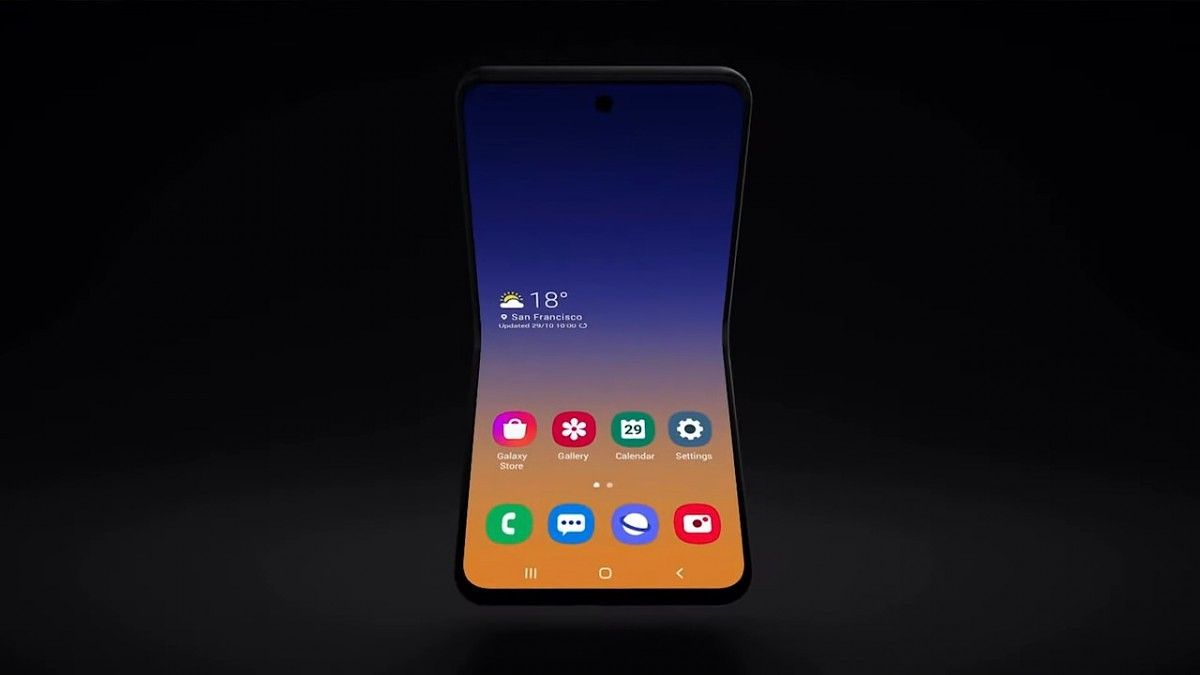
Foldable phones are extremely new and we haven’t seen many different form factors yet. The Samsung Galaxy Fold is the only foldable on the market and it has a form factor similar to a book. The display is on the inside and it opens to the size of a small tablet. We’ve known Samsung is working on more foldable devices and they just teased a vertically folding Galaxy Fold at SDC19.

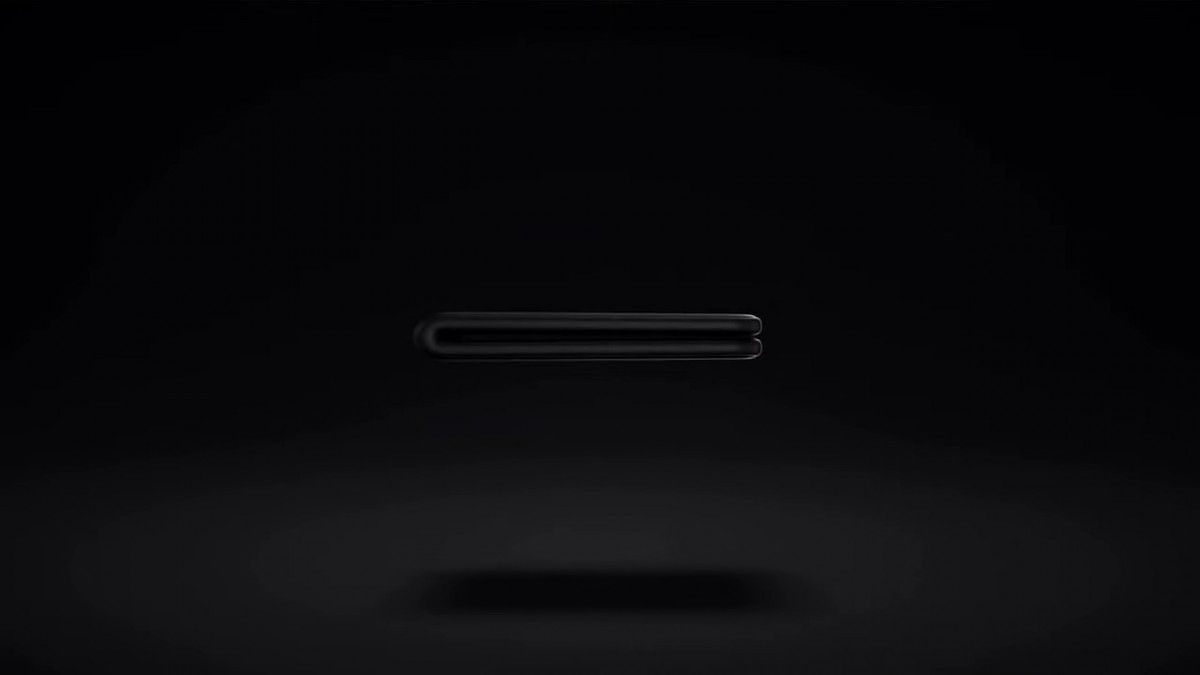
At the Samsung Developer Conference today, the company teased a new form factor for foldable phones. In the GIF below, you can see a tall screen that folds vertically, like an old flip phone. This is a completely different approach than the original Galaxy Fold. Instead of a phone that turns into a tablet, this is an easily pocketable device that turns into a larger phone.

This new Galaxy Fold is allegedly model number SM-F700F and it could be the rumored 256GB foldable we’ve heard about. According to our own Max Weinbach, software development may have started this month already.

samsung galaxy fold vertical samsung galaxy fold vertical

As mentioned, there have been rumblings of Samsung working on new Galaxy Fold form factors. Earlier this month, a leaked poster from a Chinese carrier showed the silhouette of a foldable phone said to be the “Samsung W20 5G.” With Samsung’s teaser today, that posted looks a little more real. It could also be an entirely different device. We’ll have to wait and see.

Samsung W20 5G

Going from phone to tablet, like the original Galaxy Fold, is handy for some people, but this vertical form factor is arguably more exciting. Anyone who used an old flip phone will tell you how nice it was to carry such a small device. Packing a big screen into that form factor would be great. Motorola is another company that seems to be working on this concept. We’re excited about foldable phones in 2020.

The post Breaking: Samsung teases a new vertically folding Galaxy Fold appeared first on xda-developers.


from xda-developers https://ift.tt/34bChSX
via IFTTT

Android 10 brings controller mapping support for the Nintendo Switch Pro Controller

Gaming on Android has usually meant gaming on the touchscreen of your smartphone. While Android does boast of a very large collection of touch-optimized games, some titles just work out better when the player uses a gamepad and real hardware buttons and keys. For the same purpose, you can find a whole host of generic gaming accessories, including controllers, that will easily allow you to upgrade your gaming experience. For example, if you have a PlayStation 4, you can connect the DualShock 4 controller to your smartphone to play. Unfortunately, this doesn’t work on every device, and the reason usually boils down to missing key layout files.

If you are looking to reuse one of your existing game controllers, Android has been gradually adding in support for various popular controllers, such as the Xbox One S wireless controller, and the Xbox Elite Series 1 Controller. A study of the AOSP commits revealed that Android 10 also brought along the ability to connect and properly play on Android using the Nintendo Switch Pro Controller.

A commit in the AOSP Gerrit had added in the key layout file for the Nintendo Switch Pro Controller. The key layout file enables Android to properly recognize the button presses on the controller, and map it to the appropriate Android action that games can listen for. Without this key layout file, the game either will not be able to recognize hardware presses or it will initiate wrong actions.

The Nintendo Switch Pro Controller was launched alongside the Nintendo Switch and served as a better alternative to the Joy-Cons. This commit was added back in June 2019, so Android 10 updates on your phone are likely to have the same already incorporated. If you have a Nintendo Switch Pro Controller around, you can check and confirm if the same works seamlessly on your Android 10 device.


Source: AOSP Gerrit

The post Android 10 brings controller mapping support for the Nintendo Switch Pro Controller appeared first on xda-developers.


from xda-developers https://ift.tt/2BTVCMq
via IFTTT

Google is preparing to add a Games Hub to Chrome for Android

More often than I would like to admit, I have spent several frustrating minutes in front of my browser with the Chrome Dino game. The simple game has helped keep my mind distracted from the frustrating reality of not having an active internet connection, thanks to a spongy and undependable connection from my ISP. Perhaps Google has seen my frustration at being unable to master this simple game, as the company appears to be on track to add a Games Hub to Google Chrome.

Thanks to findings from Chrome Story, Google appears to be working on a set of changes for Chrome under the codename “joy” that will apparently add a game hub to the browser. Google Chrome will add in a new page called chrome://games on Desktop, while on Android, the “Top Sites” page will likely feature a “Games” section. Both of these sections could host a curated list of games built for the browser. Chrome Story also uncovered that Google is working on a browser version of the classic Snake game, which will be hosted at chrome://snake when it is ready, similar to how the Dino game can be accessed at chrome://dino even when you have an internet connection. A reference was also found to Proxx, a web-based game.

It is not immediately clear what Google’s complete plan is with the Games Hub. Google Play Games already features a few simple games, namely Whirlybird, Minesweeper, Snake, Solitaire, Cricket, and Pac-Man for when you are stuck with an offline device and nothing better to do. You can also access Dino on Chrome on Android when you are offline or through the flag. So including a shortcut to web-based games seems like a weird move from Google. We’ll keep an eye on how this progresses to figure out Google’s gameplan.


Source: Chromium Gerrit | Via: Chrome Story

The post Google is preparing to add a Games Hub to Chrome for Android appeared first on xda-developers.


from xda-developers https://ift.tt/2BOYeez
via IFTTT

A new Moto 360 is finally coming, but it’s not from Motorola

The original Moto 360 smartwatch was launched way back in 2014 and it was one of the very first devices with Android Wear. Of the few options at the time, the Moto 360 was widely considered the most attractive (despite the “flat tire” display). Motorola followed it up with a second-generation in 2015, but since then the company has dropped out of the wearable game. A new Moto 360 is finally coming, but not from where you’d expect.

Completely out of left field, a new Moto 360 has been announced and is launching in December. This device, however, is not being made by Motorola or Lenovo. A company called eBuyNow has licensed the Moto 360 brand from Motorola. It looks like you might expect a third-generation Moto 360 to look, but it really has no connection to the previous models.

The Moto 360 third-generation has the signature circular display like the original. It’s 1.2-inches, 360 x 360, and OLED. It’s powered by the Snapdragon 3100 chip, 1GB of RAM, and 8GB of storage. That puts it on the same playing field as the Fossil Gen 5. This is a Wi-Fi/Bluetooth-only smartwatch with GPS and NFC for mobile payments. The battery comes in at 355mAh.

Physically, the Moto 360 third-generation weighs 52g and has a 42mm body that takes 20mm bands. There are two buttons on the right side: the top rotates and the bottom can be customized. It will come in silver, gold, and black finishes. Each watch comes with two bands: leather and rubber. That’s good because this is a pretty expensive Wear OS device. You can pre-order the Moto 360 third-generation in November for $349 and it will ship in December.

What do you think of this new Moto 360? Is it as good as the original? Do you trust a relatively unknown company with this brand?


Source: Moto360.com | Via: The Verge

The post A new Moto 360 is finally coming, but it’s not from Motorola appeared first on xda-developers.


from xda-developers https://ift.tt/2WnXHJN
via IFTTT