Strap in everyone, it’s time for another wall of text—I mean, review. This time around, we’re taking a look at the OPPO Reno Z. It’s a solidly mid-range device released earlier this year and I’ve got to say, it’s definitely interesting. On paper, it’s not really something to write home about, but OPPO has followed the philosophy of the whole being greater than the sum of its parts. While not everything about the Reno Z is good, if you’re on a budget, it’s certainly worth a look.
Now let’s start climbing down this wall and get into the details of the OPPO Reno Z.
First Impressions on the Design
The first thing you’ll see when you buy a new phone is probably the box. The OPPO Reno Z’s box is a little like the OnePlus 7T Pro’s in that it’s strangely long. There is a reason for that, though: It’s got a lot of stuff in it. There are the requisite charging cable and brick, and of course the phone itself. On top of that, there’s also an included soft-ish case and a pair of headphones, which is always nice, even if the quality isn’t amazing.
One thing that’s notably absent from the box is a USB-C to 3.5mm adapter dongle. Now, before you get all up-in-arms, OPPO has a good excuse for this: the OPPO Reno Z comes with a headphone jack. That’s right, this $400 phone comes with something $800+ phones no longer have. I guess OPPO just wasn’t courageous enough to remove it on this mid-ranger.
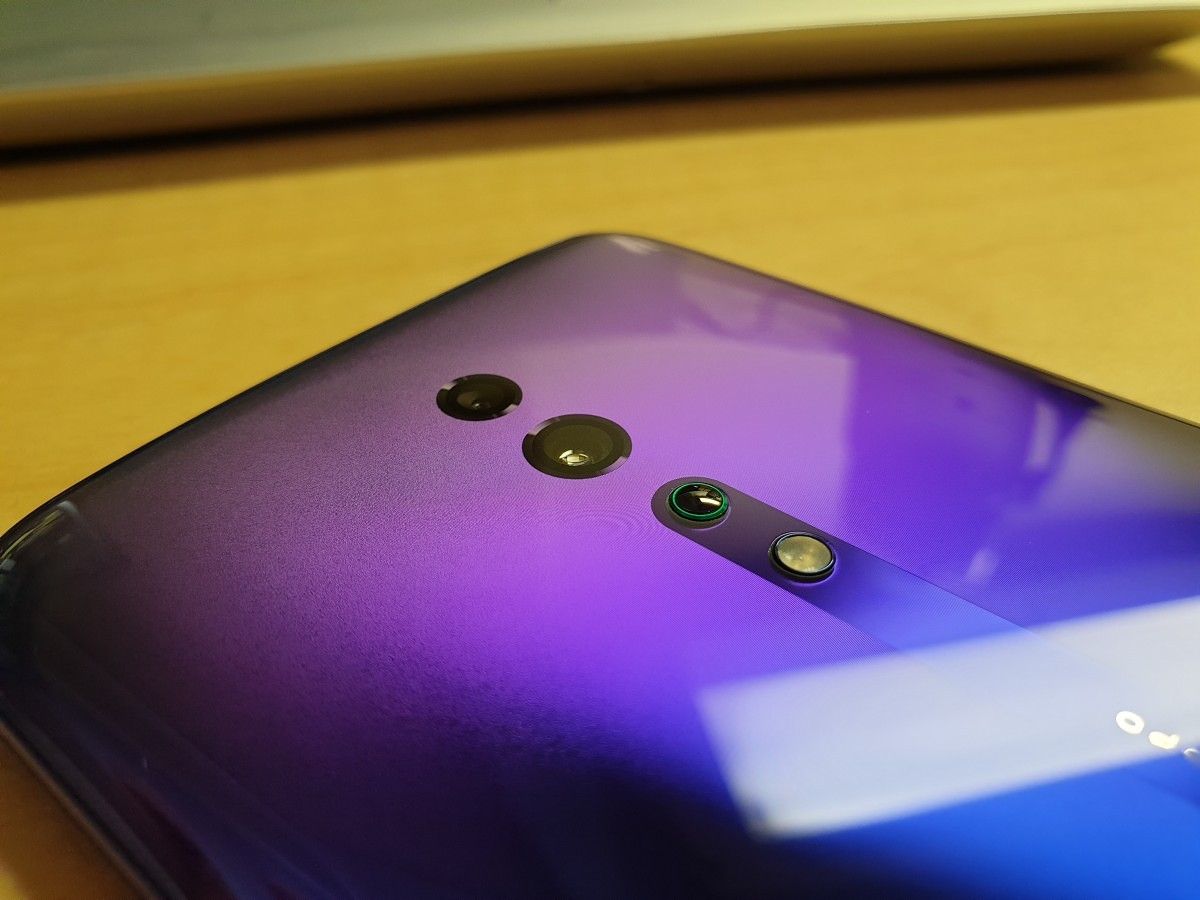
Speaking of removing, it’s probably time to actually remove the phone from the box and take a look at it. When I reviewed the Honor 20, I commented on how amazing it looked. Well, the OPPO Reno Z has that design beat. Instead of a single color with crazy reflection effects, the OPPO Reno Z has a striking purple-to-blue gradient, which looks a lot better than it sounds. If you don’t believe me, I’ve got picture proof.
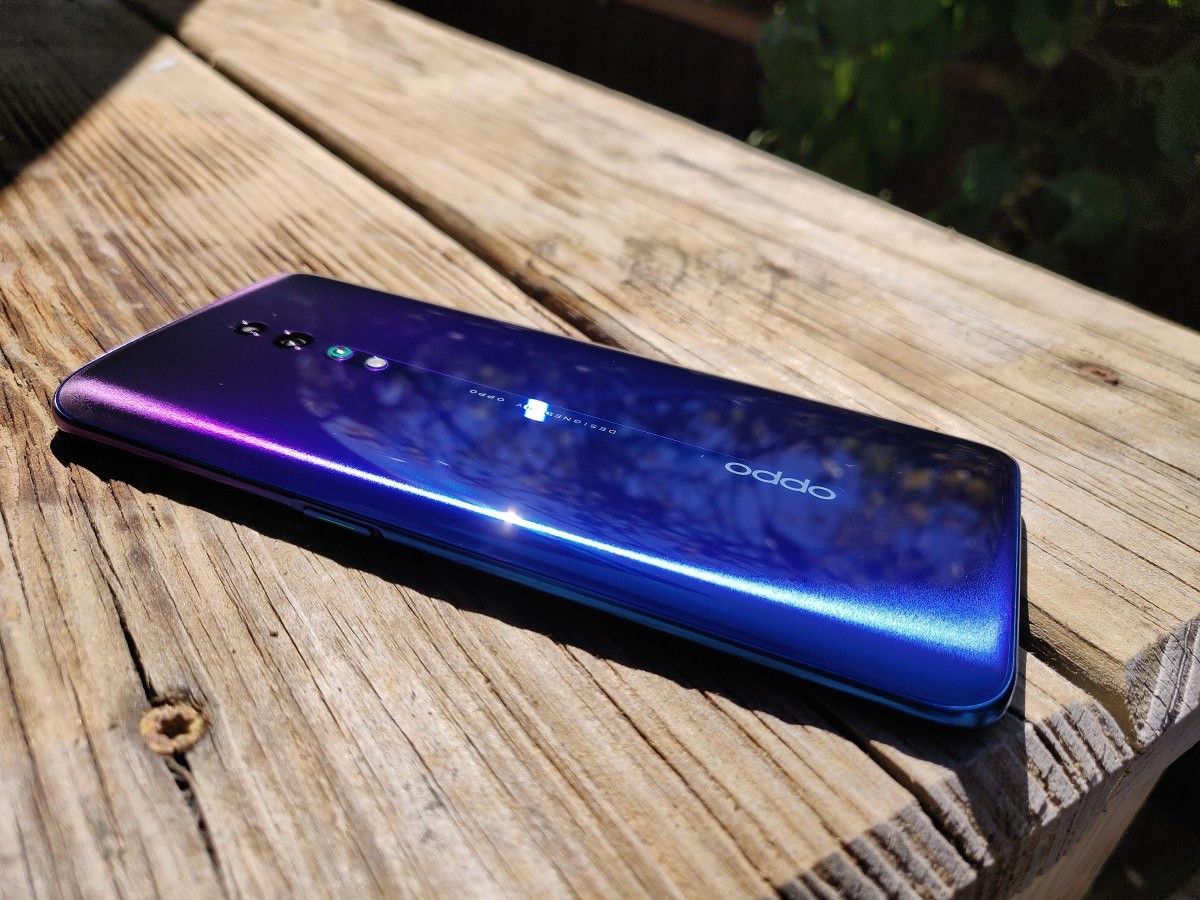


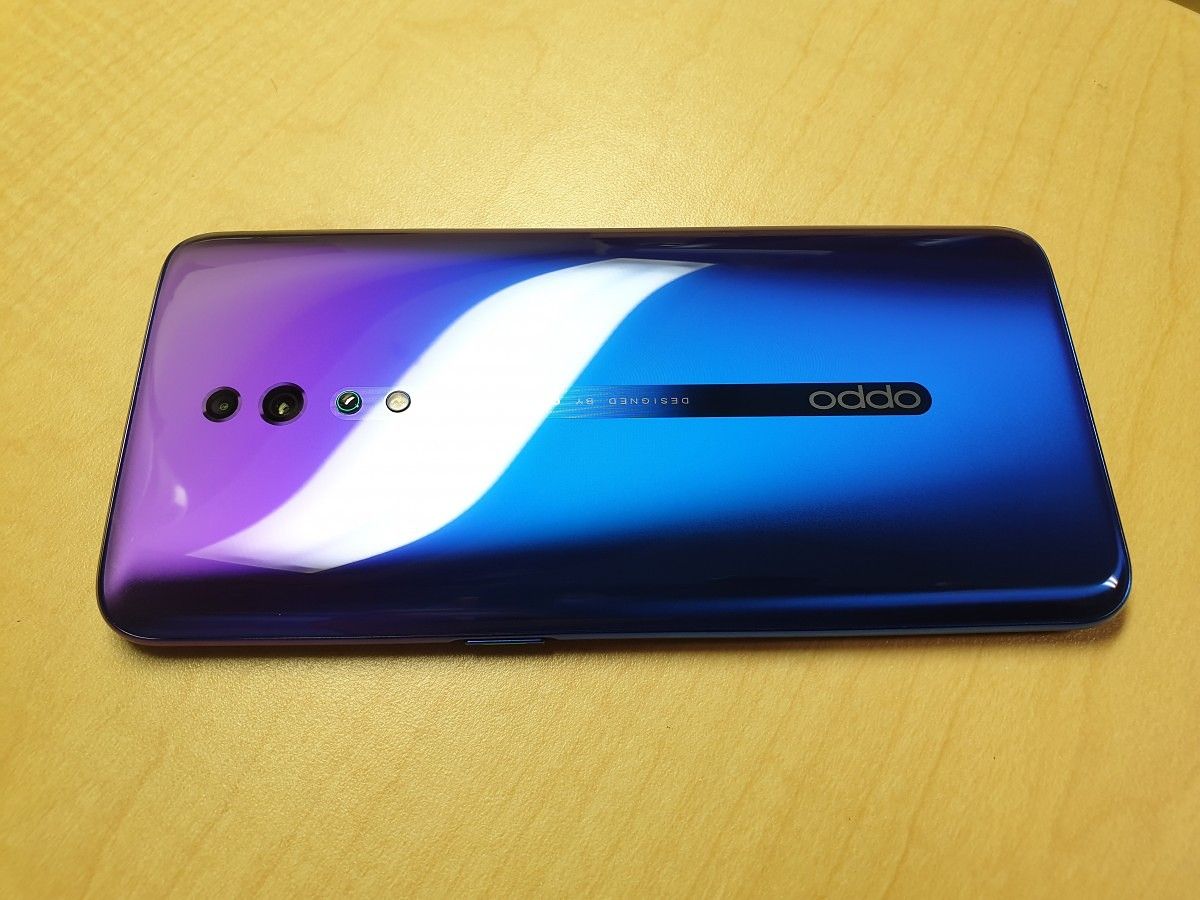
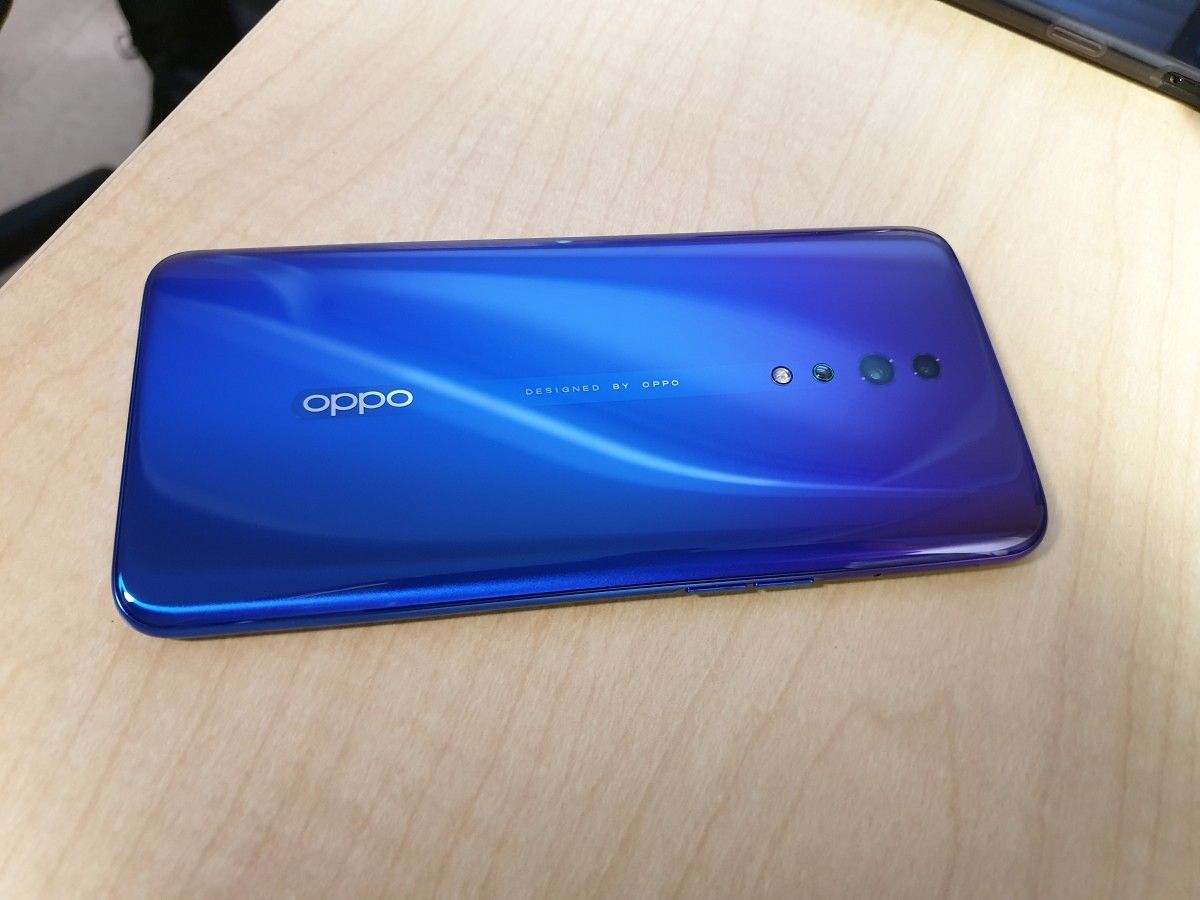

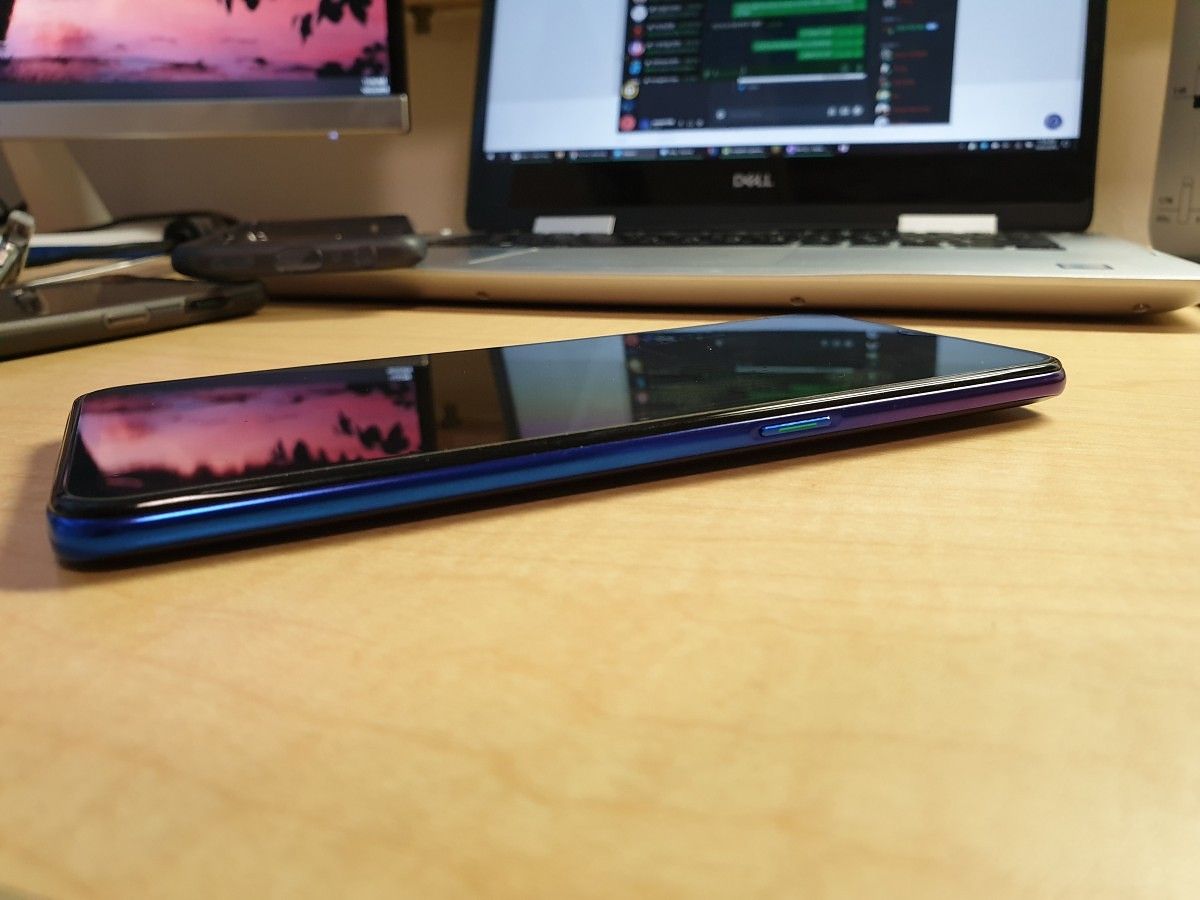
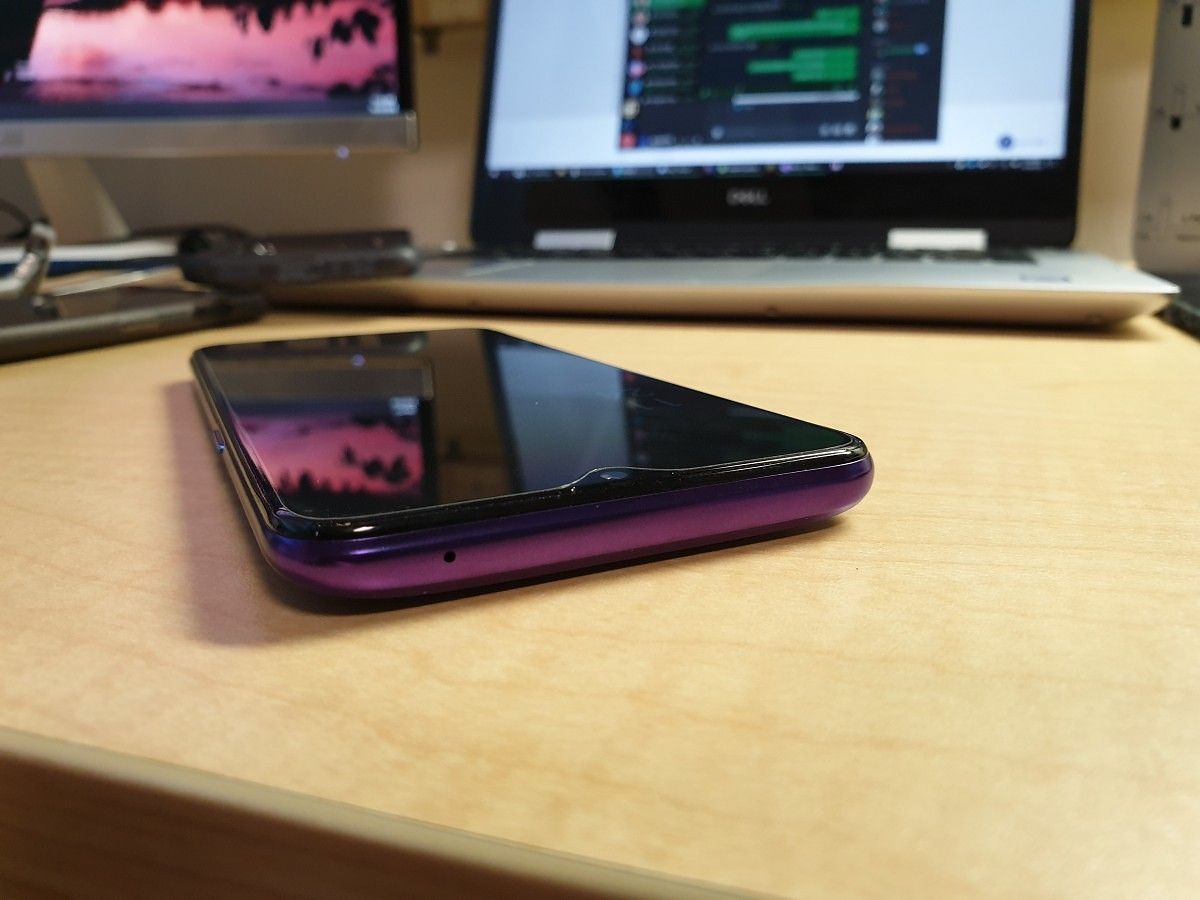

While Samsung has proven that it’s possible to create amazing reflective designs on plastic, OPPO decided to use glass for the Reno Z, which certainly makes it feel more premium (even though glass is arguably one of the worst material options from a pragmatic point of view). It also adds to the weight of the phone, making it feel nice and solid when held.
One odd thing I noticed about the Reno Z’s design is that it’s slightly thicker at the top versus the bottom. I personally don’t like this throwback to old Motorola DROID designs, but it’s not enough of a difference for me to even notice unless I’m looking for it. There’s also this weird “O-Dot” bump below the camera, which I can best describe as a hemispherical bump coming out of the phone. When you place the phone on a flat surface, the O-Dot slightly raises the phone so the cameras don’t touch the surface. OPPO says it’s supposed to remind me of a “gently rippling pool,” but to me, it just looks and feels like a bump. Since I use the included case, I don’t even notice it’s there.
So we’ve gone over the good and the “meh” of the first impressions. Next up—it’s time for the bad. To its credit, there’s really not much that’s bad about the OPPO Reno Z. Unfortunately, the one thing that I did notice, I really noticed: the haptics are terrible. In ambient noise below around 70dB, you can clearly hear the vibration motor whirring from quite a distance. Needless to say, you should turn off keyboard vibration if you’re planning on typing in a quiet-ish area.
That’s pretty much it for my first impressions of the look and feel. The design is great, the phone feels solid, the vibration motor is terrible. Now let’s get on to the actual review.
OPPO Reno Z Specifications
Before we move on, we need to talk about the specifications. The Reno Z variant I received for review has the base-level specs.
| Category | Specification |
|---|---|
| Size & Weight |
|
| Display |
|
| SoC |
|
| RAM & Storage |
|
| Battery |
|
| USB |
|
| Connectivity |
|
| Fingerprint Scanner |
|
| Rear Cameras |
|
| Front Camera |
|
| Android Version |
|
| Other Features |
|
About this review: I received this device last month on loan from OPPO. OPPO is a sponsor of XDA. However, the company did not have any input regarding the content of this article.
OPPO Reno Z Software
Now that the initial impressions are out-of-the-way, let’s talk software.
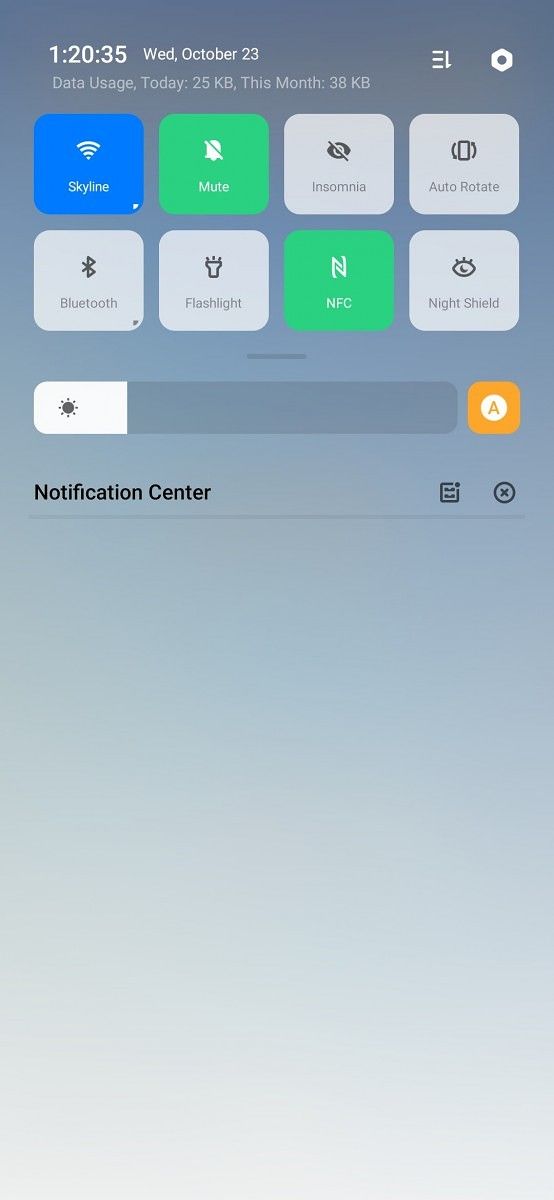
The first thing I want to talk about is ColorOS. ColorOS is OPPO’s take on what Android should look and feel like and, frankly, I don’t enjoy using it. It’s an annoyingly inconsistent experience full of odd design choices. It’s not all bad, but other similar skins like EMUI or MIUI function better overall. It certainly doesn’t help that OPPO doesn’t have an official bootloader unlock process, so if you get this phone, you get ColorOS and nothing else. There’ll be a separate review on ColorOS itself sometime after this one since I have too much to say to fit into this review.
In daily usage, though, once I got used to how annoying ColorOS is, using this phone was a lot better than I was expecting. MediaTek has a bit of a reputation for being the “cheap” processor brand, so it’s been associated with poor performance and support. Couple that with only 4GB of RAM and you’ve got a recipe for disaster, right?
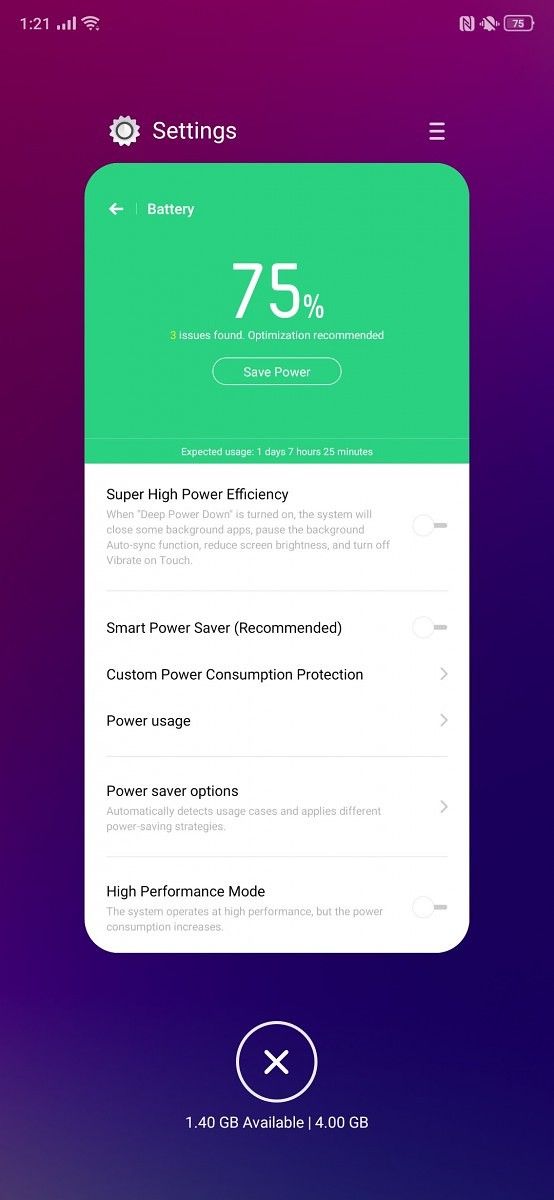
Surprisingly, the OPPO Reno Z performs well in daily usage. I can have multiple apps open at once without them reloading, and there have been minimal issues with dropped frames, jittery animations, or slow app-open times. On average, the phone sits in the range of 1.4GB out of 4GB free, and if I didn’t have to deal with ColorOS’ annoyances, this phone could be truly pleasant to use (as long as I only typed on it in loud environments). If I didn’t know the Reno Z didn’t have a Snapdragon 845, I wouldn’t notice at this level.


Gaming
The OPPO Reno Z isn’t a gaming phone by any means; it’s not even using the gaming variant of the MediaTek Helio P90, However, OPPO says the “Reno Series is engineered with gamers in mind,” so here we are. Supposedly, these optimizations improve latency, touch response, and lag. Needless to say, I was a bit skeptical. I’m not really an avid console or PC gamer, so this section won’t be very in-depth.
The first game I tried was Fortnite, and I wasn’t impressed. The framerate bounced between 15 and 30 FPS and the game would freeze up for a split second every few seconds. Since Fortnite is super picky about when it lets you actually play the game, I was kicked as soon as I tried to jump to the island, with some random unknown error. I have USB Debugging enabled, so Fortnite was probably mad about that, but the experience in the game lobby didn’t exactly make me want to try to play a full game.
The next game to “play” was Call of Duty Mobile. Strangely, this was a completely different experience. After spending 10 minutes trying all my usual online nicknames and being told they were taken, I finally got to the tutorial and played a bit of it. Instead of jumping from 24 to 30 to 18 FPS, I was getting a steady 30FPS. Even with moving enemies and gunfire animations, it stayed smooth.
Even with just these two results, I think it’s safe to say that the OPPO Reno Z is not a high-end gaming champ. It’ll be fine for moderate gaming, but don’t expect a steady 60FPS if you bump the graphics up.
OPPO Reno Z Battery
The next thing we need to talk about is battery life. The OPPO Reno Z has a 4035mAh battery. That’s not as big as on some of the larger flagships on the market, but this is a phone, not a paperback. The battery on the Reno Z is nothing short of amazing. ColorOS may be a mess in other aspects, but it does battery life right.
Of course, there’s the requisite over-aggressive battery management, but even after turning that off for the apps I use, battery life is incredible. Using the phone for two straight hours of videos, music, Reddit, etc, in a mix of outdoor and bright indoor conditions, I could only manage to drain it 15%. For comparison, my Samsung Galaxy Note 9 tends to drain closer to 25 or 30% under the same usage.
On Standby, the story is the same. I can leave the Reno Z unplugged from 5:30 AM to 10:00 PM and it’ll be down at most 20%, even after light usage. Unfortunately, ColorOS has removed Android’s battery graph, and apps like GSam simply don’t work, which means I can’t get precise screen-on-time or use-time values, but I can say that whatever they are, they’re probably great.

OPPO Reno Z Camera
Arguably the most important part of a smartphone, the camera is next on the list for us to talk about. It’s got three of them: two on the back and one up front. The main rear shooter is everyone’s favorite: the IMX586. As a quick reminder, that’s a 48MP sensor, and in this configuration, it’s paired with an ƒ/1.7 aperture lens. The secondary sensor is a 5MP, ƒ/2.4 depth sensor.

As with most mid-range devices, the photos the OPPO Reno Z takes are nothing to write home about. Of course, they’re good, and there’s an AI scene detector here that actually functions well, so contrast and such are automatically adjusted to make the subject look better. While there are dual rear cameras, there’s only one hardware shooting mode. The secondary camera is a depth sensor and not a telephoto or wide-angle lens.
In bright light, the photos taken by the Reno Z are very similar to what the OnePlus 6T produces, although they tend to be a little overexposed for my liking. In low-light, the Reno Z still produces usable images, although they aren’t as detailed as what you might get from the Honor 20 Pro or Google Pixel. Again, they’re pretty similar to what the OnePlus 6T produces, but with slightly less detail. The only real issue I’ve noticed with the camera is that it can be easy to accidentally take blurry photos. Move even slightly when you hit the shutter button and you’ll just get a blob.
There is one thing that the Reno Z does better than the OnePlus 6T, though, and that’s the camera software. The UI in each is actually pretty similar, with the photo modes and shutter button on the bottom, and the capture options up top, but ColorOS’ viewfinder works much better in low light. Where OxygenOS‘ viewfinder will become choppy when moving, ColorOS’ stays smooth, although it does lag slightly behind. Personally, I prefer the smooth-but-delayed approach over the choppy-but-live one.
If you’re looking for a great rear-shooter, this isn’t it. But in this price range, that isn’t really something you should expect. There are exceptions, of course, but they’re, well, exceptions. You certainly won’t be let down by the Reno Z’s camera. Just don’t expect Pixel-level results.
For reference, here’s a set of comparison photos, showing how the Reno Z stands up to the OnePlus 6T and Galaxy Note 9.

The story is about the same in the selfie department. The camera isn’t amazing, but in good lighting, it’s got plenty of detail. It’s also fairly wide-angle, so you shouldn’t have too much of a problem getting everyone in the shot. Here are a couple of shots of me in a well-lit room:


Now, there is one more aspect of this camera to talk about: Night Mode. Night Mode has gotten really popular lately, with implementations from Google and Huawei showing just how incredible it can be when done right. Unfortunately, OPPO does not do it right, so we’re left with results that are sometimes worse than just using Auto Mode. If you don’t believe me, take a look for yourself. I took a few photos, showing two different scenes indoors on a cloudy day. The results are not great.




OPPO Reno Z Display
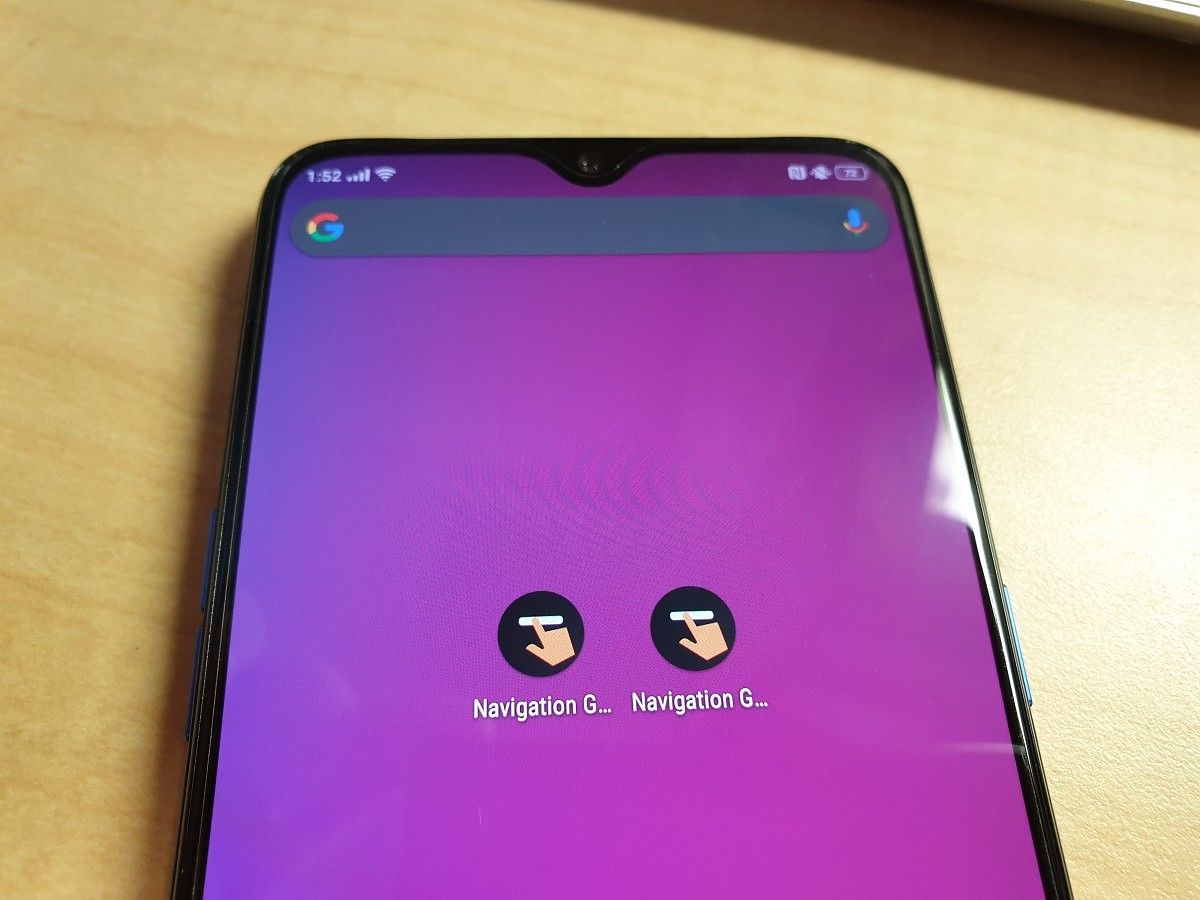
Next up, we’ve got the screen. This is just your regular old “Boundless Horizon Waterdrop” screen, and that’s perfectly fine. There’s no annoying hole-punch, effectively taking up more room than the Pixel 3 XL‘s notch, there are no curves. It’s nothing fancy, and that’s why it’s good.
The OPPO Reno Z’s display is remarkably similar to the OnePlus 6T’s. It’s 6.4-inches with a high screen-to-body ratio and a resolution of 1080p. Just like the display on the OnePlus 6T, this screen has good color reproduction. It also doesn’t get nearly bright enough to use on a sunny day. If you’re using it at night, though, it gets plenty dark. For a phone in this price bracket, you can’t really complain.
One thing about the display that I really appreciate is technically not part of the display at all. Like a lot of OEMs these days, OPPO has shipped the Reno Z with a pre-installed plastic screen protector. However, this screen protector isn’t just some thin layer of plastic that you’re supposed to remove as soon as possible. Instead, it’s actually pretty high quality.
I’ve had the screen protector on since I got the phone and—aside from not even knowing it was there for the first few days—I haven’t had any problems with it. The edges are still firmly adhered to the phone; there are no bubbles forming, and there are no major scuffs or grooves. The screen protector seems a lot like a proper $5-$10 one you’d get on Amazon or eBay.

Cellular
It may come as a surprise to you, but the OPPO Reno Z is actually a phone. I know, crazy right? Who even makes phone calls anymore? I certainly don’t, but since I’m reviewing this thing, I did make one or two calls with it, and they were fine. It was easy to hear the other person and I didn’t get any complaints about voice quality.
However, you may notice that the title of this section is “Cellular,” not “Phone Calls,” and that’s because it’s not 1995 and smartphones exist. The other part of a cellular connection is the data service, and that’s what I want to spend some time to talk about.
I’m in the US and my carrier is T-Mobile. T-Mobile’s main LTE bands are 2, 4, and 12 (low-frequency). A lot of internationally sold phones support bands 2 and 4, but not 12. When I was reviewing the Honor 20, this was actually a problem. Since T-Mobile relies heavily on band 12 coverage, I found myself losing service quite a bit, and so I didn’t really spend much time reviewing that aspect of the phone.
The story is different with the OPPO Reno Z, though. Instead of losing service constantly, I’ve found that I actually tend to get better coverage than with the OnePlus 6T. In other words, the Reno Z has incredibly good antennas. Even in areas where I thought there was only coverage with band 12, the Reno Z will have a usable data connection on band 2 or 4. Sometimes it even has service when my Galaxy Note 9 (my daily driver) doesn’t.
Even without support for band 12, the Reno Z works just about as well (in my area) on T-Mobile as the OnePlus 6T and the Galaxy Note 9. If it’s this good in a country where it doesn’t even have full LTE support, I can only imagine how well it works somewhere with the proper bands.
(Note: I didn’t talk too much about 2G/3G strength here. That’s mostly because I never actually fell back to either; I either had LTE or no service at all. However, since many of the frequencies among the different technologies overlap, I feel comfortable saying that 2G/3G coverage will be just as good on this phone.)
Sound
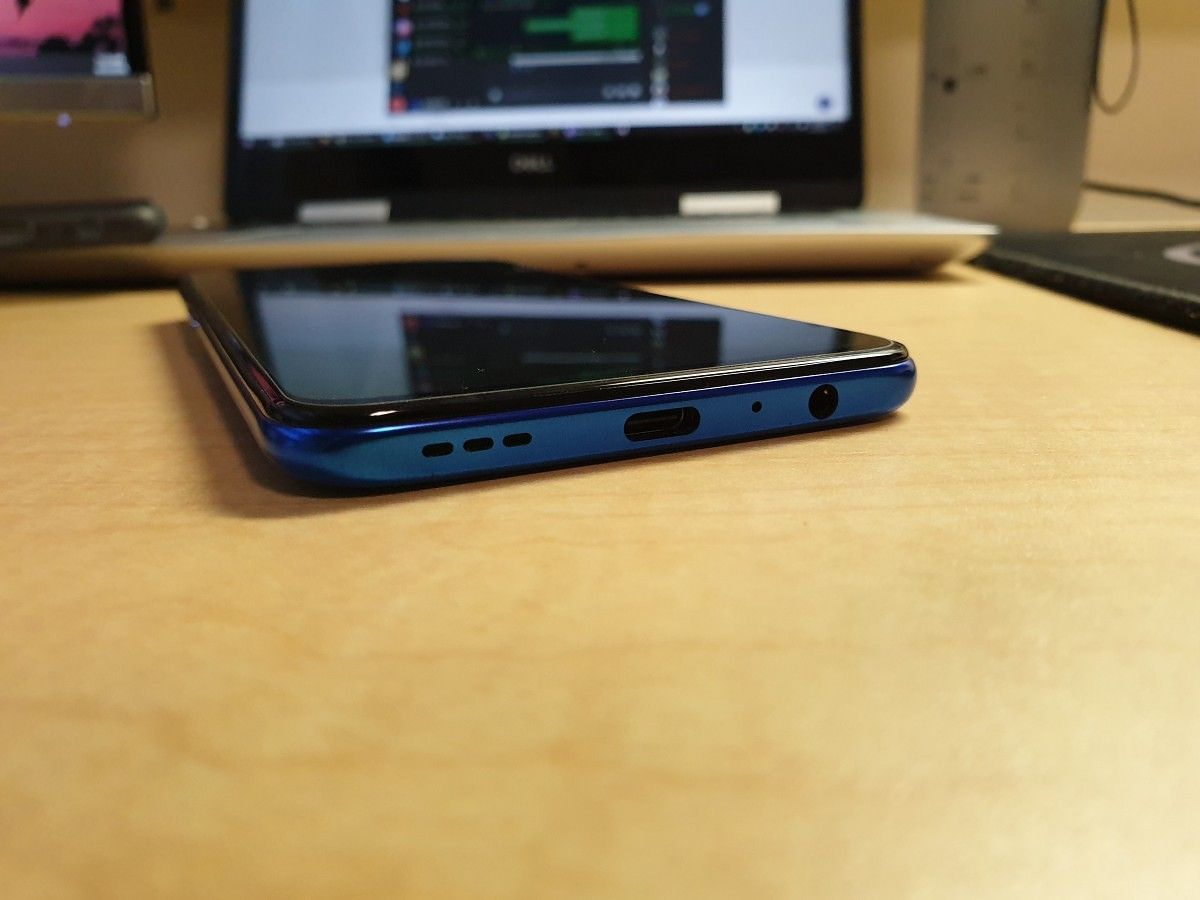
For a phone in this price range, you would normally expect to see a single bottom-firing speaker and maybe an adequate headphone jack.
Playing a YouTube video without over the phone speakers, though, was a surprisingly pleasant experience. Yes, I did say speakers, plural, because the OPPO Reno Z actually comes with stereo speakers. It’s not a full proper stereo setup with near-identical left and right speakers, but it is still stereo. Since the Reno Z uses a “bezelless” design, the earpiece doubles as a slightly less-powerful speaker.
Anyway, back to actually talking about that surprisingly pleasant experience. While neither speaker will blow you away with its audio quality, they combine to produce enough of both bass and treble to not sound super tinny or muddy. I’d put the Reno Z’s speakers slightly behind the Galaxy Note 9’s in terms of quality.
The second surprising thing about this phone is that it comes with a headphone jack. Even on mid-range and budget phones, it’s disappearing. It’s nice to see OPPO retaining it, at least in some of its phones. It’s not like the headphone jack is an afterthought, either. I only have two pairs of wired earbuds, and they’re not fancy, so I can’t say how much power this headphone jack puts out. What I can say is that, while using the AKG earbuds I got with my Galaxy Note 9, I was legitimately amazed at how it sounded.
The OPPO Reno Z comes with Dolby Atmos equalizer software installed. The options and interface are surprisingly similar to what EMUI has. There are four main ones: Smart, Movie, Gaming, Music. Smart mode attempts to guess what sort of sound you’re currently listening to and apply the most relevant of the other three modes. At first, I left the Smart mode checked, just to get a feel for how it worked.
In the first song I listened to, instruments that were usually far in the background of the melody were brought to the front. They didn’t drown anything out, though; they were just much clearer than usual. Unfortunately, in the next song I listened to, the equalizer just pumped the bass to a ridiculous level.
I know some people like to blow out their eardrums with bass, but that’s just not my thing. So, I went to the sound settings and selected the Music mode. This didn’t immediately change anything, which means Smart mode can at least recognize music. Manually selecting Music mode, though, enables a bunch of new options. You can choose from a few different “intelligent” equalizer profiles, or use the manual equalizer.
After playing around with the different “intelligent” profiles and not really liking any of them, I gave up and adjusted the manual equalizer to how I like my sound to, well, sound.
Watching videos is a bit of a different story. I found the audio in the Smart and Movie modes to be way too heavy on the bass. Since it’s not music, it just makes everything sound weird. The equalizer settings I used for Music mode again worked well to make videos sound the way I want.
Conclusion
Strangely, I’ve found myself really enjoying using the OPPO Reno Z. You wouldn’t think this is a very good phone just by looking at its product page. I certainly was skeptical at first. However, MediaTek has proven to be a competent processor option for cheaper devices. Gone are the days when we would shudder at the poor performance of MediaTek-powered devices, and that’s a good thing.
An acceptable processor isn’t the only reason I like this phone, though. The outstanding battery life, relatively extensive set of features (headphone jack!), incredible cellular signal strength, and every other little positive thing I said, combines to make the OPPO Reno Z a compelling device, even when compared to higher-end options. The only negative is the terrible software. When I reviewed the Honor 20, I made the argument that it didn’t do enough to differentiate itself from its competition. Well, judging by any single feature, the OPPO Reno Z doesn’t either. However, the combination of the things it does right overpowers the negatives.
Even if you live in the US, the OPPO Reno Z is a viable mid-range option, thanks to the amazing antennas inside. If you’re in the market for good cameras, the Pixel 3a would probably be a better option, depending on where you live. But aside from that, the Reno Z really holds its own in the midrange segment.
Buy (UK) Buy (Russia) Buy (Spain) Buy (Italy) Buy (eBay, US)
The post OPPO Reno Z Review – Great, Despite the Software appeared first on xda-developers.
from xda-developers https://ift.tt/2Nn7fAM
via IFTTT