LightBlog

mercredi 23 octobre 2019

Navigation Gestures 1.20.16 released with even more bug fixes and features

It’s been less than a month (barely) and we’re back with another Navigation Gestures update. Just like with the release of 1.18.4, the focus here is primarily on stability and performance. That doesn’t mean there aren’t new features, though. We’ve spent a while making sure this release is as stable as we can get it (as you can tell by the high patch-version number).

First up, here are the highlights:

  • We’ve completely redesigned the gesture detector.
  • We’ve added a bunch of new gestures.
  • There are a couple new compatibility options to help you fine-tune Navigation Gestures for your device.
  • You can now search for specific settings.
  • The sensitivity issue using Split Pill has been fixed.

Here’s the full list of changes:

Features

Better App-Change Detection

First up, we’ve added a setting for better app-change detection. This option makes use of Android’s Usage Stats API to more reliably detect the app that’s currently on-screen. Enable it by going to Settings > Experimental Settings and tapping “Improved App-Change Detection.” Just note that it may result in worse battery life.

Complex Gestures

There are also 8 new “complex” gestures:

  • Swipe Up & Right or Right & Up (+ long variant)
  • Swipe Up & Left or Left & Up (+ long variant)
  • Swipe Down & Right or Right & Down (+ long variant)
  • Swipe Down & Left or Left & Down (+ long variant)

These new gestures work in both normal and split pill modes.

Repeat Long-Swipes

We’ve also added an option to allow long-swipes to repeat until you lift your finger. For example, if you have a long right-swipe set to increase the display brightness, keeping your finger down will cause the brightness to continue to increase.

Settings Search

This next feature should be particularly useful. As you may or may not know, Navigation Gestures has a bit of an overload of options. It can be hard to find something you’re looking for when it’s surrounded by dozens of other options. Well, we’ve added a Settings Search feature in this version. Simply open the settings, tap the search icon in the top bar, and type in what you’re looking for.

Behavior

While there are plenty of new features, there are also a bunch of changes to how Navigation Gestures behaves that we’ve made.

Clear Settings when Restoring Full Backup

Navigation Gestures has had a Backup & Restore feature for a while now. This can be useful if you’re moving over to a new phone or performing a factory reset. In this release, we’ve slightly tweaked the behavior for restoring a full backup. The process will now clear all of your current settings before writing the ones from the backup. This is just to ensure that the backup properly restores. In most cases, you won’t notice a difference.

Per-App Pill Color Reliability

In the last stable release, 1.18.4, we introduced a new Experimental feature: Per-App Pill Color. In Navigation Gestures 1.20.16, we’ve improved its reliability. It should now be less prone to flickering when opening apps, or when having a status bar clock showing seconds.

Redesigned Gesture Detector

Per-App Pill Color isn’t the only thing we improved, though. We’ve completely redesigned the gesture detector for the pill. The first thing you’ll notice with this new detector is that the pill now moves both horizontally and vertically at the same time. This means you could start a swipe-up gesture, but change your mind and drag the pill to the right instead (of course, if you have the Right & Up complex gesture enabled, that’ll execute). This new gesture detector also opened the door to the new complex gestures. Overall, the experience swiping the pill should be vastly improved.

Pill Hiding/Fading

The next improvement involves the pill hiding and fading behavior. We’ve redesigned the logic behind these features, so they should be much more reliable and responsive. We’ve also made it so you can have the pill hide and fade at the same time.

Don’t Move Pill when Keyboard Shown

We’ve also fixed up the “Don’t Move Pill when Keyboard Shown” option to work more reliably on more devices.

Compatibility

Since different Android devices can be so vastly different from each other, it’s impossible to make an app like Navigation Gestures work properly on all of them automatically. That’s why we’ve added new compatibility options as time goes on. In Navigation Gestures 1.20.16, there a couple new ones to help you fine-tune Navigation Gestures for your device.

Switch Apps Delay

The first new option involves the Switch Apps action. Android unfortunately doesn’t have a direct method for switching to the previous app, so Navigation Gestures has to simulate a double-tap of the Recents button. We’ve played around with different delays between the two simulated taps, but none have worked reliably on all devices. This option allows you set the delay between the two taps yourself. Experiment with longer and shorter delays to find what’s best for your phone.

Accessibility Event Delay

The other option also involves a delay. Navigation Gestures relies on events reported to an Accessibility Service to know when the screen content has changed. These events aren’t reported every time they’re generated, though. Android allows a minimum delay between events to be set. The shorter this delay is, the faster Navigation Gestures can do things like update the pill color or hide the pill. Unfortunately, a shorter delay also means worse battery life and performance. A longer delay means slower responses, but less effect on battery usage and speed.

Luckily, Android allows this delay to be set dynamically, so we’ve added an option so you can set it yourself. The default delay is 500ms, but if you want the best performance, you can set it as low as 100ms. If you’re trying to save battery, it can be set all the way up to 2000ms.

Cut-Off Volume Dialog

Android Pie redesigned the volume dialog, moving it to the side of the display. Because of this, when using a fullscreen app in landscape on Pie, the volume dialog will be partially offscreen. There’s a new compatibility option which will temporarily show the navigation bar when the volume dialog is on-screen under thee specific conditions.

Bugs/Miscellaneous

Aside from everything mentioned above, there are quite a few bug fixes and miscellaneous changes that should improve your experience using Navigation Gestures.

Crash Fixes

Being a low-level personalization app, Navigation Gestures has its fair share of crashes. Since 1.18.4, we’ve fixed quite a few crashes, and the overall experience should be much more stable.

Performance Improvements

Again, with how much Navigation Gestures has to do in the background, there are quite a few times when Navigation Gestures freezes up, especially on older or lower-end devices. A lot of work has gone into performance for this release, fixing quite a few instances where Navigation Gestures stops responding.

Hide Pill when Keyboard Shown

At some point, we broke this option. Well, now it’s fixed, and should work reliably again in 1.20.16.

Sensitivity

During the development and testing process between the release of 1.15.10 and 1.18.4, the gesture sensitivity was decreased greatly when the pill was aligned to the bottom of the screen. It could be worked around by enabling Full Overscan, but not all devices are compatible with that option.

After a lot of investigation, we found the reason behind this issue, and it should be fixed now. If you had turned on Full Overscan in 1.18.4, you can disable it if you want to.

Miscellaneous

  • Make sure the Show NavBar with Keyboard option is disabled when Overlay NavBar is on
  • Make sure holding the pill to show the navigation bar while screen pinning is active actually works
  • Fix up some animations

Navigation Gestures - Swipe Gesture Controls! (Free, Google Play) →

Navigation Gestures Premium Add-On ($1.49, Google Play) →


So that’s it. As promised, there’s a whole bunch of new stuff: features, behavior changes, bug fixes…. what more could you want?

If you haven’t tried Navigation Gestures before, there’s no better time than now to go install it. If you have tried it before and you uninstalled it because of issues you experienced, give it another shot, and then uninstall it because you’ll still probably issues. Report any problems you have, though. You can send an email to navigationgestures [at] xda-developers [dot] com or create a ticket at https://support.xda-developers.com to let us know.

The post Navigation Gestures 1.20.16 released with even more bug fixes and features appeared first on xda-developers.


from xda-developers https://ift.tt/2p79LDa
via IFTTT

Google previews Android Studio 4.0 and releases new Jetpack libraries at Android Dev Summit

Google is back for more, and this time that doesn’t mean yet another Play Store or API restriction. Instead, Google’s announced a whole bunch of stuff at the Android Dev Summit to help Android developers. It seems the effects of Project Marble are still around since Google’s doing more to improve app performance. We’re even getting a new tool to help debug performance. And speaking of new tools, the Android Jetpack family is growing, with some cool new libraries and functions.

Read on if any of that sounds even mildly interesting to you (I promise this article is short-ish).

Language Support

Kotlin as a Java alternative has gotten incredibly popular in recent years. It’s gotten so popular that Google now recommends it for Android development over Java. Despite that, there are still a few areas where Kotlin for Android falls short. Luckily, Google has been working on making Kotlin Android development a better experience.  If you use Kotlin in your apps, you’ve probably noticed that it takes significantly longer to compile than a similar Java app. With this announcement, Google says it worked hard to make compilation faster, with improvements such as incremental annotation processing and optimizations to R8 for Kotlin. Hopefully, we’ll see the results of these efforts soon.

Jetpack

With the release of Android Pie (API level 28), Google introduced a new set of support libraries under the Jetpack name. These libraries do two main things: They replace the old support and appcompat libraries developers use to provide backward-compatible functionality, and they add some new tools for developers to reduce boilerplate code. Jetpack has been out for a while, but the lineup is expanding today.

Benchmarking

Jetpack Benchmarking was announced at Google I/O earlier this year, and it’s now available as a release candidate. Google says this library will make it easier to test the performance of your app, and pinpoint exactly where there are problems. If you’re having performance issues in your app, check it out.

View Binding

The next new(ish) part of Jetpack is view binding. Similar to the old data binding, it’s meant as a null-safe alternative (important for Kotlin development). However, there are a couple of other notable differences. For one, it works with any layout XML, whether or not it’s wrapped in the <layout> tag. The other difference is that it does not support layout variables or expressions. If you’re just looking for a convenient alternative to findViewById(), view binding is a good option. If you need to bind data, then you should stick with data binding.

CameraX

We’ve spoken about this before, but it’s finally (almost) here. CameraX is a wrapper of sorts for the Camera2 API. It’s supposed to be much simpler to use, though. Instead of leaving it up to the developer to account for device differences, CameraX does all the heavy lifting. It even introduces something called CameraX Vendor Extensions, where manufacturers can release libraries to allow app developers to use first-party camera features in their own apps. Needless to say, this is pretty exciting for both developers and users.

Compose

It’s no secret that Android UI development can sometimes be tricky, and boilerplate code can get out of control. Google’s hoping to fix this problem with Jetpack Compose. Built on top of the Kotlin language, Compose allows developers to use a declarative approach to building UIs rather than imperative. This can greatly simplify layout creation.

Compose has been released as a developer preview, and you can try it out now by updating to the latest Android Studio Canary.

Android Studio 4.0

Speaking of the latest version of Android Studio Canary, that’s also being updated today. It’s not 3.7, though. Instead, we’ve got a full version jump to 4.0. As I mentioned (right) before, this version brings support for Jetpack Compose, including live preview and code completion. That’s not it, though. We’ve also finally got full support for kts script files, Kotlin live templates, and a motion editor, I’m assuming for the MotionLayout.

App Testing

This isn’t directly related to Android Studio, but it’s still an important part of the app distribution process. In case you didn’t know, developers publishing to the Google Play Store use the Google Play Developer Console to do so. Earlier this year, Google introduced the Internal Testing feature for apps, allowing only specified people to use testing versions of an app. There were a couple of limitations with this testing feature, though.

The first limitation was that Google’s new more-efficient app packages—App Bundles—weren’t compatible with internal testing, forcing developers to use APKs instead. The other was less of a limitation and more of a lacking feature: developers can now upload debuggable artifacts (APKs or App Bundles) to the Internal Test track, making it easier to figure out why an application is having issues on a certain device. It’s now also possible to share links to older internal testing versions.


As you can probably tell, Google’s been pretty busy working on improving the Android developer experience. With Project Marble, and now these new Jetpack libraries, it’s nice to see that Google does think about its developers. If you’re an Android developer, check out the new Jetpack features. If you’re daring, update to Android Studio Canary and play around with Compose. I’m probably going to.

For more details on the Android Dev Summit including the schedule and live streams, check out the official app.

The post Google previews Android Studio 4.0 and releases new Jetpack libraries at Android Dev Summit appeared first on xda-developers.


from xda-developers https://ift.tt/32GjqiL
via IFTTT

Google shows just how much Project Treble has improved OS Android adoption

When it was announced back in 2017, Project Treble was seen as a game-changing addition to Android. In basic terms, Project Treble modularizes Android to make it easier for OEMs to update devices. For people in the Android community who love trying bleeding edge software, this has been a big deal, and it has improved version update adoption. But how much has it really helped? Google shared some details today in a blog post.

Google talks about how when they first launched Project Treble they knew it would take some time to see how much of an impact it had on the platform. Treble launched with Android Oreo, but it wasn’t until Android Pie that Google could start measuring the rate of upgrades. Now that we’re on to Android 10, there is even more data to parse.

The Partner Beta Program was one of the early signs of success for Project Treble. This is the program that allowed many more devices to join in on the Android P developer previews. 7 devices from 7 different OEMs joined the Google Pixels. And with the Android Q beta program, Google was able to increase the number to 18 additional devices from 12 different OEMs.

The more important metric in measuring success is actual stable version upgrades. Here’s an excerpt and chart from the blog post with some upgrade numbers:

In late July, 2018, just before Android 9 Pie was launched in AOSP, Android 8.0 (Oreo) accounted for 8.9% of the ecosystem. By comparison, in late August 2019, just before we launched Android 10, Android 9 (Pie) accounted for 22.6% of the ecosystem. This makes it the largest fraction of the ecosystem, and shows that Project Treble has had a positive effect on updatability.

Now, the majority of the progress so far has been a result of the work Google did with Android Oreo. For the jump from Android Pie to Android 10, Google expects to see faster upgrades thanks to their collaboration with silicon manufacturers.

There is also the sheer amount of hardening work on the architecture. We completed the seal between the vendor and system components of Android, which ensures that new versions of the top part of the OS run on older versions provided by our partners. We formalized the interface to the Android Linux kernel, expanded the Treble test suite (VTS), and did so much more. As a result, upgrades from Android 9 to Android 10 are going much more smoothly, as evidenced by direct feedback from our OEM and silicon partners.

Google is already seeing good returns with Android 10. Xiaomi and Essential announced Android 10 updates on the same day that Google did. OnePlus started their beta program on the same day as well. Google says ASUS, LG, Motorola, OPPO, Realme, Samsung, Sharp, Sony, Transsion, and Vivo have committed to updating some of their devices to Android 10 by the end of the year. And of course, devices like the OnePlus 7T are already launching with Android 10 on board.

An important topic here on XDA is the ROM community. Google talks about how developers have been able to much more easily bring Android 10 to devices that launched with Oreo and Pie. Google-signed Generic System Images (GSIs) and GMS binaries on android.com have played a big part in this as well.

Lastly, Google talks about Dynamic System Updates (DSU) and Project Mainline:

For every device launching on Android 10 that supports DSU, developers are able to install Google-signed Generic System Images and boot into them without having to touch the factory ROMs on their devices.

Project Mainline is to the core of the Android OS what Project Treble is to its foundation. It is a dramatic improvement in the velocity of updates of the OS components that fall under its umbrella.

Google seems to be happy with the progress Project Treble has brought to Android updates. Some people will likely disagree with that, but Android is an enormous ecosystem. Any progress that Google can make in this area is very welcomed.

The post Google shows just how much Project Treble has improved OS Android adoption appeared first on xda-developers.


from xda-developers https://ift.tt/33YudVo
via IFTTT

Lock Down Your Personal Data with Lifetime VPN Protection for $39

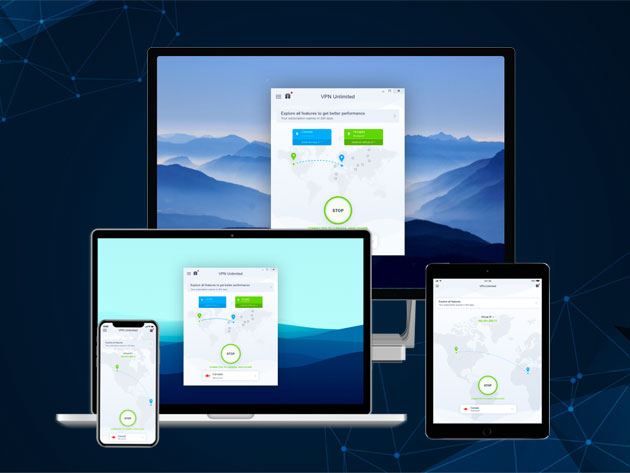
From social media platforms to shopping sites, most websites now try to harvest our data. If you want to maintain any kind of privacy, using a VPN is pretty essential. There are many services to choose from, but KeepSolid VPN Unlimited stands out from the crowd. This award-winning VPN offers uncapped protection on all of your devices, with military-grade encryption and a zero-logging policy. Right now, you can get lifetime VPN protection for just $39 via the XDA Developers Depot.

https://www.youtube.com/embed/ieuMOTVG9Vo

With more than 10 million users, KeepSolid VPN Unlimited is one of the most popular VPNs in the world. When you take a look through the features list, it is easy to see why.

As the name suggests, this service offers unlimited traffic at impressive speed. By routing your data through masking servers, VPN Unlimited protects your true online identity. AES 256-bit encryption keeps your data safe on public Wi-Fi, and there is a built-in kill switch to protect your anonymity. 

VPN Unlimited has 400 servers in 80 countries, meaning you can avoid local restrictions. The service also supports torrenting. VPN Unlimited offers proprietary apps for all major desktop and mobile platforms, and you can even set up protection on your router.

Order now for $39 to get your lifetime VPN subscription, worth $499.99.

 
KeepSolid VPN Unlimited: Lifetime Subscription – $39

See Deal

The post Lock Down Your Personal Data with Lifetime VPN Protection for $39 appeared first on xda-developers.


from xda-developers https://ift.tt/35RQV3o
via IFTTT

Wireless Android Auto is now available in 15 Latin American countries

Wireless Android Auto was announced a while ago and it has slowly been trickling out to more devices and countries. Earlier this month, a few Samsung flagship devices received support for it. This goes along with the big redesign of the interface that began rolling out this summer. Now, Google has added 15 new countries in Latin America to the list of places where wireless Android Auto can work (assuming you have a supported phone).

Here is the full list of recently added countries:

  • Argentina
  • Bolivia
  • Brazil
  • Chile
  • Colombia
  • Costa Rica
  • Dominican Republic
  • Ecuador
  • Guatemala
  • Panama
  • Paraguay
  • Peru
  • Puerto Rico
  • Uruguay
  • Venezuela

For those not familiar, wireless Android Auto is exactly what you would expect. It means you’re not required to plug in your phone to use Android Auto on the car’s infotainment system. Wireless Android Auto establishes a connected vis WiFi Direct, which requires a premium phone and a newer head unit. It’s obviously much more convenient, but it might not be worth going out and upgrading your current setup. Eventually, this will become the standard method of using Android Auto. Until then, hopefully, you have a supported device and head unit in a supported country.

Android Auto - Google Maps, Media & Messaging (Free, Google Play) →

Source: Google | Via: Android Police

The post Wireless Android Auto is now available in 15 Latin American countries appeared first on xda-developers.


from xda-developers https://ift.tt/35VXEcG
via IFTTT

ColorOS 7 for Realme phones will be closer to stock Android

Since its debut last year in May, Realme has slowly secured a spot for itself among the top five smartphone companies in India. The company has launched a wide array of Android devices, spanning across various price brackets. When it comes to hardware specifications, Realme almost always offers a good back for your buck. But on the software front, the company’s ColorOS Android skin (which it shares with its parent company Oppo) isn’t all that great. However, the company aimed to change that with RealmeOS. Earlier this year in August, Realme’s CEO Madhav Sheth confirmed that the company was working on RealmeOS and the new Android skin was expected to roll out this year. But now it seems like Realme has shelved the idea.

In the latest episode of AskMadhav, Sheth revealed that Realme will continue to provide ColorOS on its smartphones. However, he added that the company has planned some major changes for ColorOS 7 specifically for Realme devices. While Sheth didn’t elaborate on these changes, he did mention that ColorOS 7 for Realme devices will be close to stock Android, which is something several users have been demanding for quite some time.

As of now, we have no information from the company regarding the update schedule for ColorOS 7. However, when asked about the ColorOS 6.0.1 update for Realme devices, Sheth said, “why 6.0.1, let’s directly roll out ColorOS 7”. Since ColorOS 6.0.1 is already available for the Realme XT and Realme 5, this statement leads us to believe that the ColorOS 7 rollout is just around the corner. It’s also worth noting that Realme is expected to release the Realme X2 Pro in India next month and the company might roll out the new software experience with its first true flagship device. Additionally, Sheth also mentioned that the company might consider launching a VOOC fast charging power bank if there’s enough demand.

The post ColorOS 7 for Realme phones will be closer to stock Android appeared first on xda-developers.


from xda-developers https://ift.tt/361q1pJ
via IFTTT

ColorOS 6 Beta with Android 10 available for Oppo Reno in India

It’s been over a month since Google first rolled out a stable build of Android 10 for its Pixel devices. Since then several manufacturers, including Essential, OnePlus, and Xiaomi have released their own stable Android 10 updates for select devices. However, due to the current state of updates in the Android ecosystem, most other manufacturers are lagging far behind. Samsung has announced the One UI 2.0 beta based on Android 10 for the Galaxy S10 and Note 10 series, LG has launched the Android 10 preview for the LG G8 ThinQ, and similarly, Huawei, Xiaomi, and Honor have also started rolling out beta updates for a handful of devices. Now, Chinese manufacturer Oppo has also joined the fray and is rolling out ColorOS 6 beta based on Android 10 to the Oppo Reno in India.

Buy Oppo Reno on Amazon

Oppo Reno XDA Forums

As per a recent post on the ColorOS community, the trial version of ColorOS 6 is now available for testing on the Oppo Reno. In case you have the device, you can now update to the trial version and experience Android 10 for yourself.

To do so, you’ll first need to update your phone to the latest stable build available. Then you’ll have to navigate to the Software Updates section in the device settings and tap on the setting cog in the top right corner. In the following page, tap on the Trial Version option, fill in the required information and then tap on Apply Now. Once your application is successful, you’ll see the ColorOS 6 update in the Software Update section. However, Oppo is offering the trial version to a limited number of users, so you might not see this option if the quota is full.

Here’s the complete changelog for ColorOS 6 based on Android 10:

  • Display & Brightness
    • Adds Dark Mode, a set of dark color schemes, delivers an all-new visual experience for you.
    • Adds Screen-Off Clock options for personalizing your lock screen.
  • System
    • Multi-Screen Interaction has been renamed Screen Cast and user instructions have been added.
    • Swipe left or right at the bottom of the screen to switch between recently used apps.
    • Adds Brand new system animations, animations are more rich and exquisite.
    • Adds Brand new charging animation to create a visually smoother experience.
    • Tap a blank area on the Recent Tasks screen to go back to the Home screen.
    • Optimized sounds to pair more naturally with the UI design.
  • Screencast
    • Adds Multi-screen interactive upgrades to screencast, new instructions for use, easy to master function points.
  • Game Space
    • Restyled the launch screen with vibrant animations and dazzling visuals.
  • Security
    • Adds SOS Helper: Emergency contacts will receive a call once you are in danger.
    • Adds an Emergency Call button on the power off-screen.
    • Adds Passwords function: Encrypt all app accounts and passwords you save to Passwords. Passwords will autofill this information when you sign in to your apps.
  • Notification Bar
    • Adds Hide Status Bar icons for silent notifications.
    • Optimized the Quick Settings interface for easier one-handed operation.
  • Screen record
    • Adds Screenrecord shortcut setting button, for fast and intuitive operation.
    • Adds the Pause option in screen record.
  • Screenshot
    • Adds Support to original keep/delete the original image after editing the screenshot.
    • Adds Screenshot sound On/Off option.
    • New screenshot interaction: After taking a screenshot, swipe up and release to share it, or swipe down and release to take a long screenshot.
  • Calculator
    • Adds Calculator floating window mode, floating window transparency can be adjusted, calculator interface is free to switch, the calculation is faster and more convenient.
  • File Manager
    • Adds a recent files list for you to easily browse newly added files.
  • Weather
    • Adds new animations and restyled the layout in Weather.
  • Recording
    • Adds Trim function in Recorder.
  • Home Screen
    • Adds Simple Mode for the Home screen. App icons are displayed larger and the screen layout is simplified.
    • Adds a series of new live wallpapers.
    • Adds Desktop swipe down now can custom Settings for Notification Center or Global Search.
  • HeyTap Cloud
    • Adds cloud services. Files and important data can be saved to the cloud for access on all devices.
    • Cloud Service has been renamed HeyTap Service.
  • Clock
    • Adds options to select where you want to display Dual Clock.
  • Communications
    • A random MAC is provided for your phone when connected to Wi-Fi to block targeted ads and improve privacy protection.
    • Adds a drawer in “Messages” that merges different functions and settings.
    • Adds Contact support last name avatar display
    • Optimized SIM card and data management.
    • Optimized the Contacts interface for more conciseness and efficiency.
  • Camera
    • Optimized the UI for you to easily set and use frequently used functions.

Source: ColorOS Community

The post ColorOS 6 Beta with Android 10 available for Oppo Reno in India appeared first on xda-developers.


from xda-developers https://ift.tt/2Jg1XGd
via IFTTT