LightBlog

jeudi 12 décembre 2019

OPPO Reno3 will have the MediaTek Dimensity 1000L SoC

At an upcoming launch event in China, OPPO will finally lift the covers of the all-new Reno3 series. Previous leaks and teasers have confirmed that the company will launch two devices — the Reno3 and Reno3 Pro 5G — at the event and we know a fair bit about the more premium of the two devices. The Reno3 Pro 5G will be powered by the Snapdragon 765G chipset and the company’s VP, Brian Shen, has confirmed that the device will be backed by a 4,025 mAh battery. We also know that the Reno3 Pro will measure in at just 7.7mm in thickness and will feature a quad-camera setup and a hole-punch display. However, the company hasn’t released enough information about the regular Reno3.

Reno3

Leaked images of the Reno3 suggest that the device will feature a waterdrop-style notch, unlike the Reno3 Pro, and that it might be powered by a MediaTek MTK6885 5G chip. However, a new launch announcement on OPPO’s website suggests otherwise. As per the teaser, the non-pro variant will be powered by a new MediaTek Dimensity 1000L SoC. Late last month, MediaTek announced its new high-end Dimensity 1000 SoC which is built on a 7nm architecture and features integrated 5G capabilities. At the time, the company didn’t mention anything about the aforementioned Dimensity 1000L chip. We believe that the unannounced chip will be a lower-end variant of MediaTek’s flagship Dimensity SoC and it may or may not feature 5G support.

Reno3

Other than the chipset, the launch teaser reveals that the OPPO Reno 3 will measure in at just 7.96mm, making it slightly thicker than the higher-end Reno3 Pro. The teaser also showcases an image of the device which confirms that it will feature a waterdrop-style notch. In terms of design, the Reno3 will have a larger chin compared to the Reno3 Pro and it will have a slightly smaller camera module with the LED flash located outside the quad-camera array. Furthermore, the Reno3 will have a flat display, unlike the curved display found seen on the Reno3 Pro.


Source: OPPO


Thanks to @I_Leak_VN on Twitter for the tip!

The post OPPO Reno3 will have the MediaTek Dimensity 1000L SoC appeared first on xda-developers.


from xda-developers https://ift.tt/2t6f0EH
via IFTTT

U.S. may block Facebook from integrating WhatsApp, Instagram, and Messenger

Earlier this year, reports revealed that Facebook’s co-founder Mark Zuckerberg planned to unify the infrastructure of all three of Facebook’s messaging services — WhatsApp, Instagram, and Messenger. The idea was to operate all three services as standalone apps but on the same underlying messaging infrastructure. Naturally, this raised privacy concerns among many of the users, so Facebook outlined a new “Privacy-Focused Vision” for the three apps. This new privacy-focused vision focused on a few key principles, including user privacy, better encryption, interoperability, secure data storage, and reducing permanence. However, Facebook’s history of scandals and mishandling of user data might make it difficult for the company to undertake this unification process.

According to a recent report from The Wall Street Journal, U.S. Federal officials are currently considering seeking preliminary action against Facebook Inc. over antitrust concerns regarding how its products interact. People familiar with the matter have revealed that if the injunction materializes, the Federal Trade Commission will focus on the company’s policies regarding how it integrates its apps and allows them to work with potential rivals. The FTC action could seek to prevent Facebook from implementing these policies on grounds that they are anticompetitive.

An FTC injunction could further bar Facebook from enforcing its unification policies which the regulators might look to unwind as part of a future breakup of the company. In order to seek an injunction, the FTC would require a five-member majority and the commission would need to file a suit in a federal court to obtain the injunction. As of now, both the FTC and Facebook have declined to comment on the matter.

One of the people familiar with the matter has also revealed that Facebook has been worried for months that the FTC would seek an injunction against its “interoperability” rules. This refers to the manner in which the company’s digital platforms interact. The main concern here is that Facebook’s interoperability policies prevent other similar services from competing with the social-media giant. Facebook has rejected this recurring complaint about its policies.

Officials are also concerned that Facebook’s plans to further integrate its platforms — WhatsApp, Instagram, and Messenger — could make it harder for the federal agency to eventually split up the company in an antitrust case. Currently, it isn’t clear whether the FTC would move forward with an antitrust lawsuit against Facebook or seek an injunction over its interoperability policies. In either case, the agency’s next step towards the process could occur as soon as next month, according to one person familiar with the matter. It’s also possible that the agency might attempt to block some of the company’s interoperability policies that have previously disadvantaged social-media rivals in the past.


Source: The Wall Street Journal

The post U.S. may block Facebook from integrating WhatsApp, Instagram, and Messenger appeared first on xda-developers.


from xda-developers https://ift.tt/2PJgIU2
via IFTTT

FairEmail is an email app for truly privacy-conscious Android users

There is certainly no shortage of email apps in the Google Play Store. If you’ve used an Android phone for any length of time, you’ve probably tried out several different apps. While there may be many to choose from, the vast majority of these apps are closed source and they don’t necessarily put your privacy as a top priority. FairEmail is an open-sourced email app that aims to be the answer for privacy-conscious users. We’ve covered it in the past and it has grown a lot since then.

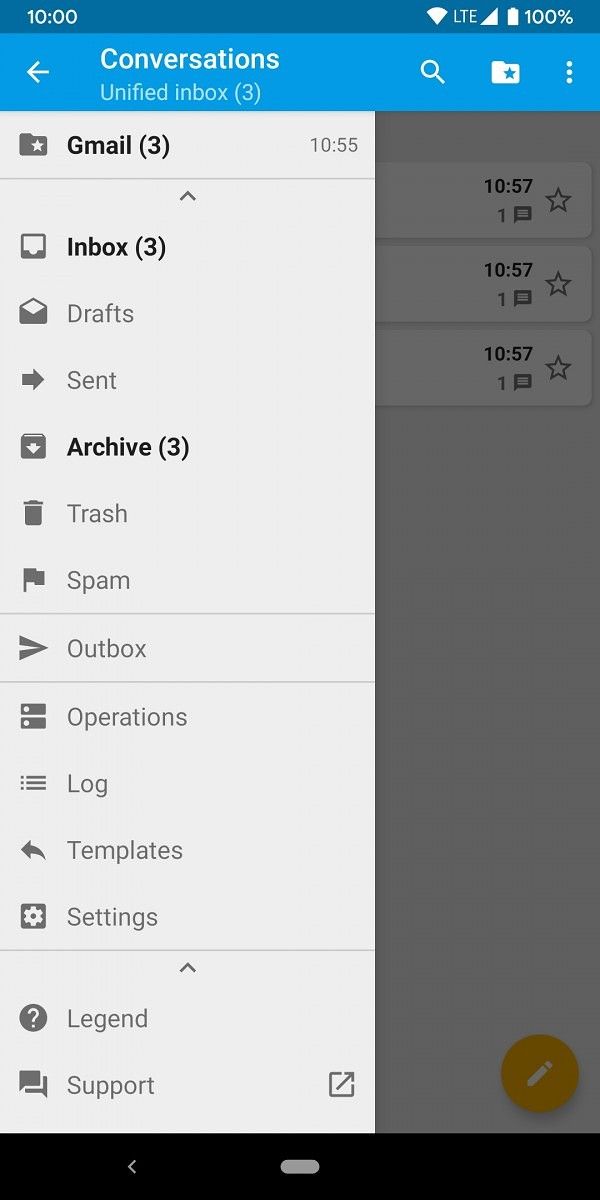
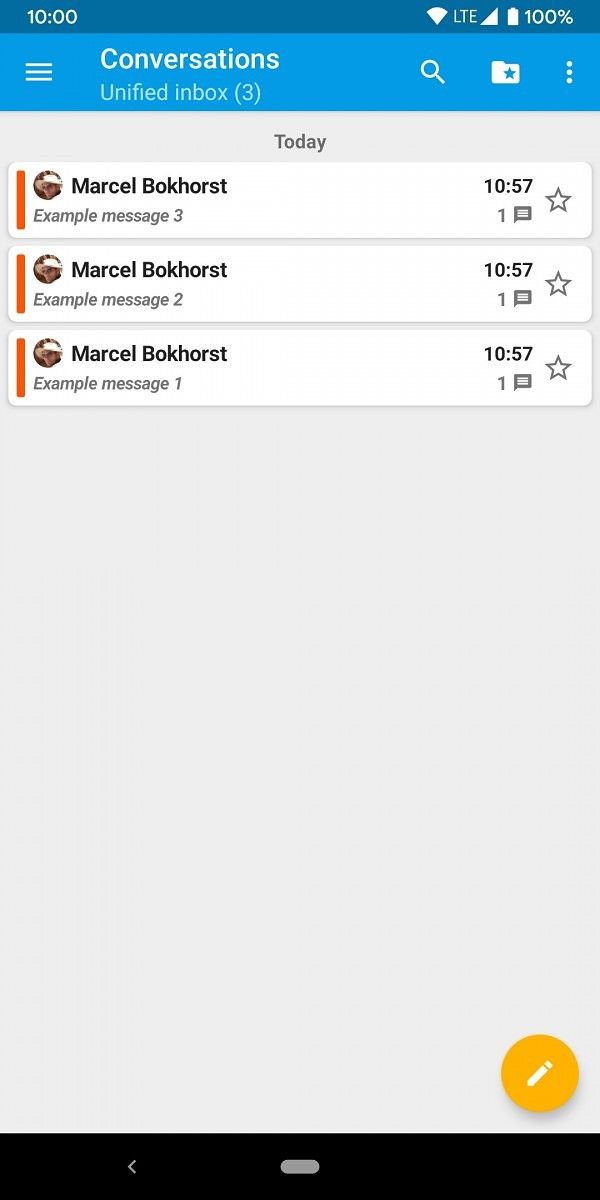
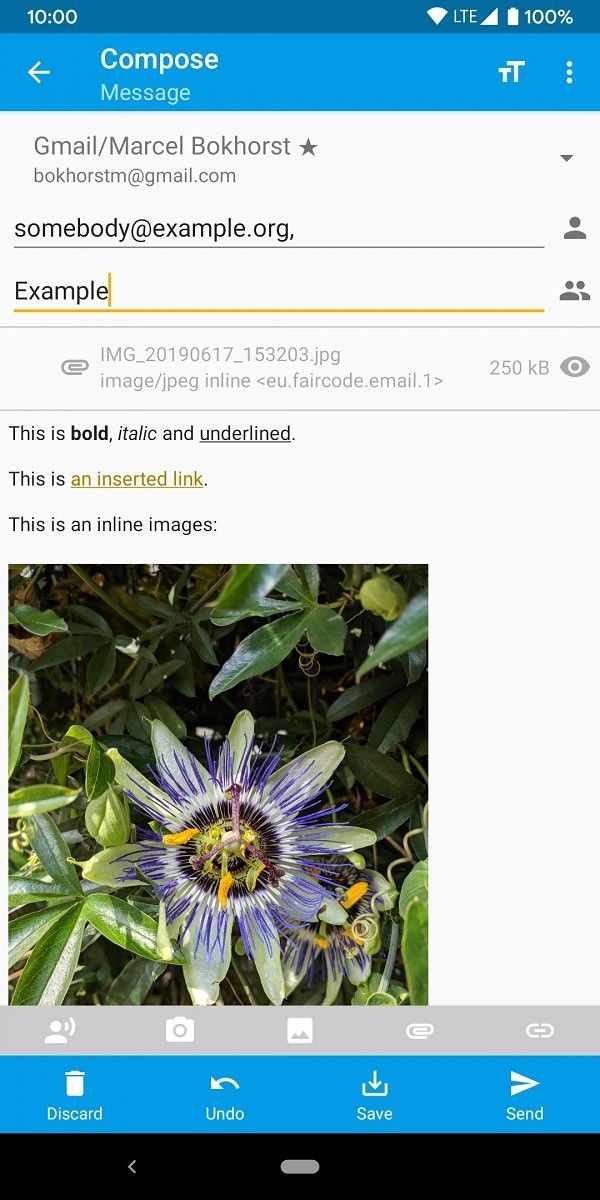
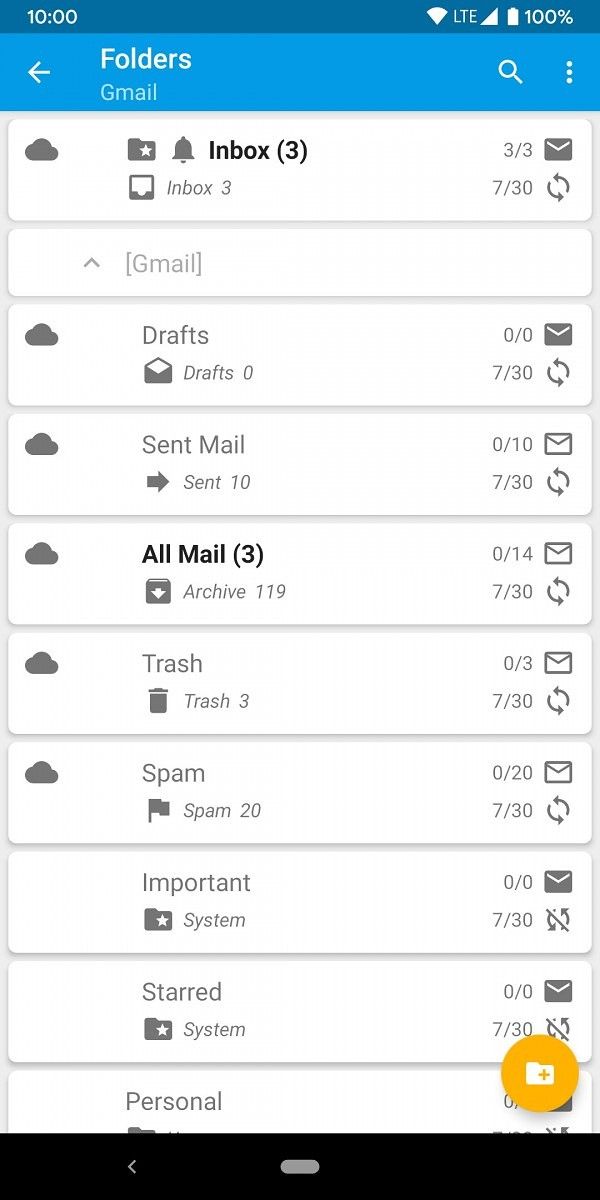
FairEmail is described by the developer as a “fully-featured, open-source, privacy-oriented email app for Android.” It works with practically any email provider, including popular choices such as Gmail, Outloook, and Yahoo. You can use unlimited accounts and email addresses in a unified inbox. It has conversation threading, 2-way synchronization, offline storage, and much more. There are way more features than I can possibly hope to touch on here. The developer is not lying when they say it’s a fully-featured email app.

Let’s start by looking at the app on the surface level. The developer calls the design “simple,” but I would call it “functional.” The FairEmail interface doesn’t offer a lot in terms of “eye candy.” You’re looking at a very barebones approach to email. Depending on who you are, that may be a good thing or a bad thing. The good news is there some design options you can tweak. The app includes dark and light themes, including the option to follow Android’s system setting.

Personally, I like simple design, but FairEmail is a little too pragmatic for me. I like a little polish here and there. That being said, I think the developer did the right thing by going with a very simple design. The few design options are enough to customize it to my liking. The feature set is what’s important here and FairEmail looks nice enough for anyone to use.

As I’ve mentioned a few times, privacy is a big focus of FairEmail, so let’s talk about that. Here’s the list of privacy features the developer mentions:

  • Encryption/decryption supported (OpenPGP and S/MIME)
  • Reformat messages to prevent phishing
  • Confirm showing images to prevent tracking
  • Confirm opening links to prevent tracking and phishing
  • Automatically recognize and disable tracking images
  • Warning if messages could not be authenticated

The beauty of a lot of these features is they just work. You don’t really notice most of this happening and it doesn’t interfere with your emails. There are a few things you will notice immediately when using FairEmail, and you may find it annoying at first, but I consider both to be good things.

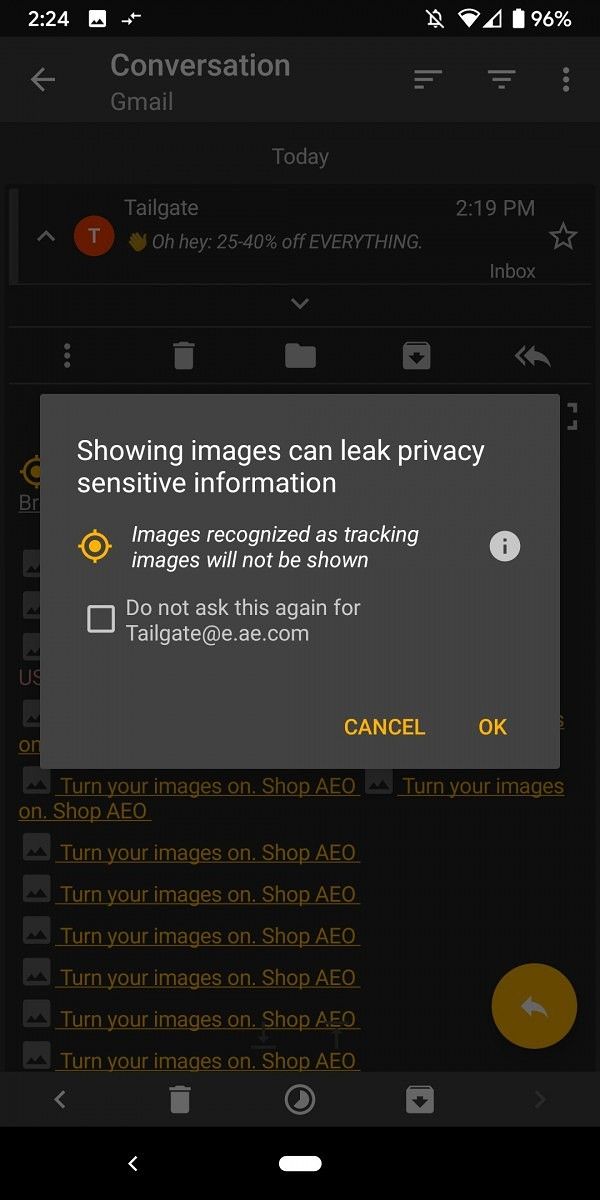
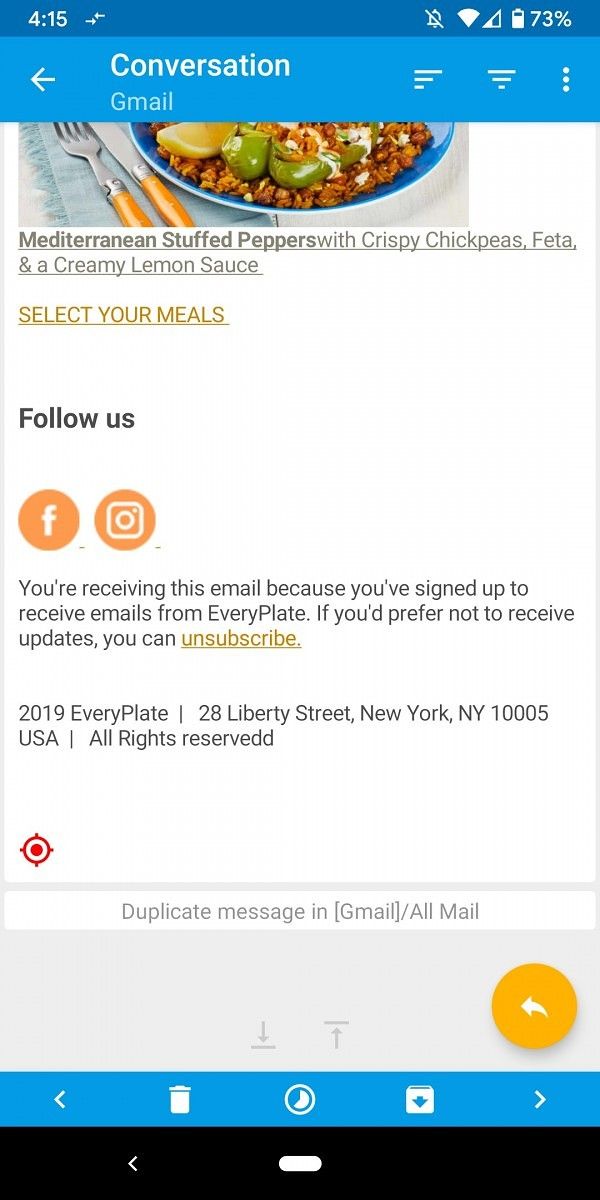
Images are not shown in emails by default as they can be one of the biggest privacy risks. There is a button to press if you’d like to show images and it explains how images can leak sensitive information. FairEmail also blocks and marks tracking images with a red icon, which companies use to see if you’ve opened an email. You can choose to disable the warning for emails from specific addresses.

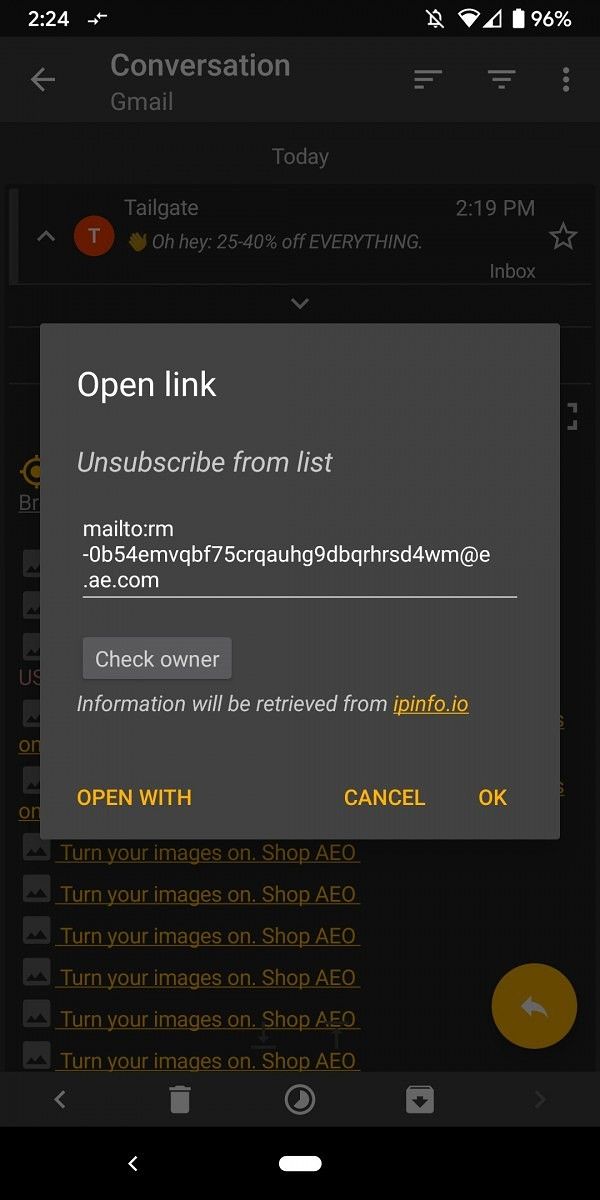
Tapping a link in an email will also bring up a window with information. Links are automatically encrypted in FairEmail’s browser, but you can also choose to use your default app. The added layer of security when tapping links helps prevent tracking and phishing. Emails are reformatted to prevent phishing as well.

I will admit I’m not someone who is constantly worried about my personal information being on the internet. It’s something I should care more about and using an app like FairEmail makes me feel better. All of the privacy features can feel a little jarring at first if you’re coming from an app like Gmail. There are more buttons and prompts in the way of showing your email, but all of those things are there for good reason.

Privacy and security usually go hand in hand and FairEmail is strong in that department as well:

  • No data storage on third-party servers
  • Using open standards (IMAP, SMTP, OpenPGP, S/MIME, etc)
  • Safe message view (styling, scripting and unsafe HTML removed)
  • No special permissions required
  • No advertisements
  • No analytics and no tracking (error reporting is opt-in)
  • No Google backup

One of my personal favorite features of FairEmail is the unsubscribe button that appears on some emails. It finds the unsubscribe link in the email and gives you a quick and easy way to visit the link and unsubscribe. Companies are known for hiding these “unsubscribe” options in emails, so it’s great to have an easy way to find them. Oh, and this is a big one for Gmail users, notifications have a “Read” button. I love that.

FairEmail offers a ton of features for free, but there is also a Pro version available for $5.99. The Pro version adds a bevy of additional features, such as configurable notification actions, snooze messages, reply templates, biometric authentication, unified inbox widget, and more. You can read more about FairEmail on the GitHub page, where there are over 8,000 commits. If you care about privacy, you owe it to yourself to give this app a try.

Read More about FairEmail in the XDA Forums

FairEmail - open source, privacy oriented email (Free+, Google Play) →

The post FairEmail is an email app for truly privacy-conscious Android users appeared first on xda-developers.


from xda-developers https://ift.tt/36vvggU
via IFTTT

Samsung says it has sold 1 million Galaxy Fold devices

The Samsung Galaxy Fold is undoubtedly one of the most interesting phones of 2019. There is no arguing it is a breathtaking phone that truly represents what the future will hold. That bleeding-edge tech comes at a price, though, retailing at $1,980 in the US, it’s one of the most expensive phones on the market. However, this didn’t stop customers from buying it. Today at TechCrunch Disrupt in Berlin, Samsung Electronic’s President Young Sohn announced that they have sold 1,000,000 units of the Galaxy Fold.

This is an insane amount of sales for a device that had a well-documented rocky start. It was announced at Samsung Unpacked 2019 in San Francisco and between the announcement and launch, there were a lot of questions about the durability of the phone. Once it got into the hands of reviewers, those concerns were justified. After about 2 days, they started to break. This wasn’t a good sign for the future of foldables. After these issues, Samsung made the right decision and indefinitely delayed the Galaxy Fold. After 6 months of re-engineering the device, they finally released it in its current form, the fixed Galaxy Fold.


After all the issues and bad press, it’s crazy to think Samsung has sold 1,000,000 Galaxy Fold units. This might not seem like a lot compared to the total Samsung sells per quarter, but the difference is in the tech and price. In Q1 of 2019, Samsung reportedly sold about 78 million phones.  From March 2019 to May 2019, Samsung sold 16 million Galaxy S10s. In comparison, it seems like a very small number of Folds being sold.

Well, when you think about the launch problems, launch regions, price, and availability, it just becomes more impressive. The Galaxy Fold has been launching in different regions slowly over the past 4 months. The price is also insanely high. It cost $1,980 for the LTE Galaxy Fold in the US. In other regions, the price goes up even more because of 5G or VAT. As for availability, it has been sold out in almost every store since it launched. It sold out in the US within a matter of minutes, and it’s still sold out in most places. Out of all of this, Samsung has managed to sell 1,000,000 units.

Galaxy Fold XDA Forums

With all the problems and naysayers, this is a pretty impressive launch for the Galaxy Fold. We know Samsung is moving full-speed ahead on new foldable phones and the market is likely to follow them. Are you excited about this form factor?


Source: TechCrunch

The post Samsung says it has sold 1 million Galaxy Fold devices appeared first on xda-developers.


from xda-developers https://ift.tt/2E8TwJE
via IFTTT

Google brings Verified SMS and Spam Protection to Messages

The Messages app has become Google’s main messaging solution, for better or worse. Recently, the company has taken steps to push RCS support with Messages across devices and carriers. Today, Google has announced two new features for Messages: Verified SMS and spam detection.

Before | After

“Verified SMS” is essentially exactly what you would expect. When you send an SMS to a verified business, you will see the business name, logo, and a badge to indicate you are messaging the real deal. Google mentions 1-800 Flowers, Banco Bradesco, Kayak, Payback, and SoFi as businesses that support the feature right now, and Google supports it as well, of course. Messages are verified on a per-message basis.

Google started rolling out Spam Protection for Messages nearly a year ago in select countries. Now it’s rolling out broadly for users in the US. The feature is pretty self-explanatory. If the Messages app detects a message is spam, it will show a warning at the top of the conversation. You can report the number as spam or not spam. Spam Protection will be enabled by default, but users will see a notification when that happens. If enabled, Google will temporarily store the numbers to help identify spammers.

Messages (Free, Google Play) →

Source: Google

The post Google brings Verified SMS and Spam Protection to Messages appeared first on xda-developers.


from xda-developers https://ift.tt/35hkkU6
via IFTTT

Samsung Galaxy A71 launches with punch hole display and 64MP quad rear camera

It was only a couple of weeks ago when we got our first glimpse of the Samsung Galaxy S71 in leaked renders. Today, the company quietly officially unveiled the device alongside the Galaxy A51. This is one of the most attractive devices we’ve seen so far in Samsung’s popular A-series. The Galaxy A71 offers some premium features for what we assume will be a reasonable price. Let’s take a look.

Specifications Samsung Galaxy A71
Display 6.7-inch, Full HD+ (1080 x2400)
Super AMOLED
Infinity-O Display
Camera
  • Main: 64MP, F1.8
  • Depth: 5MP, F2.2
  • Macro: 5MP, F2.4
  • Ultra-wide : 12MP, F2.2
Front Selfie: 32MP, F2.2
Body 163.6 x 76.0 x 7.7mm
179g
Processor Octa-Core (Dual 2.2GHz + Hexa 1.8GHz)
Memory 6/8 GB RAM
128GB Internal Storage
Micro SD slot (up to 512 GB)
SIM Card Dual SIM (3 slot)
Battery 4,500 mAh
25W Super-Fast Charging
Security On-Screen Fingerprint
Face Recognition
Color Prism Crush Black / Silver/ Blue / Pink

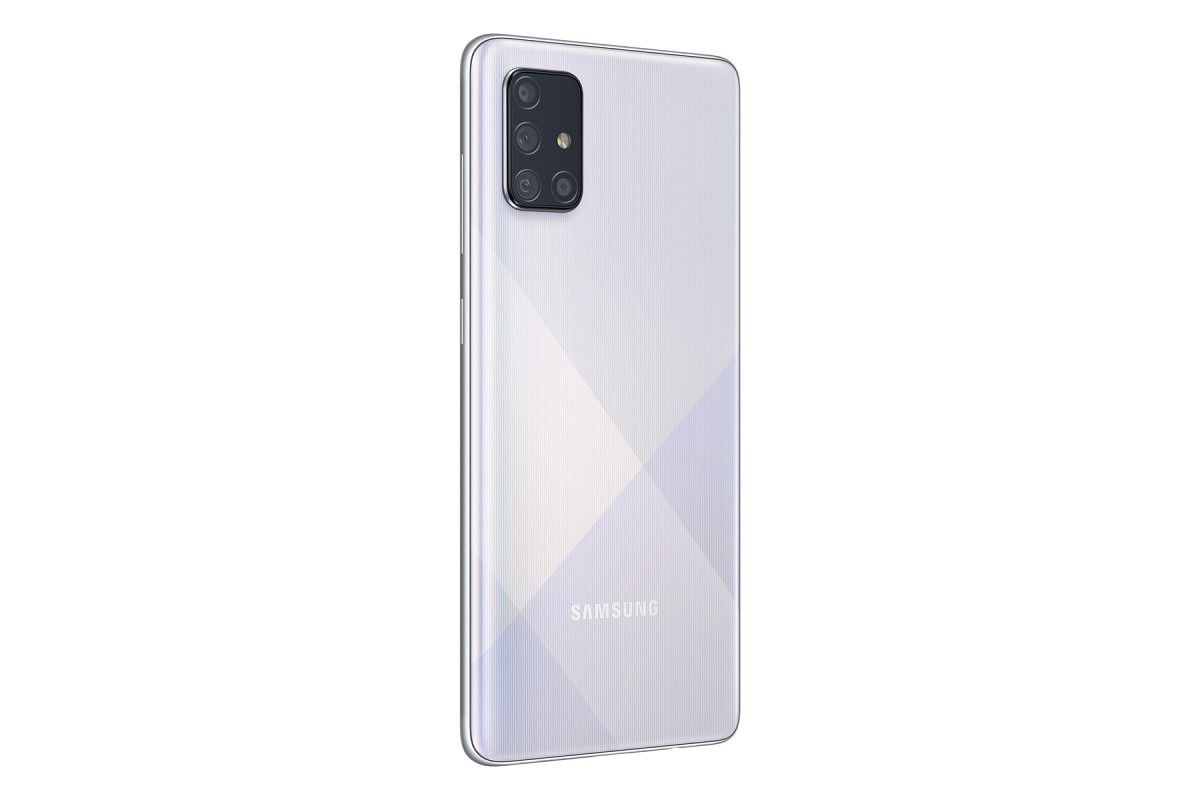
The Galaxy A71 falls in line with the new design that Samsung has been showcasing with the A-series. It has a single, centered hole-punch on the front and quad cameras on the rear in a big rectangular bunch. The back of the device also features a gradient cross-hatch pattern in four different color options: Black, Silver, Blue, and Pink.

The quad cameras start with the 64MP main shooter with f/1.8 aperture. Next up is the 12MP ultra-wide camera at f/2.2. We round things out with dual 5MP cameras, one being a depth sensor and the other a macro lens. Combined with the 32MP front camera, there are plenty of megapixels to go around.

Moving to the front, the Galaxy A71 has a 6.7-inch Full HD+ Super AMOLED display with the aforementioned “Infinity-O” punch-hole. The bezels around the display are very thin and nearly the same on all sides (the bottom chin is slightly thicker). There is also an in-display fingerprint sensor present here.

Let’s talk about power. The Galaxy A71 is equipped with an unnamed octa-core dual 2.2GHz + 1.8GHz processor, 6/8 GB of RAM, and 128 GB of storage. The processor is likely the Qualcomm Snapdragon 730. Battery life should be good as it’s packing a 4,500 mAh battery. Lastly, the A71 should ship with Android 10.

Unfortunately, Samsung did not share when the Galaxy A71 will be available for purchase or how much it will cost. The Galaxy A70 was a very affordable device and we expect the A71 to be similar.


Source: Samsung | Via: SamMobile

The post Samsung Galaxy A71 launches with punch hole display and 64MP quad rear camera appeared first on xda-developers.


from xda-developers https://ift.tt/2E8Cbk2
via IFTTT

Interpreter Mode rolls out to Google Assistant on phones

Nearly a year ago, Google rolled out a feature called “Interpreter Mode” for Smart Displays and speakers. It allows you to make Google Assistant act as your translator for a number of different languages. As cool as this feature is, the use cases for Smart Displays and speakers are pretty low. Today, the company has started rolling it out to Android and iOS phones.

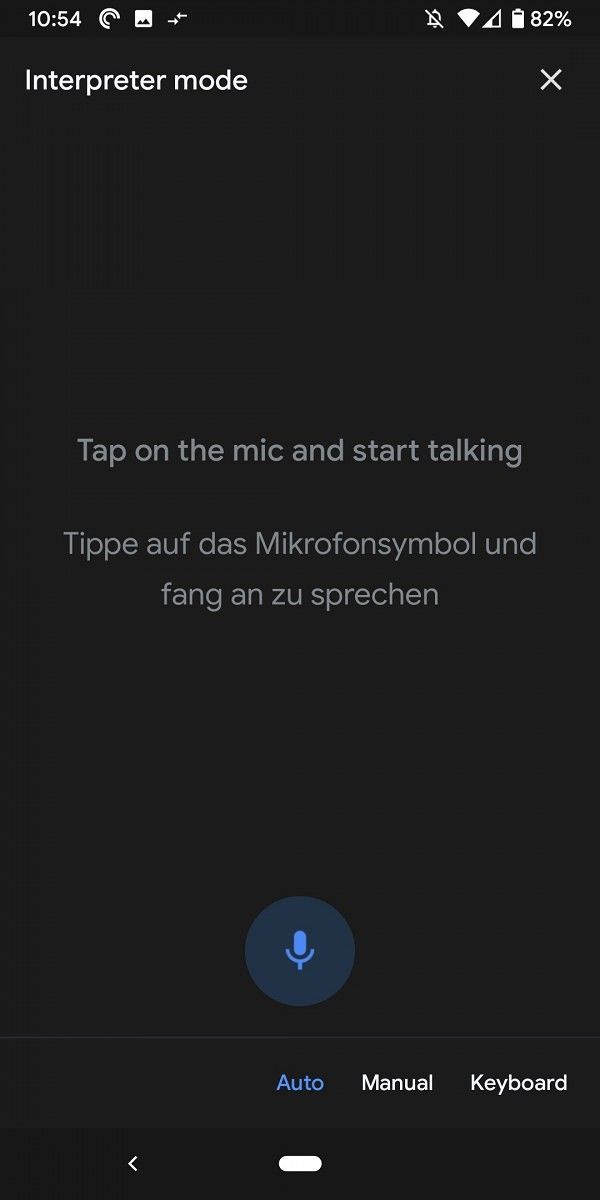
To use Interpreter Mode in Google Assistant, simply say “Hey Google, be my [language] translator” or “help me speak [language].” This will open up the interpreter interface where you have a few different input methods. The default method is voice and all you need to do is press the microphone icon and say the phrase you’d like translated. This will translate from your default language to the chosen language.

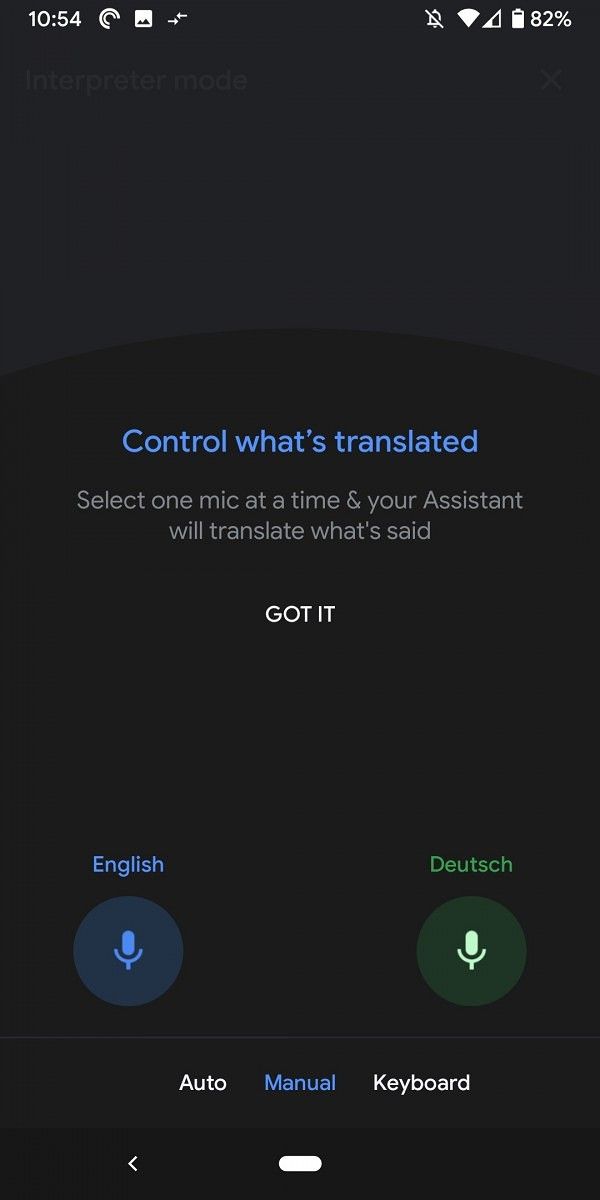
The next method (which can be selected at the bottom) is “Manual.” This is great for having a conversation with someone in a different language. There is a microphone button for each language so you can select whichever one the person is using and talk back and forth. Lastly, the Keyboard option allows the words to be typed in.

Interpreter Mode in Google Assistant supports 44 languages. It should be available right now on both Android and iOS devices. Is this something you will use?


Source: Google

The post Interpreter Mode rolls out to Google Assistant on phones appeared first on xda-developers.


from xda-developers https://ift.tt/38w8lUt
via IFTTT