It’s not a OnePlus phone without a slow, dragged out release of small details leading up to the official announcement. The company loves to drip out information to build hype, and that’s certainly happening again with the OnePlus Nord. The latest information comes directly from OnePlus co-founder Carl Pei in his interview with Marques Brownlee (MKBHD).
We’ve gotten glimpses of the OnePlus Nord design, but nothing fully revealing yet. Last week, leaked renders and marketing materials revealed the triple-camera stack on the back. We’ve also seen the front of the phone and its dual hole-punch. Today, Carl Pei showed off the phone even more and shared some of the company’s prototype designs.
In the interview above, Pei shows off the teal OnePlus Nord (starting around the 14-minute mark). Pei also shares some prototypes with more unique camera placements. He talks about how the Nord was originally seen as being more of an experiment, so they tinkered with some different ideas. However, they realized the phone could be more than just an experiment and ended up going with a more traditional design late in the process.
Design aside, we learn a few more details about the OnePlus Nord from the interview. It’s powered by the Snapdragon 765G (same processor as the Pixel 5 and Pixel 4a 5G), has NFC, no official IP rating, Warp Charging, and a 90Hz AMOLED display. The battery capacity has also been confirmed to be 4115mAh thanks to an officially licensed dbrand skin.
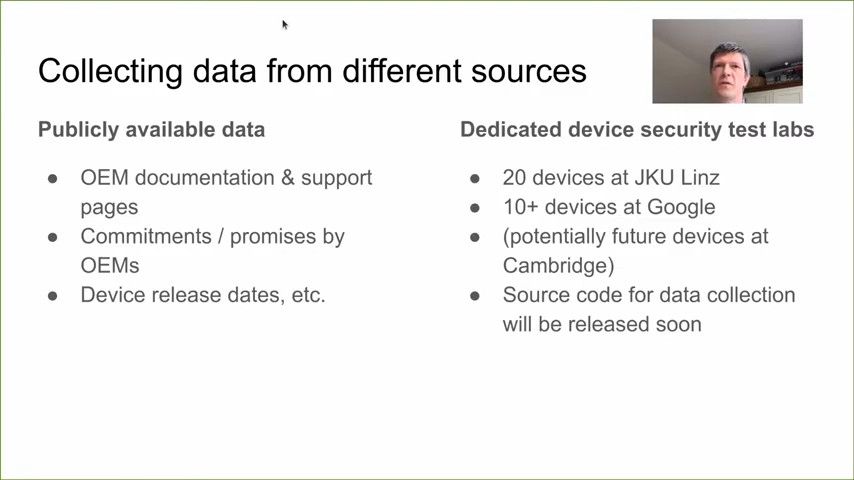
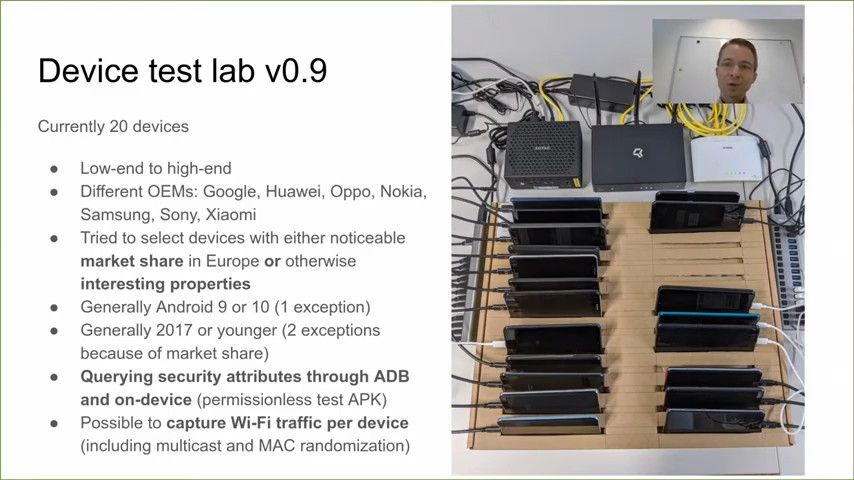
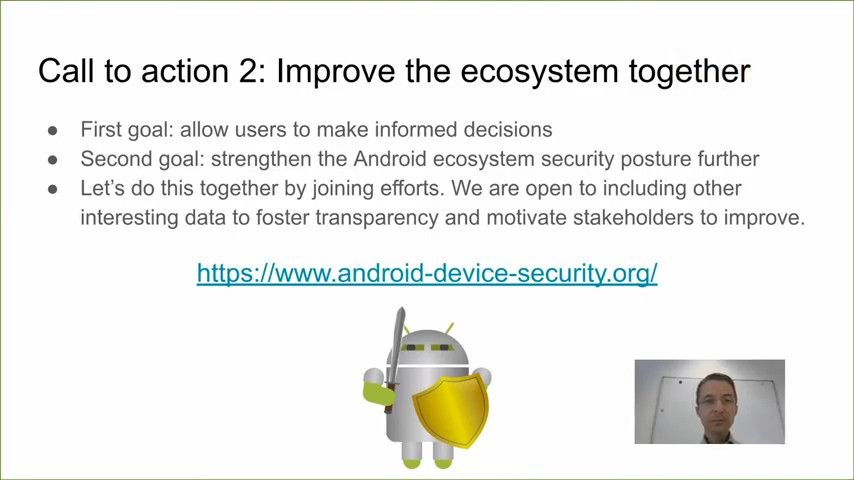
Android users have numerous options when it comes to devices, with a varied combination of specifications, features, and different device budgets. We are spoiled by choice, but this confuses users when it comes to features that cannot be easily measured and compared. Take, for instance, the Android Security status. The current state of Android security is far from perfect, and the situation becomes even more complex across different OEMs and different regions. So if you had to compare two different OEMs on how well they have delivered security updates across their portfolio, the answer may not be easily found. A group of researchers has taken it upon themselves to remedy this situation by building a database of Android devices focusing on their overall security level.
At the virtual Android Security Symposium 2020 event, a group of researchers including Mr. Daniel R. Thomas, Mr. Alastair R. Beresfor, and Mr. René Mayrhofer presented a talk called the “Android Device Security Database”.
We recommend watching the talk to get a better idea of the intents and purposes of the database, but we will also do our best in encapsulating the information below.
The talk brings up the issue of how smartphone OEMs currently have little in terms of motivation and quantifiable incentive to provide quick and relevant security updates across their smartphone portfolio. Smartphone after-sale support is still centered around the limits of Android version updates and device repairs—and overall device security is not given much importance. Security updates aren’t a metric that a marketing department can easily “sell” to most end consumers for future smartphones, so performance in this area remains lacking. And because of the huge variety of smartphones released and the innumerable updates to them over the years, collecting and quantifying this data is also a gargantuan task. For instance, Samsung has been doing very well in terms of providing security updates to its existing portfolio of devices, like the Galaxy S10, Galaxy Z Flip, Galaxy A50, Galaxy Note 10 series, Galaxy A70, and the Galaxy S20 series—but there are still so many more devices left to assess and a larger security update progress chart is also missing to provide historical context.
The Android Device Security Database tries to fix this in a way. Back in 2015 when a similar initiative was undertaken, the team had measured the security of Android devices and given them a score out of 10. The old approach had a few limitations, as it focused heavily on assessing whether a device was susceptible to known vulnerabilities or not. The older approach did not consider other aspects of device security, so the current approach attempts to take a much more holistic look at overall device security.
One area where the team wants to explore much further is how pre-installed apps perform within the context of security and user privacy. Pre-installed apps often have elevated permissions that are pre-granted at the platform level. We’ve seen increased attention towards pre-installed apps in recent times—sometimes it manifests itself in the form of complaints about ads in pre-installed Samsung apps, and sometimes it takes the form of a nationwide ban against several pre-installed Xiaomi Mi apps. How does one exercise oversight over these pre-installed apps by OEMs?
The research team is tackling this question by recommending more transparency and accountability into what apps are pre-installed on a device and what they have permission to do. To do this, the team also wants to add an app risk rating into their database and eventually create a rating system to rank devices on this aspect. The research team also wants its methodology peer-reviewed and is seeking feedback from other security researchers into what aspects of security of pre-installed apps they should look into.
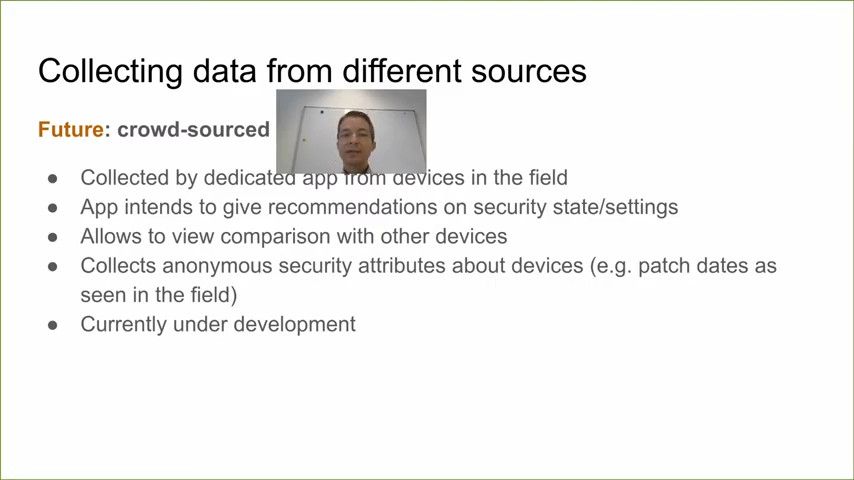
The database aims to become a benchmark for assessing the overall security of a device and the holistic security experience for an OEM. The initiative is definitely a work-in-progress at this stage, and future plans include developing an app that collects security attributes in an anonymous manner and presents it in a comparable manner to end-users—much like how current-generation performance benchmarks work. With enough users volunteering this data to the project, one can hope the project becomes a viable security benchmark that can be used to assess the overall security practices of an OEM. While past performance is certainly no guarantee towards future action, this database/benchmark would still simplify the opaque and complex mess that is currently the state of Android security as an OS.
As the foundation of Android 11 is getting finalized, several OEMs are trying to clear their backlogs by pushing stable Android 10 updates to the eligible devices. Samsung, for example, has upgraded a bunch of Galaxy devices, including tablets, to Android 10 with the company’s own One UI 2 UI on top in the last few weeks. Two more Samsung devices – the Galaxy J8 and the Galaxy Tab A 10.5 – are now receiving the same treatment across the globe, and LG is extending the same treatment to the LG Q70.
Samsung Galaxy J8 and Samsung Galaxy Tab A 10.5
Delivering Android 10 to a budget device from 2018 is quite fascinating by Samsung’s own standards, but the company has done it anyway. The Galaxy J8 debuted with Android Oreo, and received its Android Pie update with the first iteration of One UI back in April 2019. The Android 10/One UI 2 OTA for this phone (SM-J810F variant to be precise) is currently rolling out in Russia in the form of software version J810FPUU4CTG3.
The Galayx Tab A 10.5 has also picked up the Android 10 update in a number of regions. Both the Wi-Fi (SM-T590) and the LTE (SM-T595) models are getting the update with build numbers T590XXU3CTF9 and T595XXU4CTF9, respectively. These builds also carry the July 2020 Android security patches.
The combined changelog can be found below:
Android 10 Changelog for the Samsung Galaxy J8/Tab A 10.5
One UI 2 brings you Android 10, with exciting new features from Samsung and Google based on feedback from users like you.
We recommend that you back up your important data to keep it safe during the upgrade.
Some apps, including Calculator, Samsung Internet, Samsung Health and Samsung Notes, need to be updated individually after you update your OS.
Here’s what’s new.
Dark mode
Enhanced image, text, and color adjustments for day and night environments.
Darkened wallpapers, widgets, and alarms while Dark mode is on.
Icons and colors
Clearer app icons and system colors.
Improved layouts for titles and buttons to eliminate wasted screen space.
Smoother animations
Enhanced animations with a playful touch.
Full screen gestures
Added new navigation gestures.
Refined interactions
Navigate more comfortably on large screens with minimal finger movement.
Easily focus on what matters with clearly highlighted buttons.
New ways to access One-handed mode: double tap the Home button or swipe down in the center of the bottom of the screen.
Settings moved to Settings > Advanced features > One-handed mode.
Accessibility
High contrast keyboards and layouts for large text have been improved.
Listen to live speech and display it as text.
Better text over wallpapers
See text more clearly against wallpaper, as One UI automatically adjusts font colors based on light and dark areas and color contrast in the image below.
Media and devices
Replaced the SmartThings panel with the Media and Devices.
Media: Control music and videos playing on your phone/tablet as well as other devices.
Devices: Check and control your SmartThings devices directly from the quick panel.
Device care
The battery usage graph now provides more detailed information.
Digital wellbeing
Set goals to keep your phone/tablet usage in check.
Use Focus mode to help avoid distractions from your phone/tablet.
Keep an eye on your kids with new parental controls.
Camera
Added the ability to edit the modes that appear at the bottom of the screen.
Provided a More tab so you can quickly access hidden modes from the preview screen.
Improved the layout so you can focus on taking pictures without the settings getting in the way.
Internet
Customize the quick menu to get instant access to the features you use the most.
Get more information from the app bar.
Install add-ons from the Galaxy Store to get even more features.
Samsung Contacts
Added Trash feature for Contacts. Contacts that you delete will stay in the trash for 15 days before being deleted forever.
Calendar
Stickers can be added to a date without creating an event.
Ringtones can be used for event alerts.
Reminder
More options are available for repeating reminders.
Set location-based reminders for a specific period of time.
Share reminders with your family group and other sharing groups.
Set reminders for a specific date without an alert.
My Files
Created a Trash feature so you can restore files if you delete something by mistake.
Added more filters you can use while searching to help you find things quickly.
You can now copy or move multiple files and folders to different destinations at the same time.
Calculator
Added speed and time units to the unit converter.
LG Q70
Besides Samsung, LG is also rolling out the stable Android 10 update for the LG Q70. At the moment of writing this article, the OTA is available in Korea with the build number Q730N20c/Q730NO20c. A notice from the company reveals that LG is pushing the update to both unlocked and carrier variants of the LG Q70 starting from July 13th. It’s worth noting that LG’s UI packs in a number of extra features over the ones Google released with Android 10, including revamped accessibility shortcuts, hot key behavior, and more.
HTC recently launched a pair of mid-range smartphones in their home country in an effort to make a comeback in the smartphone market. The HTC Desire 20 Pro is one of them, featuring a slightly old Qualcomm Snapdragon 665 SoC, a quad-camera array with a 48MP primary sensor, and a reasonably large 5,000 mAh battery that supports Quick Charge 3.0. The company also retains the 3.5mm headphone jack, while there is an additional microSD card slot beside the 128GB built-in storage. One can also unlock the bootloader of the HTC Desire 20 Pro, thanks to the OEM’s long-known tradition of permitting bootloader unlocking on a majority of its models. The good news is, HTC apparently doesn’t enforce users to get an unlock token from them before unlocking anymore, at least in the case of the Desire 20 Pro.
For those not familiar with HTC’s bootloader unlocking process, the company used to require you to create an account on their developer portal i.e. HTCdev.com first and generate a device-specific ID token for your model. Unlike Google’s Pixel lineup, users couldn’t simply use a standard Fastboot command to unlock the bootloader of HTC devices. However, XDA Junior Member otack has discovered that the get_identifier_token command is no longer needed on the HTC Desire 20 Pro to perform the unlocking process. All you need to do is connect the device to your PC in Download mode and execute the following command:
fastboot flashing unlock
If the necessary drivers are installed properly, you should get a prompt on your phone screen at this point. Select “UNLOCK THE BOOTLOADER” using the volume rockers and press the Power button to confirm the choice.
Of course, unlocking the bootloader will cause a complete data wipe of your device, so ensure that you have all your important data backed up beforehand. You might still need an additional command, like fastboot flashing unlock_critical, to be able to get write access on low-level firmware partitions, albeit S-OFF access through a generic Fastboot command is highly unlikely.
Like the previous release, this Android 11 Beta 2 build comes with OxygenOS on top. While you do get the familiar interface on your phone, note that not all OxygenOS may have been migrated over perfectly, or at all, just yet. These builds are intended for developers and advanced users only, so do not expect everything to work flawlessly on this release. If you use the OnePlus 8 series phone as your daily driver, we advise sticking to the stable release channel and not flashing these builds. Further, note that these builds are not compatible with Verizon and T-Mobile variants. And as a standard disclaimer, backup everything before you proceed as the update and downgrade processes will wipe everything on your device.
These Android 11 Beta 2 builds come with the following known issues:
All data will be cleared while flashing the build
Certain UI screens look less than desirable
Some camera functions are not available
Some apps may not function as expected
System stability issues
OnePlus is referring to these builds as “Developer Preview 2” builds to avoid confusion with the nomenclature used in its internal testing channels, but these builds are indeed based on Android 11 “Beta 2” as released by Google, and not Android 11 “Developer Preview 2” as released by Google.
Download Links: Android 11 Beta 2 for the OnePlus 8 and OnePlus 8 Pro
You can download Android 11 Beta 2 for the devices from the links below:
To install, simply download the relevant package for your phone from the link above to your phone. Go to Settings > System > System Updates, and then click on the top-right icon and select Local Upgrade option. From there, select the update package that you have downloaded and proceed. The update should successfully flash on your device.
To downgrade back to the Android 10 stable release channel, download the relevant downgrade package for your phone and follow the same set of instructions as mentioned above, but with the downgrade package.
Update 1 (07/14/2020@06:50 AMET): Google has disabled SegmentHeap in Chrome 85 due to other performance issues. Scroll to the bottom for more information. The article as published on June 18, 2020, is preserved below.
The Google Chrome RAM hog meme might soon be a thing of the past as Microsoft has introduced a new feature in Windows 10 that could reduce Chrome’s memory usage significantly. According to a recent report from Windows Latest, the Windows 10 May 2020 update (20H1) has started rolling out to users worldwide, and it introduces Windows segment heap memory improvements that will reduce the overall memory usage of Win32 apps like Google Chrome.
Microsoft explains that the latest update for Windows 10 introduces a new “SegmentHeap” value for developers, which is a modern heap implementation that “will generally reduce your overall memory usage” on Windows 10 version 2004 or newer. The company has confirmed that it has already started using the new value in its Chromium-based Edge browser, with early tests showing a memory reduction of up to 27% on the Windows 10 May 2020 update.
Google Chrome could also benefit from the new value, and according to a recently added commit on the Chromium Gerrit, a change may be coming soon. In the commit, a Chrome developer notes that adding the “SegmentHeap” entry to the chrome.exe manifest will tell Windows 10 2004 or newer to opt chrome.exe into using the segment heap instead of the legacy heap. The developer further notes that “Experiments with per-machine opting-in to the segment heap for chrome.exe suggests that this could save hundreds of MB in the browser and Network Service utility processes, among others, on some machines.”
While both Microsoft and Google note that the actual results will vary widely, the change will undoubtedly reduce memory usage to some extent and provide users with a better experience overall. As of now, it isn’t clear when the improvements will land in a stable release of Google Chrome.
Update: Google disables Windows SegmentHeap on Chrome 85 due to performance issues
Alas, the Chrome-RAM hog meme might stay alive for some more time. The SegmentHeap feature on Windows that was supposed to help Google Chrome trim down its memory usage, has now been found to come at the cost of increased CPU usage, as Google noted in its tests. Google observed a 10% slowdown on Speedometer 2.9 and a 13% increase in CPU usage and power consumption with the feature enabled.
Consequently, the Chromium team has disabled the feature in Chrome 85 for now. But the team is open to enabling it back in the future once it can get sufficiently positive results.
The Lenovo Legion gaming smartphone is not really a surprise. The Legion phone was extensively leaked by us back in May, revealing most major specifications and details about the phone. Still, official teasers serve as confirmation on what to expect out of Lenovo’s first gaming smartphone. The latest round of teasers suggests that the Lenovo Legion will indeed join the rare breed of smartphones to come with a 144Hz high refresh rate display, and will also come with a dual-chamber liquid cooling system.
Lenovo has begun teasing the Legion phone on Weibo. One of the teasers attempts to highlight the difference between gaming at 60Hz and at 144Hz.
The teaser seemingly suggests that the Lenovo Legion will offer a smooth gaming experience because of its high refresh rate display. The higher refresh rate will allow for smoother transitions, which is unlike the jarring transitions experienced on 60Hz refresh rate displays. However, keep in mind that the game also needs to support high-refresh rates for the player to actually notice a difference and not be bottle-necked. Devices like the Nubia Red Magic 5G, Nubia Play 5G, and iQOO Neo3 5G all sport a 144Hz refresh rate display, but the games that can actually take advantage of this specification are few. So with the inclusion of one more smartphone to the list, we hope the list of supported games also grows accordingly.
Further, the teasers for the Lenovo Legion also suggest that the phone will come with dual-chamber liquid cooling. This is passive liquid cooling, which will essentially take the form of a wet vapor chamber.
A lot of smartphones utilize vapor chambers to manage heat dissipation. Lenovo also states that the phone will have “14-point temperature control matrix” which we believe will help in accurate internal temperature monitoring.
The Lenovo Legion smartphone will be launching in China on July 22. The phone has been confirmed to come with the Qualcomm Snapdragon 865 Plus SoC. Our previous leak indicates that the phone will also have 90W fast charging, 5000mAh battery, 2x USB Type-C ports, a notch-less display with a side popup camera, UFS 3.0 internal storage and LPDDR5 RAM, 64MP dual rear camera, and a 20MP front camera.