LightBlog

mardi 21 juillet 2020

Google Assistant extends camera-based translation to KaiOS feature phones

At Google I/O 2019, the company introduced a new feature in Google Lens to help users instantly translate text just by pointing their smartphone’s camera at it. The feature included support for over 100 languages and greatly simplified translation for users. The feature was then added to Google Go later in the year, allowing users with budget Android devices to experience its capabilities. Now, in a bid to bring the feature to even more users, Google has extended camera-based translation to KaiOS powered feature phones in India.
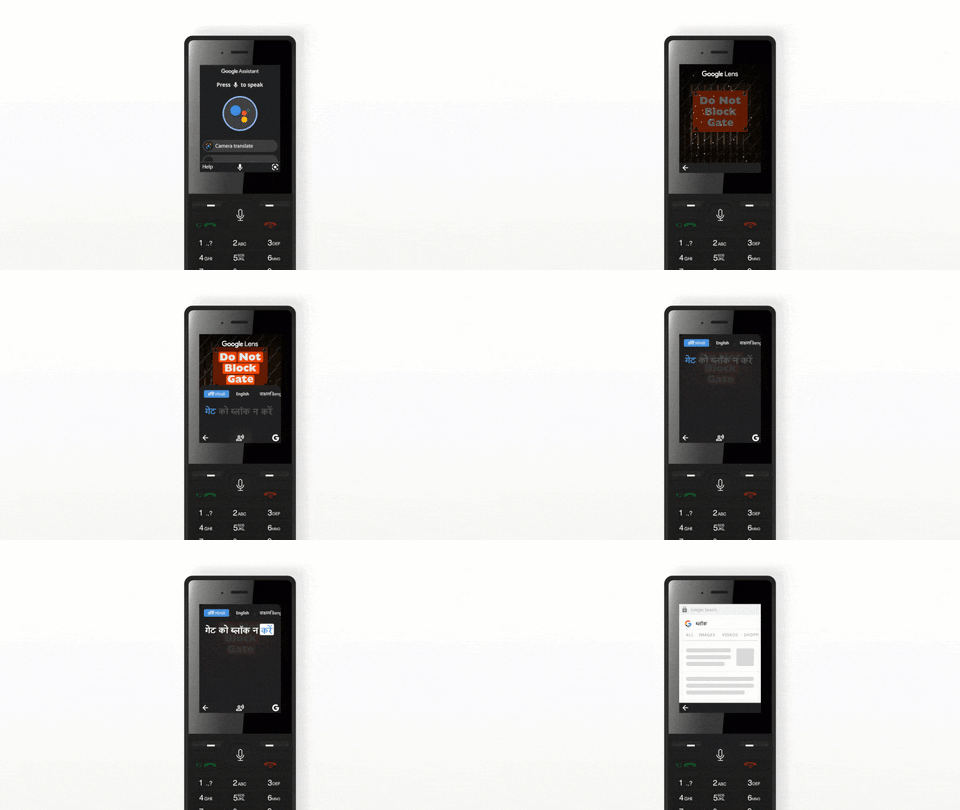
For the unaware, KaiOS is a Linux-based mobile operating system for feature phones that offers a few features that you would otherwise only find on smartphones, including Google Maps, YouTube, and the Google Assistant. The operating system also includes support for messaging apps like WhatsApp. With the recent announcement, Google is now adding support for camera-based translation to KaiOS powered devices like the popular JioPhone.

To utilize the new translation capabilities in a KaiOS powered device, you will have to open the Google Assistant by long-pressing the center button and then click on the camera icon. Then it’s just a matter of pointing your phone’s camera at the text you wish to translate and the Assistant will read it back to you in your preferred language. The feature currently only supports English and a few Indian languages, including Hindi, Bengali, Telugu, Marathi, and Tamil. However, Google plans to add support for more languages, like Kannada and Gujarati, soon.


Source: Google India Blog

The post Google Assistant extends camera-based translation to KaiOS feature phones appeared first on xda-developers.


from xda-developers https://ift.tt/3fOkyr2
via IFTTT

Amazon Prime Day 2020 in India will showcase over 300 new product launches and thousands of deals

Amazon very frequently holds sales across products on its online e-commerce portal. But often, it also holds special event days that see co-ordinated deals and discounts across a very large variety of products and sellers. While COVID-19 has changed the way we earn and spend in 2020, Amazon is still optimistic about the year. Amazon will be holding its Prime Day sales starting at midnight on Thursday, August 6, 2020 and run it for 48 hours, offering its members access to two days of the best deals and discounts from the comfort of their homes.

For Amazon Prime Day 2020 for Prime members, Amazon will offer products from several Small & Medium Businesses (SMBs) under its various programs such as Local Shops, Amazon Launchpad, Amazon Saheli, and Amazon Karigar. And of course, these products will be accompanied by deals, discounts, and offers from these sellers and others as well.

Prime Day is back again this year offering a unique opportunity for our members, to discover joy with a two-day event (Aug 6,7)  filled with best of deals, hundreds of new product launches, blockbuster entertainment and more, all from the safety of their homes. We are super excited that members can start discovering joy early ahead of Prime Day and earn cashbacks every time they shop from tens of thousands of small businesses including local stores, karigars, and saheli entrepreneurs, while supporting their business in these challenging times.

Amit Agarwal, SVP & Country Manager, Amazon India

Prime Day 2020 for India starts for Amazon Prime members from the midnight of August 6 and runs for 48 hours until the end of August 7. This sales festival will see over 300 new product launches across various categories from brands like Samsung, Intel, Jabra, Philips, OnePlus, Microsoft Xbox, Xiaomi, Boat, and many more. These deals will be across TVs, laptops, smartphones, Amazon Devices, other appliances, and more. For this sale, Amazon India will also be offering a 10% instant discount if you make purchases through an HDFC Bank Debit and Credit Card, in addition to other Amazon Pay rewards.

Amazon Prime is available for ₹129 (~$1.7) per month or ₹999 (~$13.3) per year in India. Benefits under this subscription include free delivery on Amazon purchases, ad-free music through Amazon Prime Music, access to Amazon Prime Video, and exclusive deals and other content through Prime Gaming.

Stay tuned for our roundup of the best deals for India under the Amazon Prime 2020 sales festival!

The post Amazon Prime Day 2020 in India will showcase over 300 new product launches and thousands of deals appeared first on xda-developers.


from xda-developers https://ift.tt/3fPPneR
via IFTTT

Download the Samsung Galaxy Tab S7 and Z Flip 5G’s wallpapers

Samsung will unveil the Galaxy Note 20 series next month via its online Galaxy Unpacked event and will launch up to five “powerful” devices at this event. Besides up to three new Note devices, the list of potential candidates for launch includes Samsung’s next iPad Pro competitor – the Galaxy Tab S7 and S7+ – as well as a 5G variant of the vertically folding Galaxy Z Flip expected to arrive with an overclocked Snapdragon 865 (perhaps, the Snapdragon 865 Plus). But much before the launch, official wallpapers from the Samsung Galaxy Z Flip 5G and the Galaxy Tab S7 series have already surfaced online and you can download them in high resolution using the links below.

Samsung Galaxy Z Flip 5G XDA Forums

Talking about the Galaxy Z Flip 5G first, these wallpapers are available courtesy of XDA Senior Member yakapa40. These wallpapers are presumably sourced from the foldable smartphone’s official firmware that went live last week. Our in-house Samsung tipster, writer, and video producer Max Weinbach also posted a tweetstorm that highlighted a lot of upcoming features.

In these wallpapers extracted by yakapa40, Samsung is using abstract elements on top of a dark background. You can download these wallpapers in full resolution from the link below.

Download Samsung Galaxy Z Flip 5G hi-res wallpapers

At the same time, SamMobile was able to score the official wallpapers for the Galaxy Tab S7/S7+. These include four new wallpapers which also follow an abstract theme but also have an element of depth using different layers. Depending on how you perceive the imagery or intend to use the tablet, you may visualize the stacked layers differently and we leave that quest to your imagination.

Note these images in the gallery above are compressed versions of the Galaxy Tab S7’s wallpapers and you can get full versions from the link below.

Download Samsung Galaxy Tab S7 hi-res wallpapers

The post Download the Samsung Galaxy Tab S7 and Z Flip 5G’s wallpapers appeared first on xda-developers.


from xda-developers https://ift.tt/2CV4wgg
via IFTTT

lundi 20 juillet 2020

OnePlus Launcher 4.6.4 adds more options for customization of the home screen grid

Most Android devices come with their own custom launcher built by the manufacturer. On OnePlus phones, that launcher is the aptly named OnePlus Launcher. It’s arguably one of the best OEM launchers out there and consistently gets new features. The latest update brings some additional options for customizing the home screen.

oneplus launcher oneplus launcher

The screenshots above show OnePlus Launcher version 4.6.4. As you can see, there are a couple of new customization options when compared to the older version. Previously, users could choose the number of columns and the icon size. This update, however, brings even more grid options and the ability to hide app names.

The old OnePlus Launcher only allowed users to choose the number of vertical columns on the home screen. Users could not change the number of horizontal rows. Version 4.6.4 allows users to choose from grid sizes of 3×5, 3×6, 4×5, 4×6, 5×5, and 5×6. The toggle to hide app names does exactly what you’d expect, plus there is an additional icon size too.

Of course, if you use a 3rd-party launcher from the Play Store, these are not mind-blowing features, but they are nice for a stock launcher. OnePlus gives its launcher a lot more attention than other OEMs, which goes a long way toward improving the out-of-the-box experience.

OnePlus Launcher (Free, Google Play) →

Thanks to some_random_username for the tip!

The post OnePlus Launcher 4.6.4 adds more options for customization of the home screen grid appeared first on xda-developers.


from xda-developers https://ift.tt/39d60Pb
via IFTTT

Samsung confirms it will announce 5 devices at Galaxy Unpacked

If you’ve been following tech news for the last few weeks you’re probably well aware that Samsung has an event coming up. Several new devices have been leaked ahead of the company’s online Galaxy Unpacked event scheduled for August 5th. Today, Samsungs head of mobile confirmed we’ll be seeing 5 new devices at the event.

Tae-moon Roh, the president and head of the company’s mobile communications business, shared a blog post about steering Samsung through the “Next Normal.” In the post, he says: “At this summer’s Galaxy Unpacked, we’ll be introducing five new powerful devices.” But what will those devices be? If we look back at the plethora of leaks and rumors, there are a number of candidates for the five devices:

  1. Galaxy Note 20
  2. Galaxy Note 20 Ultra
  3. Galaxy Z Fold 2
  4. Galaxy Z Flip 5G
  5. Galaxy Tab S7/S7+
  6. Galaxy Buds Live
  7. Galaxy Watch 3

All of these devices have shown up in leaks and rumors of some sort in the last few months. The Galaxy Note 20 Ultra, in particular, has been seen numerous times. Similarly, the Galaxy Buds Live and Galaxy Watch 3 haven’t been shy. The Note 20 and the two foldables have leaked the least, but we still more or less know what to expect.

Based on the available information, our speculation is that the five devices we’ll see at Galaxy Unpacked are the Note 20, Note 20 Ultra, Fold 2, Z Flip 5G, and Galaxy Buds Live. That leaves the Galaxy Tab S7/S7+ and Galaxy Watch 3 to be announced later, possibly in simple press releases. Plans can change between now and August 5th, but we’ll know for sure in just a couple of weeks.


Source: Samsung

The post Samsung confirms it will announce 5 devices at Galaxy Unpacked appeared first on xda-developers.


from xda-developers https://ift.tt/2WFO36G
via IFTTT

Here Are 8 Great Security and Control Apps for Your Devices, On Sale Now

The scary thing about cybercrime is that you or a member of your family can become a victim, and not even realize. Thankfully, there are many ways to keep yourself protected. Here are some of the best apps and subscriptions for protecting your data, now with up to 92% off at the XDA Developers Depot.

Heimdal™ Thor Premium: All-in-One Security Suite

Rated at 5 stars on TrustPilot and Softpedia, this versatile security suite provides blanket protection. Thor can detect even the most sophisticated threats, from ransomware to viruses. In addition, the software patches vulnerabilities and stops data leakage. You can order now for $59.99 to get five years of service, worth $499.

VPNSecure: Lifetime Subscription

With a strict no-logging policy and strong encryption, VPNSecure helps you remain anonymous online. This highly-rated VPN also protects you from hackers on public networks, while unlocking great content from around the world. Worth $450, lifetime subscriptions are now only $34.99.

Call Control Premium: 1-Yr Subscription

If you are sick of bots calling your phone, you need Call Control. Powered by AI, this app automatically blocks robocallers, spammers, and scammers. Available on iOS and Android, the app is rated at 4 stars on both platforms. One-year subscriptions are now 33% off at $19.99.

FamiSafe: 3-Yr Subscription

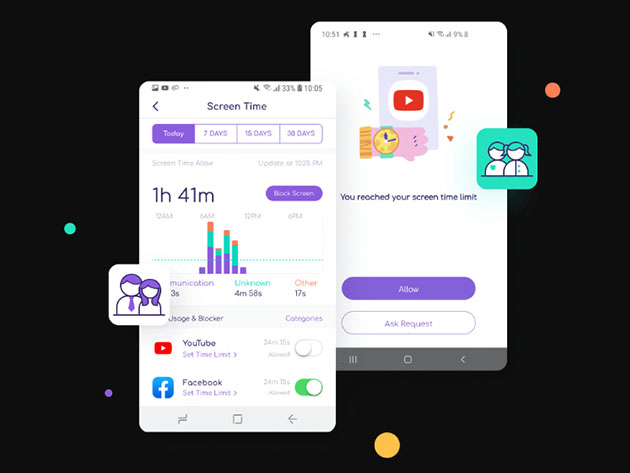
As a parent, FamiSafe lets you protect your kids online and control their screen time. The app is easy to use, meaning you can quickly block specific apps and websites without even touching your child’s phone. It also has a locator feature for added peace of mind. Normally $119, three-year subscriptions are now only $49.99.

AdLock Ad Blocker: Lifetime Subscription

Online ads can both compromise your security and invade your privacy. AdLock blocks the ads in any app on your device, from your web browser to freemium games. Aside from improving your security, this means better battery life and performance. Currently 60% off, lifetime subscriptions are just $18.99.

NordVPN: 2-Yr Subscription

Offering double data SSL-based 2048-bit encryption, NordVPN provides incredible online protection. Rated at 5 stars by PC Mag and CNET, the service also has a strict no-logging policy and over 3,500 high-speed servers around the world. Worth $286, two years of service is now just $95.99 — that is 66% off.

HideMyAss! VPN: 3-Yr Subscription

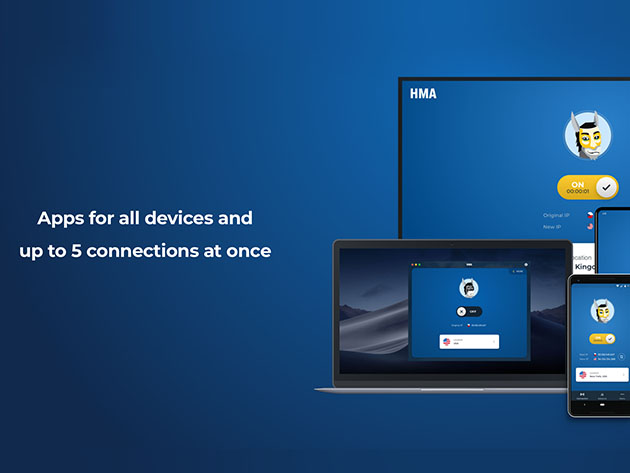
Designed specifically for privacy, HideMyAss! VPN combines strong encryption and global coverage. You can protect up to five devices at the same time, with great security features such as split-tunneling, kill switches, and IP shuffling. Just as importantly, there is no logging. Thanks to a double price drop, three-year subscriptions are now just $89.99 (worth $431).

CallHero Digital Bouncer & Spam Blocker: Lifetime Subscription

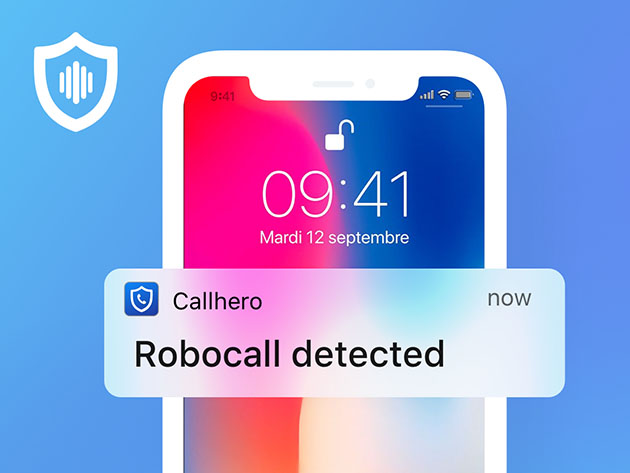
Rated at 4.4 stars on the App Store, this intelligent app actually listens to what callers say to determine whether they are real or bots. You can even set up specific safe keywords so that friends and family will always get through. Worth $249, lifetime service is currently just $49.99.

Prices subject to change 

The post Here Are 8 Great Security and Control Apps for Your Devices, On Sale Now appeared first on xda-developers.


from xda-developers https://ift.tt/3jn1en2
via IFTTT

Download: MIUI 12 stable update rolling out to several Xiaomi, Redmi and POCO devices

MIUI 12 is the newest big release for Xiaomi smartphones, perhaps even bigger than an Android version jump. Features on Xiaomi devices are dictated more by their MIUI versions than the underlying Android version, so a MIUI version upgrade is an exciting event. The first batch of devices to receive the MIUI 12 stable update included the Xiaomi Mi 9, Redmi K20/Mi 9T, and Redmi K20 Pro/Mi 9T Pro. As we reach the end of June 2020, Xiaomi’s first phase of MIUI 12 rollout is complete, as many more devices have been added since the initial rollout. This article will serve as the central repository of download links for all Xiaomi, Redmi, and POCO devices that have received their official MIUI 12 stable updates. We’ll update it regularly with fresh builds!

MIUI 12: Features

MIUI 12 was announced in April 2020, following the footsteps of MIUI 11 that gained massive popularity thanks to Xiaomi’s hardware push as well as the feature abundance within the UX.

MIUI 12 Hands-on: 12 interesting new features added in Xiaomi’s Android OS

MIUI 12 brings along a cleaner UI, new animations, changes to navigation gestures, new live wallpapers, and AOD designs, privacy indicators for the microphone, camera, and location usage, improvements to multi-window, and Picture-in-Picture, an in-built sleep tracker, and many more changes throughout the UX!

Download: MIUI 12 Super Earth and Super Mars Live Wallpaper, ported for all devices


List of Devices that have received stable MIUI 12

This article covers devices that have received a stable MIUI 12 update in any region. If you are looking for closed betas, you can follow along our dedicated coverage here:

Download the MIUI 12 Closed Beta for Xiaomi and Redmi devices

Here are the devices that currently have a stable MIUI 12 build available. Note that the devices are sorted alphabetically for their codename.

  1. Redmi Note 8 Pro (begonia) — Added on 07/01/2020
  2. Mi 9 (cepheus) — Added on 06/30/2020
  3. Mi 10 Pro (cmi) — Added on 06/30/2020
  4. Mi 9 Pro 5G (crux) — Added on 06/30/2020
  5. Redmi K20 / Xiaomi Mi 9T (davinci) — Added on 06/30/2020
  6. Redmi K30 Pro / POCO F2 Pro (lmi) — Added on 06/30/2020
  7. Redmi Note 9 / Redmi 10X 4G (merlin) — Added on 07/02/2020
  8. Xiaomi Mi 10 Lite 5G (monet) — Added on 07/20/2020
  9. Redmi K30 4G / POCO X2 (phoenix) — Added on 06/30/2020
  10. Redmi K30 5G (picasso) — Added on 06/30/2020
  11. Redmi K30i 5G (picasso48m) — Added on 07/07/2020
  12. Redmi K20 Pro / Xiaomi Mi 9T Pro (raphael) — Added on 06/30/2020
  13. Mi 10 (umi) — Added on 06/30/2020
  14. Mi 10 Youth Edition / Mi Note 10 Lite Zoom (vangogh) — Added on 06/30/2020

Generic flashing instructions are available at the bottom of this article. However, we advise users to refer to the device forums for specific flashing instructions for their device, in case there are any variations or special instructions that need to be followed.

Another important point to note: Xiaomi follows only a thin distinction between “beta stable” update and “stable” updates. Beta stable updates are only intended for users enrolled within the Mi Pilot beta testing program, meaning that builds assigned for this group will not install on devices with Mi Accounts that do not have the requisite permission. Once the Mi Pilot beta testers give positive feedback, the same build then gets opened up as stable release, creating a lot of confusion — for instance, the same builds linked below might first fail to install, but then they will make an appearance through the official OTA. If you get the error message that the update is for closed beta testers only, you can sideload the update through TWRP.


MIUI 12: Download Links

Download links to MIUI 12 stable and beta stable releases are included below. These builds are first sorted with device codenames, and then according to their regions and release. Recovery ROMs and Fastboot ROMs are both included, wherever present.

1. Redmi Note 8 Pro (begonia)

Sr. No. Build Number, Region, and Status Recovery ROM Fastboot ROM
Global (begoniaglobal)
1.1. V12.0.0.4.QGGMIXM Download Link

2. Mi 9 (cepheus)

Sr. No. Build Number, Region, and Status Recovery ROM Fastboot ROM
China (cepheus)
1.1. V12.0.1.0.QFACNXM (Rolled Back) Download Link
1.2. V12.0.2.0.QFACNXM Download Link Download Link
1.3. V12.0.3.0.QFACNXM Download Link
Europe
2.1. V12.0.1.0.QFAEUXM Download Link Download Link
Global
3.1. V12.0.1.0.QFAMIXM Download Link Download Link

3. Mi 10 Pro (cmi)

Sr. No. Build Number, Region, and Status Recovery ROM Fastboot ROM
China (cmi)
1.1. V12.0.1.0.QJACNXM Download Link Download Link
1.2. V12.0.2.0.QJACNXM Download Link Download Link

4. Mi 9 Pro 5G (crux)

Sr. No. Build Number, Region, and Status Recovery ROM Fastboot ROM
China (crux)
1.1. V12.0.1.0.QFXCNXM (Rolled Back) Download Link
1.2. V12.0.2.0.QFXCNXM Download Link Download Link
1.3. V12.0.3.0.QFXCNXM Download Link

5. Redmi K20 / Xiaomi Mi 9T (davinci)

Sr. No. Build Number, Region, and Status Recovery ROM Fastboot ROM
China (davinci)
1.1. V12.0.2.0.QFJCNXM (Rolled Back) Download Link
1.2. V12.0.3.0.QFJCNXM Download Link Download Link
Global (davinciglobal)
2.1. V12.0.1.0.QFJMIXM Download Link
India (davinciinglobal)
3.1. V12.0.1.0.QFJINXM (Rolled Back) Download Link
3.2. V12.0.2.0.QFJINXM Download Link Download Link
Russia (davinciruglobal)
4.1. V12.0.1.0.QFJRUXM Download Link

6. Redmi K30 Pro / POCO F2 Pro (lmi)

Sr. No. Build Number, Region, and Status Recovery ROM Fastboot ROM
China (lmi)
1.1. V12.0.1.0.QJKCNXM Download Link Download Link
1.2. V12.0.2.0.QJKCNXM Download Link
Europe (lmieeaglobal)
1.1. V12.0.1.0.QJKEUXM Download Link

7. Redmi Note 9 / Redmi 10X 4G (merlin)

Sr. No. Build Number, Region, and Status Recovery ROM Fastboot ROM
China (merlin)
1.1. V12.0.1.0.QJOCNXM Download Link

8. Xiaomi Mi 10 Lite 5G (monet)

Sr. No. Build Number, Region, and Status Recovery ROM Fastboot ROM
Europe (moneteeaglobal)
1.1. V12.0.1.0.QJIEUXM Download Link

9. Redmi K30 4G / POCO X2 (phoenix)

Sr. No. Build Number, Region, and Status Recovery ROM Fastboot ROM
China (phoenix)
1.1. V12.0.2.0.QGHCNXM (Rolled Back) Download Link
1.2. V12.0.3.0.QGHCNXM Download Link Download Link

10. Redmi K30 5G (picasso)

Sr. No. Build Number, Region, and Status Recovery ROM Fastboot ROM
China (picasso)
1.1. V12.0.1.0.QGICNXM (Rolled Back) Download Link
1.2. V12.0.2.0.QGICNXM Download Link Download Link

11. Redmi K30i 5G (picasso48m)

Sr. No. Build Number, Region, and Status Recovery ROM Fastboot ROM
China (picasso48m)
1.1. V12.0.3.0.QGICMXM Download Link Download Link

12. Redmi K20 Pro / Xiaomi Mi 9T Pro (raphael)

Sr. No. Build Number, Region, and Status Recovery ROM Fastboot ROM
China (raphael)
1.1. V12.0.1.0.QFKCNXM (Rolled Back) Download Link
1.2. V12.0.2.0.QFKCNXM Download Link Download Link
1.3. V12.0.3.0.QFKCNXM Download Link
Europe (raphaeleeaglobal)
2.1. V12.0.1.0.QFKEUXM Download Link Download Link
Global (raphaelglobal)
3.1. V12.0.1.0.QFKMIXM Download Link Download Link
India (raphaelinglobal)
4.1. V12.0.1.0.QFKINXM Download Link
4.2. V12.0.2.0.QFKINXM Download Link

13. Mi 10 (umi)

Sr. No. Build Number, Region, and Status Recovery ROM Fastboot ROM
China (umi)
1.1. V12.0.1.0.QJBCNXM Download Link Download Link
1.2. V12.0.4.0.QJBCNXM Download Link

14. Mi 10 Youth Edition / Mi 10 Lite Zoom (vangogh)

Sr. No. Build Number, Region, and Status Recovery ROM Fastboot ROM
China (vangogh)
1.1. V12.0.3.0.QJVCNXM Download Link Download Link
1.2. V12.0.4.0.QJVCNXM Download Link

Flashing Instructions for MIUI 12

Note that these are generic flashing instructions that should generally be applicable across Xiaomi, Redmi, and POCO devices. However, there is a possibility that there is a variation that is unique to your device, so we strongly advise visiting your device forums for device-specific instructions.

Recovery ROM Installation

Recovery ROMs come with a .zip file extension and can be installed either through the Local Update method from within MIUI, or through the Xiaomi stock recovery. You can also use a custom recovery like TWRP for installing these ROMs, though do note that device-specific instructions may differ in that case.

  1. Local Update method:
    1. Transfer the download .zip file to your phone, and ensure you place the file in the “downloaded_rom” folder in the internal storage of your device. If no such folder exists, create one in your internal storage base directory.
    2. Within your phone, navigate to Settings > About Phone > System Update, and then press the three-dot icon in the top-right corner, and select “Choose Update Package”.
    3. If the “Choose Update Package” option is missing, tap on the MIUI logo 10 times to activate the option.
    4. Choose the downloaded .zip file.
    5. Wait for the update to install.
  2. Recovery method:
    1. Rename the downloaded .zip file to update.zip and transfer it to the base directory of your phone’s internal storage.
    2. Reboot your phone into recovery mode by powering it off and then pressing both the Power and the Volume Up buttons together.
    3. Scroll to the “Install update.zip” option using the volume keys, and select the option using the power button.
    4. Wait for the update to install.
    5. Choose the “Reboot” option if your phone does not reboot by itself after installation is completed.

Fastboot ROM Installation

Fastboot ROMs come with a .tgz file extension and require a Windows computer for the installation, as well as a phone with an unlocked bootloader. However, despite being comparatively more complicated to install than Recovery ROMs, Fastboot ROMs are sometimes the only way to boot into a working system. For instructions on unlocking the bootloader of your phone, check your device’s subforums on XDA.

  1. Download MiFlash Tool on your Windows computer. The latest version can be found in Step 1 of this link. Once downloaded, extract the tool and install it. It is also advisable to have ADB and Fastboot installed, just in case you need it.
  2. Reboot your phone into Download mode by powering it off and then pressing both the Power and Volume Down buttons together.
  3. Connect your phone to the computer using the appropriate USB cable.
  4. Download the Fastboot ROM .tgz file and extract it. Remember the extract location, as you will need to paste the address into MiFlash Tool.
  5. Run MiFlash Tool on your Windows Computer and in the address bar within the tool, paste the extract location from Step 4.
  6. Click “Refresh” within MiFlash and the app should automatically recognize your device.
  7. Click “Run” within MiFlash to flash the ROM file to the device.
  8. The progress bar within MiFlash will turn green, which indicates that the ROM was successfully installed. Your device should boot automatically to the new version.

Thanks to XDA Recognized Developer yshalsager for providing the download links!

The post Download: MIUI 12 stable update rolling out to several Xiaomi, Redmi and POCO devices appeared first on xda-developers.


from xda-developers https://ift.tt/38kLDz5
via IFTTT