LightBlog

mercredi 9 septembre 2020

Xiaomi Android 11 Tracker: Here are all the official MIUI beta and stable builds to download and install

Following the arrival of the first public beta of Android 11 back in June, Xiaomi published similar AOSP-style beta builds for the Mi 10/10 Pro and the Redmi K30 Pro (e.g. the Chinese variant of the POCO F2 Pro) later that month. Shortly thereafter, the Chinese OEM started rolling out MIUI 12-based closed beta builds for these phones, however, the underlying layer of Android was still based on the beta codebase. Now that Android 11 hits the stable milestone, Xiaomi has already prepared stable MIUI 12 builds on top of the latest iteration of Android.

The first batch of global devices to receive the MIUI 12-infused stable Android 11 update includes the Xiaomi Mi 10 and Mi 10 Pro. Many more Mi, Redmi, and POCO branded smartphones are expected to get the update in the coming days. This article will serve as the central repository of download links for all Xiaomi devices that have received their official Android 11 updates, including the ones powered by Android One instead of MIUI.

It is worth mentioning that the MIUI versioning scheme doesn’t have a one-to-one correspondence with the version of Android. While Xiaomi is expected to unveil a new version of MIUI — tentatively MIUI 13 — with new features in the near future, the company will continue to produce MIUI 12-based Android 11 builds for compatible devices during the transition phase.

The compatible devices will initially get the taste of Android 11 through the MIUI beta channel (which has now been rebased on top of the stable Android 11 codebase), and then through the stable channel builds. Features on Xiaomi devices are often decided more by their MIUI version and less by their Android version. So you can take a look at our other trackers for MIUI 12 builds.

Download: MIUI 12 stable update rolling out to several Xiaomi, Redmi, and POCO devices

Download the MIUI 12 Closed Beta for Xiaomi and Redmi devices


Xiaomi Android 11 Update List: Which phones have received the stable update?

This article covers Xiaomi (Mi), Redmi, and POCO devices that have received a stable Android 11 update—be it a “stable beta” or actual stable build—in any region. Cross-flashing different regional builds is technically possible but only do so if you’re familiar with the process.

Here are the devices that currently have an Android 11 build based on the stable Android branch available. Note that the devices are sorted alphabetically for their codename.

  1. Xiaomi Mi 10 Pro (cmi) — Added on 09/09/2020
  2. Redmi K30 Pro / POCO F2 Pro (lmi) — Added on 09/09/2020
  3. Xiaomi Mi 10 (umi) — Added on 09/09/2020

Generic flashing instructions are available at the bottom of this article. However, we advise users to refer to the device forums for specific flashing instructions for their device, in case there are any variations or special instructions that need to be followed. Notably, the concept of a downgrade ROM isn’t applicable here. First, check the Anti-Rollback Protection status of your model and then flash the appropriate stable Android 10-based Fastboot firmware if you need to revert back.


MIUI 12 based on stable Android 11: Download Links

You can find download links of MIUI 12 based stable beta and stable releases below. These builds are first sorted with device codenames, and then according to their regions and release. Recovery ROMs and Fastboot ROMs are both included, wherever present.

1. Xiaomi Mi 10 Pro (cmi)

Sr. No. Channel, Build Number, and Region Recovery ROM Fastboot ROM Added On/Status Last Updated
MIUI 12 Stable Beta (China)
1.1. V12.1.2.0.RJACNXM Download Link September 9, 2020

2. Redmi K30 Pro / POCO F2 Pro (lmi)

Sr. No. Channel, Build Number, and Region Recovery ROM Fastboot ROM Added On/Status Last Updated
MIUI 12 Stable Beta (China)
1.1. V12.1.2.0.RJKCNXM Download Link September 9, 2020

3. Xiaomi Mi 10 (umi)

Sr. No. Channel, Build Number, and Region Recovery ROM Fastboot ROM Added On/Status Last Updated
MIUI 12 Stable Beta (China)
1.1. V12.1.3.0.RJBCNXM Download Link September 9, 2020
MIUI 12 Stable Beta (Global)
1.1. V12.1.2.0.RJBMIXM September 9, 2020


Flashing Instructions for Android 11-based MIUI 12

Note that these are generic flashing instructions that should generally be applicable across Xiaomi, Redmi, and POCO devices. However, there is a possibility that there is a variation that is unique to your device, so we strongly advise visiting your device forums for device-specific instructions.

Recovery ROM Installation for Android 11-MIUI 12

Recovery ROMs come with a .zip file extension and can be installed either through the Local Update method from within MIUI, or through the Xiaomi stock recovery. You can also use a custom recovery like TWRP for installing these ROMs, though do note that device-specific instructions may differ in that case.

  1. Local Update method:
    1. Transfer the download .zip file to your phone, and ensure you place the file in the “downloaded_rom” folder in the internal storage of your device. If no such folder exists, create one in your internal storage base directory.
    2. Within your phone, navigate to Settings > About Phone > System Update, and then press the three-dot icon in the top-right corner, and select “Choose Update Package”.
    3. If the “Choose Update Package” option is missing, tap on the MIUI logo 10 times to activate the option.
    4. Choose the downloaded .zip file.
    5. Wait for the update to install.
  2. Recovery method:
    1. Rename the downloaded .zip file to update.zip and transfer it to the base directory of your phone’s internal storage.
    2. Reboot your phone into recovery mode by powering it off and then pressing both the Power and the Volume Up buttons together.
    3. Scroll to the “Install update.zip” option using the volume keys, and select the option using the power button.
    4. Wait for the update to install.
    5. Choose the “Reboot” option if your phone does not reboot by itself after installation is completed.

Fastboot ROM Installation for Android 11-MIUI 12

Fastboot ROMs come with a .tgz file extension and require a Windows computer for the installation, as well as a phone with an unlocked bootloader. However, despite being comparatively more complicated to install than Recovery ROMs, Fastboot ROMs are sometimes the only way to boot into a working system. For instructions on unlocking the bootloader of your phone, check your device’s subforums on XDA.

  1. Download MiFlash Tool on your Windows computer. The latest version can be found in Step 1 of this link. Once downloaded, extract the tool and install it. It is also advisable to have ADB and Fastboot installed, just in case you need it.
  2. Reboot your phone into Download mode by powering it off and then pressing both the Power and Volume Down buttons together.
  3. Connect your phone to the computer using the appropriate USB cable.
  4. Download the Fastboot ROM .tgz file and extract it. Remember the extract location, as you will need to paste the address into MiFlash Tool.
  5. Run MiFlash Tool on your Windows Computer and in the address bar within the tool, paste the extract location from Step 4.
  6. Click “Refresh” within MiFlash and the app should automatically recognize your device.
  7. Click “Run” within MiFlash to flash the ROM file to the device.
  8. The progress bar within MiFlash will turn green, which indicates that the ROM was successfully installed. Your device should boot automatically to the new version.

The post Xiaomi Android 11 Tracker: Here are all the official MIUI beta and stable builds to download and install appeared first on xda-developers.


from xda-developers https://ift.tt/2FjVElE
via IFTTT

10 Great Home Security Devices That Are on Sale This Week

If you are going to spend money on anything, protecting your home is probably quite high on the priority list. From smart locks to motion-sensing cameras, there are some great home security devices currently on sale at the XDA Developers Depot. Right now, you can save up to 70% on these ten products.

U-Bolt Pro: The Ultimate 6-in-1 Smart DeadBolt

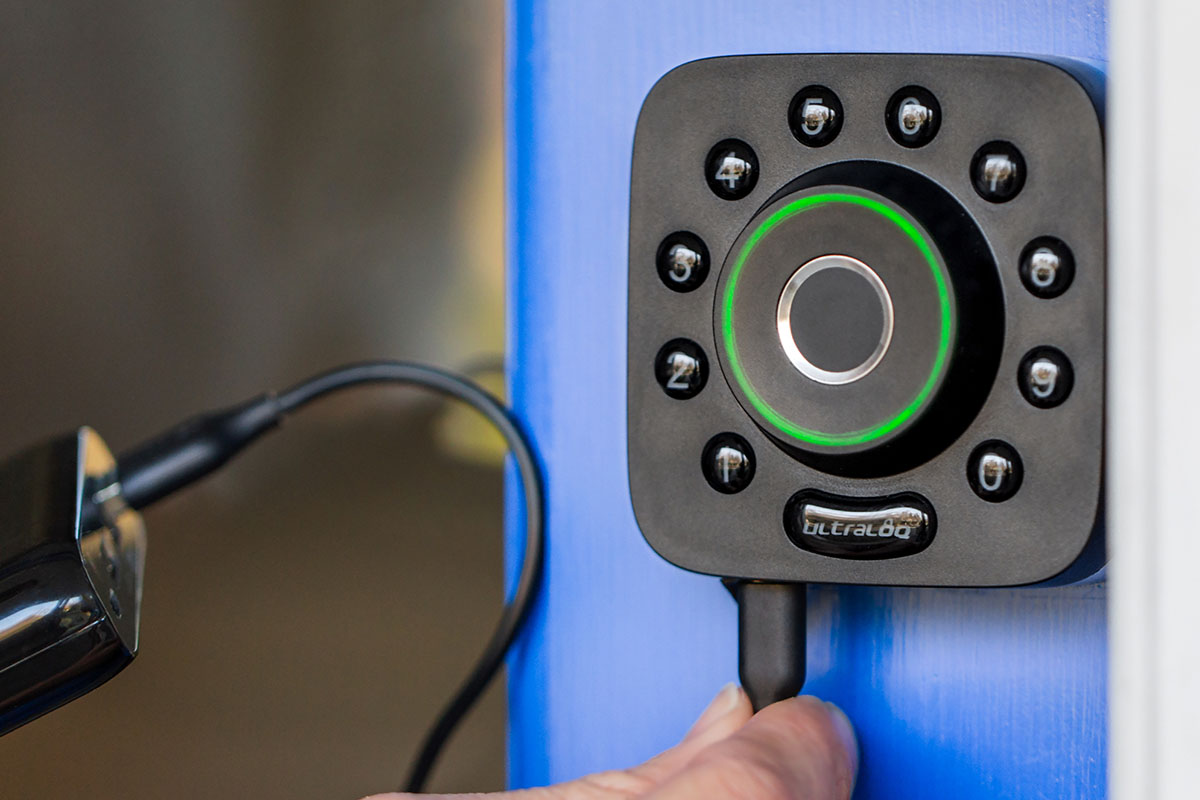
Rated at 4.3 stars on Amazon, this smart deadbolt has 360° fingerprint sensors to make keyless entry straightforward. You can also gain entry via your smartphone, and the lock is really easy to fit yourself. U-Bolt Pro retails for $189, but you can get it now for $169.99.

TOKK™ Fingerprint Smart Lock

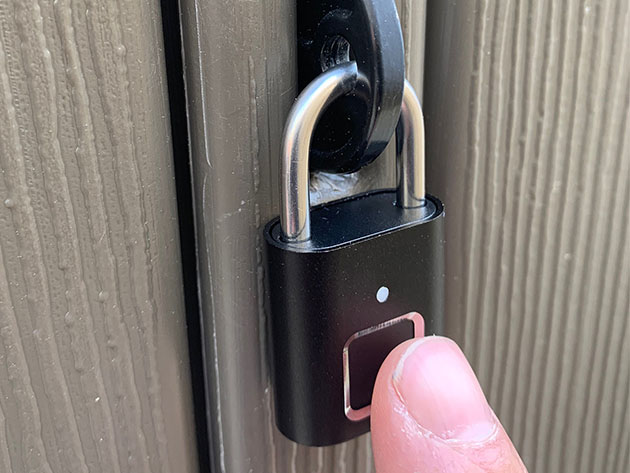
Perfect for protecting outbuildings, the TOKK smart lock opens in half a second for up to 20 recognized fingerprints. It has a rechargeable battery inside, which lasts for 100 unlocks or six months on standby. Normally $49, the lock is now 50% off at $24.99.

Ultraloq Combo Smart Lock & Key Fob

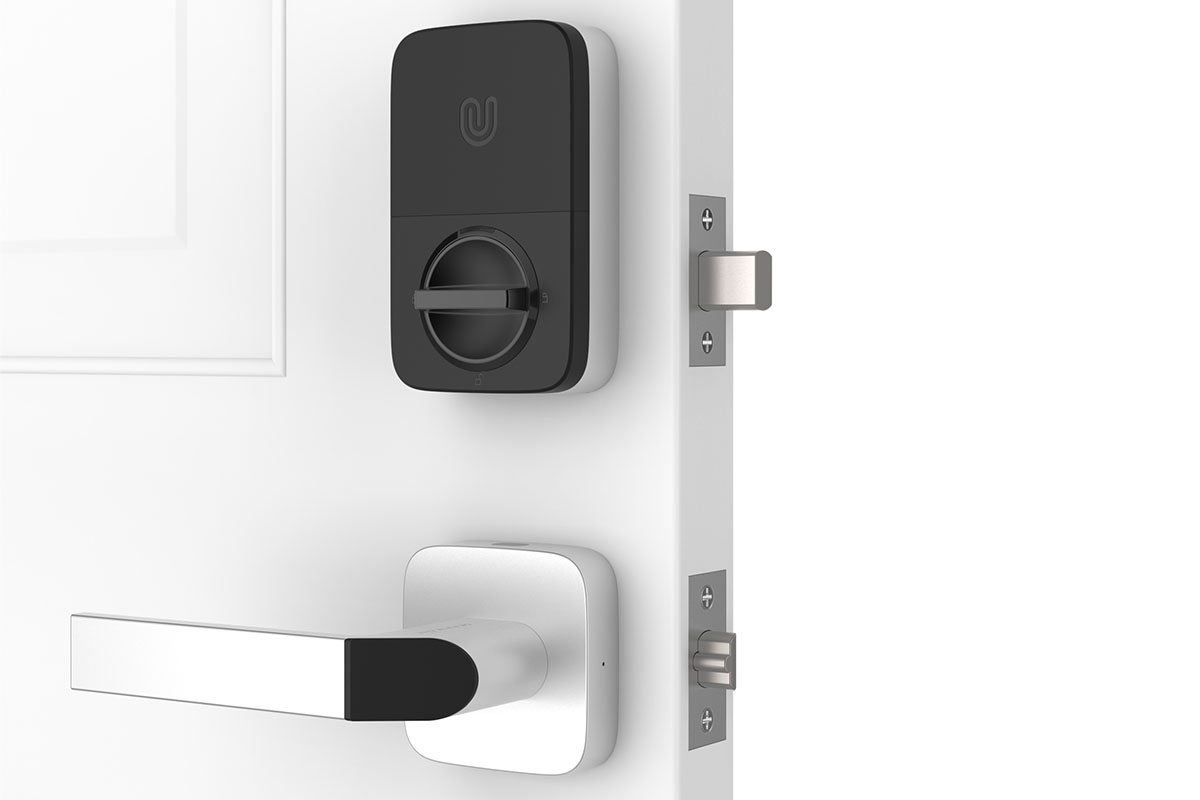
With this smart combo lock, you can enter via your smartphone, your fingerprint, or the supplied contactless key fob. Ultraloq has three modes and two separate locking points to ensure total security, and the handle is reversible for easy DIY installation. Worth $369, the kit is currently $329.99.

Outdoor Nation Solar Powered 22-LED Security Floodlight

With 22 LEDs, this powerful floodlight protects your front lawn after dark. It features heat detection within 6.5 feet and motion detection with a range of 16 feet, and the lights can actually move to spotlight the intruder. It’s usually $59, but you can get the floodlight now for $25.99.

XC Security Camera with Hub + 2 Door Sensors

This digital security guard keeps watching over your home, with a smart camera that doubles as a base station. It provides a 360-degree view inside your home at 1080p resolution, with night vision technology. In addition, you get two sensors to pick up unwanted visitors. Worth $79, the XC kit is now only $56.99

Kami 1080p Wire-Free Indoor/Outdoor Home Camera Kit

Providing “solid performance at this price” according to TechCrunch, the Kami camera offers 140° of coverage at full HD resolution. Two-way audio allows you to challenge intruders, and the outer shell is water resistant for outdoor use. It retails for $119, but you can get the camera kit now for $74.99.

VAVA Waterproof Motion Sensor LED Spotlight

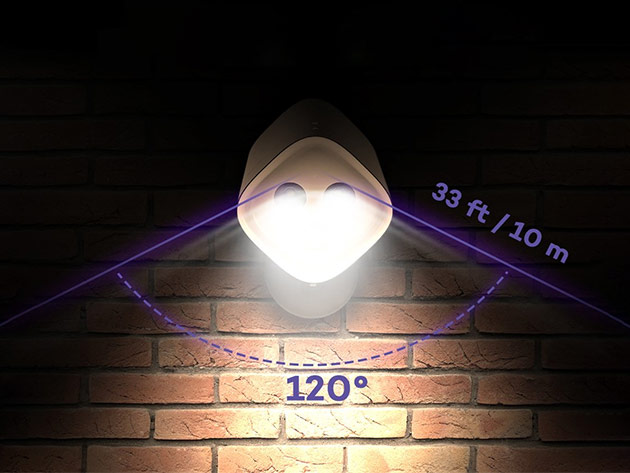
This waterproof spotlight detects motion within 33 feet, scanning the area with a sensitive 300-lumen sensor. The LEDs provide strong light, and you can adjust the head to find the perfect angle. Better still, it runs on battery in all temperatures. Usually $30, the VAVA spotlight is now only $19.99.

Hombli Smart Indoor Camera

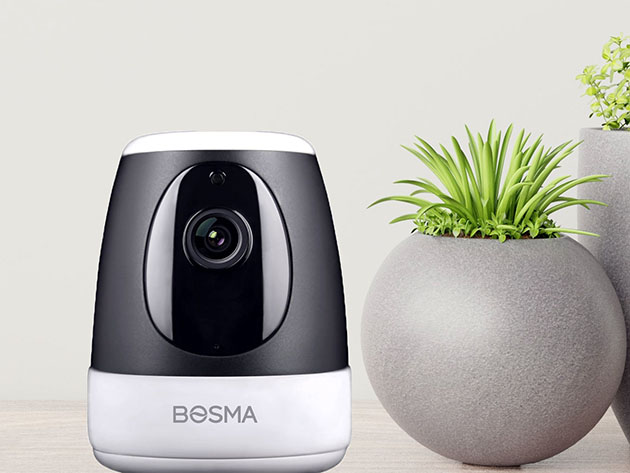
When you’re away from home, you can use Hombli to keep an eye on your home. The companion app supports Google and Alexa, meaning you can set up functions using your voice alone. It’s worth $99, but you can get the camera now for $39.95.

Sinji Pan Tilt Indoor Camera

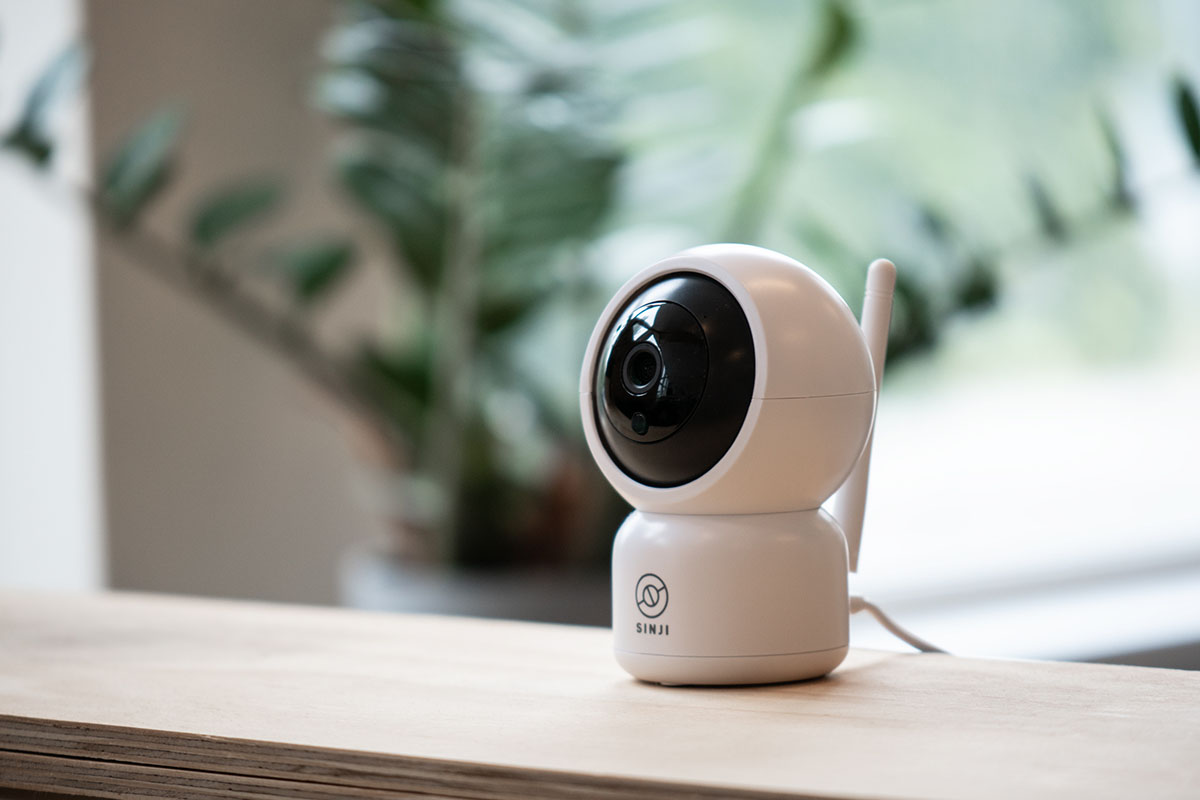
With a lens that automatically tracks people across the room, Sinji provides incredible coverage. The camera also has infrared night vision, 128GB of storage for footage, two-way audio, and an app for live video. It’s normally $119, but the camera is now 66% off MSRP at just $39.95

Sinji Smart Outdoor Camera

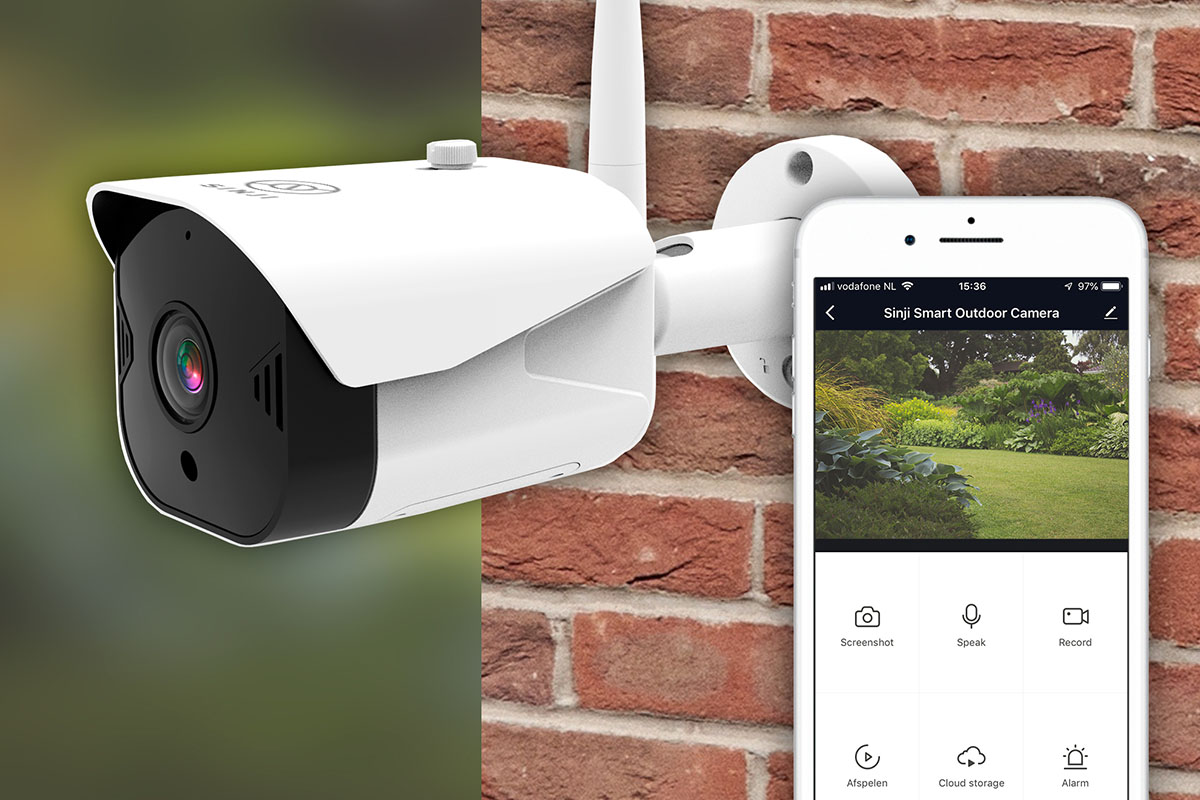
You can get similar features outside with this Sinji device. It also features motion detection, infrared night vision, and considerable storage packaged inside a waterproof shell. It’s also very easy for you to install it yourself. This camera is normally $199, but you can get it now for just $59.95.

Prices subject to change 

The post 10 Great Home Security Devices That Are on Sale This Week appeared first on xda-developers.


from xda-developers https://ift.tt/32cW06E
via IFTTT

Google Calendar is getting cross-profile work and personal account support

Work profiles in Android let you keep your work and personal life separate by isolating all apps and synced account information from the personal profile. But there are some disadvantages to using a work profile on your device. For instance, several calendar apps, including Google Calendar, don’t support cross-profile calendar sync. This means that you have to check the calendar app in each profile to make sure you don’t miss an appointment. To address this issue, Google added support for cross-profile calendar visibility in Android 10. But in order to enable the feature, calendar apps have to be updated to support the new APIs.

Google Calendar cross-profile visibility

Google has been working on bringing cross-profile visibility support to Google Calendar for a few months now. Evidence regarding the feature was first spotted in an APK teardown of Google Calendar version 2020.14-1 earlier this year. And now, the company has finally confirmed that cross-profile calendar support will be added to the app soon. In a recent blog post titled Championing employee privacy, productivity with Android 11, the company notes:

“Google Calendar will soon allow people to see personal events in their work calendar, helping to better schedule around commitments across their day. Personal calendar events will remain privately stored on device in the personal file, invisible to both colleagues and IT.”

Interestingly, the blog post also mentions a new secure mechanism for merged experiences that will allow trusted apps to connect between work and personal profiles. This leads us to believe that the cross-profile visibility feature won’t be limited to calendar apps, and we could see more apps receive similar functionality in the near future. As of now, Google hasn’t shared a release timeline for cross-profile visibility on Google Calendar. We will update this post as soon as the feature starts rolling out to users.

Google Calendar (Free, Google Play) →


Source: Google

The post Google Calendar is getting cross-profile work and personal account support appeared first on xda-developers.


from xda-developers https://ift.tt/2FcrGQW
via IFTTT

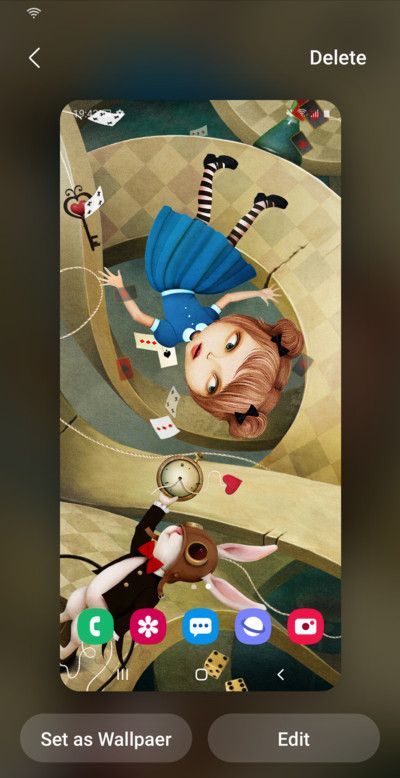
Samsung Wonderland is a new Good Lock module that lets you create live wallpapers and customize them

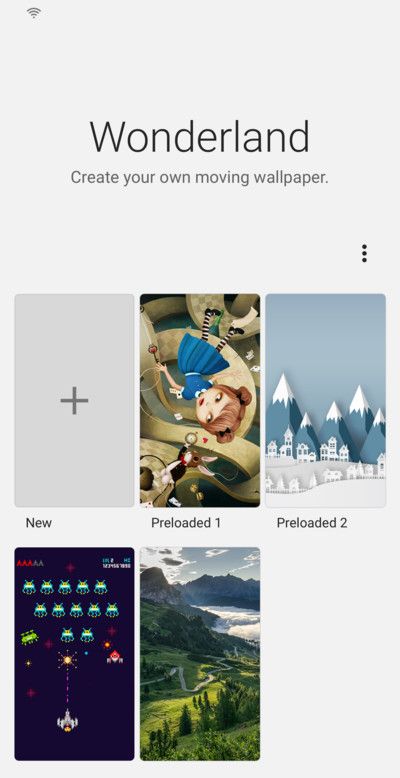
Another day, another update for Samsung’s Good Lock customization suite! This time, the Korean OEM has come up with a nifty wallpaper creator module to unleash the creative mind in you and satisfy your One UI customization needs. Meet “Wonderland”: The new Good Lock module that introduces innovative ways to create customized live wallpapers with parallax effects which can be a handy choice to personalize your home screen experience.

Once installed, Wonderland lets you create a moving wallpaper from scratch based on your choice of the base image. Users can also choose from a handful of preloaded templates. The module allows you to apply various motion and particle effects on top of the supplied image. The best part about Wonderland is that it even comes with a “Preview” feature so that you can take a final look at your creation before applying the live wallpaper.

samsung_wonderland_good_lock_1 samsung_wonderland_good_lock_2

The Wonderland module requires only a single permission – Storage – to access the local images stored on your device. As of now, the language options for the module are limited to English and Korean, although we hope Samsung will eventually add support for other languages.

Wonderland available right now. Very cool for live wallpaper. from r/samsung

The initial version of Wonderland is tagged as build 1.0.20.2 and it is already available on the Samsung Galaxy Store. In case you can’t access the module (or the whole Good Lock suite) due to regional restrictions, you can still install it on your Samsung device using NiceLock and its companion app. According to XDA Senior member xantrk (the developer of NiceLock), existing Nicelook users should automatically get a notification regarding the availability of Wonderland. The APK of the new module is also available separately for sideloading fans.

Download Samsung Wonderland from the Samsung Galaxy Store

Download Samsung Wonderland from APK Mirror

The post Samsung Wonderland is a new Good Lock module that lets you create live wallpapers and customize them appeared first on xda-developers.


from xda-developers https://ift.tt/2R6VqRp
via IFTTT

New OnePlus Notes app with OxygenOS 11 design is available on Google Play

Shortly after OnePlus released its Android 11 developer preview for the OnePlus 8 series last month, the company rolled out the redesigned OnePlus Weather app from OxygenOS 11 for all OnePlus users. The app was released on the Play Store beta channel, which gave OnePlus users a chance to experience the new design ahead of the OxygenOS 11 stable rollout. In a similar fashion, OnePlus has now released the new OnePlus Notes app from OxygenOS 11 on the Google Play Store.

The new OnePlus Notes app follows the same Samsung One UI-like design language that OnePlus has adopted with OxygenOS 11. As you can see in the attached screenshots, the app has been optimized for large-screen devices with a focus on one-handed use. The app’s search and menu buttons have been moved closer to the center of the display for easier access, leaving a large empty space at the top.

OnePlus Notes OxygenOS 11 Design 2 OnePlus Notes OxygenOS 11 Design 2

The app includes two layout options for your notes, which arrange them either as a list beneath the search button or in the form of cards. The bright yellow new note button can be found in the bottom right corner and tapping on it instantly opens up a new note. The notes editor has also received some changes, with the insert checklist, bullet points, image, and camera buttons now placed right above the keyboard. Along with these design changes, the new OnePlus Notes app comes with optimizations for Android 11 for increased efficiency.

In case you wish to try out the new OnePlus Notes app on your device, you can download the Early Access version from the Google Play Store by following the link below. It’s worth noting that OnePlus has started rolling out the first OxygenOS 11 beta for the OnePlus 8 series, which includes the new OnePlus Notes app and all the new features mentioned above. If you’d like to give that a shot, you can download the beta update for your device from our OnePlus Android 11 tracker.

OnePlus Notes (Free, Google Play) →


Thanks to XDA Senior Member Some_Random_Username for the tip!

The post New OnePlus Notes app with OxygenOS 11 design is available on Google Play appeared first on xda-developers.


from xda-developers https://ift.tt/3ide06l
via IFTTT

Samsung, LG Display to stop supplying display panels to Huawei due to US restrictions

Ever since Huawei was placed on the U.S. Commerce Department’s “Entity List” last year, the Chinese smartphone giant just can’t seem to catch a break. The latest in a string of blows comes from South Korean display manufacturers — Samsung Display and LG Display — who are expected to stop supplying panels for Huawei’s flagships due to U.S. restrictions.

The U.S. administration recently tightened restrictions against Huawei and announced a new license requirement for all parties who wish to conduct business with the company. The new restrictions take effect on September 15th, after which companies who don’t have the required license will stop supplying components to Huawei. While some companies like Taiwanese chipmaker MediaTek have already applied for the new license, South Korean publication Chosun Biz reports that both Samsung Display and LG Display will stop supplying panels to Huawei once the restrictions go into effect.

In a statement to Reuters, LG Display said that the U.S. restrictions will have a minimal impact on the company as it supplies a limited number of panels to Huawei. Samsung Display, on the other hand, declined to comment on the matter.

For the unaware, Huawei sources display panels from several manufacturers. These include the aforementioned South Korean manufacturers and Chinese manufacturers BOE and CSOT. While a vast majority of the displays on Huawei devices come from Chinese manufacturers, the company is known for using OLED panels from Samsung Display on its premium devices. For instance, the Huawei P40 Pro+ exclusively used Samsung’s OLED screens, the P40 Pro used screens from BOE, LG Display, and Samsung Display, and the older P30 series used OLED panels from Samsung Display. This means that while Huawei will still be able to source OLED screens from its Chinese partners, its next-gen flagships might not feature the highest-quality OLED panels out there.


Via: Reuters

The post Samsung, LG Display to stop supplying display panels to Huawei due to US restrictions appeared first on xda-developers.


from xda-developers https://ift.tt/3ieqUku
via IFTTT

[Update: Live in S. Korea] Samsung opens up a One UI 3.0 / Android 11 developer beta for the Galaxy S20

Update 1 (09/09/2020 @ 03:36 AM ET): The Samsung One UI 3.0 based on Android 11 is now live in Korea. Scroll to the bottom for more information. The article as published on August 5, 2020, is preserved below.

After Samsung’s surprise announcement that they are committing to delivering 3 generations of Android OS updates for their flagship smartphones, the company has now surprised us again with another update-related announcement. Samsung is opening up a One UI 3.0 beta program for developers with the Galaxy S20, S20+, or S20 Ultra. One UI 3.0 is the name for Samsung’s next major Android-based software and it’ll be based on Google’s Android 11 release. The current “pre-beta” phase of this program is essentially Samsung’s term for a closed beta. To be accepted, you must apply and ask for partnership permissions. Samsung will accept applications on a case-by-case basis depending on need and eligibility.

The pre-beta is currently only available for U.S. and Korean Galaxy S20 devices at the moment. In the U.S., only unlocked and T-Mobile/Sprint devices will be supported while in Korea, all Galaxy S20 SKUs will be supported. In the upcoming full public beta period, Samsung will open up support to participants in China, Germany, India, Poland, the Republic of Korea, the United Kingdom, and the United States. Samsung didn’t announce when the public beta would start, but it is at least nice to know that there will be a public beta.

It’s exciting to see Samsung getting an early lead on software updates. For years, the lack of timely OS upgrades was one of the major downsides of getting a Samsung phone, but in the past few months, it seems that Samsung has really started to up its game. I hope they keep this up and continue to improve their software support in the future.

Samsung Galaxy S20 Forums

Country Service Provider Device Model
Korea, Republic of KT / LGU+ / SKT / Unlocked Galaxy S20 (SM-G981N), S20+ (SM-G986N), S20 Ultra (SM-G988N)
United States Sprint / T-Mobile Galaxy S20 (SM-G981U), S20+ (SM-G986U), S20 Ultra (SM-G988U)
Unlocked Galaxy S20 (SM-G981U1), S20+ (SM-G986U1), S20 Ultra (SM-G988U1)

Apply for the One UI 3.0 Beta Program here!


Update: Dev beta for Samsung One UI 3.0 based on Android 11 is now live in South Korea

Samsung has begun the Dev Beta program for the Galaxy S20 series in the region of South Korea. This program focuses on Samsung One UI 3.0 based on Android 11.

The post [Update: Live in S. Korea] Samsung opens up a One UI 3.0 / Android 11 developer beta for the Galaxy S20 appeared first on xda-developers.


from xda-developers https://ift.tt/31tYs7o
via IFTTT