LightBlog

lundi 21 septembre 2020

Microsoft Edge is getting a Sleeping Tabs feature to unload background tabs automatically

Microsoft introduced the original Edge browser as part of Windows 10 back in 2015. It was the spiritual successor to the infamous Internet Explorer and aimed to offer users an improved, lightweight internet browsing experience. However, the browser wasn’t as well received as Microsoft would have hoped, which is why the company released a new Chromium-based version of Edge last year. Unlike Microsoft’s previous browser efforts, the new Chromium-based Edge browser has proven to be quite popular and Microsoft is making constant efforts to bring new features to the browser. As per a recent report from ghacks, Microsoft is currently working on improving the performance of Edge for desktops by introducing a new Sleeping Tabs feature.

The new Sleeping Tabs feature has been spotted in Microsoft Edge 87, which is currently available in the Canary channel. The feature is designed to reduce the browser’s resource consumption by putting background tabs to sleep automatically. To enable this feature, you’ll first need to download the latest Canary release of Microsoft Edge on your system. Then you’ll need to head over to edge://flags in the browser search for the following experimental flags:

Microsoft Edge

Once these new flags have been enabled, you’ll need to restart the browser for the changes to take effect. The next time you use the browser, background tabs will be automatically put to sleep. As you can see in the attached image, background tabs that have been put to sleep will have a light gray color. The different color scheme will help you differentiate sleeping tabs from those that are active. You can also hove over a tab to find out if it’s sleeping and Edge will display the following prompt for sleeping tabs: “this tab is sleeping to save resources.”

Clicking on a sleeping tab will activate it and restore it to wherever you left off. However, it may take some time for a sleeping tab to load back up. Do note that the Sleeping Tabs feature is currently experimental and Microsoft may make some further changes before it’s released on the stable channel. We currently don’t have any information about the release timeline from Microsoft. We’ll update this post as soon as Microsoft Edge 87 starts rolling out on the stable channel.


Via: ghacks

The post Microsoft Edge is getting a Sleeping Tabs feature to unload background tabs automatically appeared first on xda-developers.


from xda-developers https://ift.tt/2El9XX9
via IFTTT

Google Pay for India finally gets tokenized card support for payments

At the Google for India event last year, Google announced several new features coming to Google Pay in the country. Among these was tokenized card support, which was designed to enable seamless transactions with credit/debit cards on the app. Now, over a year since the initial announcement, Google is finally rolling out tokenized card support on Google Pay.

As per a press release shared by the company, Google Pay users in India will now be able to easily transact with their cards on the app and make use of the NFC-based tap-to-pay feature. With the new tokenization feature, Google Pay users will be able to store their credit or debit card details on the app and make payments through a secure digital token attached to their phone. The feature will ensure that users don’t have to share their card details with merchants, thereby preventing misuse.

Google Pay users will be able to use this new feature with both in-store and online merchants. Furthermore, Google has also enabled support for a tap-to-pay feature in the app, which will allow users with NFC capable devices to make contactless payments using Google Pay. Speaking about the new feature, Sajith Sivanandan, Business Head: Google Pay and NBU – India, said:

“We’re committed to offer the most secure payments experience to our growing base of users, and tokenization helps tor replace sensitive data such as credit and debit card numbers with tokens, eliminating any chance of fraud. We are hopeful that the tokenization feature will further encourage users to transact securely and safely in the current times, and expand merchant transactions both online and offline.”

The new tap-to-pay feature in Google Pay has been developed in partnership with Visa and other banking partners, and it’s currently available for all Axis and SBI card users. Other banks, including Kotak, are expected to follow suit in the near future. In case you have a supported bank account, you can try the new feature by completing a one-time setup on the app. During the setup process, users will have to enter their card details on the app and then enter the OTP to authorize payments. Once the registration is complete, users will be able to make payments at NFC-enabled terminals.

Google Pay - a simple and secure payment app (To be announced, Google Play) →

The post Google Pay for India finally gets tokenized card support for payments appeared first on xda-developers.


from xda-developers https://ift.tt/33FyJtq
via IFTTT

This could be our first look at Sony’s canceled Xperia Play 2

Back when Sony Ericsson was still a thing, the company had launched an innovative Android device geared towards mobile gamers — the Sony Ericsson Xperia Play. The device featured a sliding mechanism hidden underneath the display, which could be opened to reveal a D-pad, two touchpads to be used as joysticks, PlayStation buttons, and start/select buttons. The device was designed to play PlayStation mobile games and it was quite a hit among enthusiasts. But sadly, Sony didn’t refresh the device in the following years and the company’s gaming smartphone lineup met an untimely demise.  However, it now turns out that Sony had, in fact, been working on a second-gen Xperia Play and we now have our first look at the canceled Xperia Play 2.

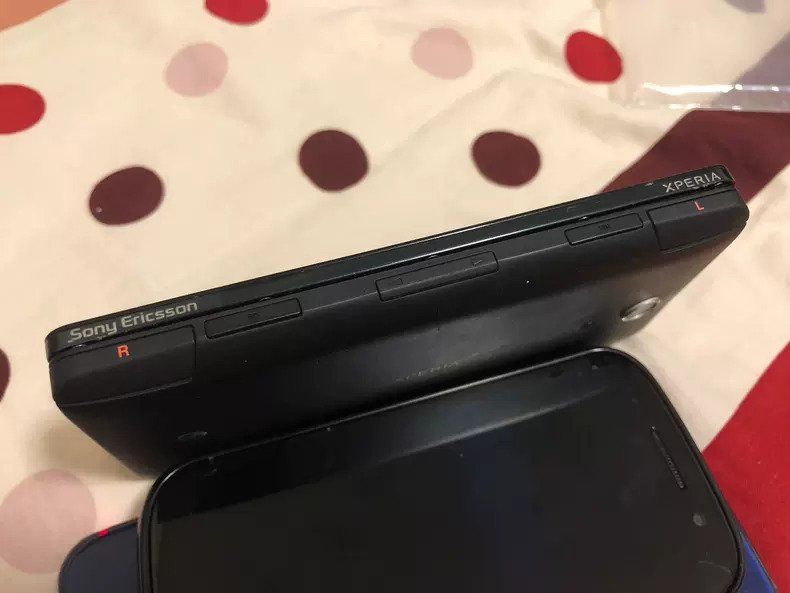
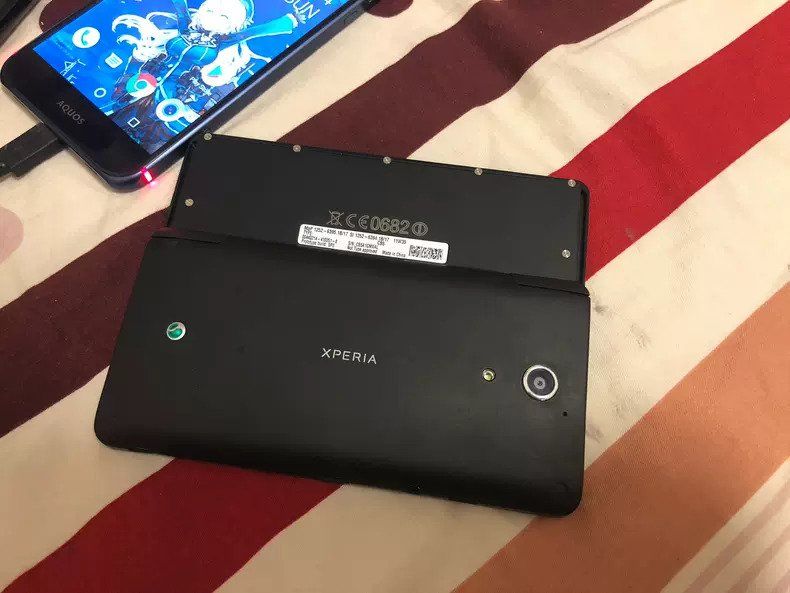
As you can see in the attached images, the Xperia Play 2 prototype features a similar sliding mechanism as its predecessor. The controller features the same selection of buttons and trackpads, but buttons on the device have been slightly rearranged, it has a black and red color scheme, and there’s an additional button marked 3D.

Sony Xperia Play 2 Sony Xperia Play 2

The images in this post come from XDA Senior Member JerryYin, who is a collector of prototype smartphones based in Shenzhen, China. He claims that the device in the images is a prototype of the Xperia Play 2 and he has put it up on sale on Idle Fish, a Chinese eBay-like online marketplace.

Sony Xperia Play 2

Looking at the other images in the Idle Fish listing we can see that the Xperia Play 2 prototype also has left and right shoulder buttons on the right edge, with the volume rocker, SD card slot, and SIM card slot sandwiched in between. The device has a single camera on the back with an LED flash and the Sony Ericsson logo underneath. The device even has Android’s old touch capacitive buttons underneath the display and PlayStation branding at the top.

While Sony may have scrapped this project, I honestly wouldn’t mind the company bringing it back with current-gen hardware. With smartphone gaming on the rise and cloud gaming services gaining popularity, hardware like this could help Sony capture a significant chunk of the gaming smartphone market globally.


Source: Idle Fish

Thanks to XDA Recognized Contributor AndyYan for the tip!

The post This could be our first look at Sony’s canceled Xperia Play 2 appeared first on xda-developers.


from xda-developers https://ift.tt/2HkMJS4
via IFTTT

Realme Narzo 20, Narzo 20 Pro, and Narzo 20A launched in India

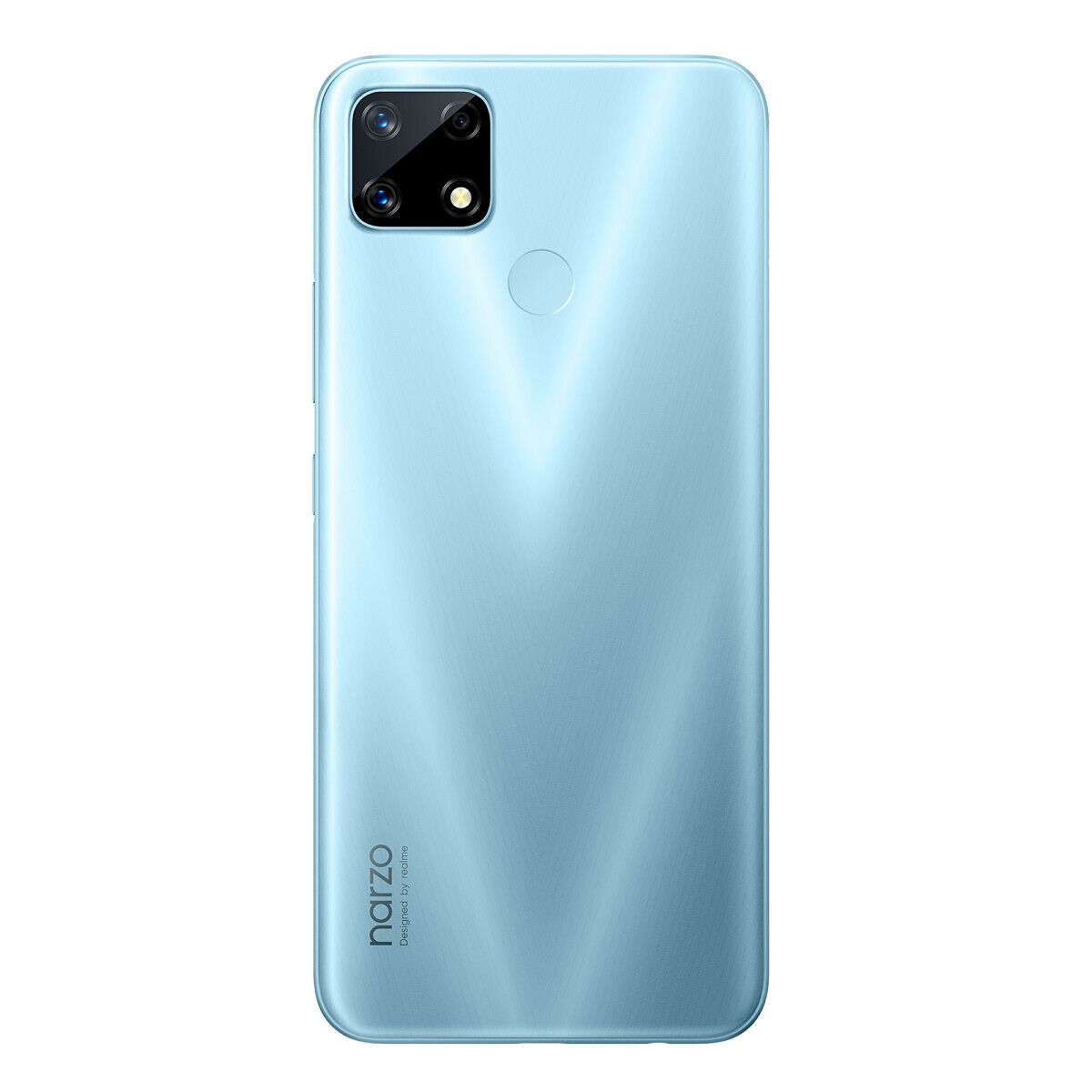
Realme has aggressively expanded its portfolio in India, riding upon success in the budget and early mid-range segments. Back in May 2020, the company launched its Narzo series in India with the Narzo 10 and Narzo 10A (which were supposed to launch in March 2020, but had to be delayed because of COVID-19 lockdowns). Now, shortly after the launch of the Realme 7 and Realme 7 Pro, and six months after the originally scheduled launch of the first Narzo 10, the Chinese OEM is back with the new Narzo 20 series, alongside the release of the Realme UI 2.0 based on Android 11. Meet the new Narzo 20, Narzo 20 Pro, and Narzo 20A.

Realme Narzo 20A

Specification Realme Narzo 20A
Dimensions & Weight
  • 164.4 x 75.4 x 8.9 mm
  • 195g
Display
  • 6.5″ HD+ display
  • 1600 x 720 resolution
  • 20:9 aspect ratio
  • Corning Gorilla Glass 3
SoC Qualcomm Snapdragon 665
RAM & Storage
  • 3GB + 32GB
  • 4GB + 64GB
  • Expandable via dedicated microSD card slot
Battery & Charging
  • 5000mAh
Fingerprint sensor Rear fingerprint sensor
Rear Camera
  • Primary: 12MP, f/1.8
  • Secondary: 2MP, f/2.4, monochrome
  • Tertiary: 2MP, “retro”, f/2.4
Front Camera 8MP
Other Features
  • Bluetooth 5.0
  • 3.5mm headphone jack
  • Micro-USB port
  • Waterdrop notch
Android Version Realme UI 1.0 based on Android 10

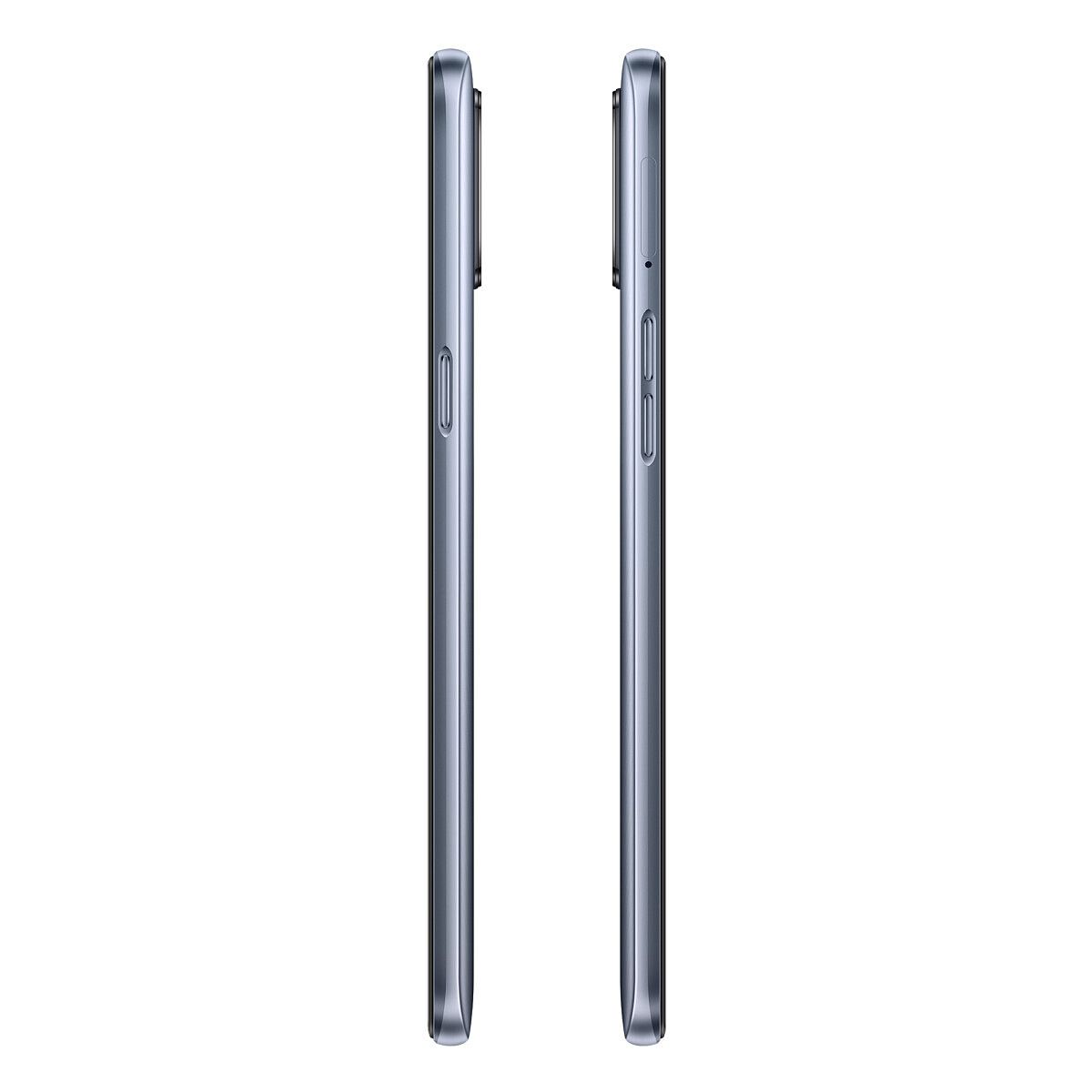
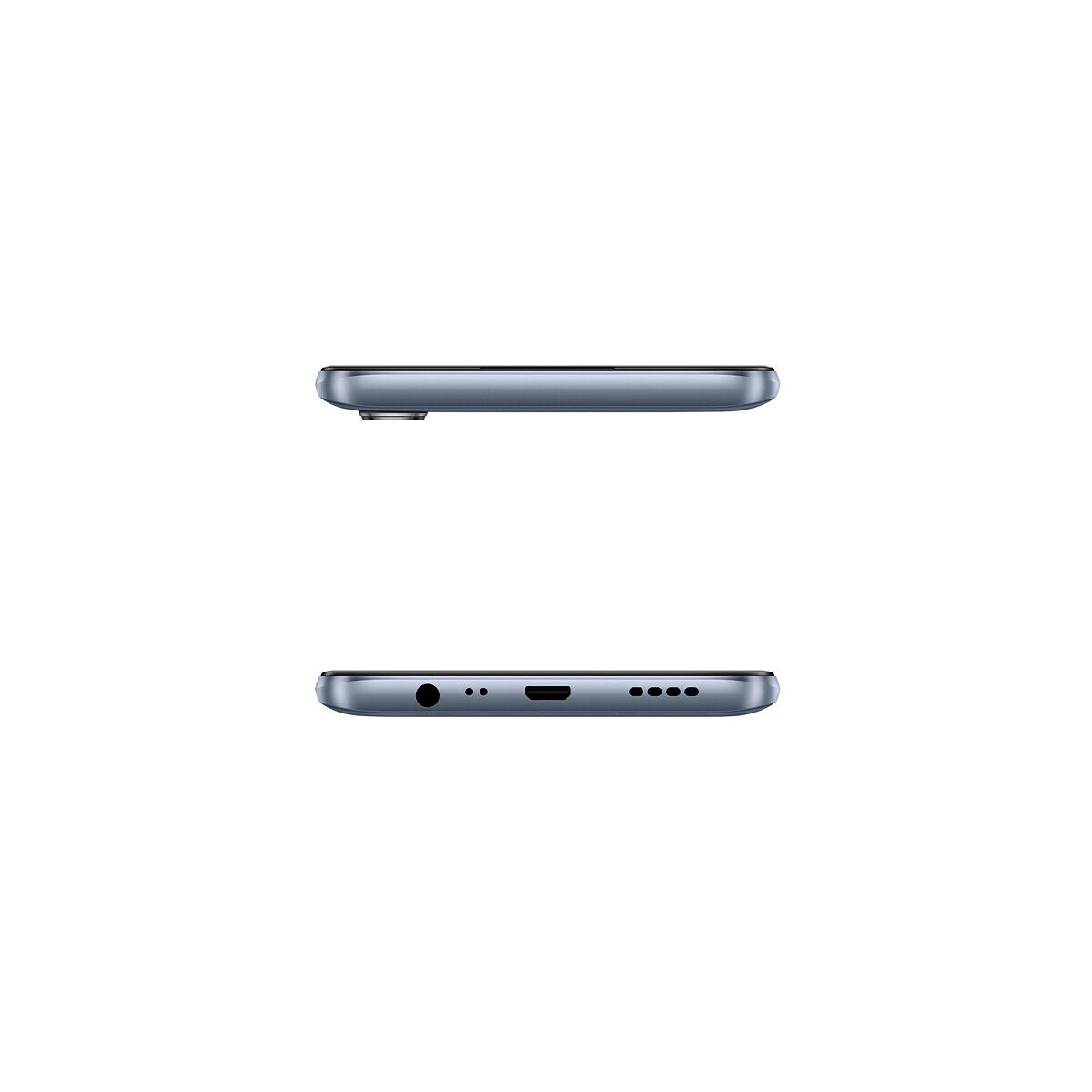
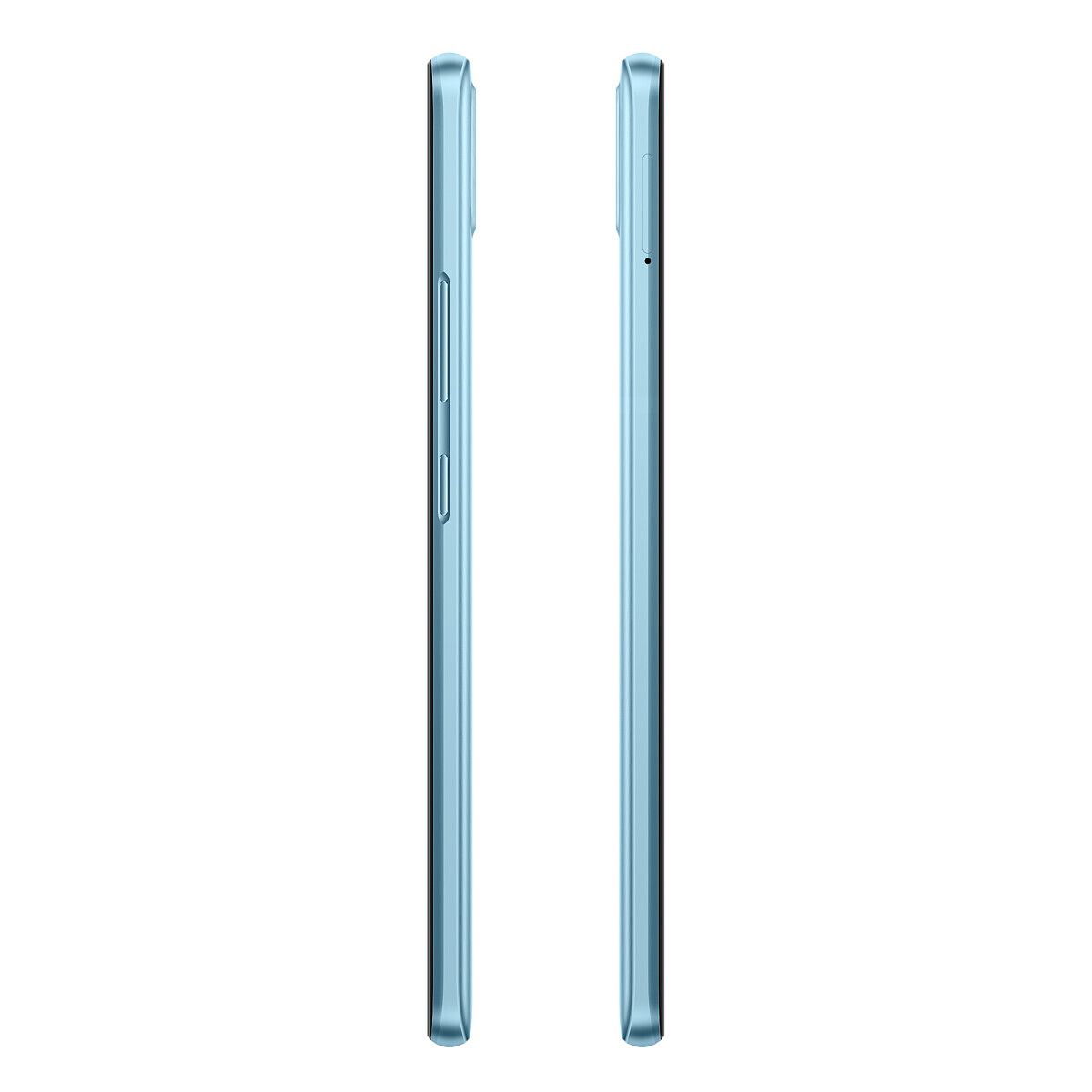
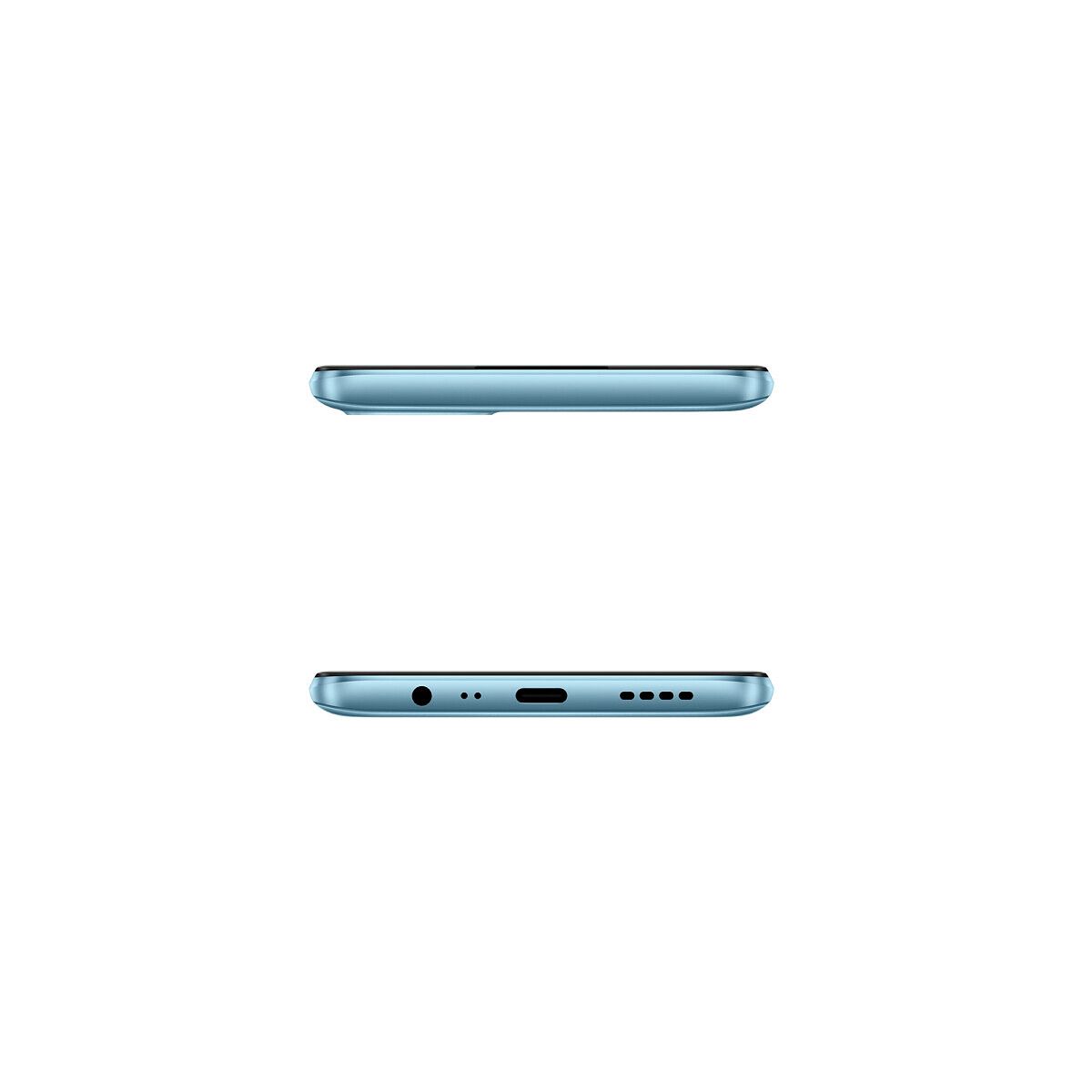
The Realme Narzo 20A is the lowest product in the Narzo 20 series. The phone comes with a humble polycarbonate build, with a striking design pattern on the back. The phone is powered by the Qualcomm Snapdragon 665 SoC, and it is coupled with 3/4GB of RAM and 32/64GB of internal storage. You do get a dedicated micsroSD card slot for expansion, and you also get a 3.5mm headphone jack. But you do lose out on a USB Type C port as the phone comes with a microUSB port. But to compensate, the phone still supports reverse wired charging.

Realme Narzo 20A Realme Narzo 20A

The Realme Narzo 20A will be available in India in two colors: Victory Blue, and Glory Silver. You can get the phone for ₹8,499 (~$116) for the 3GB + 32GB variant, and ₹9,499 ( ~$130) for the 4GB + 64GB variant. The device goes on sale on Flipkart and Realme.com from September 30, 2020.

Realme Narzo 20A


Realme Narzo 20

Specification Realme Narzo 20
Dimensions & Weight
  • 164.5 x 75.9 x 9.8 mm
  • 208g
Display
  • 6.5″ HD+ display
  • 1600 x 720 resolution
  • 20:9 aspect ratio
SoC MediaTek Helio G85
RAM & Storage
  • 4GB LPDDR4X + 64GB
  • 4GB + 128GB
  • Expandable via dedicated microSD card slot
Battery & Charging
  • 6000mAh
  • 18W fast charging
  • 18W fast charger in the box
Fingerprint sensor Rear fingerprint sensor
Rear Camera
  • Primary: 48MP, f/1.8
  • Secondary: 8MP, ultra-wide-angle, f/2.3, 119° FoV
  • Tertiary: 2MP, macro, f/2.4
Front Camera 8MP
Other Features
  • Bluetooth 5.0
  • 3.5mm headphone jack
  • USB Type-C
  • Waterdrop notch
Android Version Realme UI 1.0 based on Android 10

The Realme Narzo 20 sits in the middle of the Narzo 20 series. You now get an Helio G85, as compared to the Helio G80 on the Narzo 10. Much like the lower product, the Narzo 20 has a humble build that gets most of its eyeballs from the striking pattern on the back. The camera island is now a square on the back, giving the phone its unique look within Realme’s extensive lineup.


Realme Narzo 20 Realme Narzo 20 Realme Narzo 20

There’s also a few noteworthy features by itself, like the dedicated micsroSD card slot for expansion, the 3.5mm headphone jack, and you also get a USB Type-C port.

The Realme Narzo 20 will be available in India in two colors: Victory Blue, and Glory Silver. You can get the phone for ₹10,499 (~$143) for the 4GB + 64GB variant, and ₹11,499 ( ~$157) for the 4GB + 128GB variant. The device goes on sale on Flipkart and Realme.com from September 28, 2020.


Realme Narzo 20 Pro

Specification Realme Narzo 20 Pro
Dimensions & Weight
  • 162.3 x 75.4 x 9.4 mm
  • 191g
Display
  • 6.5″ FHD+ display
  • 2400 x 1080 resolution
  • 20:9 aspect ratio
  • 90Hz refresh rate
  • 120Hz touch sampling rate
  • Punch-hole display
SoC MediaTek Helio G95
RAM & Storage
  • 6GB LPDDR4X + 64GB UFS 2.1
  • 8GB + 128GB
  • Expandable via dedicated microSD card slot
Battery & Charging
  • 4500mAh
  • 65W SuperDart Charge fast charging
  • 65W SuperDart Charge fast charger in the box
Fingerprint sensor Side fingerprint sensor
Rear Camera
  • Primary: 48MP, f/1.8
  • Secondary: 8MP, ultra-wide-angle, f/2.3, 119° FoV
  • Tertiary: 2MP, macro, f/2.4
  • Quarternary: 2MP, monochrome, f/2.4
Front Camera 16MP Sony IMX471, f/2.1
Other Features
  • Bluetooth 5.0
  • 3.5mm headphone jack
  • USB Type-C
Android Version Realme UI 1.0 based on Android 10

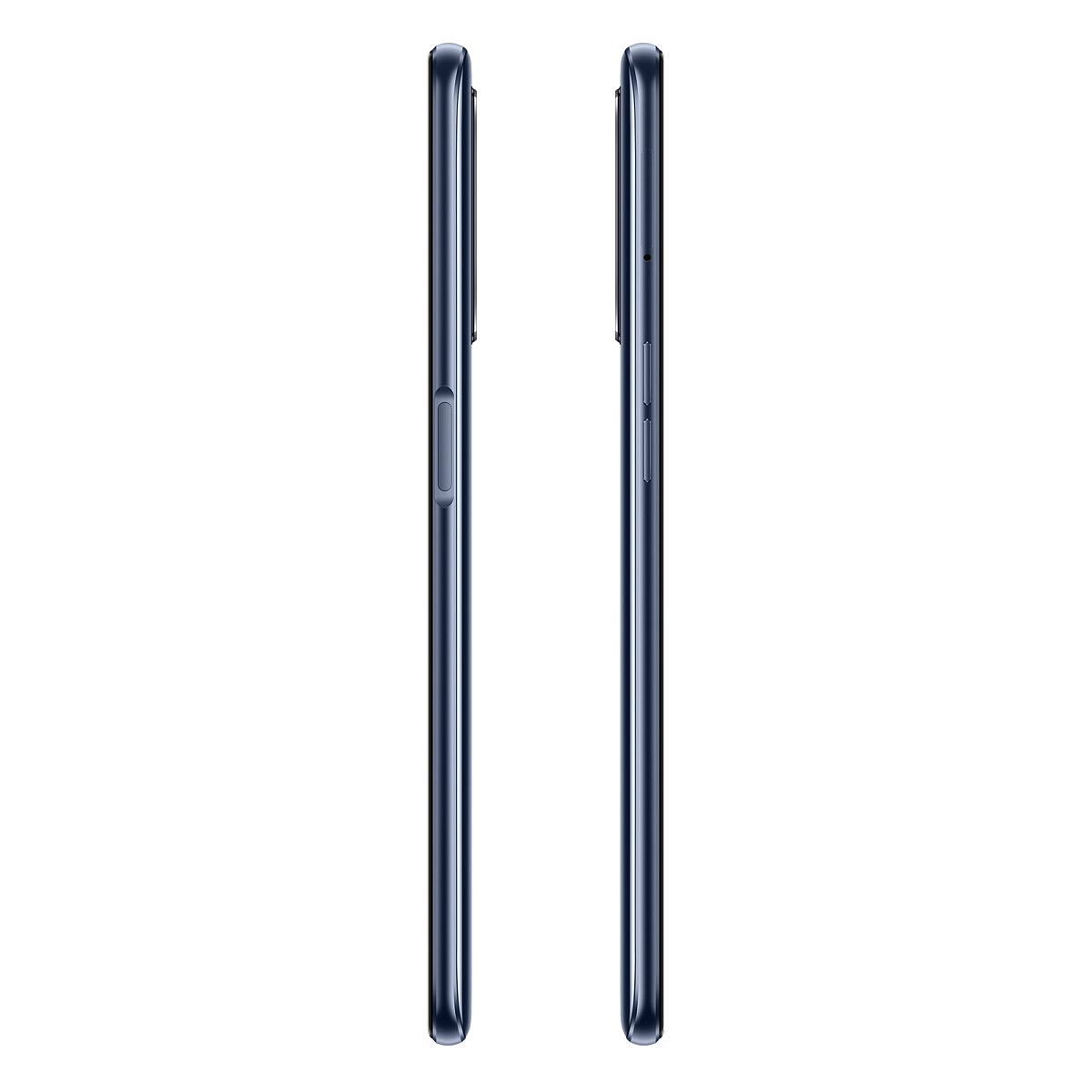
The star of the show is the Realme Narzo 20 Pro, and its main highlight is the 65W SuperDart fast charging solution. While the rest of the specifications of the phone may be inline with what one expects out of an early mid-range phone, the 65W fast charging does indeed set the phone apart from the rest of the crowd. Having experienced 65W charging and seeing your phone charge back up within minutes changes your expectations from future flagships and other mid-range phones.

The pricing on the Realme Narzo 20 starts at ₹14,999 (~$205) for the 6GB + 64GB variant, and ₹16,999 (~$231) for the 8GB + 128GB variant. You can get the phone in White Knight, and Black Ninja colors. The device goes on sale on Flipkart and Realme.com from September 25, 2020.

Realme Narzo 20 Pro


What are your thoughts on the Realme Narzo 20 series? Let us know in the comments below!

The post Realme Narzo 20, Narzo 20 Pro, and Narzo 20A launched in India appeared first on xda-developers.


from xda-developers https://ift.tt/3iPEvPv
via IFTTT

OnePlus Messages app lands on the Google Play Store and adds a copy button for OTPs

In a bid to push stock app updates faster, OnePlus has previously released several of its OxygenOS stock apps on the Google Play Store. The company recently released the OnePlus Weather and OnePlus Notes apps to the Google Play Store, which gave users a chance to experience the new OxygenOS 11 design on devices running older firmware. Now, the company is rolling out OnePlus Messages on the Play Store, and the release comes with a couple of changes.

According to a recent report from Android Police, OnePlus has just released the OnePlus Messages app on the Play Store, and users will now be able to receive updates via the platform. The Play Store release is accompanied by a couple of nifty changes, including a new button that will allow users to easily copy one-time passwords (OTPs) from the notification with just a tap.

OnePlus Messages OxygenOS

The updated app also comes with a new message organization feature, which will sort your messages based on a couple of categories. For instance, messages with OTPs, transactions, and promotions will be shown at the top of your screen. This new layout will ensure that your personal messages aren’t cluttered and are easy to reach with your thumb.

OnePlus Messages also has a new card format for messages that will display important information in a neat card that’s easy to read at a glance. Images in the Play Store listing show the cards being used to quickly view bank transactions and movie ticket info.

In case you have a OnePlus device, and you wish to experience these new features, you can now download the latest update for OnePlus Messages from the Play Store link below. Do note that the app is in early access at the moment, and you might face some unwanted issues in the current release.

OnePlus Messages (To be announced, Google Play) →


Via: Android Police

The post OnePlus Messages app lands on the Google Play Store and adds a copy button for OTPs appeared first on xda-developers.


from xda-developers https://ift.tt/33GCkHS
via IFTTT

Realme UI 2.0 based on Android 11 is coming with ColorOS 11 features

Google rolled out the first stable build of Android 11 for its Pixel lineup earlier this month. Since then, several Android OEMs have unveiled their custom Android skins based on Android 11 and rolled out beta builds for a few popular devices. Chinese smartphone giant OPPO showcased ColorOS 11 based on Android 11 about a week ago and we got a chance to check out a beta release on our Find X2 Pro. Now, Realme has announced Realme UI 2.0 based on Android 11 and it packs in some of the new features introduced in ColorOS 11.

New customization features in Realme UI 2.0

Realme claims that the second version for its custom Android skin is the most “open” smartphone OS, which aims to help users completely customize their smartphone’s UI. The upgrade brings support for third-party icon packs and launchers, to help users give their smartphones a unique look.

Realme UI 2.0

Realme UI 2.0 also packs in a new Global Theme color, which will let users define the accent colors of their smartphones. The feature will give users access to 5 types of color series and 10 single colors to customize their device’s settings toggles and icons. On top of that, the upgraded Android skin packs in a variety of AOD customizations, font and icon personalization options, and an improved dark mode. The new dark mode will give users the choice to pick from one of three new styles to meet their needs. It will also give users the option to darken the wallpaper and icons as well.

As with other custom Android skins announced recently, Realme UI 2.0 also includes all the new Android 11 features, like Bubble notifications support, redesigned media controls in the quick settings panel, an output switcher for media, etc.

Performance improvements and privacy features

Realme UI 2.0 also includes a host of performance improvements and privacy features to make the software more efficient and provide better protection for user data. For privacy, Realme has introduced a new suite of additional privacy protection and data security features called ‘Deep Sea Privacy’.

Realme UI 2.0The features can help protect users’ personal information from leaking to any app by providing them with a blank ID, help users store personal information and sensitive files in a private locker, and ensure payments made on the software are protected from malicious activities. Furthermore, Realme UI 2.0 can also protect users from fraudulent messages and advertisements. The suite also includes a System Cloner which will help users keep their work and personal lives separate on their smartphone. Users will be able to access these separate profiles by setting up different fingerprints for each profile.

Realme UI 2.0 Android 11

To make Realme UI 2.0 more efficient, the company has included several convenient ways for users to share and multitask. These include features like the ability to easily share screenshots with other users and stitch the right subtitles to each frame, Floating & Mini Window to help users multitask with several apps open at the same time, and a new Sleep Capsule feature, which will help users lock their phone at a set time and help them get a good night’s rest. Realme further claims that with Realme UI 2.0, they’ve managed to improve utilization of system resources by 45%, increased overall system speed by 32%, and increased frame rate stability by 17%.

Realme UI 2.0, with these new features and improvements, makes its debut with the new Realme Narzo 20 Series today. The company has revealed that the software will make its way to older Realme devices in the coming weeks, but we haven’t received a release timeline from the company yet. Stay tuned to our coverage of Realme UI 2.0 to learn when your device might receive the company’s latest software upgrade based on Android 11.

Android 11 Update Tracker: List of major phones getting the latest release!

The post Realme UI 2.0 based on Android 11 is coming with ColorOS 11 features appeared first on xda-developers.


from xda-developers https://ift.tt/2HkFHNd
via IFTTT

dimanche 20 septembre 2020

The Google Pay India app is getting a new design built with Flutter

Not a lot of people know this, but Google Pay in India and Google Pay in the rest of the world are not the same thing. While both services have the same branding, Google Pay in India, formerly known as Google Tez, plugs to the country’s local UPI payment system, while Google Pay in the rest of the world works more like a normal payment service. But both versions are equally as maintained and supported. Now, the Google Pay India app is getting a Flutter rewrite.

In case you don’t know what Flutter is, or in case you forgot, Flutter is an open-source UI development kit made by Google that allows developers to make their apps using a single codebase and then deploy that to several platforms, such as Android, iOS, Windows, and the web. By writing the app in Dart, using Flutter, and deploying it on both Android and iOS, Google says that they can deliver the best-in-class experience on both platforms alike, allowing them to maintain them equally.

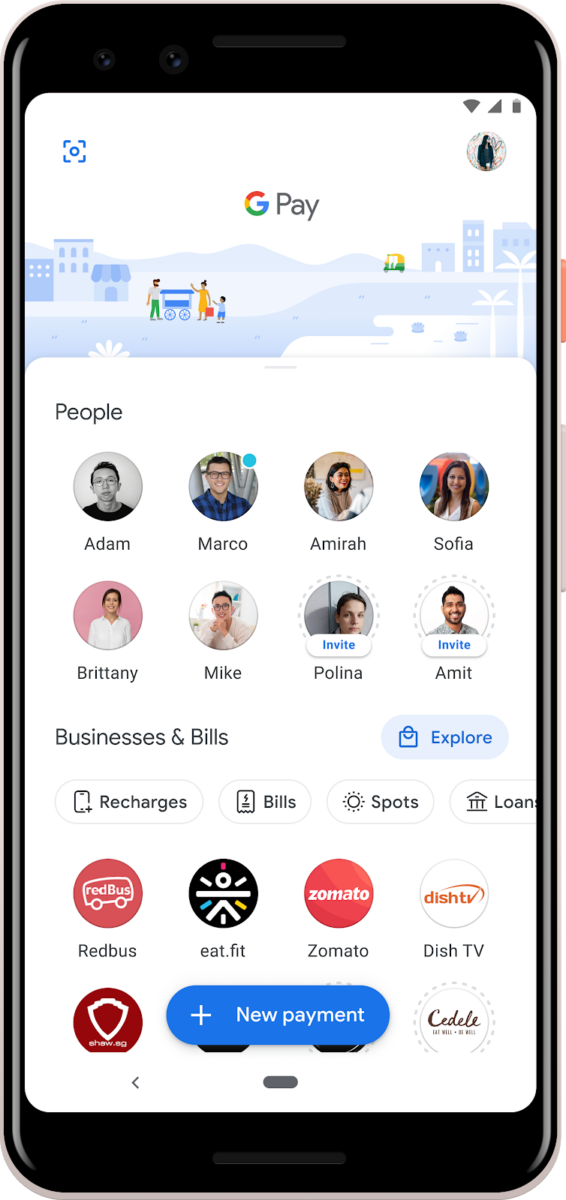
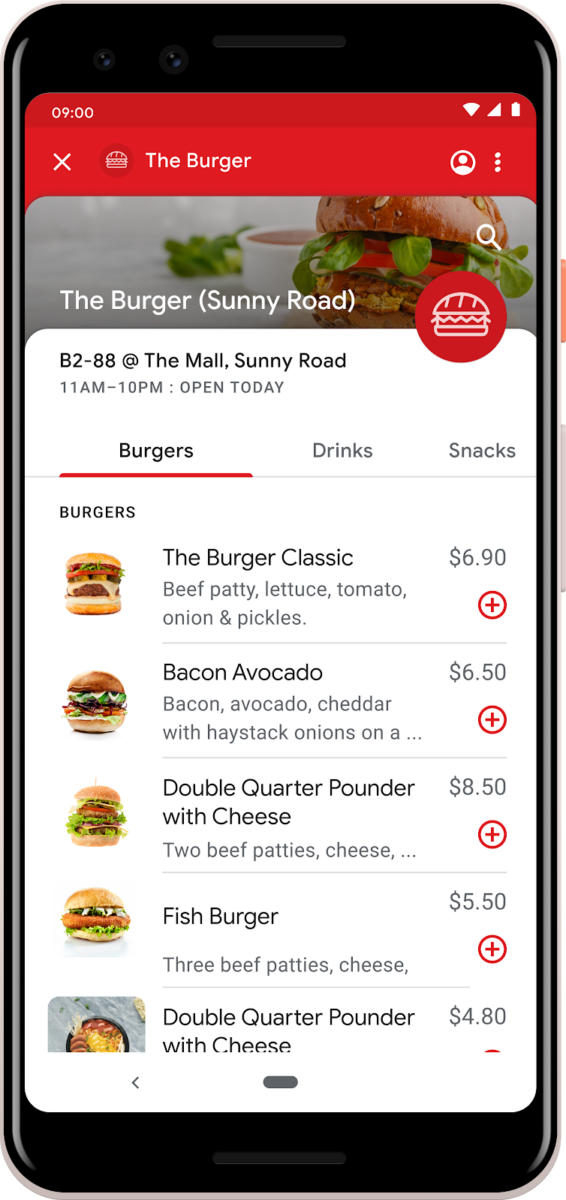
As for the changes themselves, the app doesn’t look that much different on the surface. Google Pay actually already got a facelift almost a year ago. The real news here, however, is the massive rewrite that the app underwent: it was rebuilt with Flutter from the ground up. So that’s actually huge news. You might also spot that Google Pay in India also works as a messaging app, allowing users to send messages to each other — but that’s not actually new, as conversations within the payment platform have been around for a long time now.

Google is also planning on doing this Flutter rebuild to the standard Google Pay app as well. That could mean that they are unifying both apps, or it could just mean that they are just rebuilding it for simplicity’s sake. Either way, we’re excited to see what Google will be coming up with. If you’re in India or Singapore, you can check out the app right now by going to the Google Play listing and signing up for the beta program.

Google Pay - a simple and secure payment app (To be announced, Google Play) →

The post The Google Pay India app is getting a new design built with Flutter appeared first on xda-developers.


from xda-developers https://ift.tt/3iQm3pY
via IFTTT