In the past, we’ve seen Samsung introduce devices with dual cameras, triple cameras, and even quad cameras. So, it was inevitable that the company would go the penta-camera route, which is apparently what it plans to do not with its flagship Galaxy S or Galaxy Note line but with next year’s Galaxy A72.
According to Korean publication The Elec, the upcoming mid-range smartphone will feature five rear cameras, headlined by a 64MP primary lens. In addition, the device will also reportedly feature a 12MP ultra wide-angle lens, an 8MP telephoto lens with 3x zoom, a 5MP “bokeh” lens, and a 5MP macro lens. The device will also reportedly feature a 32MP front-facing shooter. If true, that should give users plenty of options when snapping pictures.
Last year, Samsung introduced the Galaxy A71, which featured a quad-camera arrangement. The successor will allegedly feature a nearly identical setup, just with an added 8MP telephoto lens. Samsung was seemingly pleased with the Galaxy A71’s camera performance, enough that it’s ready to take the next step in its evolution by adding an additional lens to the sequel.
Samsung has used its mid-range lineup to pilot new camera features in the past. As Android Authority points out, the Galaxy A80 featured a flip-up camera, while the Galaxy A7 and Galaxy A9 were the first from the company to introduce triple and quad-camera setups, respectively. If all goes according to plan with the rumored Galaxy A72, don’t be surprised to see Samsung introduce a penta-camera setup with a major flagship — something we’ve actually seen already from other OEMs, including Huawei, HMD Global, and Xiaomi.
If you’re intrigued by the prospect of a Samsung device with five rear cameras, you’ll reportedly have to wait for the Galaxy A72 to be released sometime early next year.
ASUS ROG Phone II owners were treated to a new update earlier this week, and it features some nice additions, including the same Armoury Crate design that’s found in the ASUS ROG Phone 3.
The Armoury Crate app is described as “the hub of all information and controls your gaming needs from your phone.” It’s the app where users can browse and launch their games and tweak settings to get the most out of their device.
As we described in our review of the ROG Phone 3, the updated UI of the Armoury Crate app allows users to see installed games in either a grid view or a card carousel. Each view offers the same actions, including the ability to launch games, change the scenario profile (customize X-Mode and other settings), view your record of screenshots and screen recording clips, or launch the website for the game. You can also change the cover art for each card.
Thanks to Reddit user Apostlethe13th, you can see the updated Armoury Crate app running on the ROG Phone II.
Here are the full release notes in this week’s update to version 17.0240.2009.47:
Android security patch update to 2020-09
Added support for ROG Connect in Armoury Crate
Support TwinView Dock 3 FW update
Fix issue where Pokemon Go could cause high CPU usage
Fix Application names being cut off in Recents view for Hebrew localization
Fix AirTriggers mistouch issue and optimize AirTriggers stability
The update also features the September 2020 Android security patch level and TwinView Dock 3 support, the latter of which provides users with a dual-screen gaming experience. Think of the TwinView Dock 3 as ASUS’ version of the Nintendo DS. The new TwinView Dock 3 is backward compatible with the ROG Phone II although it was designed for the newer ROG Phone 3 and its 144Hz display. When paired with the ROG Phone II, the TwinView Dock 3 supports running at up to 120Hz.
According to ASUS, the update is rolling out now for the ZS660KL model and should arrive to users in waves. However, you can also grab the firmware downloads at the following XDA forum thread:
Google will reportedly get stricter with developers over in-app purchases, according to Bloomberg. The move is set to be announced next week and will surely upset some developers who have previously circumvented Google’s rules.
Bloomberg’s report claims Google will issue updated guidelines that will clarify a requirement for apps to use Google Play In-app Billing service for in-app purchases. That means if you purchase a Spotify subscription through the Android app, Google wants its 30% cut of the revenue.
Google’s policies aren’t necessarily changing. Rather, the company is reportedly cracking down and will no longer allow developers to prompt users to pay with their credit card, rather than offering a subscription through Google’s billing service for in-app purchases.
Here’s what Google’s existing Play Store guidelines say, in part:
Developers offering products within a game download on Google Play or providing access to game content must use Google Play In-app Billing as the method of payment.
Developers offering products within another category of app downloaded on Google Play must use Google Play In-app Billing as the method of payment, except for the following cases:
Payment is solely for physical products.
Payment is for digital content that may be consumed outside of the app itself (e.g. songs that can be played on other music players).
Even with these policies in place, Google has more or less allowed some high-profile companies to circumvent the guideline by turning a blind eye when they offer an alternative method of payment. With Google ready to double down on the requirement, developers will allegedly get a short grace period to comply before facing enforcement. Apple has recently come under fire for a similar practice — though the Cupertino-based company has strictly enforced its own requirements from the very beginning.
Google’s updated policies will surely escalate what is growing into an ugly battle between developers and Apple and Google. Both companies are already embroiled in an ugly legal battle with Epic Games, which recently tried to circumvent App Store and Play Store policies by encouraging Fortnite players to purchase in-game content from Epic directly. Apple and Google responded by taking Fortnite down from their respective app stores.
Meanwhile, it was announced this week that some of the industry’s most popular developers, including Epic Games, Spotify, and Tile, were banding together to create the Coalition for App Fairness. The group’s aim is to “create a level playing field for app businesses.”
Google’s Android platform allows users to access multiple app stores, while apps can also be side-loaded. But if developers want to be in the Play Store, they have to abide by Google’s rules. We’ll see what the response is like when Google clarifies its stance on in-app purchases next week.
Samsung has announced its newest flagship device, the Galaxy S20 FE. Coming in at a cool $700, the Galaxy S20 FE straddles the line between affordability and premium specs and offers access to 5G without needing to pay at least $1k for Samsung’s other flagship lines.
The Galaxy S20 FE shares a lot of the same features as its more expensive siblings including a gorgeous 6.5-inch Super AMOLED display with 120Hz refresh rate, Android 10 with One UI 2.5 (and One UI 3.0 down the line), a Snapdragon 865 processor, and up to 256GB of storage.
The Galaxy S20 FE will be released on October 2nd, with pre-orders already open! Below, we’ve rounded up the best deals including ways to save big by trading in or buying multiple devices. It’s also one of the most fun devices Samsung has launched recently, with lots of colors for you to pick from!
Here are the best pre-order deals for the Galaxy S20 FE!
Where to Pre-order the Galaxy S20 FE
Right now in the US, you can pick up a Galaxy S20 FE from the typical retailers. If you’re looking for an unlocked Galaxy S20 FE deal, you can pick one up from Amazon, Samsung, or Best Buy. If being locked into a carrier isn’t a concern, you can also head to Verizon or AT&T for big savings.
Best Galaxy S20 FE Deals Unlocked
If you want to grab an unlocked phone before the October 2nd release, you have three solid options: Amazon, Best Buy, or Samsung themselves. All of them have their unique specials going on too, so pick the deal that suits you best!
Amazon
As always, Amazon will have the most convenient way of getting the Galaxy S20 FE, with Prime Shipping available. They’re also offering a flat $100 off the MSRP, so you can get an FE in any of the six available colors for $600. Amazon will also allow you to trade in your device for some credit, although most of the available phones for trade-in don’t have the best values. Finally, if you have an Amazon Prime Rewards card, you can opt to pay $33.33 over 18 months.
Pick up your S20 FE for $100 off at Amazon, and enjoy the benefits of Prime Release Day shipping. If you have an Amazon Prime Rewards card, you can also sign up for an interest-free payment plan. If you don't want any fuss with your new purchase, Amazon is the way to go.
Picking up a new device straight from the source is never a bad idea, and Samsung has some of the best Galaxy S20 FE deals around. First, you can bring the total price all the way down to $250 with the right trade-in. Also, with a pre-order, you can get $70 in credit for the Samsung Store to use on whatever you want. Lastly, you’ll get six months of Spotify Premium and four months of YouTube Premium. Always a nice bonus.
If you want the best possible deal for an unlocked phone, Samsung will be your best option. Save big on a trade-in, with the right phone bringing the FE's total to $250, and also get $70 in Samsung store credit.
Best Buy may not have the orange and white colors that Samsung and Amazon do, but you can save more on the Galaxy S20 FE by activating the phone with them. If you’re going starting a new line with Sprint, you’ll pay $500 on the device, which is $200 total off. If you’re upgrading on Sprint, Verizon, or AT&T, you’ll grab this Galaxy S20 FE deal for $550, so it’s still $50 less than the other unlocked offerings if trading an old device in isn’t an option.
Save more without messing with trade-ins at Best Buy. By activating today, you can save an additional $50 or $100 flat over the unlocked competition! You still won't get the phone until October 2nd, but then you won't need to worry about trying to activate it.
Verizon has all sorts of Galaxy S20 FE deals to take advantage of, depending on what you're looking for. From free goodies to savings for purchasing two S20 FEs, there is something for everyone. Head on over and see how you can save big!
At AT&T, if you have the right phone and are switching from another carrier, you can get the Samsung Galaxy S20 FE completely free. Can’t argue with that! Also, if you buy the Samsung Galaxy Buds Live at the same time, you’ll save $50 on the purchase. Finally, this retailer has the same $70 Samsung Shop credit that Verizon and Samsung has. For some reason, though, AT&T is a bit more limited in their color options than the others, so you’ve been warned!
Have a recent phone to trade-in and ready to make the carrier switch to AT&T? Then you can have the Galaxy S20 FE on the house! Also, you can save $50 on a pair of Samsung Galaxy Buds Live. The colors are more limited at AT&T, but if that doesn't concern you, this might just be the carrier for you!
The Apple Watch is better than any smartwatches available for Android. It pains me to say this – my primary SIM card is in an Android phone far more often than it’s in an iPhone – but it’s true.
The good news for us is, Android smartwatches have improved significantly over the past year. The Oppo Watch has a gorgeous curved screen; the Huawei Watch GT 2 Pro has insane 14-day battery life and premium build quality, and the Fitbit Versa 2 spent months on my wrist in 2020. But of all these non-Apple offerings I’ve tested, Samsung’s Galaxy Watch 3 is perhaps the best overall in terms of performance, software, and hardware — although I must mention that I have not tested the TicWatch Pro 3 yet, which we gave high praise.
While the Galaxy Watch 3 is very good, it still falls short of the Apple Watch Series 6 – and I’m not talking about subjective things like design, fit, and comfort, but rather crucial performance areas that aren’t as subjective.
Before I dive into why the Apple Watch 3 is better, I want to state that I understand it’s not a fair comparison in a vacuum since the Apple Watch locks you into Apple’s eco-system. In contrast, the Galaxy Watch 3 can technically work with any phone (although it works best with a Samsung). If you’re a frequent XDA visitor, you’ve likely already decided to be on Team Android. However, I think it’s worth highlighting areas Android smartwatches fall short and could do better.
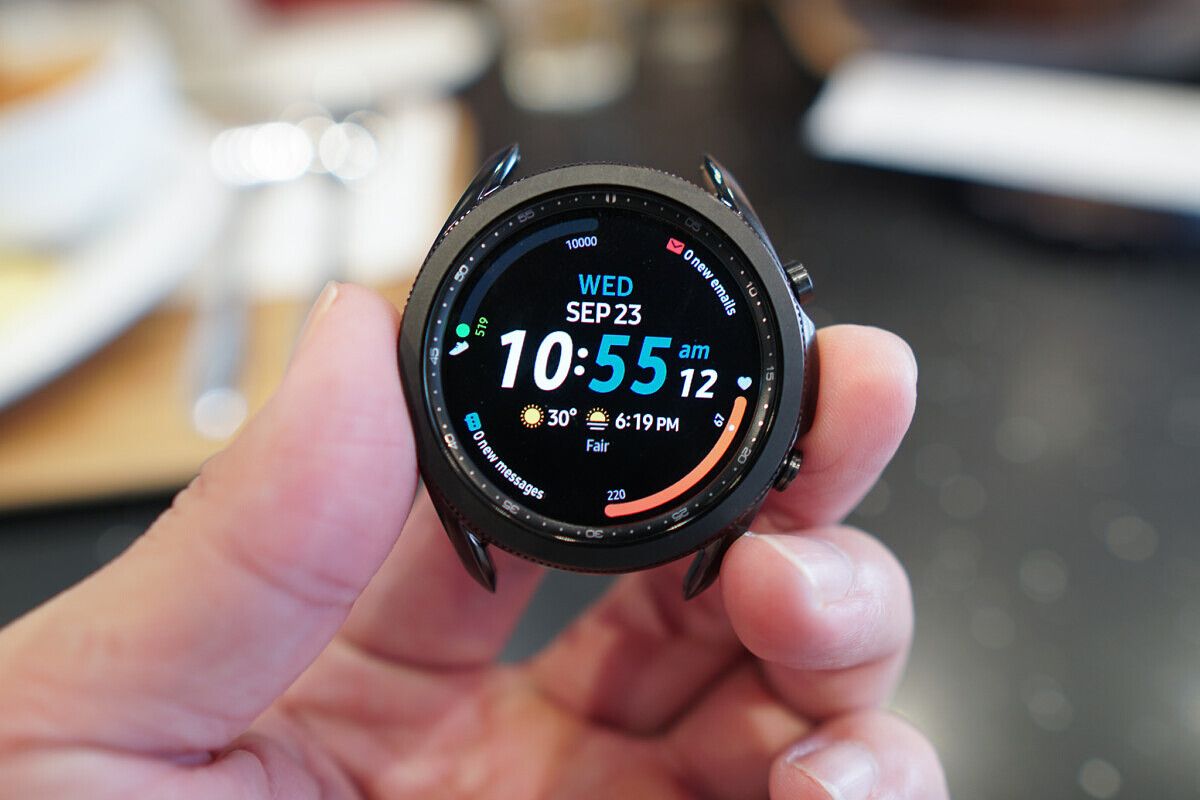
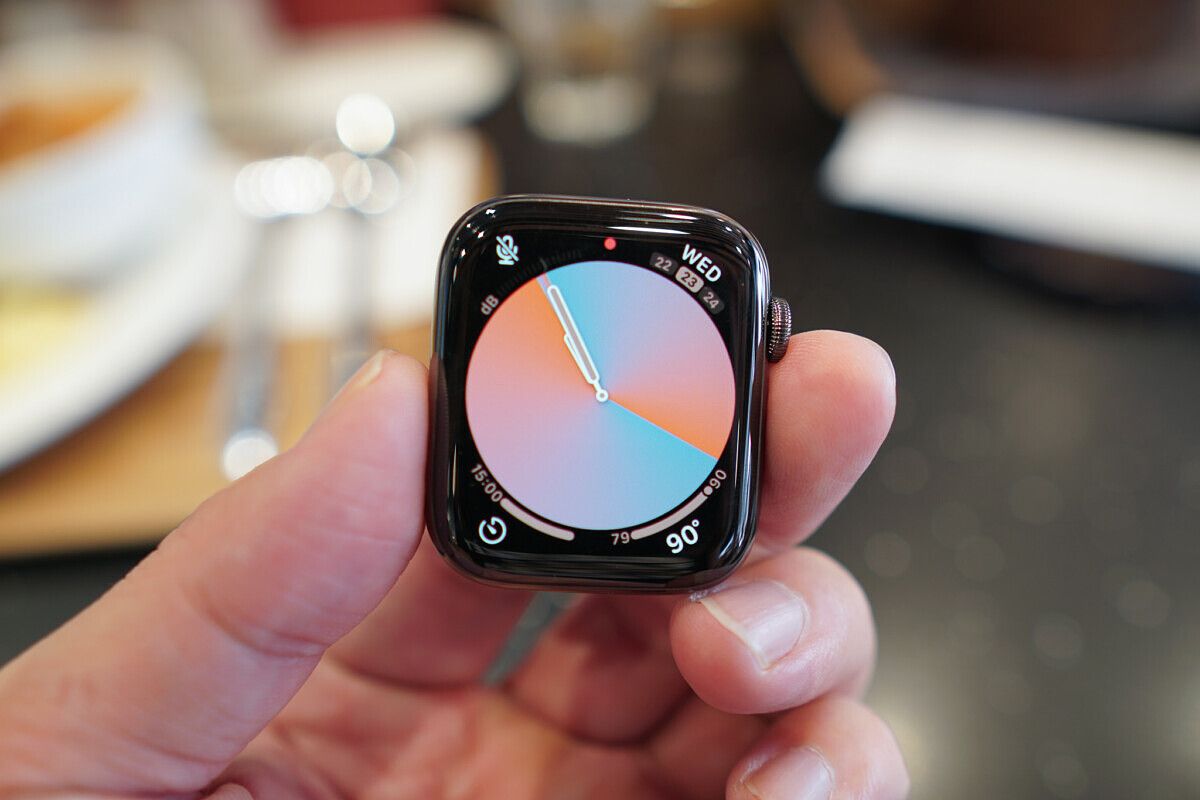
Galaxy Watch 3 (left) and Apple Watch Series 6 (right).
Responding to notifications
We all have our reasons for wearing a smartwatch. Some people like the look; some want to track physical activities; others use it to tell time (crazy idea, I know). But for me, the biggest reason to wear a smartwatch is to save me from needing to pull out my phone every single time I have an incoming notification.
This means I don’t just want to be able to read my incoming text messages; I like the ability to respond to them as well. Unfortunately, this immediately disqualifies a chunk of Android smartwatches. Huawei’s proprietary OS running on its recent wearables does not let me respond to notifications at all. Fitbit’s OS only lets me respond with canned messages. The Oppo Watch running WearOS allows me to respond, but the methods to do so are not practical. Samsung’s TizenOS, almost by lack of competition, does the best job in the Android space — but the Apple Watch handles it better.
My preferred method to respond to text messages is by simply speaking to my watch, and the Apple Watch’s voice dictation tech is uncanny; it can pick up my words in real-time with 99% accuracy. I talk, and the Watch picks it up, even if it’s dozens of words spanning multiple sentences.
Voice dictation on the Galaxy Watch 3 is noticeably slower; it falls far behind my voice almost from the start, and while it does eventually catch up, it will usually have misheard a few words. If I have to guess, I’d say accuracy is around 75%.
Don’t believe me? I did a side-by-side test on video. Just as a test, I spoke the entire first verse of the iconic Fresh Prince of Bel-Air intro theme, and you can see that the Apple Watch Series 6 kept up with me almost word for word and came out with just a couple of mistakes. At the same time, the Galaxy Watch 3 fell behind early, and the finished text misheard/misinterpreted at least six words.
The Galaxy Watch 3’s mistakes are also non-sensical: what is “Delphia”? At least when the Apple Watch misheard, it still pushed out a word that makes sense grammatically.
Now here’s the thing: this is already a hugeimprovement for Samsung! I remember using an older Galaxy Gear watch around 2018 and was frustrated by its inability to keep up with even a five or six-word sentence.
Voice dictation is, of course, just one way to respond. Another method is to input words via an on-screen keyboard. WearOS shows a full QWERTY keyboard, which makes sense in theory but as soon as you begin pecking away at the tiny keys, you realize a smartwatch screen is far too cramped for a full keyboard.
Samsung and Apple understand this and have alternatives. Both offer a “scribble” mode that lets us use our finger to write out individual alphabets on the screen. But just like voice dictation, the Apple Watch 6 handles scribbling faster and more intelligently than the Galaxy Watch 3. WatchOS seems to have better autocorrect and response times compared to TizenOS. This shouldn’t be surprising considering the drastic difference in processing power, which I’ll cover in the next section.
SoC
The Apple Watch Series 6 runs on a brand new S6 chip based on the A13 Bionic chip used in the iPhone 11. Think about how crazy that is: that’s like an Android smartwatch today running on a Snapdragon 855.
The Galaxy Watch 3’s silicon, meanwhile, is the two-year-old Exynos 9110. There’s no real way to benchmark these two chips, but as I mentioned, the Apple Watch seems a far more capable at processing human speech, and apps launch noticeably faster on the Apple Watch 6 than on the Galaxy Watch 3 too.
Apps
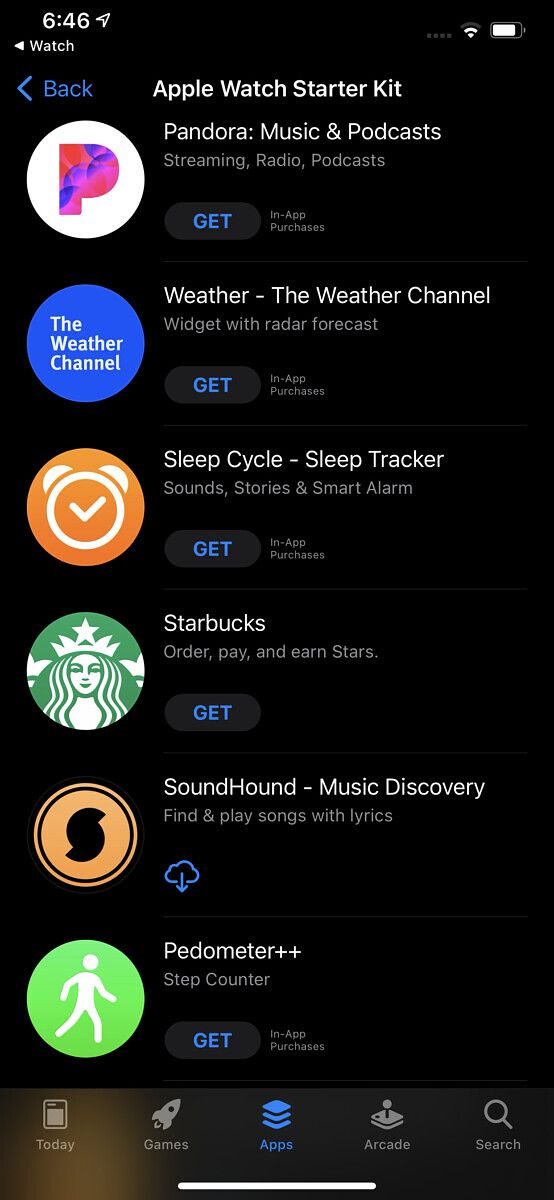
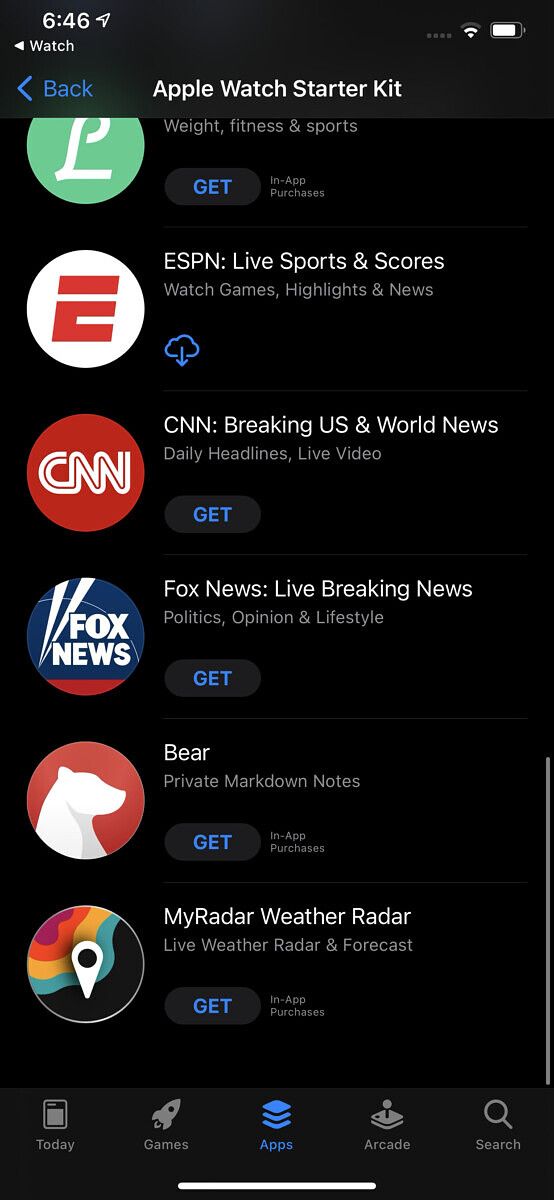
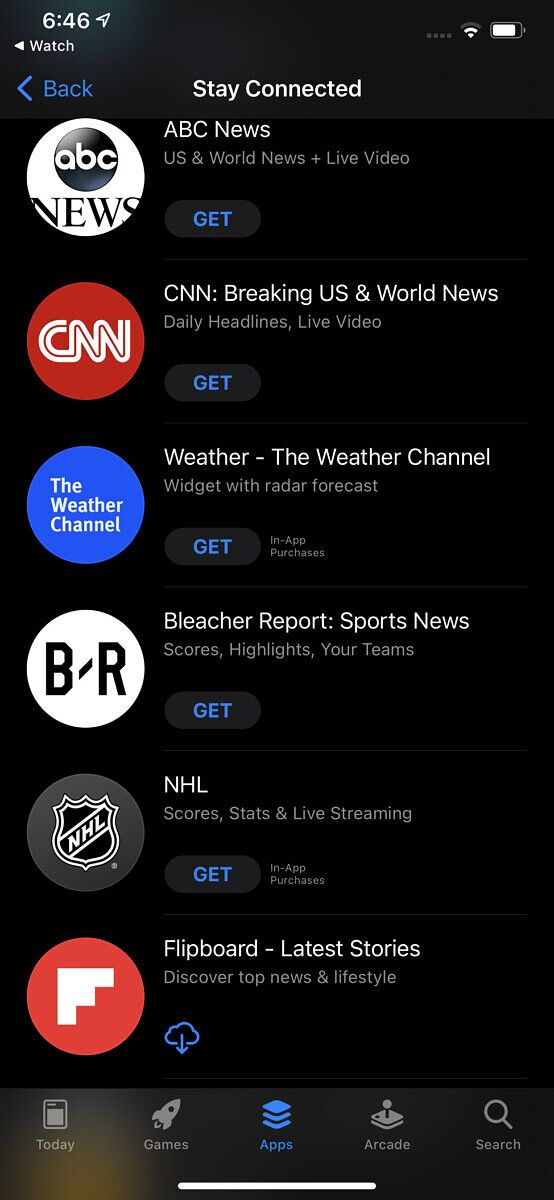
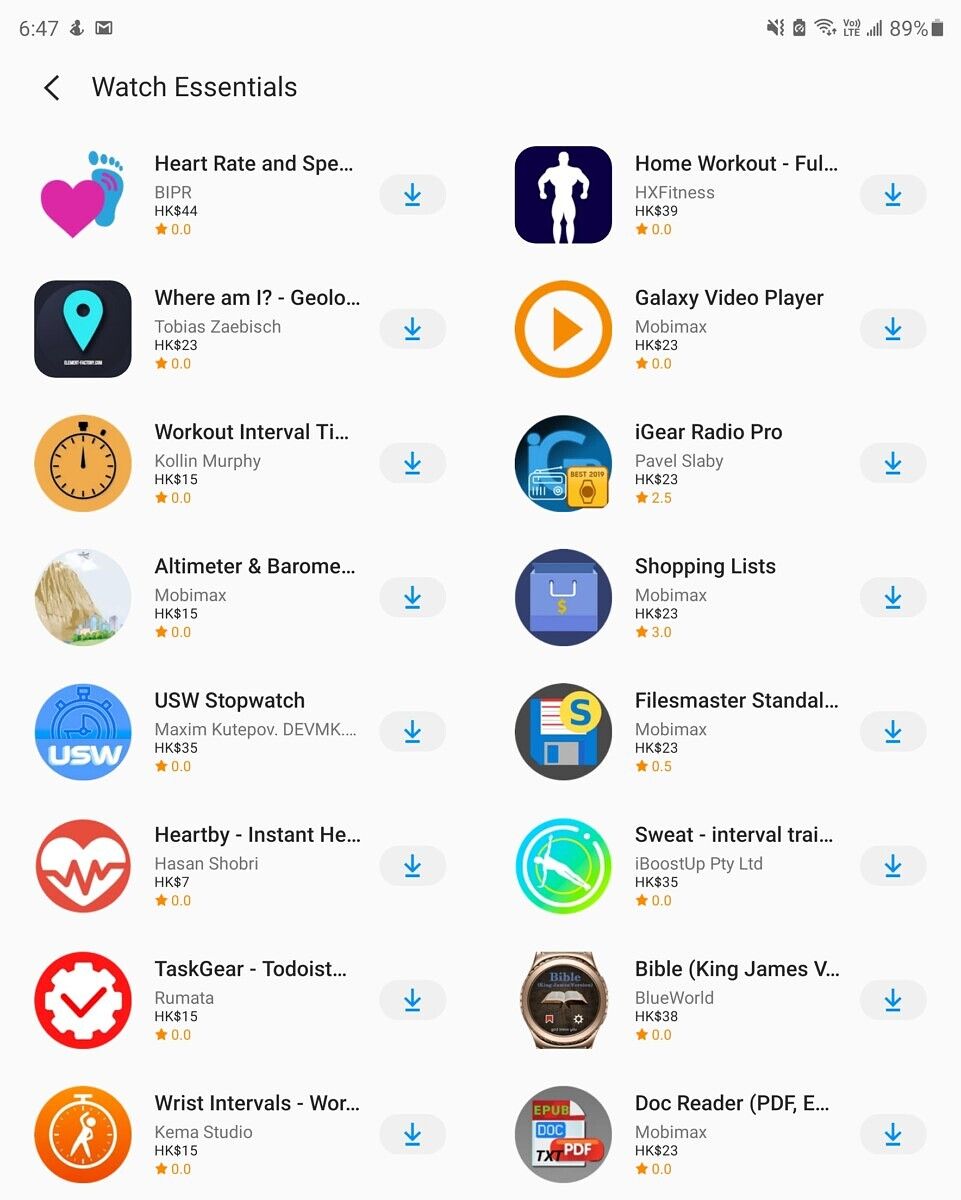
The rest of the software outside of voice dictation also is a significant win for Apple’s WatchOS. The Watch app on iOS offers a more seamless experience than the Galaxy Wearable app. Both apps will redirect you to their native app store to download apps. Still, while iOS’s Watch app and App Store share the same design language and switch over immediately, Samsung’s Galaxy Wearable app looks nothing like its Galaxy App store, and switching over usually requires a few seconds of load times. It’s particularly jarring on my Fold 2 because the Galaxy Wearable app has a dark interface while the Galaxy App store has a white interface, so it’s a sharp jump to go from a pitch-black UI to a bright white one.
Software update for the Apple Watch is one single update always. On the Galaxy Wearable app, different apps and services within the watch each require a separate download. So instead of tapping install once, you may tap eight or nine times in a day.
The selection of third-party apps in the Galaxy app store is also anemic. Not that name recognition is everything, but in Apple’s Watch app store, there’s a familiar brand every other swipe — Nike, Starbucks, NBA, New York Times, SoundHound, ESPN, CNN, and so on — while on the Galaxy Watch, the only familiar third party app most will have heard of Flipboard.
This is a problem that also applies to WearOS watches or Huawei’s smartwatches, and it will likely never be fixed, as app developers have far more incentives to build for the Apple Watch platform since iOS users spend far more on apps than Android users and the number of Apple Watches (and hence the potential market size) in the wild outweigh every other brand by a large margin.
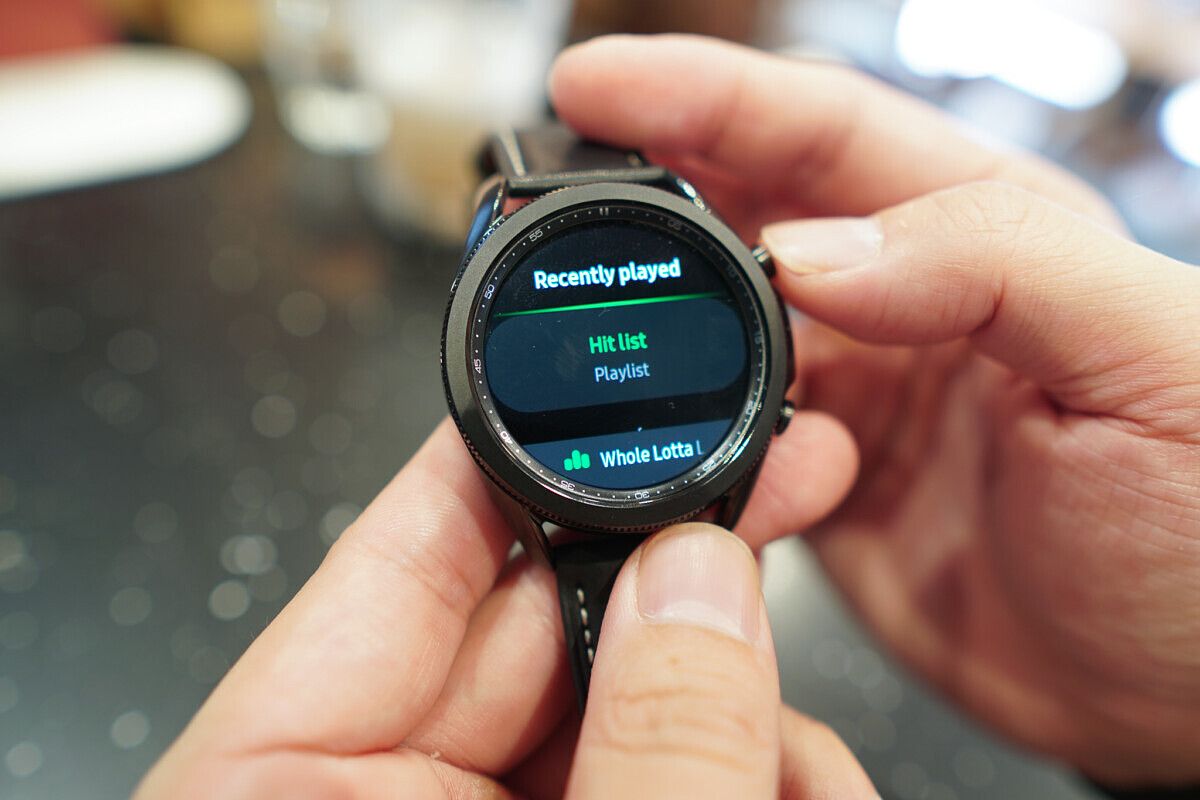
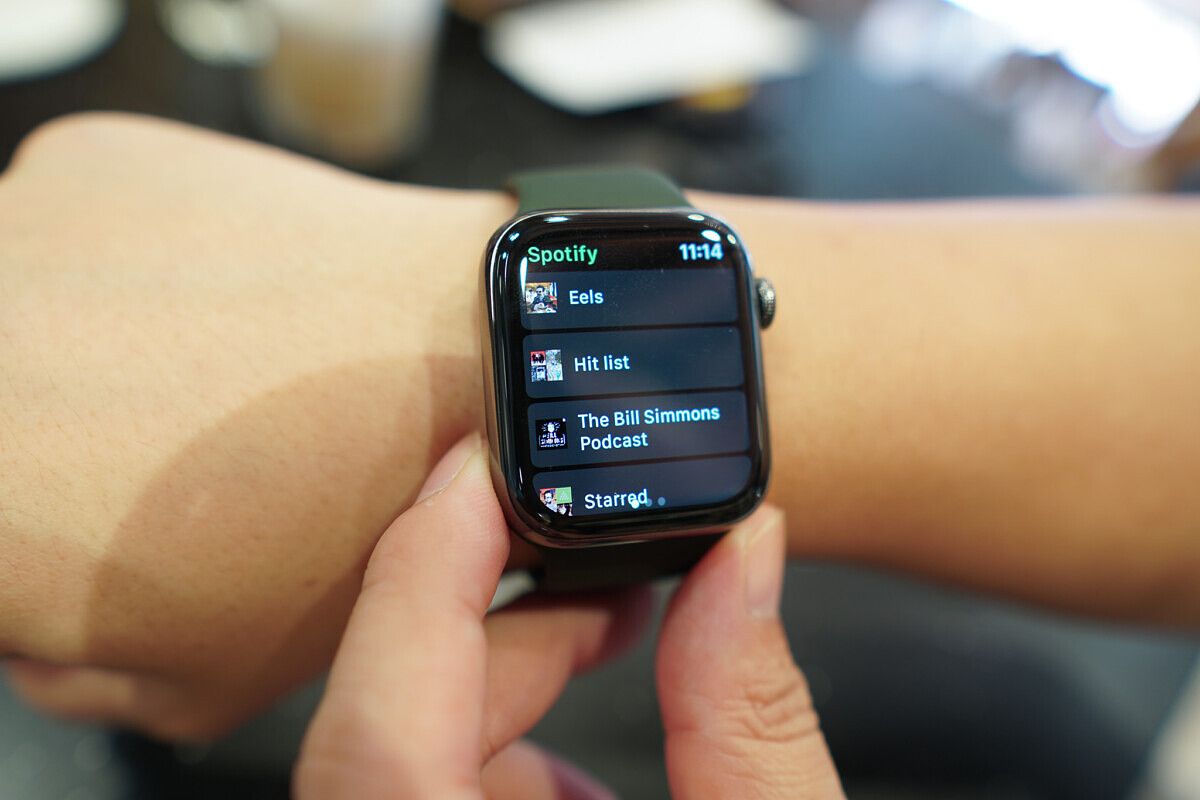
The Apple Watch also handles Spotify better, with a better-designed interface that shows more information, including all my playlists and album art. On the Galaxy Watch 3, it’s a bare-bones UI.
Watch faces and complications
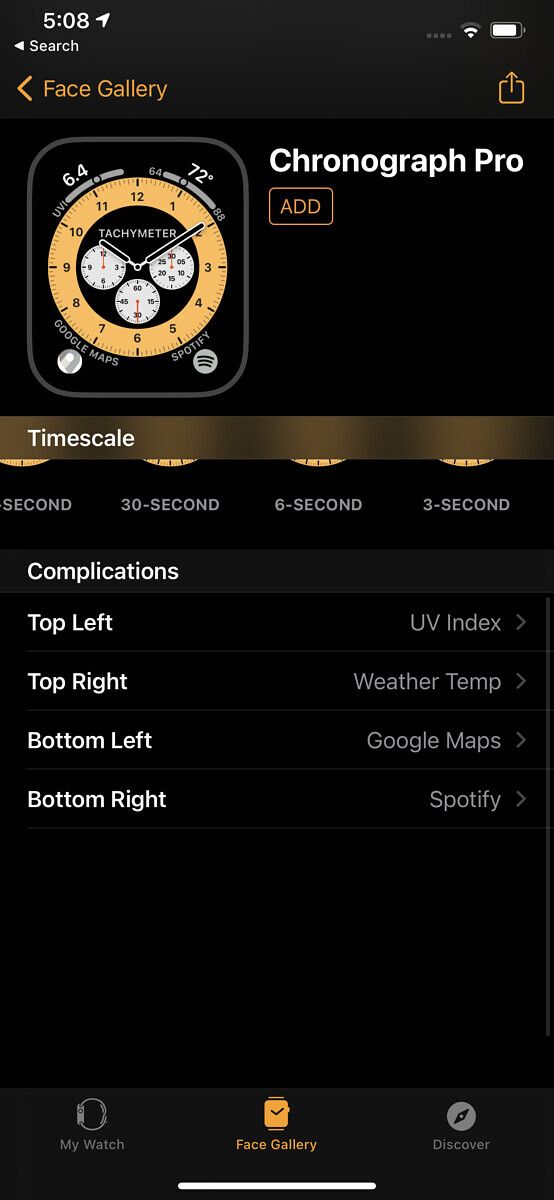
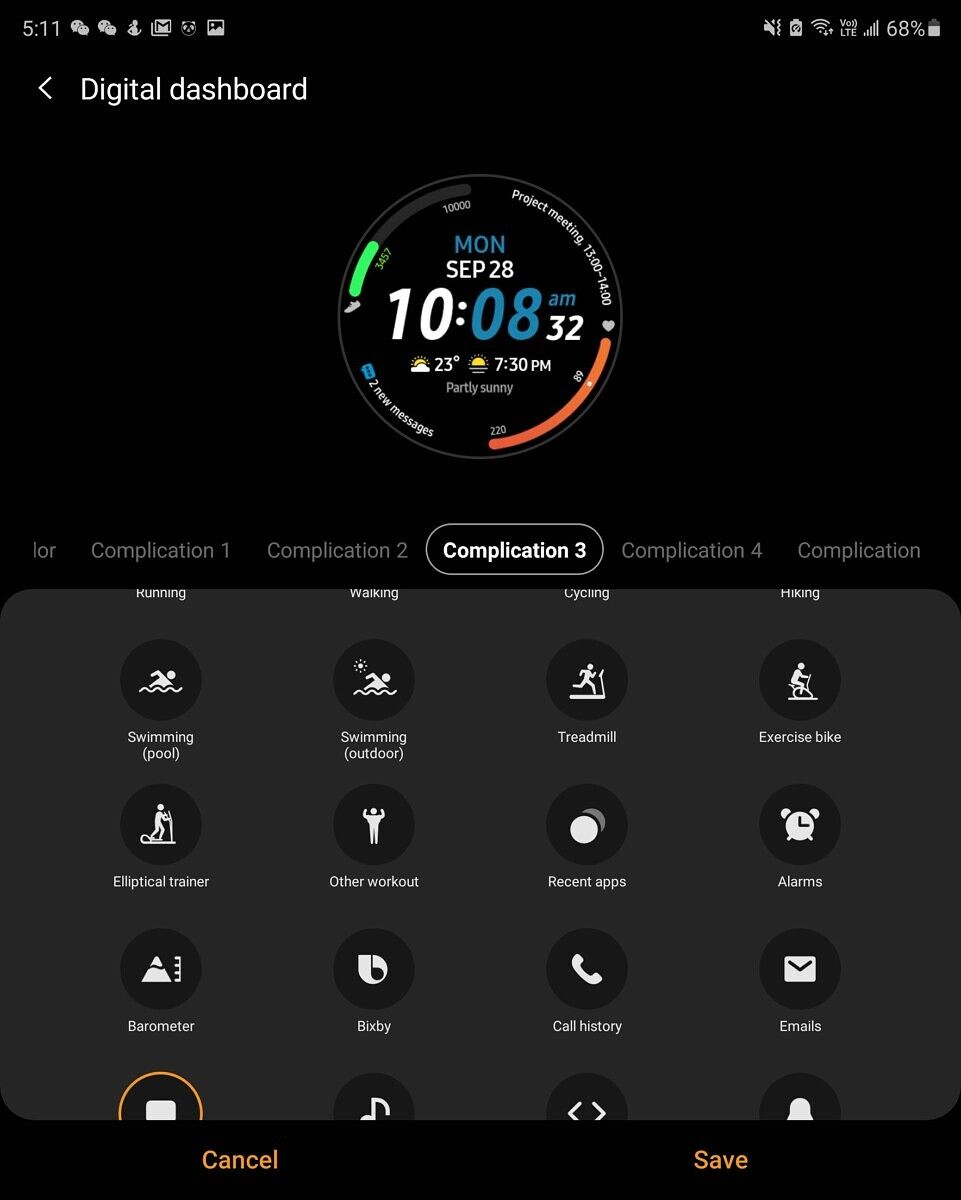
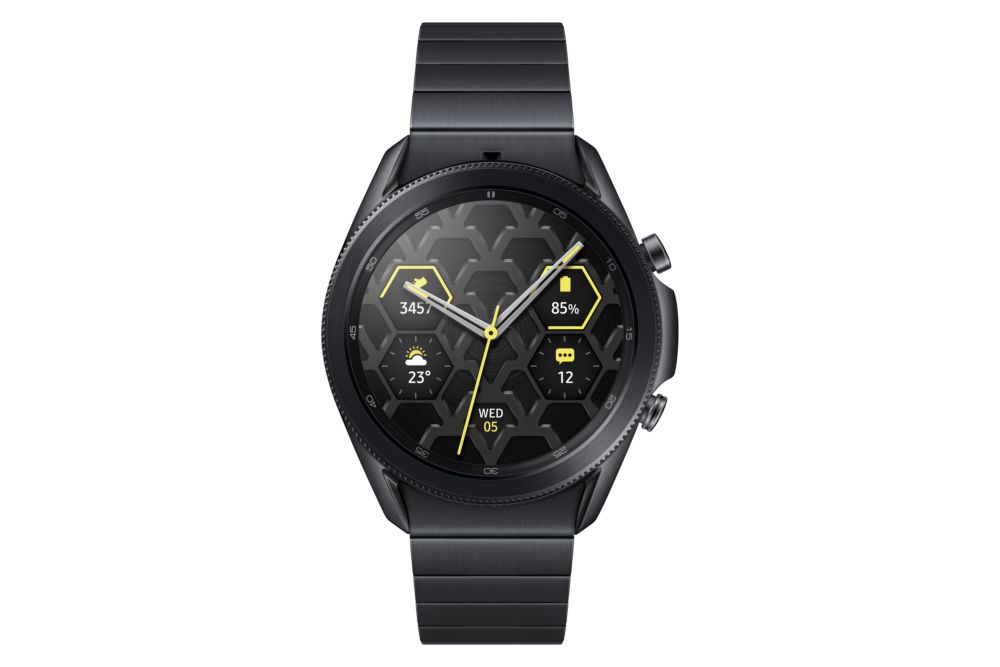
The selection of watch faces and complications, like third-party app selection, is also a lop-sided affair. The Apple Watch not only has dozens more watch faces to choose from, but they’re also, in my opinion, better looking, have a far more comprehensive range of styles, and some support multiple complications that are customizable. Samsung’s watch face gallery, on the other hand, all look similar, and only the main five or six let you customize complications, and then only for Samsung’s first-party apps like Samsung Calendar, Samsung Email, etc. Watch faces on Apple’s wearable can support third-party apps — for example, I have complications for Spotify and Google Maps on one of them.
Voice assistant
Apple’s Siri is by no means the best digital voice assistant – Google’s Assistant is almost objectively better at understanding context and finding the relevant information – but Siri is still far better than Samsung’s Bixby.
Siri can also automatically detect when I am speaking to it: anytime I bring the Apple Watch to my wrist and start speaking, Siri begins picking up my words. Even in a noisy environment like the middle of a busy street, it works well. To activate Bixby on the Galaxy Watch 3, you first have to say the trigger phrase “Hey Bixby,” and it doesn’t always work.
Fitness and health tracking
This part, thankfully for Samsung (and us Android users), is much closer. The most significant addition to the Apple Watch Series 6 this year is a blood-oxygen sensor to track oxygen saturation levels — this is something Samsung’s Galaxy Watch 3 and even the older Galaxy Watch Active 2 already offer. Likewise, for the Apple Watch’s ability to conduct an electrocardiogram (ECG) — Samsung’s Galaxy Watch 3 can do that too, having recently received FDA clearance to go live in the US. Both the blood-oxygen tracking and ECG are easy to activate on the Apple Watch and Galaxy Watch 3, but Apple’s wearable one-ups Samsung by being able to passively track blood-oxygen-level without prompt. This means the Apple Watch is more likely to notice irregular heart rhythm or blood-oxygen levels.
However, whether these wrist-worn wearables can provide accurate data for blood-oxygen saturation levels or heart rhythm remains to be seen, and the evidence seems iffy. Not only do I find the results inconsistent, but other reviewers, including our former colleague Max Weinbach, noticed the same.
Apple’s seems just as bad as Samsung’s, which often gave me readings that meant I should be at the hospital when actual medical equipment said I was in perfect health.
For more simple health tracking, such as basic heart rate and step count, both do a great job and seem accurate enough. Both are smart enough to automatically begin tracking hikes (or fast walking for extended periods) and cycling as exercises.
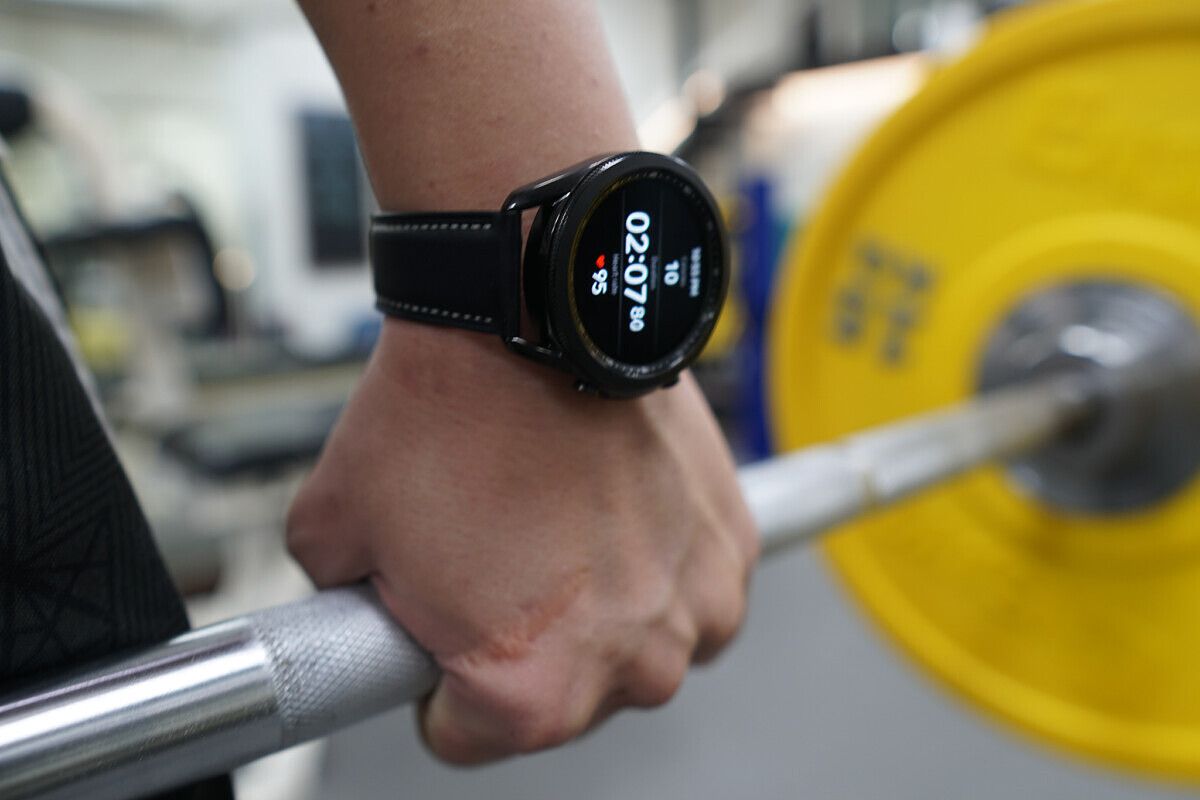
More complicated exercises, like gym sessions, will require manually starting the tracking. It’s here where Samsung and Apple takes a different approach. Apple classifies weight lifting as one exercise; Samsung breaks the act of lifting weights into nearly a dozen specific activities, like “bench press,” “squats,” “deadlifts,” and even “curls.” Serious weightlifters or bodybuilders who spend entire gym sessions honing in on one exercise may appreciate Samsung’s approach. Still, for most regular users, a one-hour weight lifting session will see us doing five to six different activities, so Samsung expects us to switch manually every time.
Samsung is better at sleep tracking, however. I wore both watches to sleep for a couple of nights as a test, and the Galaxy Watch 3 consistently gave me a more accurate time that represents the actual time I was asleep.
Where the Galaxy Watch 3 wins
While the Apple Watch Series 6 is almost certainly better than the Samsung Galaxy Watch 3 (and most other Android watches) in all the crucial areas like software, watch faces, third-party apps, and notification management, there are some areas the Galaxy Watch 3 wins.
The Galaxy Watch 3 has better battery life, for example. Samsung advertises two-day battery life, and I’ve been achieving that and more. After a full 24 hour period away from a charger, my Galaxy Watch 3 still has 65% battery right now. The Apple Watch, meanwhile, needs charging at least once a day.
I also love the rotatable bezel of the Galaxy Watch 3 — the tactile feedback makes navigating UI via rotating the bezel feels very satisfying. You also get stainless steel on all Galaxy Watch 3 models, whereas Apple Watch 6 starts with aluminum, and stainless steel costs extra.
There’s also the issue of eco-system and phone brand lock-in. If you’re getting an Apple Watch, you can only use it with an iPhone. The Galaxy Watch 3, meanwhile, will work with any phone, be it a Samsung or Apple, Huawei, or OnePlus. However, it’s still best to use with a Samsung phone, because if you use another Android, you’ll have to download the Galaxy Wearable app, as well as all the additional Samsung apps like Samsung Health, Samsung Email, and more, to be able to use the watch to its fullest capabilities.
I know this article may annoy some readers who think I’m using this article to prop up Apple. But as I’ve already explained at the beginning: I prefer Android to iOS, and my primary phone is Android more often than not. I’ve wished there was an Android option that worked as seamlessly and well as the Apple Watch. Two years ago, the gap was so huge it seemed like a pipe dream. But now? The Galaxy Watch 3 has closed the gap enough that I’m satisfied, but it can still get better.
If you're not already invested in the Android ecosystem, the Apple Watch Series 6 is the best smartwatch you should buy. It outweighs the Galaxy Watch 3 in many ways, but crucially, it doesn't work with Android devices and you'll need an iPhone to be able to use it.
The Galaxy Watch 3 offers a lot of good features, and while it doesn't compete with the Apple Watch Series 6 in certain areas, it's the best option if you have an Android phone.
The mobile software ecosystem is dominated by two big names: Apple and Google, both of whom control their respective app stores. This control has come under scrutiny, largely thanks to the recent attempt by Epic Games to bypass the app store fees with a direct payment option on its popular game, Fortnite. This was promptly followed up with the game getting removed from both the stores and then with Epic suing both Apple and Google. Now, several big-name developers like Spotify and Epic Games have come together to create a non-profit, called Coalition for App Fairness, to oppose the monopolies enjoyed by Apple and Google.
Coalition for App Fairness (CAF) has been established as an independent non-profit organization with Basecamp, Blix, Blockchain.com, Deezer, Epic Games, the European Publishers Council, Match Group (Tinder and Hinge), News Media Europe, Prepear, Protonmail, SkyDemon, Spotify, and Tile as its founding members. The group hopes to advocate for “enforcement and reforms, including legal and regulatory changes, to preserve consumer choice and a level playing field for app and game developers that rely on app stores and the most popular gatekeeper platforms“.
Apple strictly controls the hardware and software ecosystem on its own devices, with an approach that is frequently referred to as a “walled garden”. Google, on the other hand, is the dominant force behind Android. While Android is open source, it is missing a lot of crucial pieces that end-users have come to expect out of an “Android smartphone”. These include the Google Play Store and the Google Play Services framework, with the former being the primary means of app distribution and the latter being one of the most important background services on a phone that is needed for other apps to reliably work.
As CAF puts it forward, app stores (Google Play Store, Apple App Store) are a convenient location to discover apps. But as the Fortnite drama brought to light, the gatekeeper platforms that operate these app stores enjoy a very large amount of control. For years, app developers have been raising their concerns about the onerous and often arbitrary terms and conditions that govern these stores, including but not limited to the excessive 30% app store fees on every single transaction through the stores and their frameworks. CAF is advocating for fairness, not just in the app store fees, but also against anti-competitive policies and the lack of consumer freedom.
The Coalition of App Fairness proposes the following as rights for every app developer, regardless of the size or nature of the developer’s business:
No developer should be required to use an app store exclusively, or to use ancillary services of the app store owner, including payment systems, or to accept other supplementary obligations in order to have access to the app store.
No developer should be blocked from the platform or discriminated against based on a developer’s business model, how it delivers content and services, or whether it competes in any way with the app store owner.
Every developer should have timely access to the same interoperability interfaces and technical information as the app store owner makes available to its own developers.
Every developer should always have access to app stores as long as its app meets fair, objective and nondiscriminatory standards for security, privacy, quality, content, and digital safety.
A developer’s data should not be used to compete with the developer.
Every developer should always have the right to communicate directly with its users through its app for legitimate business purposes.
No app store owner or its platform should engage in self-preferencing its own apps or services, or interfere with users’ choice of preferences or defaults.
No developer should be required to pay unfair, unreasonable or discriminatory fees or revenue shares, nor be required to sell within its app anything it doesn’t wish to sell, as a condition to gain access to the app store.
No app store owner should prohibit third parties from offering competing app stores on the app store owner’s platform, or discourage developers or consumers from using them.
All app stores will be transparent about their rules and policies and opportunities for promotion and marketing, apply these consistently and objectively, provide notice of changes, and make available a quick, simple and fair process to resolve disputes.
The Coalition for App Fairness has issued an open call to all developers, to join them if they wish to change the monopolist control of app ecosystems.
Ask any cybersecurity expert for their top advice, and they will suggest using a VPN and backing up your files. If you would like to take heed of this advice without breaking the bank, check out these deals at the XDA Developers Depot.
KeepSolid VPN Unlimited: Infinity Plan (10 Devices)
With more cloud storage than Dropbox, OneDrive, and Google Drive combined,Degoo Premiumlets you back up all your devices. Your data is protected by AES-256 encryption, and automatic file detection keeps everything up to date.Order now for $99.99to jump on the lifetime 10TB plan, worth $3,600.
ThunderDrive Cloud Storage: Lifetime Subscription
Based on Tier IV data center facilities that run six times faster than Amazon storage,ThunderDrivealso keeps your files locked behind 256-bit AES encryption. It’s worth $1,200, but you can grab the2TB lifetime plan now for $59.
Looking for website storage?EurekaDriveprovides a secure home for backing up your hosted files. The platform offers 30-day recovery, unbreakable SSL security, and 100GB of storage. Lifetime subscriptions are worth $195, but you canget the Starter Plan now for $39.
Zoolz Cloud Backup for Home: 1TB of Cloud Backup Storage
Ideal for long-term backup,Zoolzuses affordable cold storage based on ultra-secure AWS infrastructure. This service can automatically back up your computer, hard drives, and even NAS.Order now for $19.99to get 1TB for life, worth $199.
Polar Cloud Backup: Lifetime Subscription (2TB)
Optimized for Mac and Windows,Polar Backupuses deduplication and block-level uploads for faster service. Your data is protected by AES-256 encryption, and stored on AWS servers. Thanks to a double price-drop, lifetime 2TB subscriptions are downfrom $590 to just $49.99.