Update 1 (09/28/2020@06:15 AMET): Samsung has launched the Galaxy Tab A7 in India. Scroll to the bottom for more information. The article as published on September 4, 2020, is preserved below.
Hot on the heels of the Galaxy Z Fold 2 announcement yesterday, Samsung has just announced several brand new products across different categories at its “Life Unstoppable” virtual event. The list of the products announced today includes the Galaxy A42 5G smartphone, Galaxy Tab A7, Galaxy Fit 2, and Wireless Charger Trio. Most of the product details, including pricing and availability, were not mentioned, so we expect to learn more over the coming months.
Samsung Galaxy A42 5G
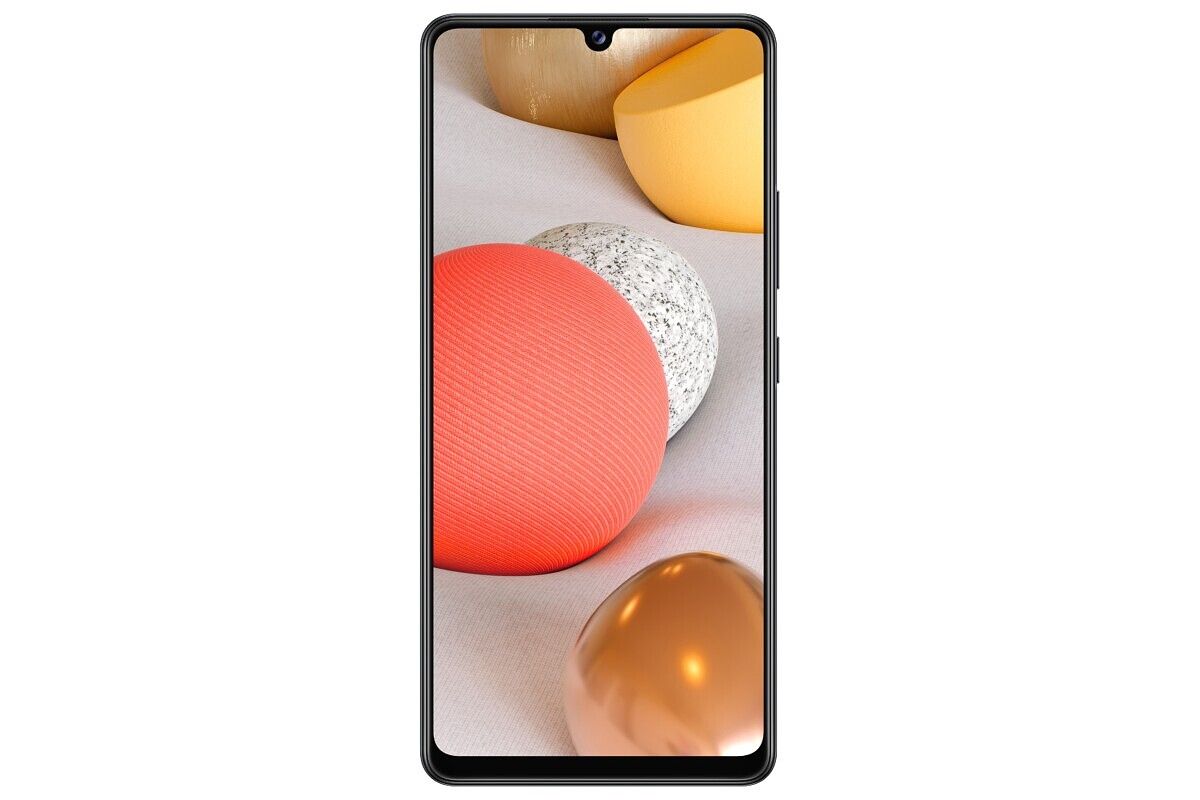
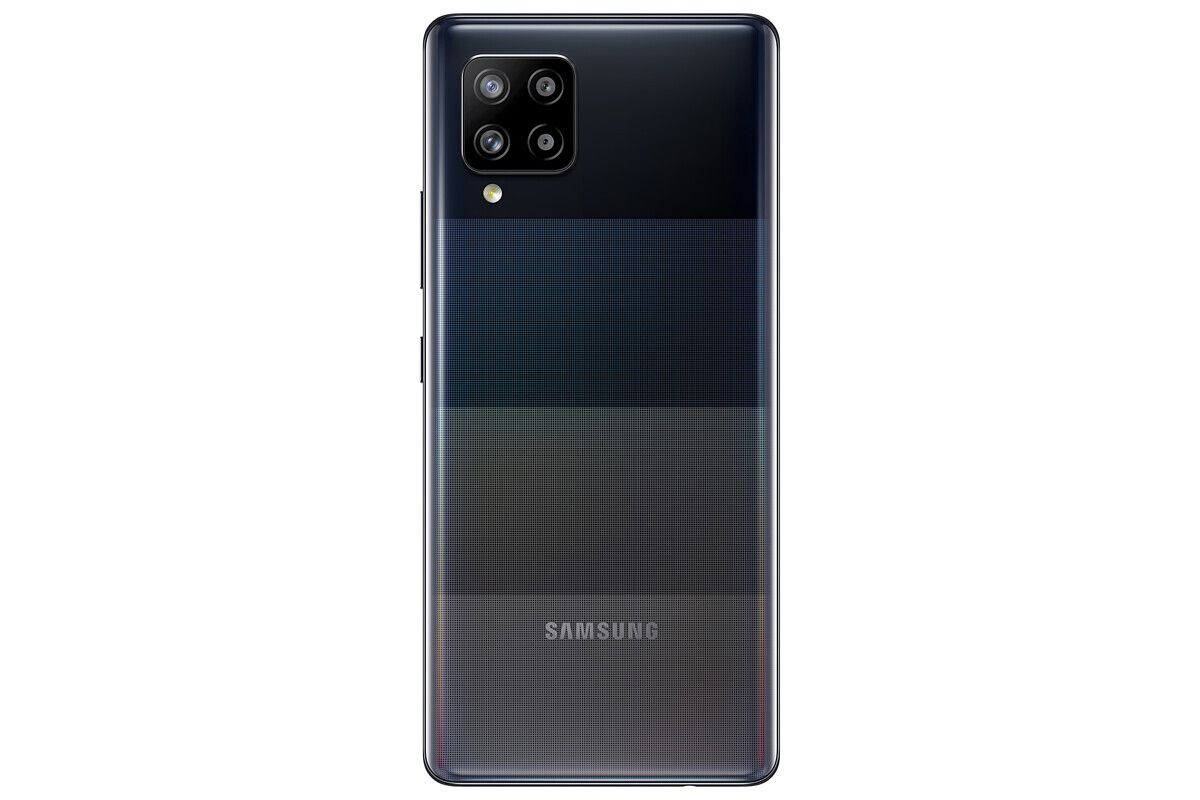
Samsung is positioning the Galaxy A42 5G as an affordable 5G-enabled smartphone in the Galaxy A series. Succeeding the Galaxy A41 that launched in May this year, the A42 5G will feature a 6.6-inch Super AMOLED display with a waterdrop notch. The phone will have a quad-camera setup on the back; however, the company didn’t reveal much about the exact hardware. Consequently, details about the SoC, battery size, charging speed, software, etc. also remain under the wraps for now. Samsung says the Galaxy A42 5G will be available in Europe in November, starting at €369 (~$435).
Samsung Galaxy Tab A7
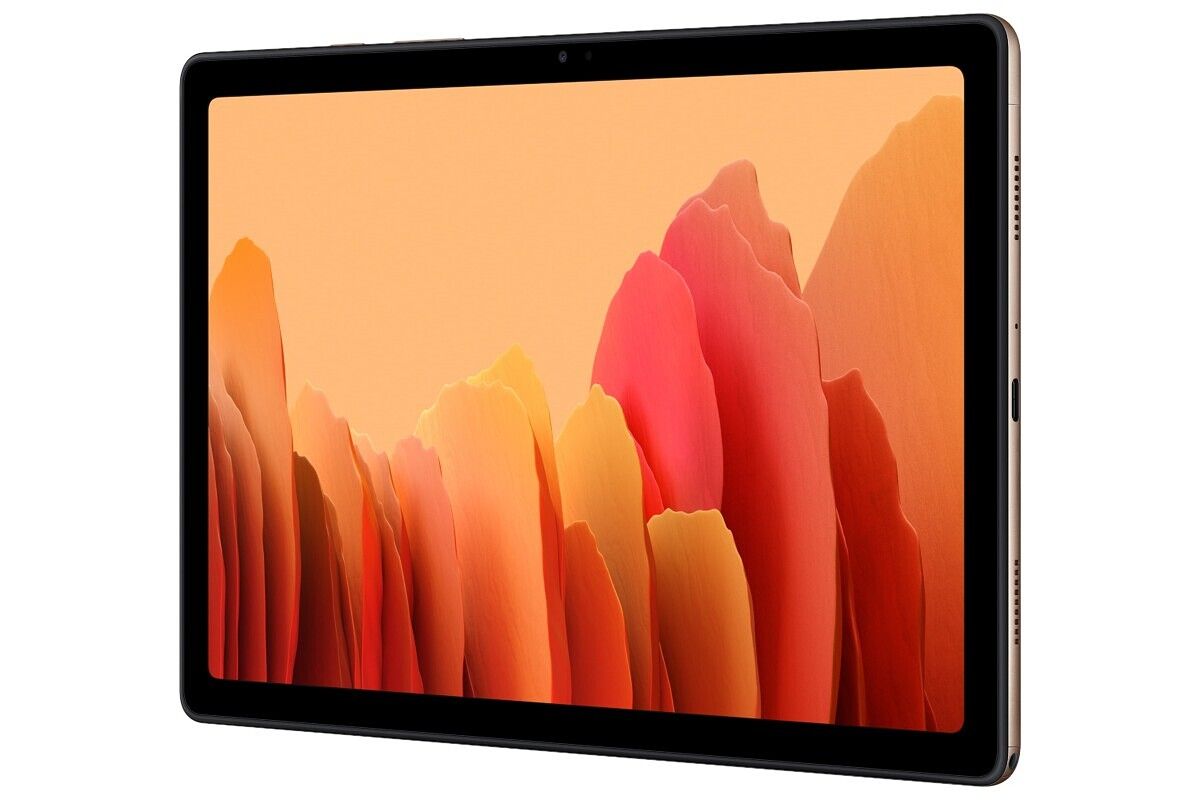
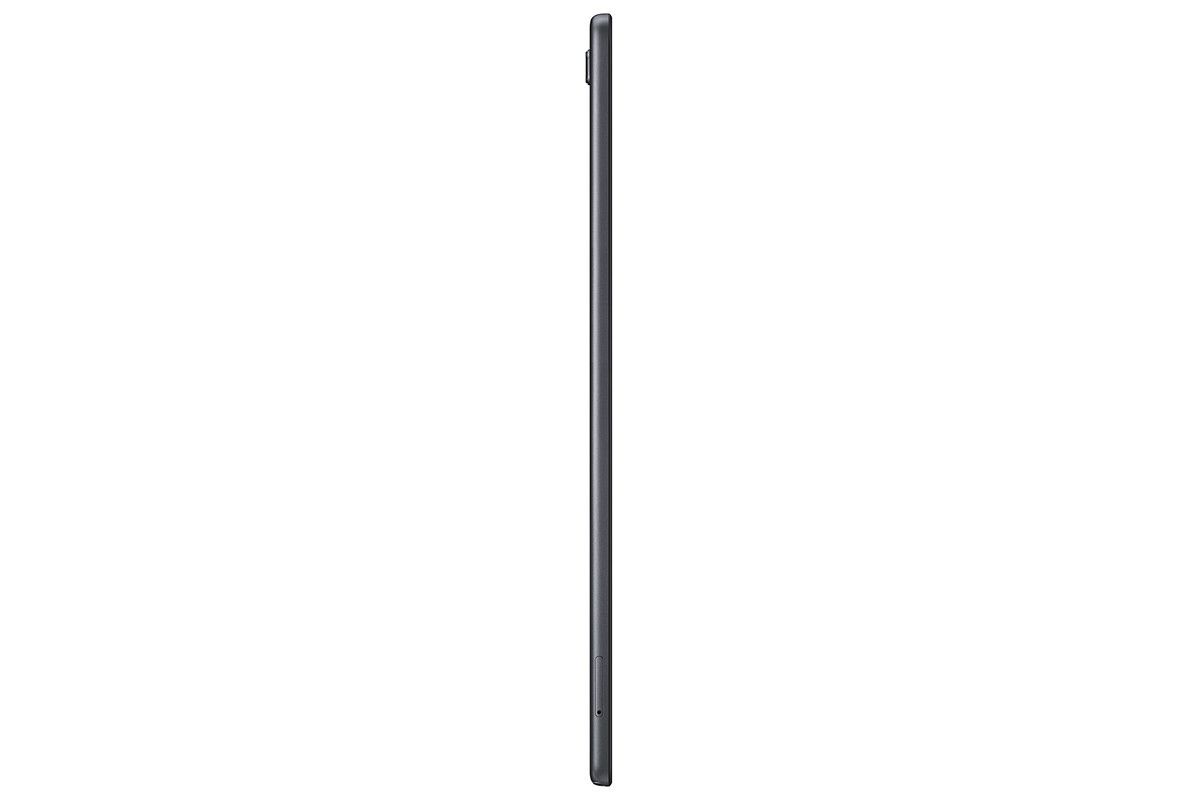
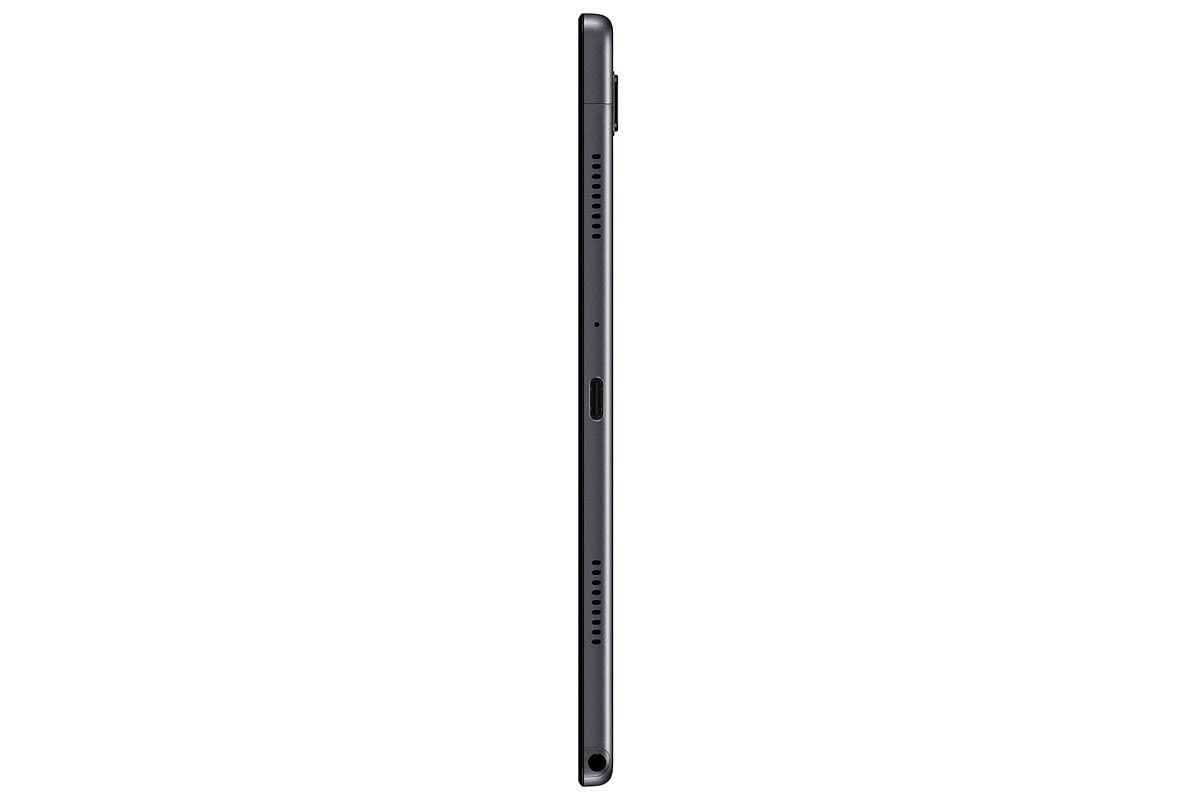
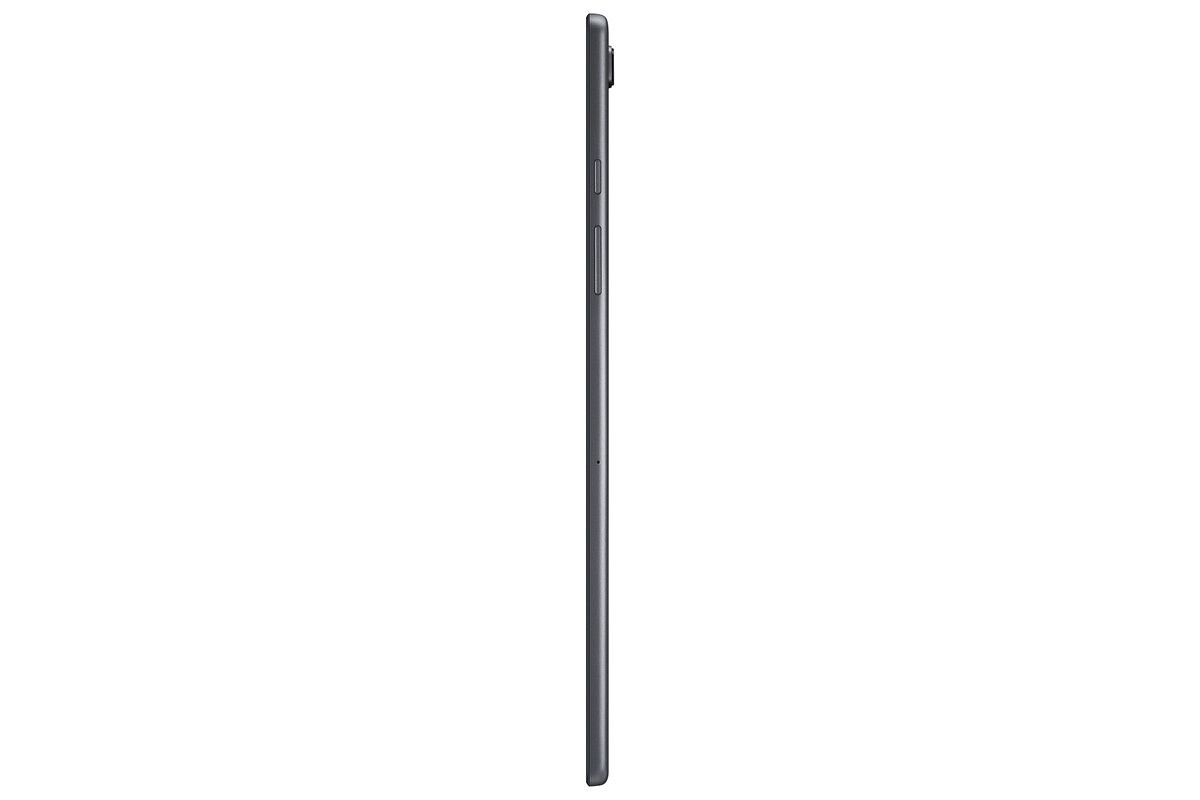
The new Galaxy Tab A7 will take charge as the latest affordable offering in Samsung’s tablet portfolio. The leaked renders of the tablet surfaced just yesterday, and looking at the official renders, they were right on the money. In terms of specification, the Samsung Galaxy Tab A7 offers fairly modest internals. On the front, you have a 10.4-inch TFT display with 2000 x 1200 resolution, an unspecified octa-core processor on the inside, 3GB of RAM with either 32GB or 64GB flash storage, an 8MP rear and 5MP front cameras, and a 7,040 mAh battery running the show. The tablet also packs four Doly Atmos speakers, a 3.5mm audio jack, and a USB Type-C port. You can view the rest of the specs here. The device is expected to be made available in Europe in November, with the Wi-Fi variant costing €223 (~$270) and the LTE variant costing €282 (~$333).
Galaxy Fit 2
The Galaxy Fit 2 is the brand new entry in Samsung’s fitness tracker portfolio. It’s a direct successor to the last year’s Galaxy Fit and brings along many improvements, including a sleeker body, improved battery life, and an increased set of fitness features. The Galaxy Fit 2 sports a 1.1-inch color AMOLED display and has a virtual button at the bottom. The band has up to 70 different watch faces to choose from and features a larger 159 mAh battery, which lasts up to 15 days, according to Samsung. Just like other fitness trackers, the Galaxy Fit 2 can also measure your heart rate, your sleep quality, track footsteps, and count calories burned. Samsung hasn’t yet revealed any details about the pricing and availability of the Galaxy Fit 2.
Wireless Charger Trio
The Wireless Charger Trio is a successor to the Wireless Charger Duo, which launched last year. As you might have guessed from its name, the Wireless Charger Trio can wirelessly charge up to 3 devices at once. The charger comes with a USB-C to USB-C cable and will be available in Black and White colors. Samsung didn’t mention which charging speeds the charge will offer and whether it will be compatible with other Qi devices as well.
Update: Samsung Galaxy Tab A7 launched in India, starting at ₹17,999 (~$245)
Samsung has launched the Galaxy Tab A7 in India in Dark Gray, Silver, and Gold colors in 3GB + 32GB variant. The LTE model is priced at ₹21,999 (~$300), while the Wi-Fi variant is priced at ₹17,999 (~$245). Pre-orders for the tablet have begun through Samsung.com, online portals, and other select retail stores. Pre-booking offers include cashback of ₹2,000 with ICICI credit and debit cards, and a discounted price of ₹1,875 (MRP: ₹4,499) on the Keyboard Cover.
Back in October 2017, Samsung unveiled the Galaxy Tab Active 2 — a ruggedized 8-inch tablet for users who lead an active lifestyle or work in extreme environments. Almost three years after its release, Samsung has now unveiled the Galaxy Tab Active 3. The latest ruggedized tablet from the company features significant upgrades over its predecessor, including MIL-STD-810H certification for enhanced shock absorption, IP68 dust and water resistance rating, and the Exynos 9810 chipset.
Samsung Galaxy Tab Active 3: Specifications
Specification
Samsung Galaxy Tab Active 3
Dimensions & Weight
126.8 x 213.8 x 9.9mm
426g (Wi-Fi only), 429g (LTE)
Display
8-inch WUXGA
1920 x 1200p
PLS TFT LCD
SoC
Exynos 9810
Octa-core 2.7GHz + 1.7GHz
RAM & Storage
4GB+64GB
4GB+128GB
microSD card slot for expansion up to 1TB
Battery & Charging
5,050mAh user-replaceable battery
Rear Camera
13MP AF
Front Camera
5MP
Other Features
Fingerprint sensor
Face Recognition
S Pen (IP68 certified)
GPS+Glonass+Beidou+Galileo
USB 3.1 Gen 1, POGO pin connector
Wi-Fi 6 MIMO
IP 68 certified
MIL-STD-810H certified
Samsung Knox
Android Version
Android 10
The Samsung Galaxy Tab Active 3 is based on the same design as the Tab Active 2 and it features an 8-inch WUXGA (1920×1200 p) PLS TFT display. The tablet packs in Samsung’s Exynos 9810 octa-core chipset, coupled with 4GB of RAM, and up to 128GB of internal storage. As mentioned earlier, the Galaxy Tab Active 3 is built for extreme environments and it’s MIL-STD-810H certified. The tablet comes with enhanced shock absorption and Samsung claims that the tablet can survive a drop of up to 1.5m with the included protective cover.
Samsung has also included a few other optimizations to ensure that the tablet delivers great performance even in the toughest of environments. These include Wi-Fi 6 with MIMO, a user-replaceable 5,050mAh battery with fast charging support, a POGO pin USB 3.1 Gen 1 connector, a dedicated Active Key to quickly launch the most used apps/programs, optimizations for camera-based barcode scanning, NFC with EMV Level 1 for payments, a Touch Sensitivity option which allows users to interact with the touch screen while wearing gloves, and an IP68 certified S Pen.
The Galaxy Tab Active 3 runs Android 10 out of the box, with a bunch of additional customizations for enterprise users. These include three generations of Android OS upgrades, Samsung Knox, the promise of regular Android security upgrades, and more.
Pricing & Availability
The Samsung Galaxy Tab Active 3 will be available in select markets, including Europe and Asia, starting today. The company plans to expand its availability to other markets at a later date. The tablet will be available in Wi-Fi only and LTE variants. As of now, Samsung hasn’t released pricing information for the tablet.
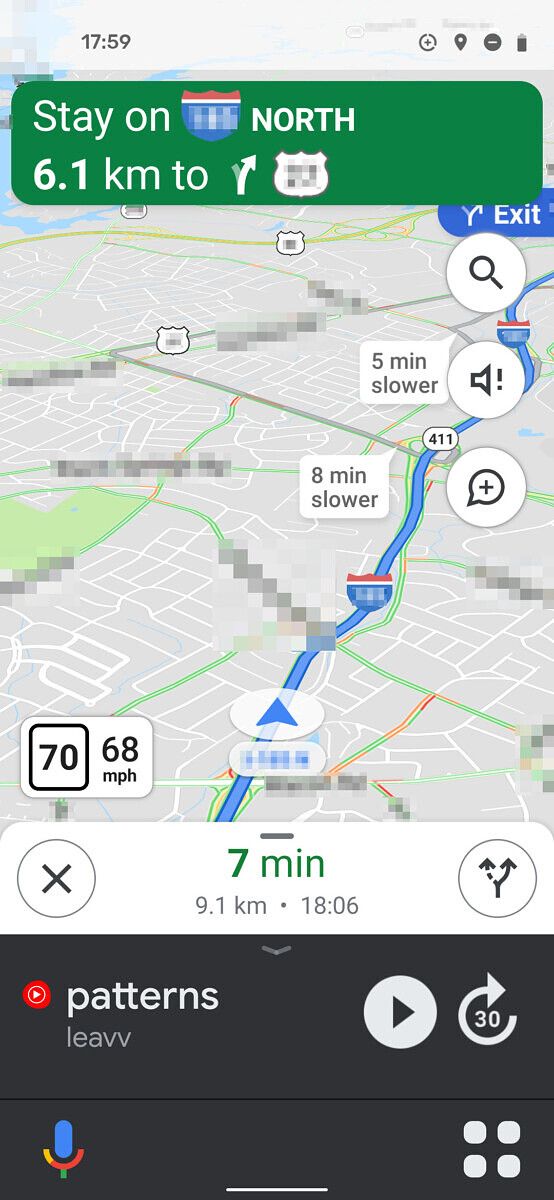
After adding a new COVID-19 layer to track coronavirus trends by region to Google Maps, Google has started testing a new car mode UI for the navigation app. As per a recent report from Android Police, the new UI has started making its way to a handful of users via a server-side switch, and it brings bigger buttons to help users easily navigate through the app while they’re driving.
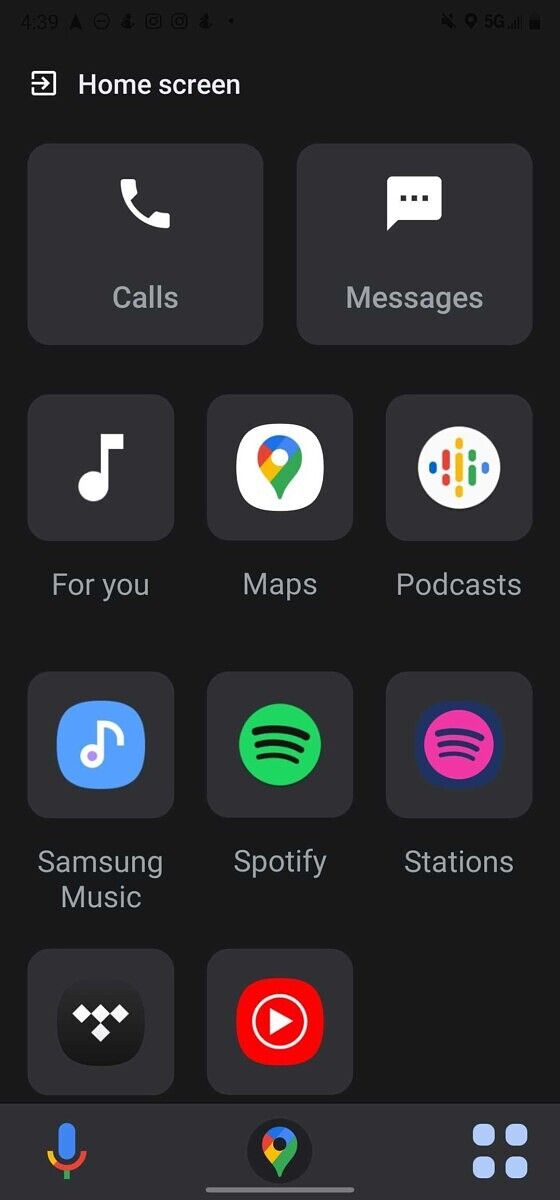
As you can see in the attached screenshots, the updated Google Maps interface looks a lot like the Android Auto navigation UI. The navigation screen on the app now has two large buttons in the bottom bar; one for voice input and another to open the new home screen. When you’re not on the navigation screen, the bottom bar gets a third Maps button which helps you quickly return to the navigation screen.
Right above the bottom bar, you get the music playback controls. The controls have large text and buttons to help you easily control your music while driving. The rest of the navigation screen remains the same.
As mentioned earlier, the app now has a new home screen that can be accessed by tapping on the new home screen button in the navigation UI. It’s home to all the essentials, like your music players, podcast apps, calls, and messages.
Tapping on the calls button opens up a new screen that shows your top three contacts, along with the three most recent calls. It also has a “Call someone else” button that allows you to call contacts that aren’t shown on the call screen. Furthermore, the app now also has a dedicated interface for YouTube Music.
As mentioned earlier, the new Google Maps UI is only available for a handful of users. And we have no information from Google regarding a wider rollout yet. We’ll update this post as soon as the new interface starts rolling out to more users.
Samsung’s S Pen is a powerful tool for getting work done, whether you’re jotting down notes, marking up documents, or using gestures within apps. Wouldn’t it be cool if you could customize what the gestures do? With Tasker, you can.
João Dias, the developer of Tasker, discovered how to intercept the gesture events triggered by the S Pen. Using Tasker, users can choose from more than 350 actions to customize the S Pen experience like never before. For example, you can turn on your smart lights, toggle Do Not Disturb mode, put your device to sleep, and much more.
Here’s a video from the developer that demonstrates some of what you can do once you hook up S Pen gestures to Tasker:
Tasker is able to intercept S Pen events once it’s granted the READ_LOGS permission, a permission that allows an app to read Android’s system logs. In order to grant Tasker this permission, you need to do so manually via ADB. Once you download Tasker, you can create a profile using an S Pen gesture entry in the system log as the context. Then you can then tie a series of actions (or a single action) to that context. Since Tasker can be programmed to do basically anything, the customization possibilities are limitless.
Note that only Samsung devices with Bluetooth-enabled S Pens support gestures, which include the Galaxy Note 9 and up and the Galaxy Tab S6 and later. Also, your device needs to be running the stock firmware, as custom ROMs likely won’t send the exact same messages in the logcat for each gesture. Lastly, Tasker is limited to the gestures you can configure in the “Air Gestures” settings on the device.
Tasker is available from the Google Play Store for $3.49, though you can download a 7-day trial version from the developer’s website.
Between all the rage that TWS has been generating lately, it’s easy to forget Bluetooth neckbands are still a thing. Although the popularity of neckbands has somewhat declined since the rise of TWS, the market clearly exists for those who aren’t entirely convinced with the truly wireless form factor just yet. Neckbands are a no brainer if you’re looking for a pair of Bluetooth earphones that are affordable, don’t need to be charged every few hours, or require special care and attention. For instance, OnePlus’s latest Bullets Wireless Z (review) neckband offers up to 20 hours of battery life, IP55 dust and water resistance, and sturdy build quality at just ₹1,999 (~$27). Another equally impressive contender is the OPPO Enco M31, which deserves just as much attention as the Bullets Wireless Z. Launched back in May without much fanfare, the OPPO Enco M31 earphones have received critical acclaim for its sound quality and are regarded as some of the best Bluetooth earphones under ₹2000.
I’ve been using the Enco M31 for over a month, and I have to agree they are unbelievably good. It’s tough to believe these earphones only cost ₹1,999 (~$27) and offer such a refined sound that usually requires a much higher expenditure.
OPPO Enco M31: Specifications
Specification
Enco M31
Build and Weight
Plastic earcups and rubber collar
IPX5 water & dust resistance
22g
Driver & Frequency response
Single 9.2mm dynamic driver
Driver sensitivity: 101.9dB @1kHz
Frequency response:
20Hz-20KHz (44.1kHz)
20Hz-40KHz (LDAC 96KHz, 990Kbps)
Connectivity
Bluetooth 5.0
Codecs: LDAC, SBC
Range: 10 m
Battery & Charging
88 mAh
12 hours of standard audio playback (SBC)
8 hours of high-quality audio playback (LDAC)
USB Type C port
10-minute quick charge for 3 hours of playback
In The Box
Pair of Enco M31
2x silicon ear tips
USB Charging cable
User guide
Safety and Warranty card
About this review: The OPPO Enco M31 is my personal purchase. OPPO had no input in the content of this review. This review is written after over two months of use. Unless otherwise specified, the observations stated in the review are with regards to Android smartphones.
Design, Comfort & Controls
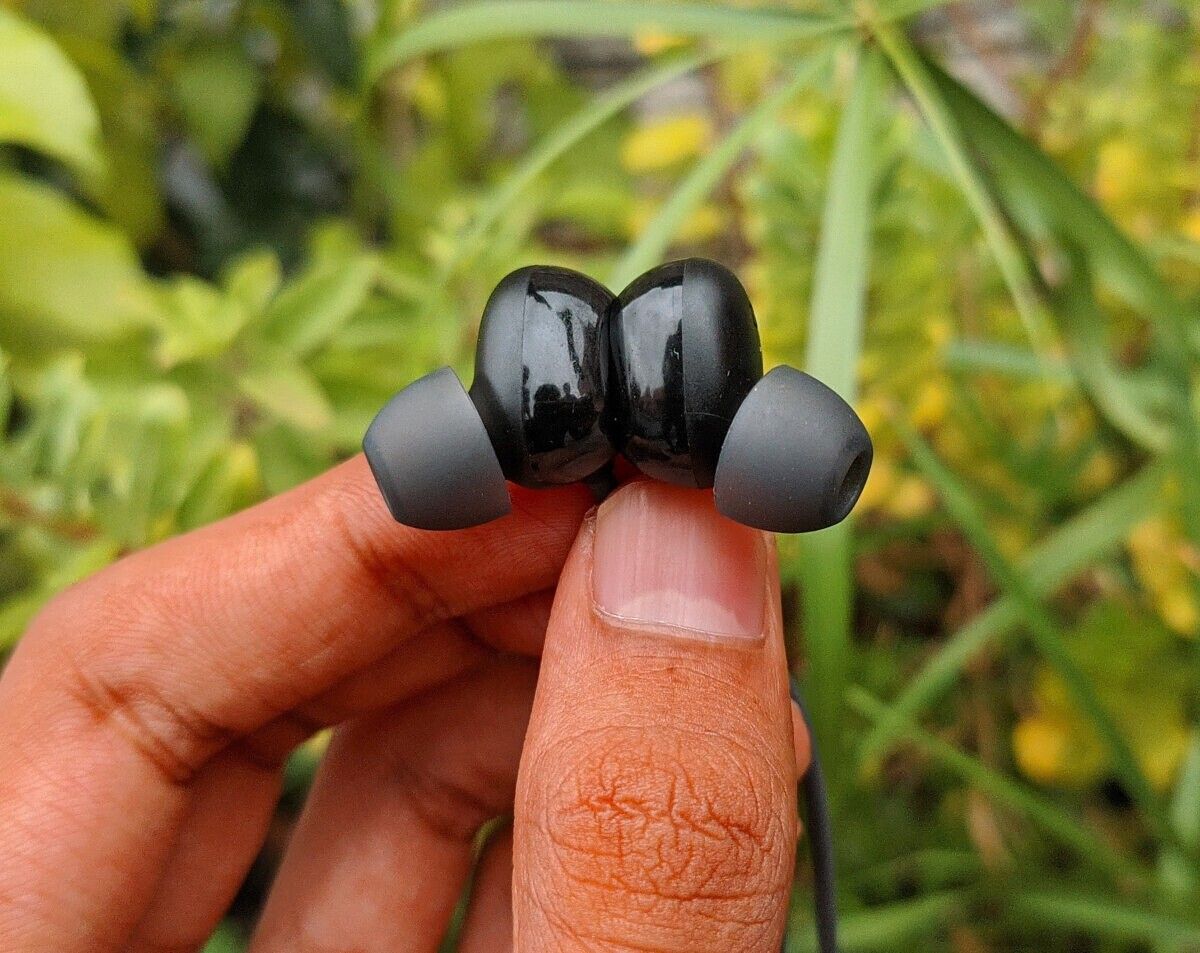
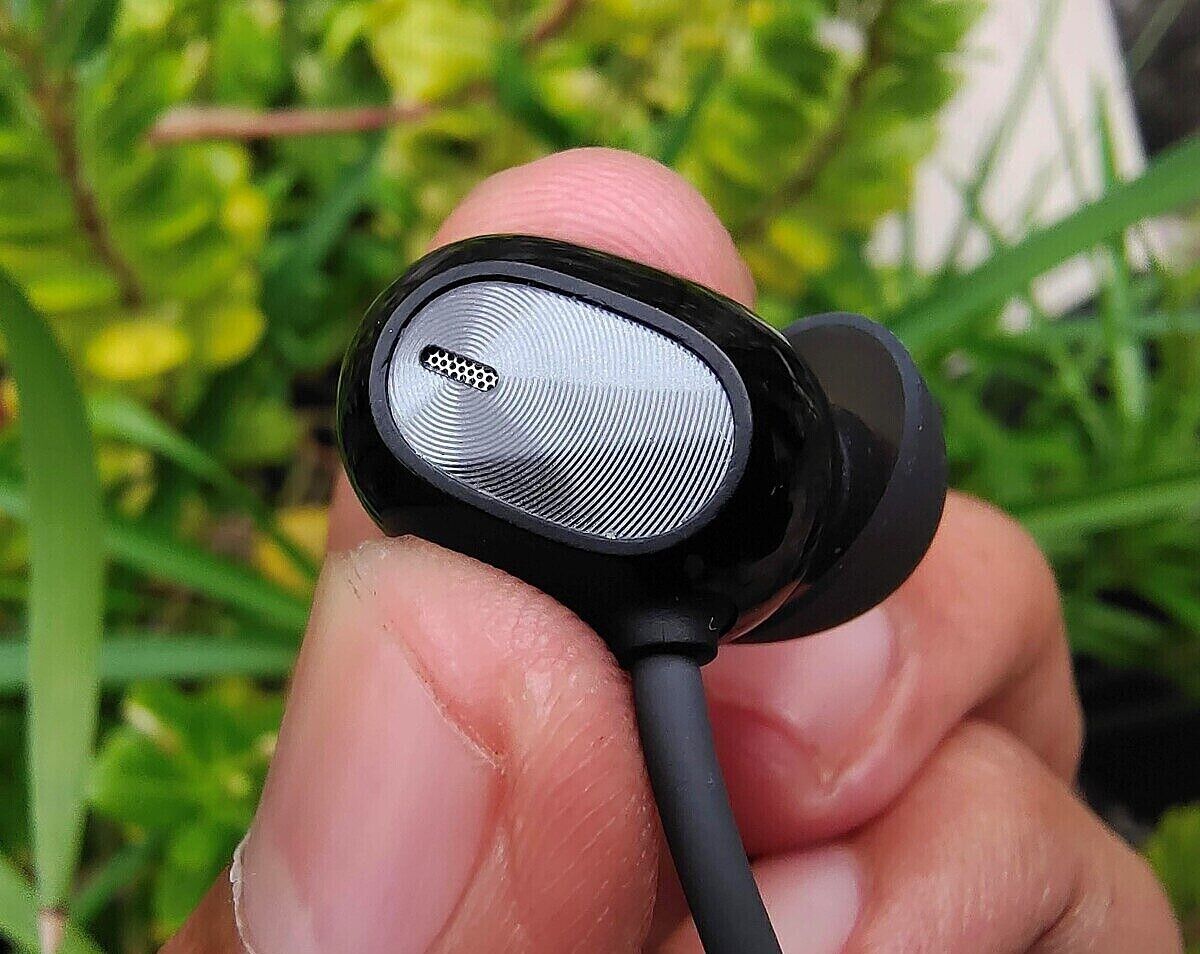
The OPPO Enco M31 are an average looking pair of earphones. There’s nothing cutting edge or flashy about them – unless you go for the funky Green variant. They feature a familiar neckband design with two plastic modules strapped to a rubber collar and wires shooting through them and connecting to the earcups. The pill-shaped ear cups are made out of plastic and feature a circular spun-metal finish, which adds a nice contrasting look. The earcups themselves are really tiny, barely half an inch in size, and have a flat outer surface, which helps them sit flush without sticking out of your ears.
In terms of comfort, the Enco M31 are pleasantly comfortable. They don’t enter too deep into the ear canal, making it possible to wear them for extended periods without feeling any pain or discomfort. I’ve had them in my ears for more than 3 hours at once, and I didn’t feel the need to take them out, neither out of irritation nor fatigue. The Enco M31 are also remarkably lightweight earphones – the entire device weighs just 22g. You can wear them on your neck all day without even noticing they’re there.
Unlike the Bullets WIreless Z, which has in-line controls attached to the wire, the Enco M31 has them on the inner side of the left module. It’s a fairly simple button layout consisting of a multi-function key located along the edge of the plastic module and two volume keys sitting just above it. Due to their odd placement, the buttons are a bit of a stretch to reach, but you do get used to it over time. Although the volume keys are nice and clicky, I’m not a fan of the multi-function key, which feels mushy and always requires exerting a bit of force to register the click. You can play/pause the audio or answer/hang-up calls with a single click on the multi-function key. Double-clicking the key lets you change the sound profile while pressing the button three times summons the Google Assistant. You can also change tracks by holding the volume up or volume down key for a second.
The Enco uses a similar magnetic mechanism that we have seen on other Bluetooth neckbands. Separating the cups activates the earphones while clipping them together puts them to sleep. A soft voice plays when the earphones connect to the host device. The voice also notifies when you switch between the Balanced and Bass mode, and also warns when the battery is running low.
The overall build quality is average at best. The thin wires don’t scream long-term durability, and buttons could have been better positioned. The OPPO Enco M31 also don’t enjoy the same level of protection as the Bullets Wireless Z — they are rated for IPX5, which safeguards them against drizzles and water splashes, but you don’t get any dust protection. They are not built for rough handling and must be handled with care if you plan to use them for the long term.
OPPO Enco M31: Audio Quality
The OPPO Enco M31 features a single 9.2mm dynamic driver and PET titanium-plated composite diaphragms fitted into each ear cup with a frequency range of up to 40KHz. It also has independent bass chambers for boosted low-frequencies when the dedicated Bass mode is activated.
One of the major attractions of the Enco M31 is LDAC support, a Hi-Res codec developed by Sony. This is a big deal for multiple reasons. For one, LDAC offers the highest transmission throughput of any Bluetooth codec out there, up to 990Kbps, making these earphones a perfect choice for listening to lossless music. Secondly, the Enco M31 are quite literally the only Bluetooth earphones to offer LDAC support at this price point. Along with Hi-Res certification, this makes the Enco M31 the cheapest wireless earphone suitable for critical listening.
The OPPO Enco M31 have a neutral sound signature, meaning they reproduce the sound as faithfully as possible without emphasizing specific frequencies, say, lows or highs. Neutral sounding earphones, especially the Bluetooth ones, are rare to get hold of at this price point and are usually reserved for earphones located much higher on the price ladder. As such, it’s both refreshing and exciting to see Oppo taking a different route than the competition and not falling for the same cliché “more bass, more treble” approach.
Oppo has a smart trick up its sleeve to placate both audiophiles and bass heads. Out-of-the-box, the Enco M31 uses a Balanced sound mode which, as you might have guessed, provides neutral sound. Should you need that extra kick of bass, OPPO offers a dedicated Bass mode to elevate the lower frequencies. You can switch between Bass and Balanced sound profiles simply by double-pressing the multi-function button.
Although not as prominent as some of the bass-heavy earphones out there, the bass on the Enco M31 is tight and impactful — as it was evident while listening to Posthumous Forgiveness by Tame Impala. Not to mention, you can always switch to the Bass mode if you crave more punch on certain tracks. Personally, I find the bass response on the default Balanced mode to be perfect to my taste, so I rarely use the bass mode. But of course, many people prefer more pronounced lows over clean mids and treble, so it’s good to have the option at the disposal.
The midrange representation is really impressive, adding a sense of realism to voices and lead instruments without being too forward. This was apparent while listening to vocal-centric tracks such as Night and Day by Diana Krall and Bleecker Street by Simon & Garfunkel, which sounded smooth and intimate as they should.
Treble response is also quite balanced — clean, bright, and expressive without being overly sharp or fatiguing. There’s a hint of spark and shimmer that brings life to guitar riffs, horns, cymbals, and other string instruments.
Full Test Playlist
Posthumous Forgiveness — Tame Impala
My Cherie Amour — Stevie Wonder, Henry Cosby, Sylvia Moy
Indian Summer — Anoushka Shankar
Birdman (Original Motion Picture Soundtrack) — Antonio Sánchez
Book of Days – 2009 Remaster — Enya
Tere Bina — A.R Rahman, Chinmayi, Murtuza Khan, Qadir Khan
Abhi Abhi — KK
Night And Day — Diana Krall
Bombay Dreams — KSHMR, Lost Stories, Kavita Seth
Bleecker Street — Simon & Garfunkel
The OPPO Enco M31 are hands down, the best sounding Bluetooth earphones in the entry-level segment.
The Enco M31’s moment of truth came while listening to solo Jazz drummer Antonio Sanchez’s percussion laden score for the movie Birdman. The whole score consists of basically just Antonio on a drum set, but there’s a great deal of detail and depth, which often gets lost on average sounding headphones. Contrary to my doubts, the Enco M31 reproduced every drum beat, enigmatic shuffle groves, shimmers of the hi-hat, and crashing of cymbals with such breathtaking clarity and precision, it was hard to believe I was listening to a pair of cheap, entry-level Bluetooth earphones.
The best thing about the Enco M31 is how versatile they are. Thanks to their neutral sound signature, they go well with just about anything — be it Pop, Rock, Metal, Jazz, or classical. I have had these earphones for two months now, and I still can’t get over how incredibly detailed and musical they sound. They are hands down, the best sounding Bluetooth earphones in the entry-level segment.
Range, Latency, & Microphone Quality
The OPPO Enco M31 uses Bluetooth 5.0 connectivity with downward compatibility with previous Bluetooth versions. There’s no multi-device pairing support, but you can move back and forth between your already paired devices by simultaneously holding the volume keys for a few seconds. This mechanism is not as quick and effortless as the OnePlus Bullets Z’s implementation, which works by double-pressing the function key, but it does get the job done without needing to fiddle with Bluetooth settings. The Enco M31 provides a decent signal range indoors; however, I did notice audio drops and stutters if I moved to other parts of my house with my phone left in my bedroom. In comparison, the OnePlus Bullets Wireless Z offers a more robust reception, and I can freely roam in the house without worrying about the physical barriers interrupting my calls or music.
The latency performance on the Enco M31 is impressive for gaming and consuming videos. Although SBC and AAC codecs are considered good enough for video streaming, they can’t keep up with the exorbitant demands of gaming. To address this issue, many OEMs offer an optimized low-latency mode that cuts down the latency period for a lag-free gaming experience. However, in most cases, this low-latency mode is only supported on OEMs’ own phones — for example, the Bullets Wireless Z’s low-latency mode only works on select OnePlus phones.
The Enco M31 with the LDAC codec provides reasonably good latency.
Thankfully that’s not the case with the Enco M31 as the LDAC codec provides reasonably good latency on any device running Android 8.0 and above. I tested the Enco M31 with Call of Duty Mobile on three different smartphones — POCO M2 Pro, iQOO 3 5G, and Galaxy M31 — and was quite content with the latency performance. Although there is a minor lag, it’s not really perceptible unless you go out of your way and look for it. And it’s also not bad enough to put you at a disadvantage in competitive multiplayer games. If you’re looking for a pair of Bluetooth earphones specifically for gaming, you can’t go wrong with the Enco M31.
The Enco M31 comes with what OPPO calls an AI-Powered Noise Reduction feature for voice calls. As per the company’s marketing material, this feature filters out background noise so your voice can be heard more clearly on the other end. The feature works out of the box and doesn’t need to be activated. In my testing, however, it was quite ineffective as callers could still pick up surrounding noises when I was outdoors. But apart from that, taking calls on Enco M31 was a good experience. Voices sounded clear and loud, and the callers did not complain about anything unusual.
Battery Life
Coming to the battery life, the OPPO Enco M31 packs in an 88mAh battery and charges via a USB Type C port. The company claims up to 12 hours of battery life on a single charge, which doesn’t sound bad. However, this figure only holds when using the SBC codec. When listening over LDAC, the figure drops to measly 8 hours, as per the official claim. In real life, I was getting close to 7 and a half hours of battery life with LDAC. With my average 3-4 hours of usage each day, I had to recharge the Enco M31 every third day.Having grown accustomed to OnePlus Bullets Wireless Z’s marathon battery life, this was a big step down for me. With a similar usage pattern, the OnePlus Bullets Wireless Z easily gets me through a week on a single charge.
The charging time also verges on the conservative side, with the device taking close to an hour to reach from an empty state to full. OPPO says you can get 3 hours of music playback on a 10-minute recharge. In my loop test, however, the device survived for 2 hours and 11 minutes. In comparison, the OnePlus Bullets Wireless Z can be fully charged within 25 minutes and gives 10 hours of playback time on a 10-minute quick top-up.
Conclusion – The OPPO Enco M31 is the Champion of Budget Wireless Earphones
The Oppo Enco M31 are among the best sounding Bluetooth earphones available on the market. Although there are plenty of contenders that fit that description, the main takeaway here is that the OPPO Enco M31 offers such fantastic sound at a fraction of the cost of its much pricey counterparts. It’s this deadly combination of exceptional sound quality and criminally low price that earns the OPPO Enco M31 the praise and glory it so rightfully deserves. The Enco M31 really took me by surprise with their brilliant audio tuning. The sound they produce is unheard for a device of this price.
The Enco M31 are compact and easy to carry around and make for a great workout companion with their snug in-ear fit and sweat resistance properties. They also manage to boast support for a high-end Bluetooth codec such as LDAC while its competitors could only manage to offer SBC and AAC. LDAC not only enables a high-quality music listening experience, but its relatively low latency also makes it an excellent choice for those who want to enjoy a near-lag free gaming experience on a Bluetooth headset.
The OPPO Enco M31's deadly combination of exceptional sound quality and criminally low price earns it the praise and glory it so rightfully deserves.
The Enco M31’s balanced sound signature provides an equal opportunity for every type of music to shine through and ensures you hear music as originally intended by the artist. The Enco M31 is by no means a perfect product, far from it. There’s clear room for improvement, particularly in the areas of build quality and battery life. But honestly, I’m quite content with what’s on offer here. A successor with the same audio tuning, ANC, and a bigger battery would surely be a recipe for success. But as it is, the OPPO Enco M31 are the true champions of the budget wireless audio segment. At a price of just ₹1,999 (~$27), the OPPO Enco M31 provides far more value than any other entry-level earphones. If you care about good sound quality above anything else, you got to get hold of the OPPO Enco M31.
We have the shiny new Samsung Galaxy Note 20 Ultra in our hands, a phone that costs a cool $1,300. That much money gets you a very good smartphone, but many users would still like to put a case on it for the added peace of mind on such an expensive purchase. There’s no dearth of options when it comes to cases for the Galaxy Note 20 Ultra, and in this article, we’ll be taking a quick look at Samsung’s Clear Cover “case” to see how good of a case it actually is. Should you get it? Probably not. Should you still read this review? Please do.
The official Clear Cover case for the Samsung Galaxy Note 20 Ultra is soft and clear. That’s it. This isn’t exactly a fancy case, nor is it meant to be. Samsung’s soft TPU case is meant to offer basic protection while letting you still enjoy how your phone looks. That doesn’t mean it looks bad, though. Since it’s transparent, it doesn’t really look like anything from most angles.
At the right angles, the case is almost invisible.
If you’re someone who doesn’t like cases because they hide your phone, this (or any transparent) case might be for you.
It still looks good at other angles, though.
Now for how it feels. Again, this is a pretty basic case, and the material is a soft plastic. So you’re not going to get the “premium” glass feel you would without it. But it being soft plastic also means it’s grippy. You won’t have to worry about your phone sliding out of your hand or off a smooth surface when it’s in this case.
It’s also comfortable to hold. Since it doesn’t add much to the phone’s dimensions, it feels almost like you’re just holding the Galaxy Note 20 Ultra without a case.
Fit
This is an official case by Samsung for Samsung devices, so it obviously fits perfectly. The dimensions are perfect, and all ports and sensor remain accessible and functional.
It’s easy to put on and take off, too. I’ve had annoying experiences with TPU cases in the past where once installed, they fit fine, but actually getting them onto the phone is a nightmare. And I can say the same for taking them off. Samsung’s managed to provide both a good fit and a good installation/removal experience. Putting this Clear Cover case on is plenty easy, and once it’s on, it fits snugly without any annoying air gaps.
Durability
One of the more important reasons for using a case is protection. Everyone drops their phone at some point, and a case is meant to at least somewhat reduce the chance of something breaking. Will Samsung’s TPU case do that? Well, I don’t particularly want to go outside and drop my $1300 phone onto cement to find out, so I’m going to have to be a little more theoretical here.
This isn’t a cover/folio/wallet case, so it doesn’t really provide much in the way of screen protection. The sides of the case do come up over the screen a little bit on the edges, but since the Galaxy Note 20 Ultra’s screen is curved, most of the screen is still completely exposed.
That doesn’t mean there’s no protection here, though. If you drop your phone and it hits a corner, you’ll probably be fine. The soft plastic should provide enough cushioning to give the phone a fighting chance to simply bounce instead of crack. There’s also a ridge around the camera module cutout, which should shield the camera glass from direct hits on a flat surface.
Overall, this isn’t the most protective case out there, but it’s probably better than nothing.
Features
I’ll be short: this is a piece of plastic. There are no special features, at least not intentional ones.
There is one thing I’ve noticed from using this case, though: it almost completely eliminates accidental touches on the Galaxy Note 20 Ultra. With no case, at least for me, it’s almost impossible to do anything without my hand hitting the edge of the screen and tapping something I didn’t want to tap.
With this TPU case installed, that almost never happens. As an added bonus, it’s even easier to reach the other edge of the screen (say, for dragging out a navigation drawer) using the case.
Conclusion
If you have the Galaxy Note 20 Ultra and you’re in the market for a super simple case with super simple protection, this is the one for you.
Of course, if you’re not in the US, this case probably came in the box with your phone. And if you’re looking for something more protective, then you’re gonna want to find something else.
But if you like the way your phone looks, and you’re not too concerned about breaking it, and you’re in the US, then you can get the Clear Cover for a cool $20.
The Clear Cover case for the Galaxy Note 20 Ultra is easy-to-hold and provides protection without covering up the phone's great design or adding a lot of bulk.
Despite the fact that Samsung releases a lot of devices every year, the company doesn’t offer an official user-friendly firmware download portal for its Galaxy-branded smartphones and tablets. You can either try your luck with the built-in update checker in Settings, or you can use the Samsung Smart Switch app — neither of these options will satisfy power users itching to get the latest update right now. Samsung enthusiasts thus often turn to third-party services to download updates, which are conveniently packed and ready to be flashed via Odin. Tools like SamFirm and Frija are also widely used by the community, as one can easily query Samsung FUS (Firmware Update Server) and download the latest build for their model using these utilities.
However, none of the aforementioned firmware downloaders are open source. The tools utilize a specific library from the Smart Switch distribution in order to authenticate to the update server. The library itself is obfuscated using Themida, which is one of the reasons why the utilities are difficult to port to operating systems other than Microsoft Windows. Nevertheless, XDA Junior Member nn000 has managed to cross these barriers.
After carefully reverse-engineering the download protocol, the developer decided to code the downloader in Python, which means the final tool can be executed on virtually any operating system. The result is Samloader, a cross-platform CLI application that can fetch Samsung firmware packages without using any proprietary DLL. This extremely tiny script (less than 100KB) can also decrypt the OTA artifacts and create a standard flashable package.
How to use Samloader to download firmware for your Samsung Galaxy device
Make sure you have Python 3 and pip installed.
Download the codebase of Samloader using this link or clone the repository using git:
git clone https://github.com/nlscc/samloader
Install using pip:
cd samloader
pip3 install .
Check the latest firmware version for your model:
samloader checkupdate [model] [region]
For example, if you need to find out the latest firmware for the T-Mobile Samsung Galaxy S20 Ultra, then type the following:
samloader checkupdate SM-G988U TMB
Download the specified firmware version for a given phone and region to a specified file or directory:
It is worth mentioning that Samloader doesn’t support every Samsung update channel out there. Some carriers (like AT&T and Verizon) don’t provide updates through Samsung’s OTA server. Moreover, you can’t download beta channel firmware using this script.