LightBlog

lundi 28 septembre 2020

Today’s Top Tech Deals: Nintendo Switch at Amazon, OnePlus 8 Price Drop, and More!

It’s Monday! Do you know what you need? A VPN service. VPNs protect your privacy, which is always at risk on today’s internet. Right now you can save big while making sure your data is secure. Frankly, it’s a win-win.

Today’s other top tech deals include Nintendo Switches being in stock at Amazon, a price drop on the OnePlus 8, and more!

Samsung Galaxy Note 20 Ultra, $250 Off

Best Buy is offering the deepest discount on the Galaxy Note 20 Ultra yet, offering $250 off the smart device. This is a flat discount, but you do need to do a 24-month payment plan and activate the Note 20 Ultra today in order to get the full discount. You can save even more by trading in your old phone!

    Samsung Galaxy Note 20 Ultra 5G
    If you want one of the best deals on the Galaxy Note 20 Ultra yet, you'll want to go to Best Buy. If you activate today and sign up for a 24-month payment plan, you'll pick up this premium flagship for $250 off.

The OnePlus 8 Drops $100

This Friday is full of smartphone deals, and OnePlus wants to get in on the action. They’ve dropped the price of their OnePlus 8 by $100, so you can grab this 5G 256GB model from Amazon for just $700. This phone has a 90 Hz refresh rate, a 4,300 mAh battery, and a 48 MP triple camera set-up. You really can’t go wrong with the OnePlus 8! If you want the green phone, you can also hop on over to OnePlus’s store and pick it up there for the same price.

    OnePlus 8 Interstellar Glow, 5G Unlocked
    So many smartphones deals, so many choices, but you know you can't go wrong with the OnePlus 8. The phone maker has dropped the price of all models by $100, so you can pick up the 256 GB model from Amazon for a cool $700. That makes it available for Prime Shipping and an 18-month payment plan with the Amazon Prime Rewards Visa!

Samsung Galaxy A51 for $225

The Galaxy Note 20 Ultra still too much for you? I’m in the same boat. Samsung currently has their Galaxy A51 smartphone for $225, down from the MSRP of $400. If you’re not trying to be on the bleeding edge of technology but just need a cheap upgrade to hold you over, this budget phone offering will set you up well. At the Samsung store, you can choose an unlocked model, or one that works with the big-name carriers.

    Samsung Galaxy A51
    Grab yourself a budget phone that doesn't feel budget at all with the Samsung Galaxy A51. At the Samsung Store, you can pick up an unlocked or carrier-based version for just $225. It may not have 5G, but if you weren't looking to upgrade your carrier service, then you'll have no issues.

The Nintendo Switch is Actually Staying in Stock

I’m shocked–has Nintendo finally fixed their production line issues? Usually, the Nintendo Switches sell out way before I can include them in a round-up. That said, this is no time to sleep on picking one up now, as you never know when they’ll run out again! The newer model Switches come with improved Joy-Cons and better battery life than the launch model, so who knows, maybe it’s time for an upgrade.
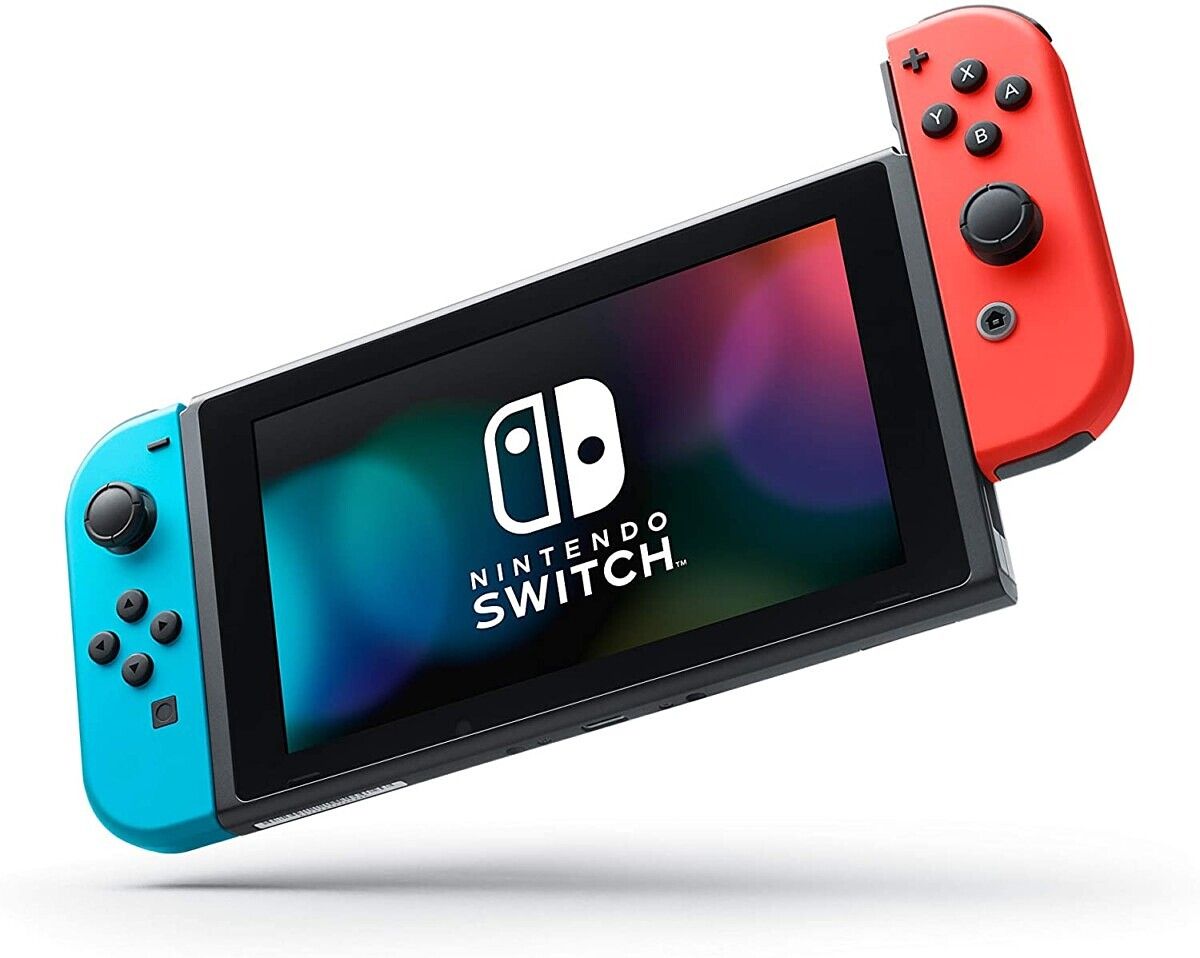
    Nintendo Switch
    The Nintendo Switch is in stock at Amazon! While these stayed in stock all weekend, who knows how much longer it'll last. Grab one before it's too late!

Wireless USB WiFi Adapter, Only $15

One of the worst things about desktops is that they usually can’t connect to WiFi. That doesn’t seem like a big problem… until you realize that you need to thread an ethernet cable through your whole house or apartment. Solve the wiring woes with this wireless WiFi adapter, which you can grab for $15 by using the code 42XS7H23 at checkout. It even works with Windows XP, which is… certainly something!

    Wireless USB WiFi Adapter
    Why deals with long ethernet wires tripping you up everywhere? For $15 with code 42XS7H23at checkout, you can get a WiFi adapter for your desktop and ditch the cords.

More Tech Deals

Looking for even more tech deals? We have them for you below!

The post Today’s Top Tech Deals: Nintendo Switch at Amazon, OnePlus 8 Price Drop, and More! appeared first on xda-developers.


from xda-developers https://ift.tt/3mZjFA0
via IFTTT

Best Galaxy Note 20 Ultra Thin Cases

The Galaxy Note 20 Ultra is here, and your shiny new $1300 investment needs protection. You don’t necessarily need the best protection, but just something to give it a bit of an extra grip in your hands. I don’t really like big, heavy cases, but I also wouldn’t use a phone without one, as I’ve definitely dropped a phone or two in my time. Some of the Galaxy Note 20 Ultra thin cases shown below will offer the bare minimum in protection, while still looking good and without adding extra bulk!

    Ringke Air-S Case

    Light as air!

    Why put a thick case on a thin phone like the Galaxy Note 20? Keep those sleek curves and guard against scratches with this minimalist case from Ringke, which protects without being too bulky.
    Otterbox Symmetry Case

    Sleek and fresh

    Otterbox is synonymous with tough. If you are looking for a case that protects with a hint of style, this is for you. This case is also available in black, clear, and light grey.
    Spigen Liquid Armor Case

    Slim-line and mighty fine!

    When it comes to cases, you've probably heard of Spigen. The company has a lot of popular products, but the Liquid Air brings added grip and a beautiful symmetry and uniformity that really appeals to us.
    ESR Metal Kickstand Case

    Prop your phone up anywhere!

    Being able to prop up your phone while you're out and about is one of the big selling points for this case. Others include raised screen and camera bezels to protect against scratches, and additional grip.
    Caseology Skyfall case

    Slim yet protective

    Instead of a thick case, show off your phone's natural beauty while keeping it protected with this beautiful Caseology Skyfall case, which is available in 3 colors. I've used one before and it's a fantastic case!
    Ancerr Ultra Thin Slim cover

    Slim yet protective

    If all you want is a super-slim case, look no further. This won't provide you a lot of protection against drops, but your phone will still remain sleek. It's also available in gorgeous Red and Blue colors.
    Spigen Ultra Hybrid Case

    See-through goodness

    Another Spigen entry, the Spigen Ultra Hybrid offers good protection without compromising on the aesthetics of your device. Show off in style with this see-through protective case - without any of the bulk!
    Samsung Silicone Cover

    Minimalistic and Grippy!

    Want a case with some grip that matches the color of your phone perfectly? Look no further than Samsung's official silicone cover, which comes in Black, White and 'Brown', which is actually Pink in color.
    DBrand Ultra Grip Case

    Slim and Customizable

    DBrand is a trusted brand of cases and skins, and they have something most of the competitors don't--the ability to customize your case. DBrand offers a bunch of different colors for your case back, while still keeping your device slim.
    TORRAS Freedom Designed

    Have Torras Prop You Up

    This Torras case can prop up your phone while providing a simple plastic shell to keep your Note 20 Ultra safe. It also has a three year warranty, so if anything goes wrong you can replace the case for free.
    Crave Dual Guard Protection Series

    Crave Some Color

    The Crave cases have a unique advantage of being very colorful, and sometimes you just want something different looking. The Dual Guard Protection series has six colors available, is nice and slim, and even PowerShare compatible.
    Spigen Slim Armor CS

    Stash a Couple Cards

    Wallet cases are so bulky, but you can still grab a thin case that can fit a couple cards in it from Spigen. If you like travelling light, this case will help you do it.

Out of the cases above, there should be something for everyone. Want to still see your new shiny device’s design? Definitely grab the Spigen Ultra Hybrid. Want something a little bit unique that you can use to prop your phone up? Grab that ESR Metal Kickstand case. If you just want to go with what Samsung has on offer, there’s nothing wrong with going with the Samsung Silicone Cover either.

There are so many options, and the Samsung Galaxy Note 20 Ultra is a pretty big and heavy phone. Nobody wants a case adding even more bulk to what is already a really bulky phone!

The post Best Galaxy Note 20 Ultra Thin Cases appeared first on xda-developers.


from xda-developers https://ift.tt/32O8X69
via IFTTT

Top Deals This Week: Get up to 51% off These Tech Accessories

The XDA Developers Depot is always home to some great deals. But over the past week, there have been some truly eye-catching prices on top tech. In case you missed them, here’s a roundup of the highlights — currently with up to 51% off MSRP for a limited time. 

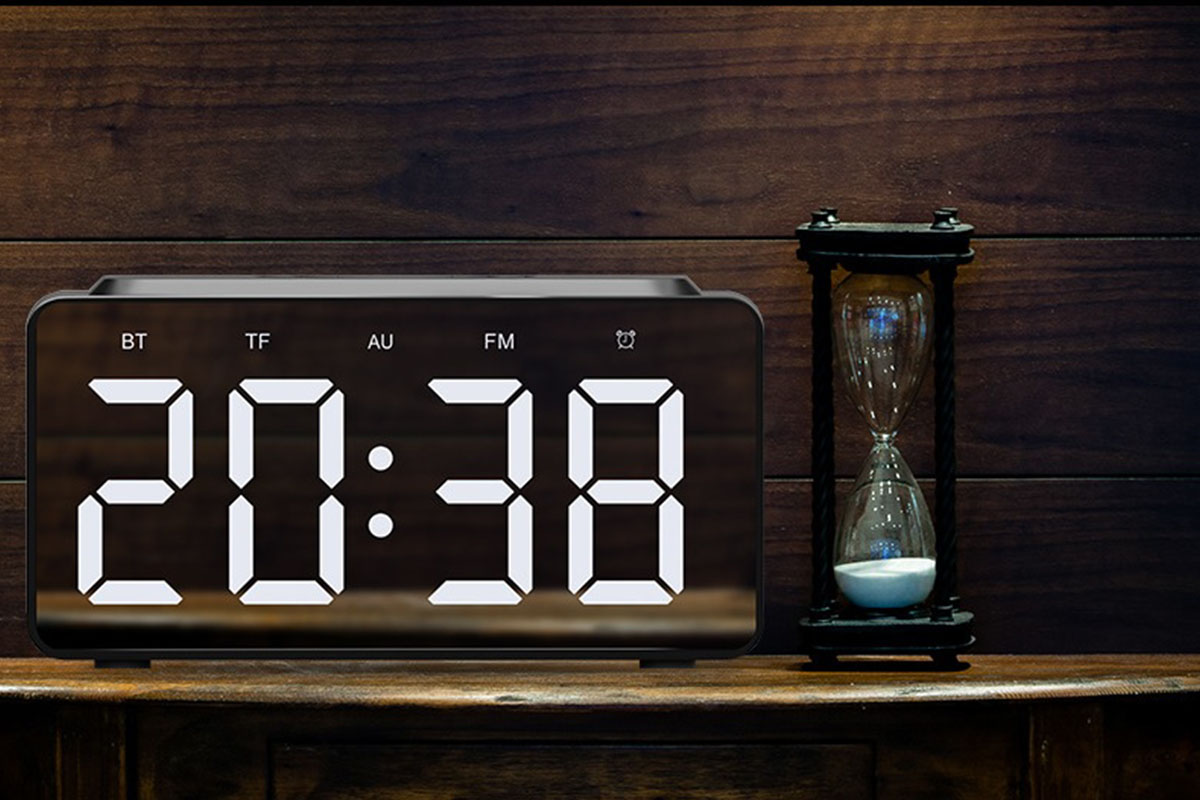
Gotek Wireless Charging Music Station

This retro-styled LED alarm clock doubles as a Qi wireless charger and a Bluetooth speaker. You can also enjoy music via FM radio, AUX input, or a memory card, while the clock face has three brightness settings. Normally priced at $59, it’s 20% off MSRP at $47.

RokBlok: The World’s Smallest Wireless Record Player V1.5

Measuring just 4 x 2 inches, RokBlok plays vinyl records via Bluetooth or a built-in speaker. It works on both 33⅓ and 45 rpm records, with four hours of battery life. In the words of TechCrunch, it’s “cute as a button, [and] clever as hell.” It retails for $99, but you can get it now for $89.99.

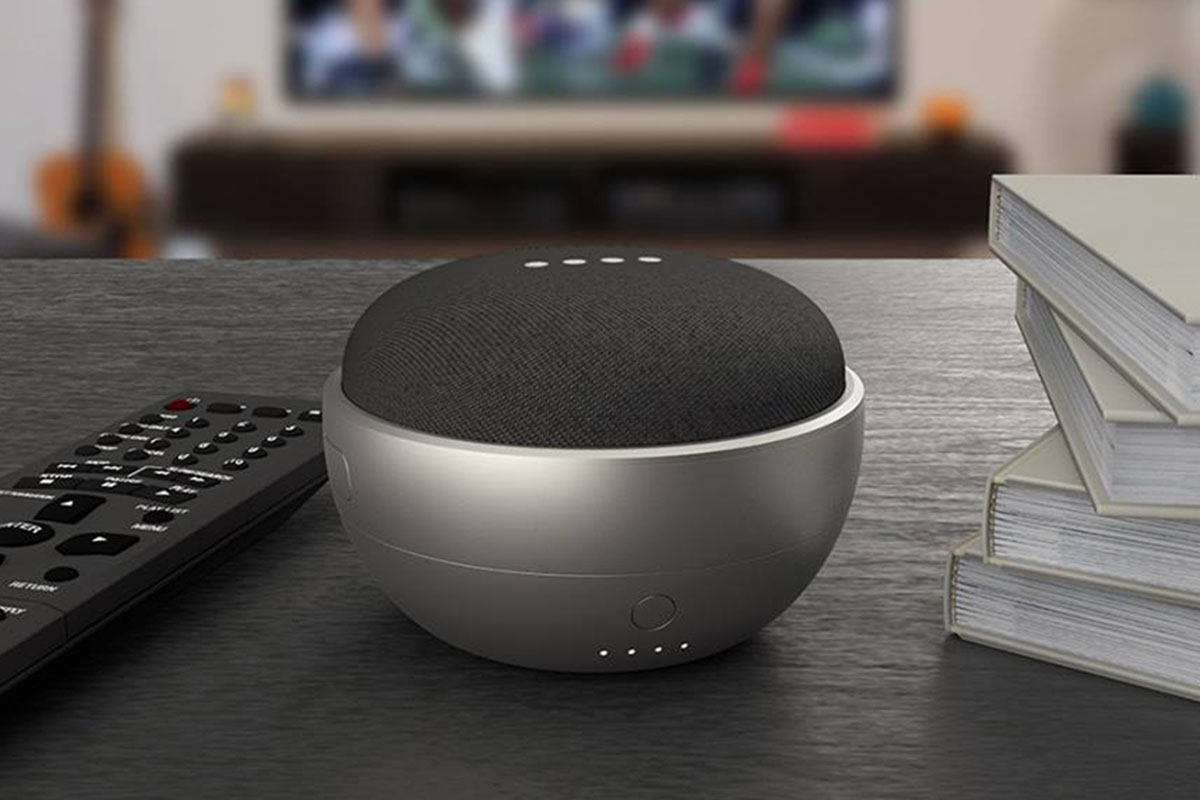
JOT Battery Base for Google Home Mini

Rated at 4.5/5 stars on Amazon, the JOT Battery Base attaches to your Google Home Mini to provide eight hours of portable playtime. It’s easy to connect, and super stylish. Usually priced at $34, the base is now only $16.99.

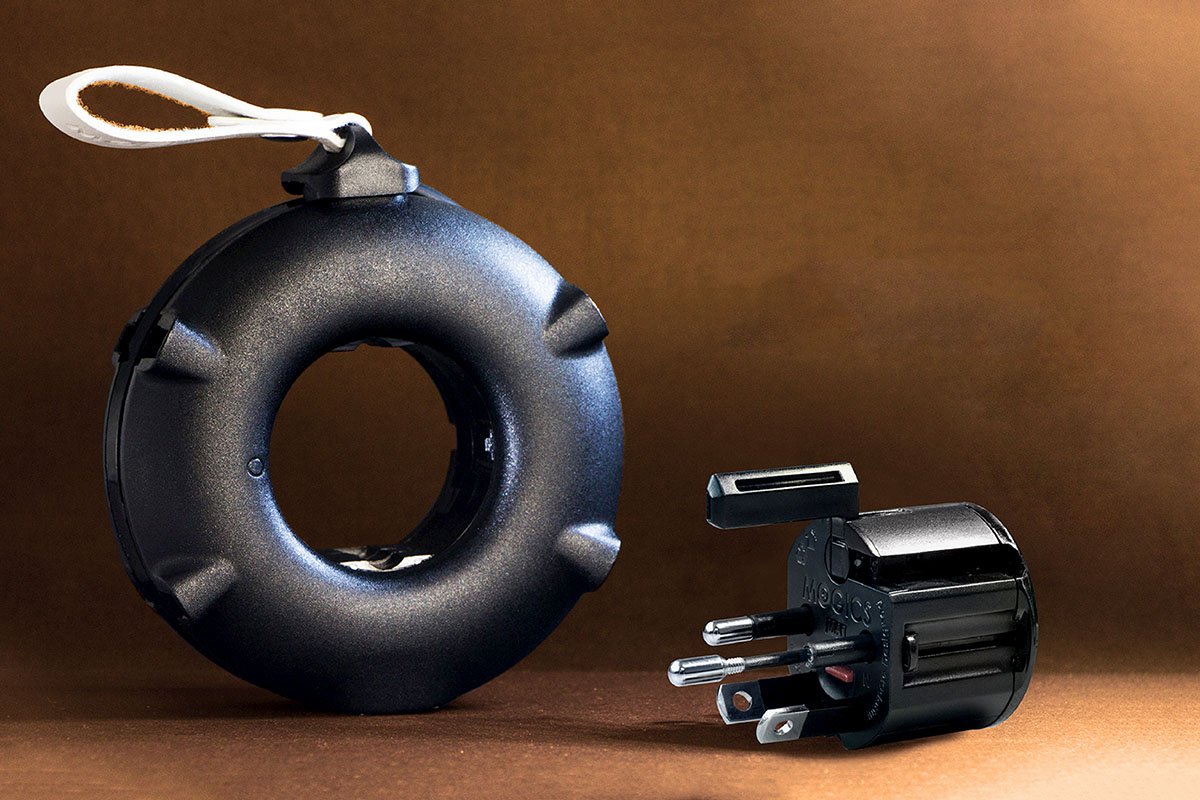
MOGICS Power Bagel: Travel Power Strip

Thanks to a unique design, the Power Bagel lets you charge seven devices at the same time. The strip includes five AC outlets (UK, EU, AU, and 2 US) and two USB ports. This Kickstarter success story is now 24% off MSRP at $36.95.

U-STREAM Home Streaming Studio with 10″ Ring Light & Tripod

Combining a ring light and stand, a remote, and a phone holder, the U-STREAM studio is perfect for vlogging and video calls. The ring light has 10 brightness settings, and the stand extends to 52 inches high. The kit is currently a half off at $49.99.

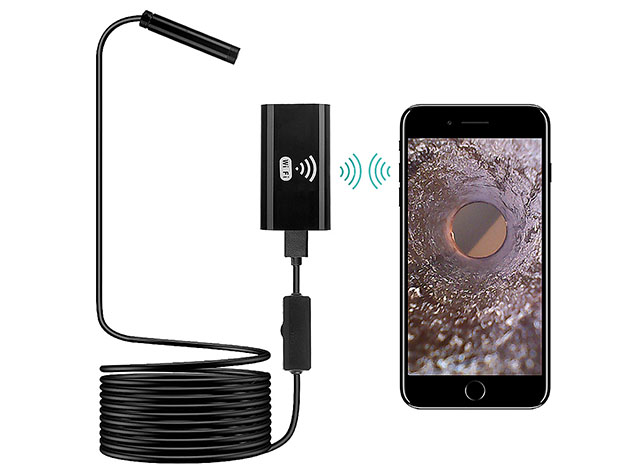
Sinji Flexible Borescope Camera for Android & iOS

Ideal for DIY, this tiny borescope camera lets you inspect pipes, cavity walls, and other tight spots. It’s waterproof, with a 2-meter cable, adjustable LED lights, and Wi-Fi connectivity. Normally $38, it’s now only $29.95.

CharbyEdge Pro 6-in-1 Universal Cable

With six connectors, the CharbyEdge Pro cable lets you power Apple, USB-C, and Android devices. It can carry 100W, and the 6.5-foot cable has been proven to withstand 30,000+ bends. Usually priced at $30, the cable is now $24.99.

FusionX Heated Massage Gun

Combining rapid vibrations and heat, this professional-grade massage gun helps to ease tight and aching muscles. Rated at 4.8 stars on Amazon, the FusionX offers five hours of battery life, with five speeds and five different massage heads. Normally $299, it’s now 33% off MSRP at $199.99.

Prices subject to change

The post Top Deals This Week: Get up to 51% off These Tech Accessories appeared first on xda-developers.


from xda-developers https://ift.tt/2GduzBg
via IFTTT

How to enable ECG on the Samsung Galaxy Watch 3, Watch Active 2 paired with non-Samsung phones

Samsung’s Galaxy Watch 3 and Galaxy Watch Active 2 include an electrocardiogram (ECG) monitor. The ECG monitor allows users to keep a check on their heart rhythm for irregularities such as Atrial Fibrillation (AFib). But in order to use this feature, you need access to Samsung’s ECG monitoring app. Samsung recently received FDA clearance for the app and started rolling it out to users in the US. However, the app currently doesn’t work with non-Samsung devices. This means that Galaxy Watch 3 and Galaxy Watch Active 2 users who don’t have a Samsung device, still can’t make use of the ECG monitoring feature. Thanks to XDA Member xxstd though, you can now enable ECG monitoring on non-Samsung devices by following this simple tutorial.

Samsung Galaxy Watch 3 Forums || Samsung Galaxy Watch Active 2 Forums

Before we get to the process, there are a couple of requirements you need to meet for this tutorial to work. Firstly, you’ll need access to an Android phone, a Windows PC, a Galaxy Watch 3 or Galaxy Watch Active 2, and a wireless network to get started. Then, you’ll need to download and install the following software from the given links:

How to ECG on Galaxy Watch 3 and Galaxy Watch Active 2 on non-Samsung phones

After you’ve downloaded all the software mentioned above, install Samsung Health Monitor v.v.1..1.0.167.Caravana on your phone. Then follow the instructions given below:

On your Galaxy Watch 3/Galaxy Watch Active 2:

  • Head to “Settings” > “About Watch” > “Software” and then tap on “Software Version” 5 times until the watch shows “Developer mode turned on”
  • Go back to “About Watch” and tap on “Debugging” to turn it on
  • Now navigate to the Wi-Fi settings on the watch, change Wi-Fi settings to always on, and connect it to the same wireless network as your PC
  • Reboot the watch and make sure it’s connected to the Wi-Fi network after the reboot.

On your Windows PC:

  • Launch the Tizen Package Manager and navigate to “5.5 wearable” and then click on the Install button (The “X.X wearable” version needs to correspond with the current firmware version of your watch, i.e., if your watch shows Tizen version 5.5.0.1, then you need to install 5.5 wearable)
  • Scroll down to the Tizen SDK tool and click the install button
    Samsung Galaxy Watch 3 Watch Active 2 ECG tutorial
  • Click on the Extension SDK tab
    • Click the arrow on Extras
    • Install Samsung Certificate Extension and Samsung Wearable Extension
      Samsung Galaxy Watch 3 Watch Active 2 ECG tutorial
  • Check the Progress tab and once it shows 100%, you can close Tizen Package Manager (Do not launch Tizen Studio)
    Samsung Galaxy Watch 3 Watch Active 2 ECG tutorial
  • Open up “Certificate Manager”
    Samsung Galaxy Watch 3 Watch Active 2 ECG tutorial
  • Click on the “+” icon and in the pop-up window click the Samsung logo
    Samsung Galaxy Watch 3 Watch Active 2 ECG tutorial
    • Click on Device Type > Mobile/Wearable > Click Next
    • Create a Certificate Profile (choose any name) > Click Next
    • Create a new Author Certificate > Click Next
    • Enter Author name, Password and confirm the password in the next screen (remember the password as you will need it when you sign the TPK file) > Click Next
    • A pop-up will then ask you to sign-in with your Samsung account, enter your account information and sign in
    • Now it will show you that the certificate has been saved at “C:/Users/USERNAME/SamsungCertificate/cert_name ” > Click Next
    • Create a new distributor certificate > Click Next
    • Do not change Privilege and password information, do not close the windows
    • Enable debug mode in your watch and connect it to your PC
  • Open the “Device Manager”
  • Click on the “Remote Device Manager” icon in the top right corner
  • In the following pop-up window, click “Scan Devices” in the top-right corner to locate your watch
  • Once it finds your watch, turn the connection on and close the pop-up window. You should now be able to see a lot of debugging information in the Device Manager
  • Go back to the Tizen Certificate Manager and you will now see that a DUID has been added automatically > Click Next
    Samsung Galaxy Watch 3 Watch Active 2 ECG tutorial
  • You should now see that your certificate has been saved at “C:/Users/USERNAME/SamsungCertificate/cert_name” > Click Finish
    Samsung Galaxy Watch 3 Watch Active 2 ECG tutorial
  • Unzip the Fit2Installer.zip folder on your desktop
  • Navigate to the certificate you just created and copy all the files inside the folder
  • Head to “C:\Users\USERNAME\Desktop\Fit2Installer\cert” and paste all the files you just copied
  • Copy ecg.tpk file and paste it in “C:\Users\USERNAME\Desktop\Fit2Installer\sign_me”
  • Click sign.bat in the Fir2Installer folder and enter your certificate password
  • It should now show “Package( C:\Users\USERNAME\Desktop\Fit2Installer\install_me \ecg.tpk ) is created successfully” > Hit any key to close the window
  • Head back to the “Device Manager” > right-click on the device > choose “install app” > select the ecg.tpk file from “C:\Users\USERNAME\Desktop\Fit2Installer\install_me”
    Samsung Galaxy Watch 3 Watch Active 2 ECG tutorial
  • The ECG app will then be installed on your watch within a few seconds > open the app
  • Open the modded Samsung Health Monitor app on your phone and you should now be able to read the ECG data from your watch.

Do note that since the feature is only available in the US and South Korea, this installation process won’t work in other regions. You should be able to enable the blood pressure monitoring feature in a similar fashion, once it’s released in the US.


Source: XDA Forums

The post How to enable ECG on the Samsung Galaxy Watch 3, Watch Active 2 paired with non-Samsung phones appeared first on xda-developers.


from xda-developers https://ift.tt/36dYR1J
via IFTTT

POCO X3, POCO F2 Pro, and Xiaomi Mi 10 Lite 5G receive unofficial TWRP ports

Xiaomi devices are some of the best on the market for aftermarket development. Thanks to the availability of a dedicated kernel source code repository as well as an official bootloader unlock tool, users who wish to achieve more with their Mi, Redmi, or POCO branded smartphones can explore tailored modifications like custom ROMs and kernels. To get started with the process of flashing such a third party binary, custom recoveries are vital and TWRP is one of the most reputed names in this domain. Now, XDA Recognized Developer mauronofrio has brought unofficial TWRP support to the POCO X3, POCO F2 Pro, and the Xiaomi Mi 10 Lite 5G, opening doors to a range of opportunities for customizations.

POCO X3

The recently launched POCO X3 puts up an intriguing case with its Snapdragon 732G chipset, 5,160mAh battery (6,000mAh on the Indian variant) with 33W fast charging, up to 8GB RAM, quad rear cameras, and dual stereo speakers. As Xiaomi has yet to publish the kernel source for this phone, the unofficial build of TWRP (linked below) is compiled against a pre-built stock kernel. Despite a handful of bugs, the current TWRP build does present potential for the device to have a good community behind it in the future, using this custom recovery as the means to enable other modifications.

Unofficial TWRP for the POCO X3 || POCO X3 XDA Forums

POCO F2 Pro

The Snapdragon 865-laden POCO F2 Pro is a rebranded version of the Redmi K30 Pro from China. But regardless of the great hardware, a lot of people do not seem to enjoy MIUI very much. If you’ve waited to get your hands dirty with some third party mods, you can get started by downloading TWRP.

Unofficial TWRP for the POCO F2 Pro || POCO F2 Pro XDA Forums

Mi 10 Lite 5G

At present, there’s limited development related to the Mi 10 Lite 5G on our forums, but TWRP’s generosity might inspire other developers to bring support for the otherwise decent hardware which includes a Snapdragon 765G SoC and a 6.57-inch AMOLED display.

Unofficial TWRP for the Mi 10 Lite 5G || Mi 10 Lite 5G XDA Forums

The post POCO X3, POCO F2 Pro, and Xiaomi Mi 10 Lite 5G receive unofficial TWRP ports appeared first on xda-developers.


from xda-developers https://ift.tt/2S53ZwD
via IFTTT

Samsung unveils Galaxy A42 5G, Galaxy Tab A7, Galaxy Fit 2, Wireless Charger Trio at “Life Unstoppable” virtual event

Update 1 (09/28/2020 @ 06:15 AM ET): Samsung has launched the Galaxy Tab A7 in India. Scroll to the bottom for more information. The article as published on September 4, 2020, is preserved below.

Hot on the heels of the Galaxy Z Fold 2 announcement yesterday, Samsung has just announced several brand new products across different categories at its “Life Unstoppable” virtual event. The list of the products announced today includes the Galaxy A42 5G smartphone, Galaxy Tab A7, Galaxy Fit 2, and Wireless Charger Trio. Most of the product details, including pricing and availability, were not mentioned, so we expect to learn more over the coming months.

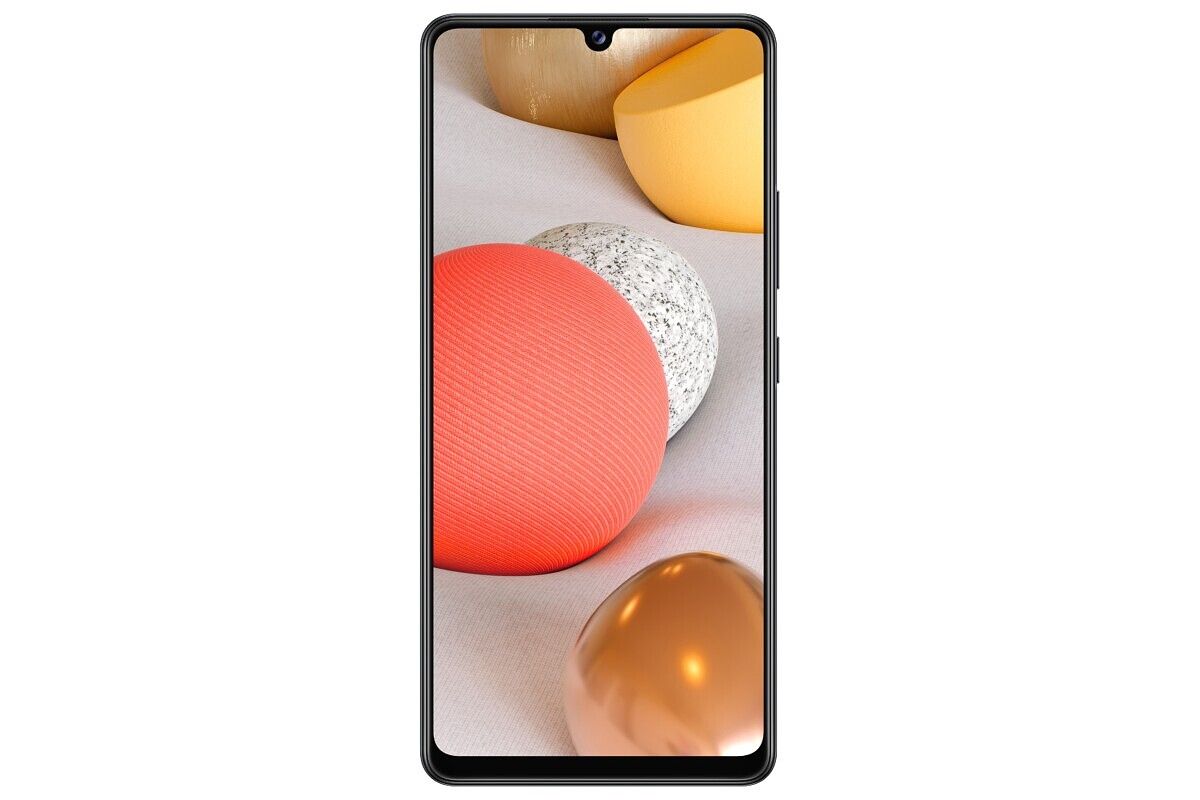
Samsung Galaxy A42 5G

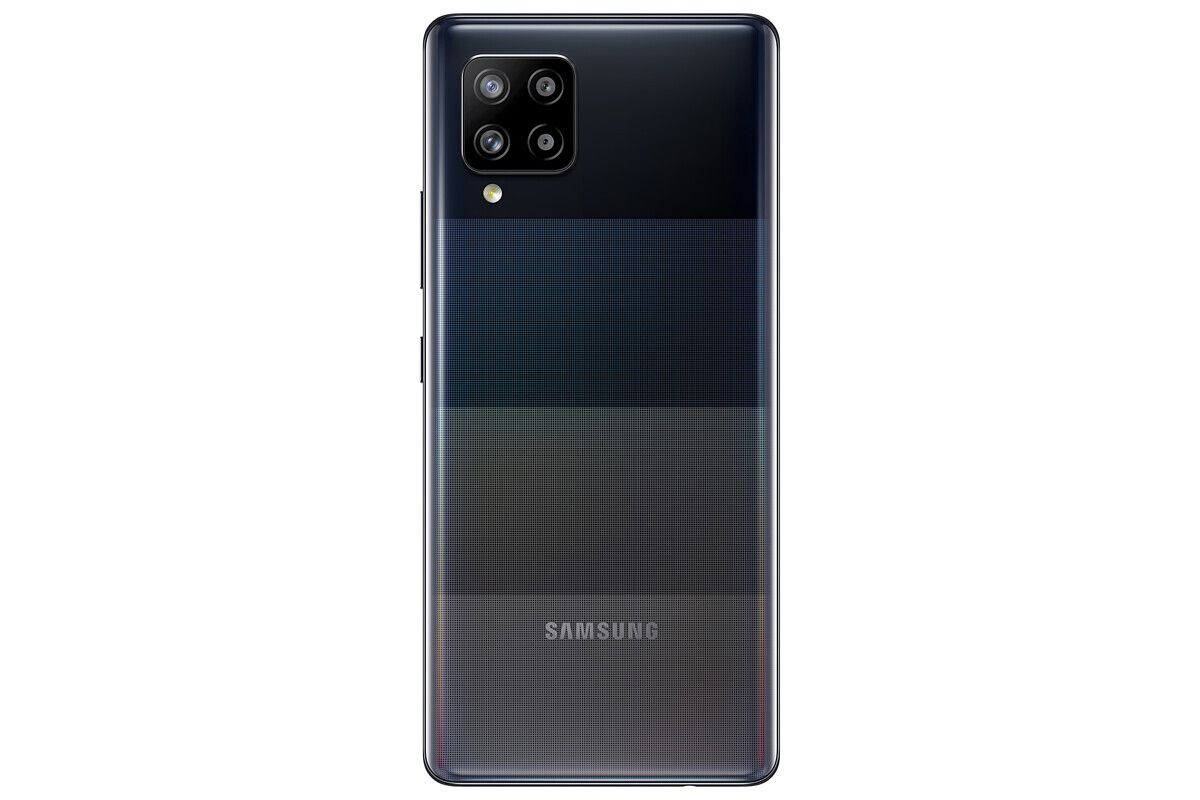
Galaxy A42 5G

Samsung is positioning the Galaxy A42 5G as an affordable 5G-enabled smartphone in the Galaxy A series. Succeeding the Galaxy A41 that launched in May this year, the A42 5G will feature a 6.6-inch Super AMOLED display with a waterdrop notch. The phone will have a quad-camera setup on the back; however, the company didn’t reveal much about the exact hardware. Consequently, details about the SoC, battery size, charging speed, software, etc. also remain under the wraps for now. Samsung says the Galaxy A42 5G will be available in Europe in November, starting at €369 (~$435).

Samsung Galaxy Tab A7

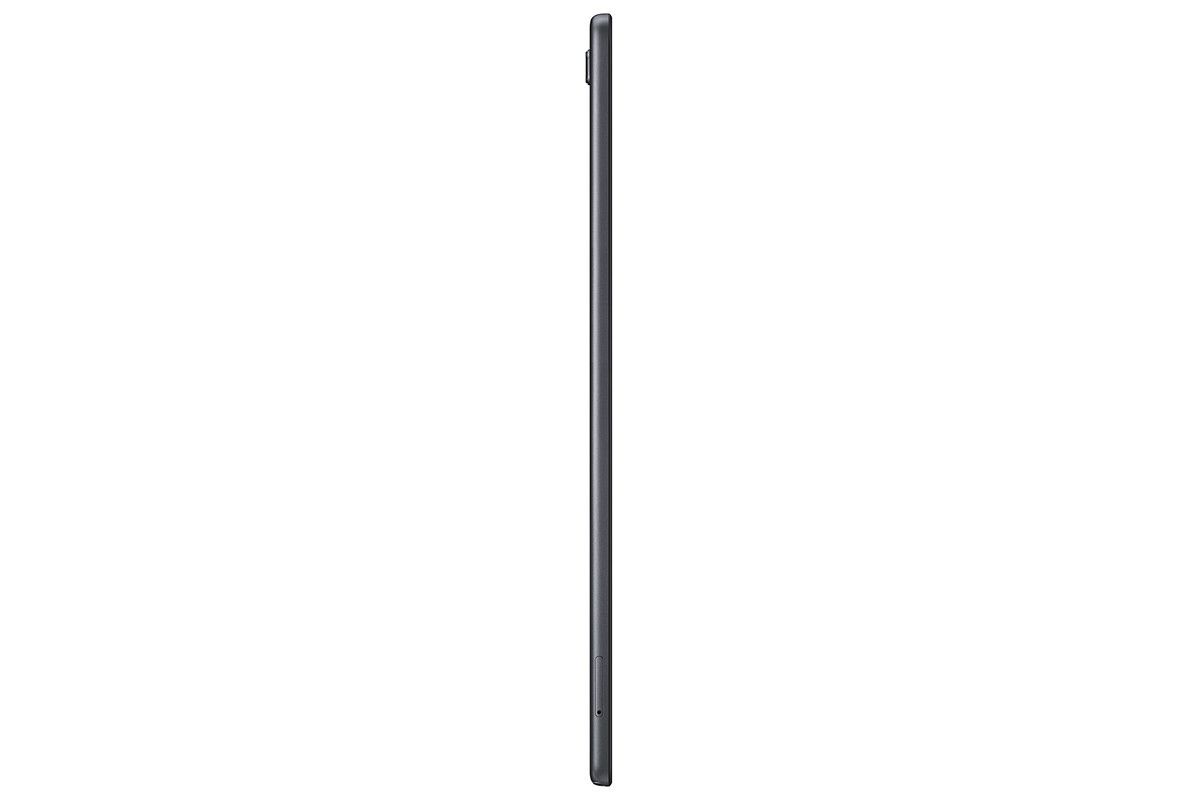
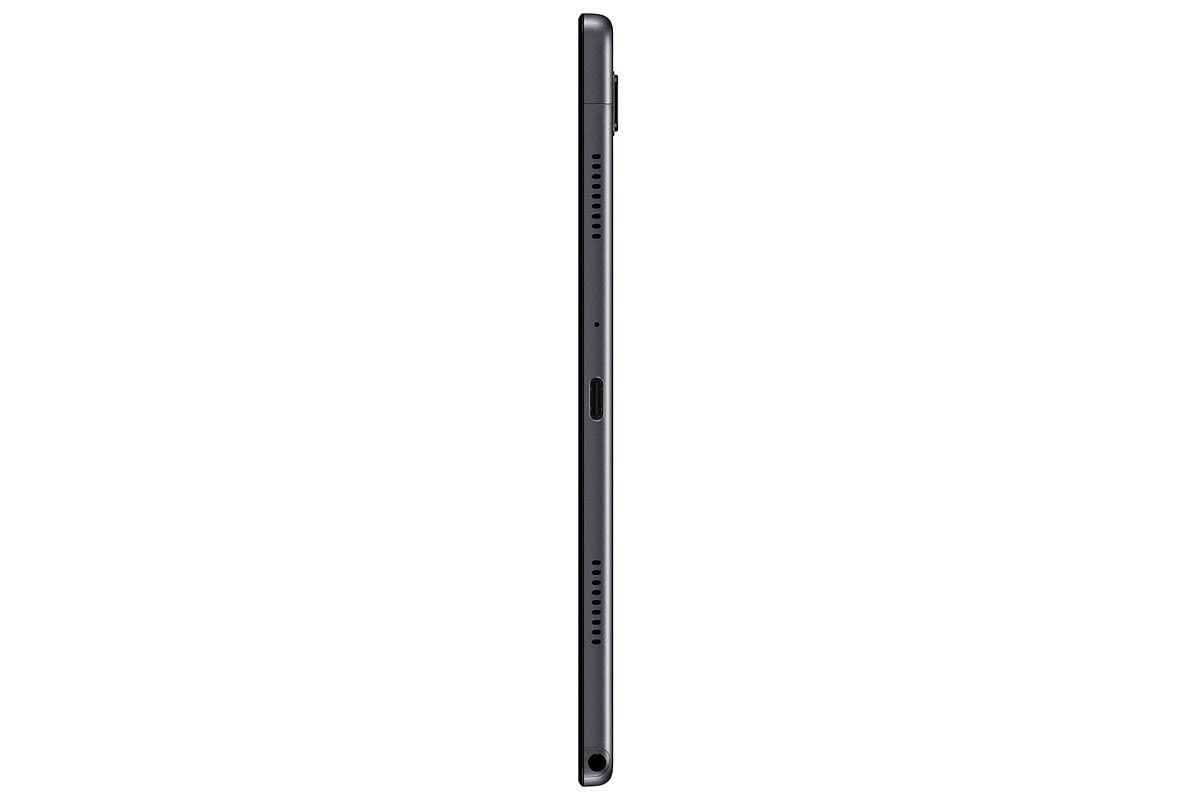
Galaxy Tab A7

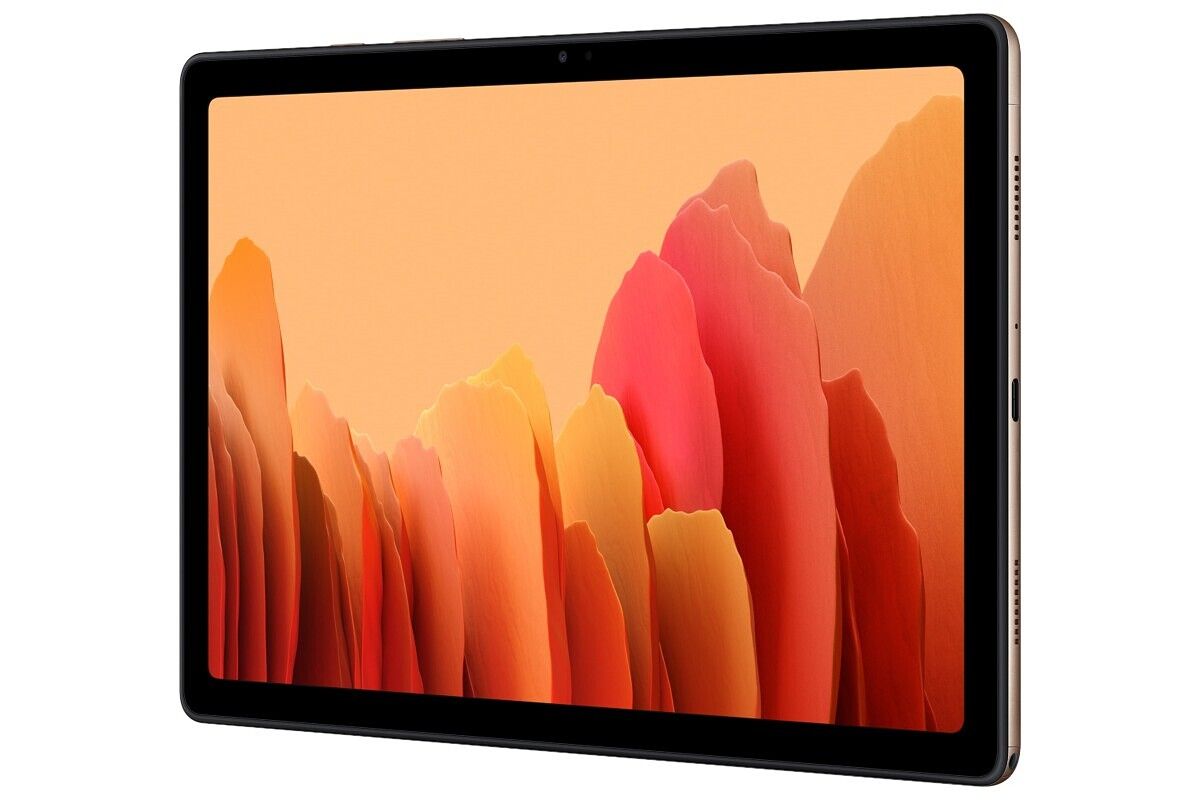
The new Galaxy Tab A7 will take charge as the latest affordable offering in Samsung’s tablet portfolio. The leaked renders of the tablet surfaced just yesterday, and looking at the official renders, they were right on the money. In terms of specification, the Samsung Galaxy Tab A7 offers fairly modest internals. On the front, you have a 10.4-inch TFT display with 2000 x 1200 resolution, an unspecified octa-core processor on the inside, 3GB of RAM with either 32GB or 64GB flash storage, an 8MP rear and 5MP front cameras, and a 7,040 mAh battery running the show. The tablet also packs four Doly Atmos speakers, a 3.5mm audio jack, and a USB Type-C port. You can view the rest of the specs here. The device is expected to be made available in Europe in November, with the Wi-Fi variant costing €223 (~$270) and the LTE variant costing €282 (~$333).

Galaxy Fit 2

The Galaxy Fit 2 is the brand new entry in Samsung’s fitness tracker portfolio. It’s a direct successor to the last year’s Galaxy Fit and brings along many improvements, including a sleeker body, improved battery life, and an increased set of fitness features. The Galaxy Fit 2 sports a 1.1-inch color AMOLED display and has a virtual button at the bottom. The band has up to 70 different watch faces to choose from and features a larger 159 mAh battery, which lasts up to 15 days, according to Samsung. Just like other fitness trackers, the Galaxy Fit 2 can also measure your heart rate, your sleep quality, track footsteps, and count calories burned. Samsung hasn’t yet revealed any details about the pricing and availability of the Galaxy Fit 2.

Wireless Charger Trio

The Wireless Charger Trio is a successor to the Wireless Charger Duo, which launched last year. As you might have guessed from its name, the Wireless Charger Trio can wirelessly charge up to 3 devices at once. The charger comes with a USB-C to USB-C cable and will be available in Black and White colors. Samsung didn’t mention which charging speeds the charge will offer and whether it will be compatible with other Qi devices as well.


Update: Samsung Galaxy Tab A7 launched in India, starting at ₹17,999 (~$245)

Samsung has launched the Galaxy Tab A7 in India in Dark Gray, Silver, and Gold colors in 3GB + 32GB variant. The LTE model is priced at ₹21,999 (~$300), while the Wi-Fi variant is priced at ₹17,999 (~$245). Pre-orders for the tablet have begun through Samsung.com, online portals, and other select retail stores. Pre-booking offers include cashback of ₹2,000 with ICICI credit and debit cards, and a discounted price of ₹1,875 (MRP: ₹4,499) on the Keyboard Cover.

Pre-order the Samsung Galaxy Tab A7 from Amazon.in

The post Samsung unveils Galaxy A42 5G, Galaxy Tab A7, Galaxy Fit 2, Wireless Charger Trio at “Life Unstoppable” virtual event appeared first on xda-developers.


from xda-developers https://ift.tt/2F1ibDS
via IFTTT

Samsung Galaxy Tab Active 3 is Samsung’s latest ruggedized tablet with MIL-STD-810H certification

Back in October 2017, Samsung unveiled the Galaxy Tab Active 2 — a ruggedized 8-inch tablet for users who lead an active lifestyle or work in extreme environments. Almost three years after its release, Samsung has now unveiled the Galaxy Tab Active 3. The latest ruggedized tablet from the company features significant upgrades over its predecessor, including MIL-STD-810H certification for enhanced shock absorption, IP68 dust and water resistance rating, and the Exynos 9810 chipset.

Samsung Galaxy Tab Active 3: Specifications

Specification Samsung Galaxy Tab Active 3
Dimensions & Weight
  • 126.8 x 213.8 x 9.9mm
  • 426g (Wi-Fi only), 429g (LTE)
Display
  • 8-inch WUXGA
  • 1920 x 1200p
  • PLS TFT LCD
SoC
  • Exynos 9810
  • Octa-core 2.7GHz + 1.7GHz
RAM & Storage
  • 4GB+64GB
  • 4GB+128GB
  • microSD card slot for expansion up to 1TB
Battery & Charging
  • 5,050mAh user-replaceable battery
Rear Camera
  • 13MP AF
Front Camera
  • 5MP
Other Features
  • Fingerprint sensor
  • Face Recognition
  • S Pen (IP68 certified)
  • GPS+Glonass+Beidou+Galileo
  • USB 3.1 Gen 1, POGO pin connector
  • Wi-Fi 6 MIMO
  • IP 68 certified
  • MIL-STD-810H certified
  • Samsung Knox
Android Version Android 10

The Samsung Galaxy Tab Active 3 is based on the same design as the Tab Active 2 and it features an 8-inch WUXGA (1920×1200 p) PLS TFT display. The tablet packs in Samsung’s Exynos 9810 octa-core chipset, coupled with 4GB of RAM, and up to 128GB of internal storage. As mentioned earlier, the Galaxy Tab Active 3 is built for extreme environments and it’s MIL-STD-810H certified. The tablet comes with enhanced shock absorption and Samsung claims that the tablet can survive a drop of up to 1.5m with the included protective cover.

Samsung has also included a few other optimizations to ensure that the tablet delivers great performance even in the toughest of environments. These include Wi-Fi 6 with MIMO, a user-replaceable 5,050mAh battery with fast charging support, a POGO pin USB 3.1 Gen 1 connector, a dedicated Active Key to quickly launch the most used apps/programs, optimizations for camera-based barcode scanning, NFC with EMV Level 1 for payments, a Touch Sensitivity option which allows users to interact with the touch screen while wearing gloves, and an IP68 certified S Pen.

The Galaxy Tab Active 3 runs Android 10 out of the box, with a bunch of additional customizations for enterprise users. These include three generations of Android OS upgrades, Samsung Knox, the promise of regular Android security upgrades, and more.

Pricing & Availability

The Samsung Galaxy Tab Active 3 will be available in select markets, including Europe and Asia, starting today. The company plans to expand its availability to other markets at a later date. The tablet will be available in Wi-Fi only and LTE variants. As of now, Samsung hasn’t released pricing information for the tablet.

The post Samsung Galaxy Tab Active 3 is Samsung’s latest ruggedized tablet with MIL-STD-810H certification appeared first on xda-developers.


from xda-developers https://ift.tt/2HvU5Cc
via IFTTT