LightBlog

jeudi 29 octobre 2020

[Update: Initial rollout] Google Messages app tests categorizing your conversations to reduce text message clutter

Update 1 (10/29/2020 @ 04:26 AM ET): Category separation appears to be rolling out to some users. Scroll to the bottom for more information. The article as published on September 29, 2020, is preserved below.

Google is testing a long-awaited feature in its popular Messages app. The feature, which our tipster Hani Mohamed Bioud first discovered, adds categories at the top of the app, allowing users to better organize their messages.

An APK teardown can often predict features that may arrive in a future update of an application, but it is possible that any of the features we mention here may not make it in a future release. This is because these features are currently unimplemented in the live build and may be pulled at any time by the developers in a future build.

From what we can tell, the categories that are being tested in the Google Messages app include: All, Personal, Transactions, OTP, Offers, and More. There are other apps like Microsoft’s SMS Organizer that can do this already, but it’s nice to see this feature integrated into Google’s Messages app.

While we were able to manually surface the categories at the top, we weren’t able to get it working completely. Conversations weren’t moved to any of the categories automatically, and we are unable to manually move a conversation into one of the tabs. When the feature is functional, we expect Messages to automatically categorize conversations, much like Gmail does for email.

The hope is to seemingly provide users with a more organized experience, thus making it easier to carry on conversations. Having a filter for one-time passwords (OTP) is particularly nice, because those can clutter up a messaging app quick. Speaking of which, we recently spotted evidence in the Messages app that Google will allow users to automatically delete OTPs after 24 hours.

From what we can tell, it doesn’t look like the categories are available to users just yet, either via an update or a server-side flag, and it’s unclear when it’ll be available to test out by a wider audience. But since we were able to surface its UI, it’s possible the rollout is just around the corner. Once it goes live to everyone, we’ll be sure to let you know, along with any changes we find.

Messages (Free, Google Play) →

Thanks to PNF Software for providing us a license to use JEB Decompiler, a professional-grade reverse engineering tool for Android applications.


Update: Initial rollout of categories within Google Messages

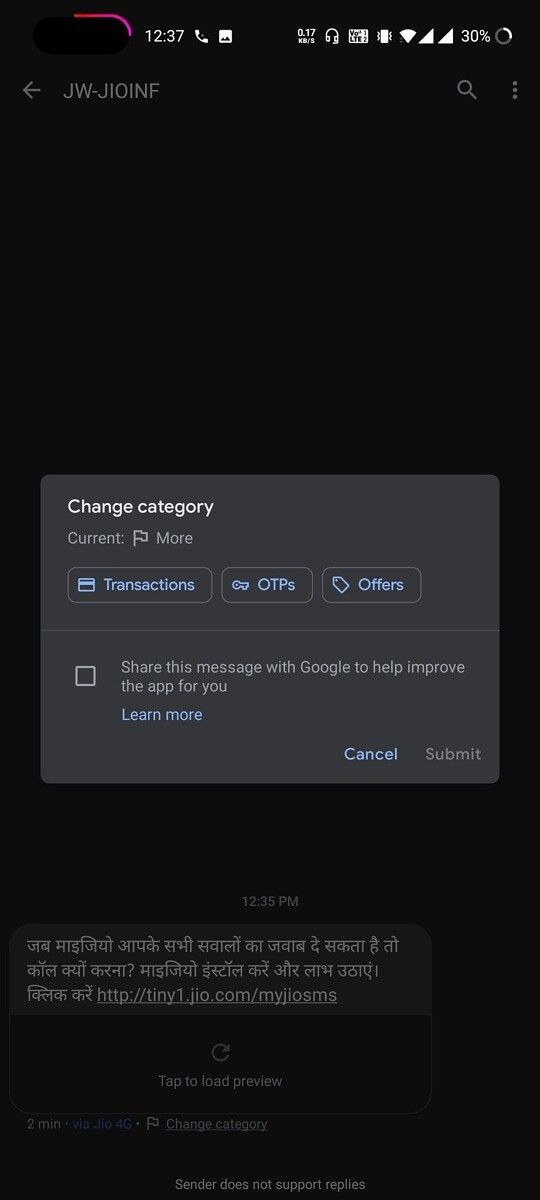
It appears that Google Messages has begun rolling out category based sorting for SMS, as some users have had the options surfaced for them without any inputs from the user.

Twitter user @_AbdNz spotted the category tags surfaced on the top of the Messages app on his (stock, unrooted) OnePlus Nord.
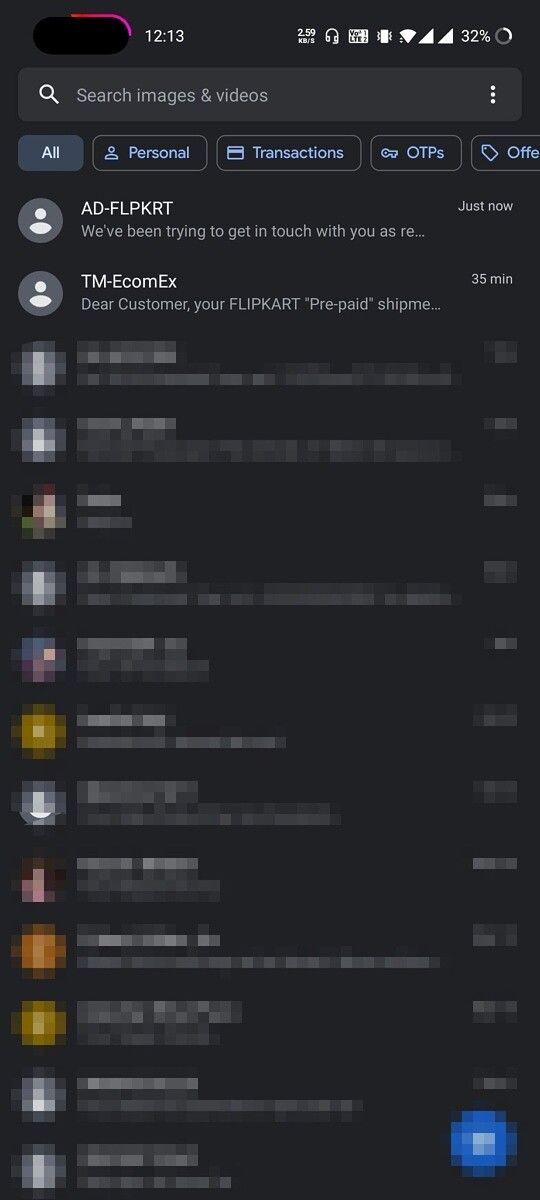
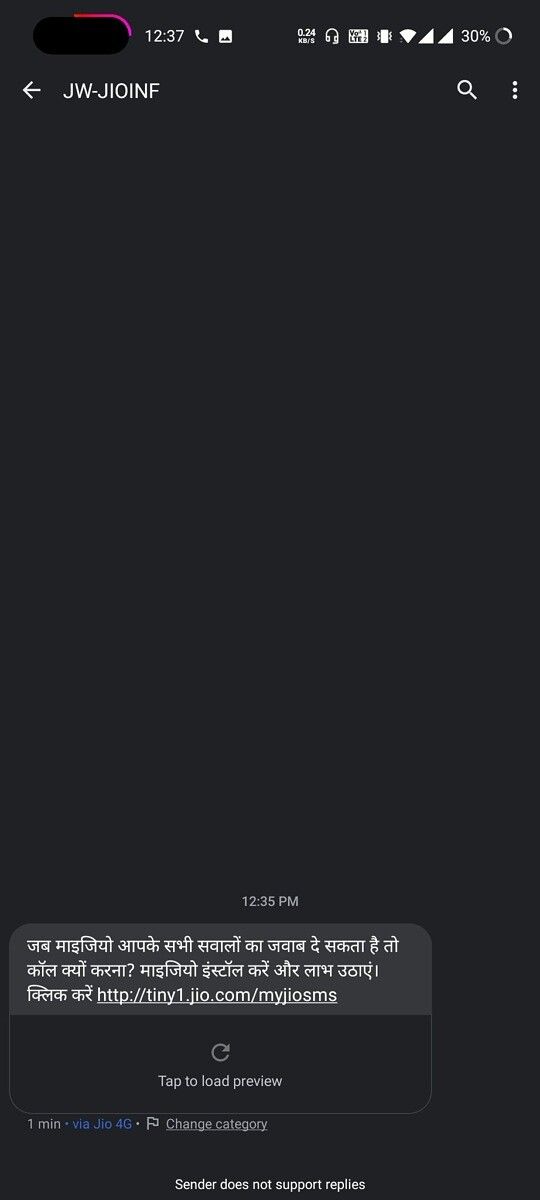
The categories aren’t actually working yet. Clicking on any of the tags on the main screen does nothing, and even changing the category of the message does nothing yet. We presume Google will be gradually rolling out the feature to users.

The post [Update: Initial rollout] Google Messages app tests categorizing your conversations to reduce text message clutter appeared first on xda-developers.


from xda-developers https://ift.tt/30iRges
via IFTTT

mercredi 28 octobre 2020

AMD Radeon RX 6000 GPU series officially takes the stage

The year 2020 hasn’t been kind to most of us, but there is no doubt that this year has had some exciting moments for gamers. We’ve seen NVIDIA announce its new RTX 3000 GPU range and we will see the new Xbox Series X and Series S and PlayStation 5 consoles hitting shelves next month. Today, AMD is joining the fray of major gaming-related launches by announcing its new Radeon RX 6000 series of GPUs.

The new range is based on the new AMD RDNA 2 gaming architecture. The company claims that the top-of-the-line RX 6900 XT offers up to two times higher performance in select titles compared to the last-gen Radeon RX 5700 XT graphics card. The Radeon RX 6800 XT graphics card offers 54 percent higher performance-per-watt when compared to the Radeon RX 5700 XT graphics card.

Credits: AMD

According to Scott Herkelman, corporate vice president and general manager, Graphics Business Unit at AMD, “The new AMD Radeon RX 6800, RX 6800 XT and RX 6900 XT graphics cards deliver 4K and 1440p performance in major AAA titles, new levels of immersion with breathtaking life-like visuals, and must-have features that provide the ultimate gaming experiences. I can’t wait for gamers to get these incredible new graphics cards in their hands.”

The new AMD Radeon RX 6000 Series graphics cards also support PCIe 4.0 technology and offer up to 16GB of GDDR6 memory. It is claimed to deliver enough power to handle 4K workloads. AMD has announced three models — the Radeon 6900 XT, the Radeon 6800 XT, and the Radeon 6800. The Radeon RX 6900 XT and Radeon 6900 both offer 16GB of DDR6 memory and 2015MHz clock speeds with 2250Mhz boost clock speeds. The only difference between the two is that the 6900XT comes with 80 compute units while the 6900 comes with 72 compute units. The Radeon 6800, on the other hand, comes with the same 16GB DDR6 memory but slower clock speeds of 1815MHz with a 2105Mhz boost clock and 60 compute units.

As for the pricing, the AMD Radeon RX 6800 and Radeon RX 6800 XT graphics cards will be available starting November 18, 2020, for $579 and $649, respectively. The AMD Radeon RX 6900 XT is expected to be available on December 8, 2020, for $999. Expect all AMD board partners, including ASRock, ASUS, Gigabyte, MSI, PowerColor, SAPPHIRE, and XFX to start shipping the new Radeon GPUs starting November 2020. To learn more about the new Radeon RX 6000 Series graphics card, visit AMD’s website.

The post AMD Radeon RX 6000 GPU series officially takes the stage appeared first on xda-developers.


from xda-developers https://ift.tt/3jE49q2
via IFTTT

Google’s Android Enterprise Recommended site now shows how long devices are supported for

Device listings on Google’s Android Enterprise Recommended website now show how long the manufacturer intends to support them. The updated information will seemingly provide users and companies with a better understanding of when to deploy and replace devices among its workforce.

Before, the Android Enterprise Recommended website only included general information about devices, including specifications. Now, the website includes a note about security update frequency and how long the device will be supported. In the case of the OnePlus 8, for example, OnePlus is promising to provide security updates until April 2023, although no information is provided for security update frequency. (OnePlus earlier committed to delivering security patch updates on a bi-monthly basis.) It’s important to note that all security information is provided by manufacturers and isn’t verified by Google.

Android Enterprise Recommended security update

The changes corroborate our recent report that Google is planning to relax its security update requirements for Android Enterprise Recommended devices. One of the alleged requirements is that Google will no longer enforce a guarantee that devices in the program will receive security patch updates within 90 days of an ASB.

With Google loosening its AER requirements, the company is instead pushing for vendors to be more transparent about how they handle security updates. The new information displayed on the website is seemingly a result of Google’s new policies.

If you’re unfamiliar with the Android Enterprise Recommended program, it’s a program that certifies devices for business use. Devices included in the program are required to meet a set of standards, including minimum hardware specifications, support for bulk deployment, availability of unlocked devices, consistency of app behavior running in managed profiles, and more.

As of today, there are roughly 210 different Android devices in the Android Enterprise Recommended program, including handsets from Google, OnePlus, Motorola, OPPO, Sony, and HMD Global. Some smaller brands have smartphones in the program, too, such as Sonim, Zebra, and Honeywell.

Thanks XDA Senior Member Some_Random_Username for the tip!

The post Google’s Android Enterprise Recommended site now shows how long devices are supported for appeared first on xda-developers.


from xda-developers https://ift.tt/3kCkNb5
via IFTTT

Android TV Data Saver app lands on the Google Play Store

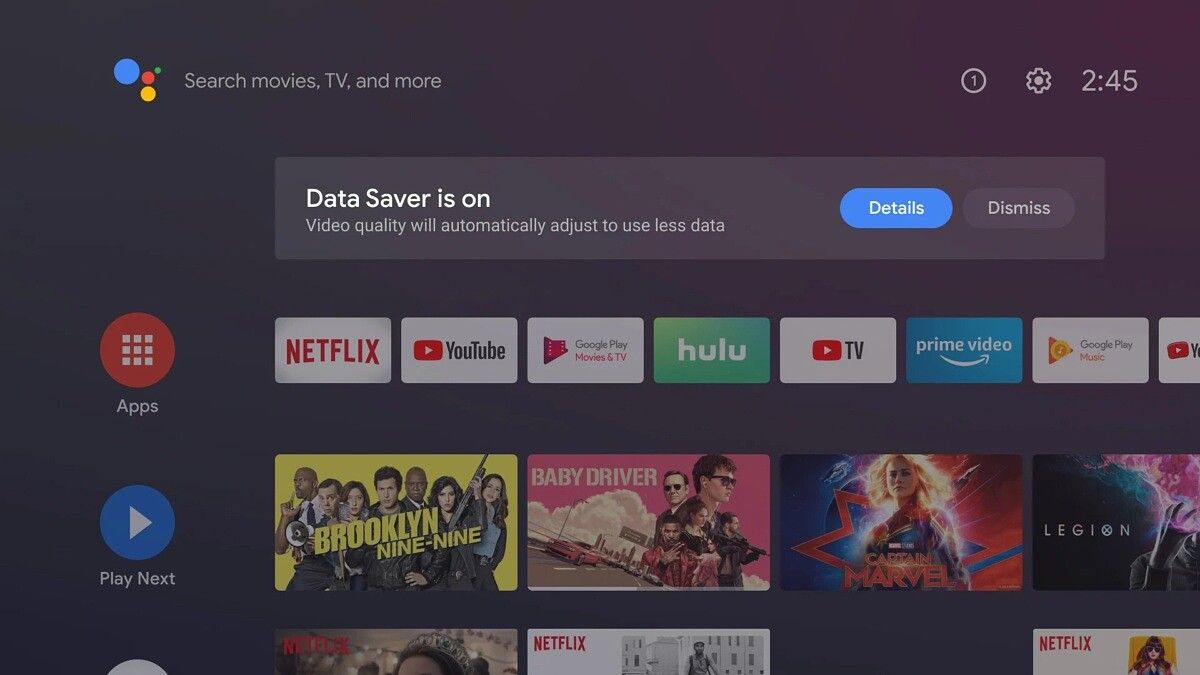
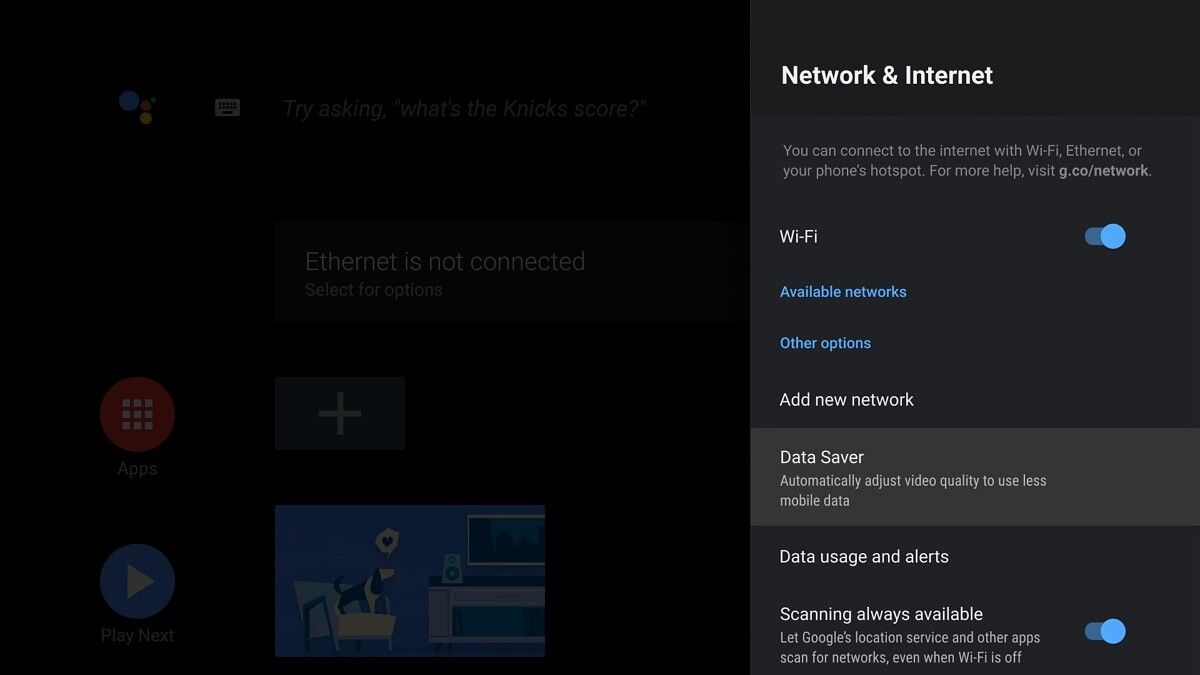
Android TV doesn’t get nearly as much attention from Google as Android for smartphones, but that doesn’t mean it isn’t still getting updates and new apps. Last year, Google added a Data Saver mode for Android TV users in India. This feature is intended for users who don’t have WiFi at home and instead connect their smart TV through a mobile hotspot. Now, Google has uploaded the Android TV Data Saver app to the Google Play Store.

With many more brands looking to Android TV for their streaming products, the demand is increasing for new functionality, and for those who love watching streamed content but aren’t on limitless internet, this app could be a gamechanger. It works similar to Google Chrome in Lite Mode — media players are instructed to stream at lower bitrates and/or resolution in order to save as much data as possible. This, in turn, also makes it easier to cut out the buffering on slower connections, bringing glorious HD-content to even more homes around the world. As well as compressing, the app can also be configured with on-screen notifications to warn you of your data use so you don’t get stung with excess fees. There’s even a handy feature to streamline the process of linking to a mobile hotspot.

Android TV Data Saver Android TV Data Saver

Sadly, it doesn’t look like the Android TV Data Saver app has been opened up for all regions, as we were unable to install it on an NVIDIA SHIELD TV Pro in the U.S. The app, for now, is likely still region-locked, with the Play Store listing only serving as a way for Google to deliver updates separately from OS updates.

Still, with new devices from the likes of Xiaomi, TCL, OnePlus, and not forgetting Google itself, either newly minted or imminent, it seems that Android TV’s days of being an afterthought may be behind it. Although a version of Android 11 for TVs was released in September, a large number of devices, such as older smart TVs, will be stuck on Android 8 or 9 for the rest of their days, so it’s good to see Google release features like this as a standalone app. We just hope they open it up for more users, soon.

Android TV Data Saver (Free, Google Play) →

The post Android TV Data Saver app lands on the Google Play Store appeared first on xda-developers.


from xda-developers https://ift.tt/3jKpkHn
via IFTTT

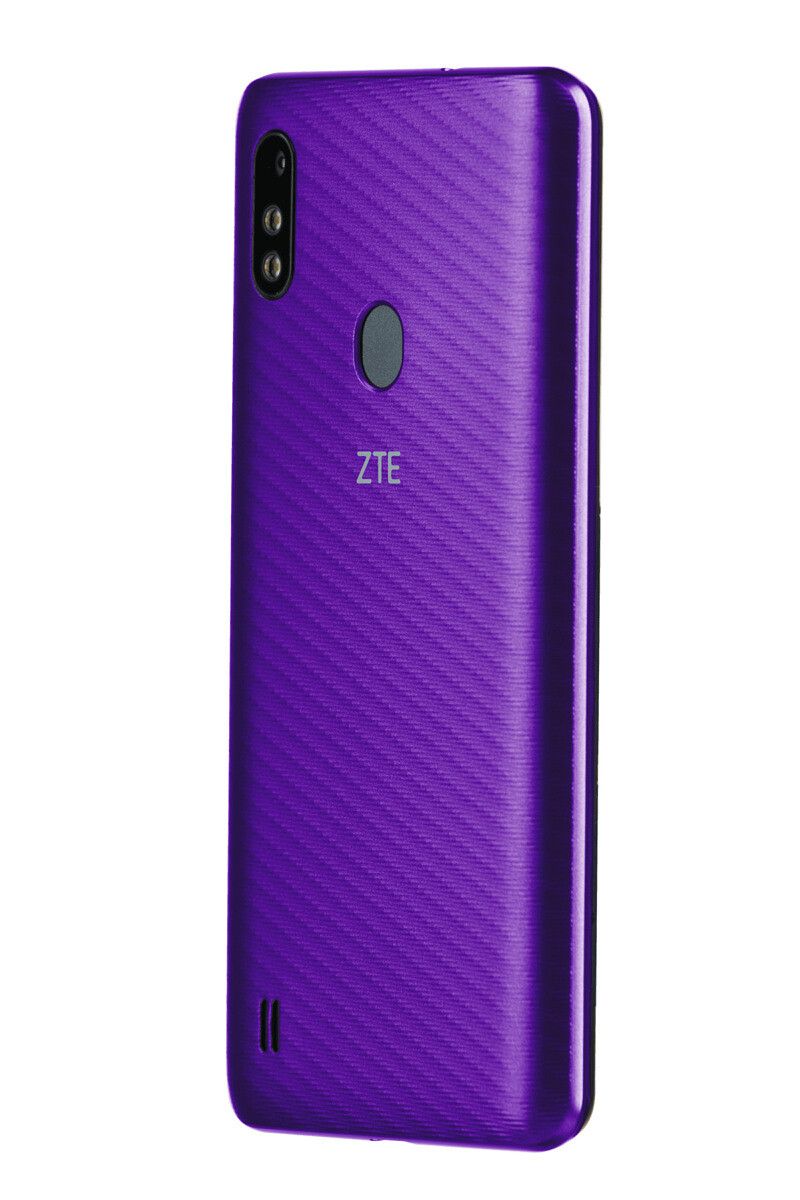
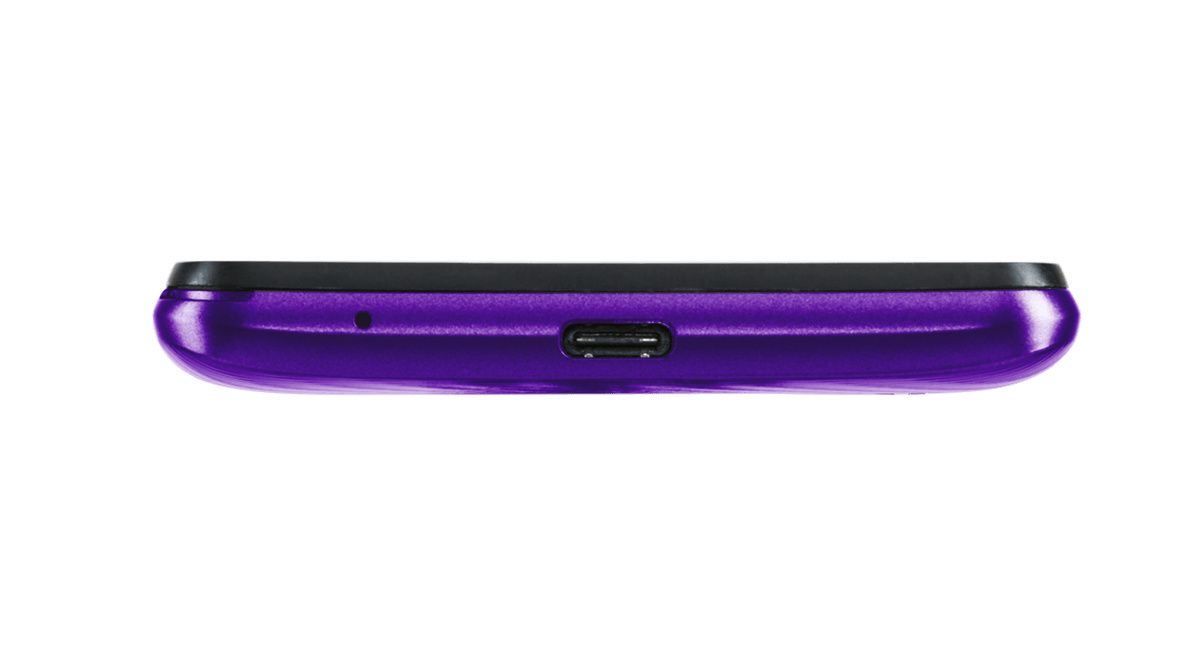
The ZTE Blade A3Y is an ultra-affordable budget smartphone for Verizon’s Yahoo Mobile

ZTE today announced a new entry-level Android smartphone in the U.S.: the Blade A3Y.  The smartphone will be exclusive to Verizon’s Yahoo Mobile prepaid carrier service, which was introduced earlier this year in March as a rebranded version of Visible.

The ZTE Blade A3Y is a basic smartphone with equally unexciting hardware. It’s a perfect choice for a burner phone, elderly people, or just for basic calling or texting purposes. The phone features a 5.45-inch HD+ TFT display with a resolution of 1440 x 720. On the back, you’ll find a single 8MP camera with dual-LED flash while there’s a 5MP cam on the front for your selfie and video-calling needs. Powering the device is a MediaTek Helio A22 (MT6761) quad-core CPU clocked at 2.0GHz, backed by 2GB of RAM and 32GB internal storage which is expandable via a microSD card. The ZTE Blade A3Y packs a 2,660 mAh battery which charges via a USB Type C port. Android 10 comes preinstalled on the phone, and you also get a rear-mounted fingerprint scanner, a 3.5mm audio jack, and Wi-FI calling support.

There are a bunch of Yahoo apps pre-installed on the phone, including ad-free Yahoo Mail, Yahoo News, Yahoo Sports with “Watch Together”, Yahoo Finance, and Yahoo Weather.

The ZTE Blade A3Y goes on sale today at an introductory price of $50 from Yahoo Mobile. Those wanting to switch to Yahoo Mobile but don’t have a compatible phone will be able to pick up the Blade A3Y for free, according to the company.

Yahoo Mobile offers only one plan: You pay $40 per month for unlimited data, text, and calling — a much better price than Verizon’s $65 unlimited plan.

    Yahoo Mobile ZTE Blade A3Y
    At $49, Yahoo Mobile's ZTE Blade A3Y is an ultra-affordable, entry-level smartphone from the Verizon-owned prepaid carrier.

The post The ZTE Blade A3Y is an ultra-affordable budget smartphone for Verizon’s Yahoo Mobile appeared first on xda-developers.


from xda-developers https://ift.tt/3jBteSJ
via IFTTT

Google Workspace now opens Microsoft Office files directly into edit mode

Google has announced changes to the way it deals with Microsoft Office-formatted documents within the newly-rebranded Google Workspace. Until now, opening a .docx, .xlsx, or .pptx file would have brought up a preview of the contents within Chrome, with a dropdown to select what web app you want to open it with. That’s all changed, as Google announced yesterday that from now on, the behavior will be to open the relevant Google Workplace app (Docs, for example) immediately, doing away with the decision tree altogether.

Users will be able to manually override this behavior by pressing the ‘P’ button as they click on the file, or selecting ‘Preview’ from the right-click context menu. Whilst that’s an extra keystroke when you need to use something like DocuSign, it’s a keystroke removed for the 85% of the time you just want to get on with editing — so overall, you should have a reduced aggregate click-rate.

If users have the “Office Editing for Docs, Sheets & Slides” extension (erstwhile, Quickoffice), then that will be the default app. Otherwise, either Docs, Sheets, or Presentations will open. Password-protected files will still open in Preview. The release blog post notes that there is no option for sysadmins to disable this behavior and that end-users should be taught the alternatives. The change doesn’t just affect managed domains, however — free/Gmail users will also see the new flow. It continues: “This change makes it quicker to open and start editing documents. Users can directly edit, comment, and collaborate on Office files using the familiar interface of Google Docs, Sheets, and Slides, with changes automatically saved to the file in its existing Office format.”

Rapid Release Domains may already have seen the change, which began rolling out yesterday. For the rest of us, roll out begins on November 30th, with all users receiving it within 15 days.

The post Google Workspace now opens Microsoft Office files directly into edit mode appeared first on xda-developers.


from xda-developers https://ift.tt/3kB01sg
via IFTTT

These are the best OnePlus 8T screen protectors

For all of the OnePlus 8 and the OnePlus 8 Pro’s good and bad things, there was one new feature that irked some fans: the curved displays on both phones. Last year, only the OnePlus 7 Pro featured a curved display. But that extended to the 8 Pro as well as the regular 8 this year. For what it’s worth, the OnePlus 8T rolled back to a flat display, but you will still want a good screen protector to go with it.

The fact that it’s flat doesn’t mean it’s unbreakable. And we know you don’t want to crack your shiny new OnePlus 8T’s display, which is why we’ve compiled the best screen protectors you can get for your OnePlus 8T so you can add an extra layer of protection to it. Whether you prefer plastic protectors or tempered glass, don’t worry – we have you covered.

    OnePlus 8T Official 3D Tempered Glass Screen Protector

    Simple and Effective

    The official OnePlus 8T tempered glass screen protector by OnePlus provides high-quality basic, yet effective functionality, but also comes at a premium compared to other offerings.
    OnePlus 8T Supershieldz Tempered Glass Screen Protector

    Dirt-Cheap Protection

    Supershieldz' offerings are decent as far as dirt-cheap screen protectors go, and they sell a two-pack of ultra-cheap tempered glass protectors for the OnePlus 8T.
    OnePlus 8T WRJ 9H Hardness Tempered Glass Screen Protector

    Does the Job on a Budget

    WRJ is a rising player in the screen protector marketplace, and their OnePlus 8T offering has good reviews, excellent pricing, and comes with 3 tempered glass protectors.
    OnePlus 8T QITAYO Screen + Camera Tempered Glass Protector

    Additional Camera Protection

    This QITAYO tempered glass protector kit comes with 3 screen protectors as well as 2 protectors for the camera lens, adding extra protection to a component that's often overlooked.
    OnePlus 8T MediaDevil Glass-Free Ultra-Tough Screen Protector

    A Decent Plastic Alternative

    Most screen protectors listed on Amazon are tempered glass, but MediaDevil offers a no-glass thin alternative that offers decent impact protection and hardness.
    OnePlus 8T Luibor Tempered Glass Screen Protector + Clear TPU Case

    With a Case to Match

    This tempered glass kit by Luibor comes with 3 tempered glass protectors and a clear TPU case that should provide decent all-around protection for your new device.
    OnePlus 8T LK Tempered Glass Screen Protector 9H Hardness 4-Pack

    Lots of Replacements

    This tempered glass kit by LK comes with a whopping 4 total tempered glass screen protectors, so you can easily replace one if it breaks for whatever reason.
    OnePlus 8T Mr. Shield Tempered Glass Screen Protector 9H Hardness

    With Lifetime Replacements

    Mr. Shield is a decent brand of screen protectors, and they have one for the OnePlus 8T as well. The company also promises lifetime replacements if something happens to yours.
    OnePlus 8T UniqueMe Tempered Glass W/ Installation Frame

    Easier-Than-Ever Installation

    This tempered glass solution from UniqueMe comes with 4 protectors and an installation frame that makes aligning and installing a screen protector easier than ever.

Looking for variety while in the market for a screen protector might be complicated. But, there’s a lot if you look closely. Mostly depending on what fits you better for your device and your own usage. The official OnePlus 8T tempered protector does the job pretty well. It’s my personal favorite, too. But it comes at a pretty penny, just like the other official accessories such as cases, and you only get one protector. That said, it’s guaranteed to work and fit properly on your OnePlus 8T!

If you’re on a budget, then you can choose from brands with a reputation. Some of these are Supershieldz, LK, MediaDevil, and Mr. Shield. All of these brands have sold products for a heck ton of devices from different companies. There are also several alternatives, such as plastic protectors for those that are not fans of glass ones. These screen protectors normally bring better protection against impacts, at the expense of losing scratch resistance. And some options also come with extra perks, such as a camera protector in the case of QITAYO, an extra TPU clear case in the case of Luibor, and an installation frame in the case of UniqueMe for easy installation.

The post These are the best OnePlus 8T screen protectors appeared first on xda-developers.


from xda-developers https://ift.tt/3oz7xq3
via IFTTT