LightBlog

mardi 9 février 2021

Here’s when your Mi and Redmi smartphone will receive its MIUI 12.5 update

At its Mi 11 China launch event back in December 2020, Xiaomi teased the MIUI 12.5 update roadmap for a few of its devices. Soon after that, the company started pushing closed beta builds of MIUI 12.5 to select Mi and Redmi smartphones in its home country. Every year, the Chinese OEM splits efforts between the domestic and global update policies, and this year is no different. If you’re looking forward to running the latest iteration of MIUI on your phone, then you’re in luck as Xiaomi has now officially outlined the MIUI 12.5 update roadmap for its global device portfolio.

The good news is that the first wave of the update will be rolling out across several device ranges, from the latest flagship Mi 11 to the previous year’s Mi 10 and Mi 10T lineup. However, if you don’t have a premium category smartphone, then you’ve to wait a little before the platform update hits your device. A bunch of Mi Note and Redmi Note branded devices are next in line, and they are expected to get MIUI 12.5 as part of the second wave.

The rollout is set to begin as soon as Q2 2021, with the following devices receiving updates to MIUI 12.5:

First Wave of MIUI 12.5 Update (Starts Q2 2021):

Second Wave of MIUI 12.5 Update (Starts Late Q2 2021):

There’s no word on Q2 2021 updates for any other Mi/Redmi device, but Xiaomi’s tweet mentions that the company will be adding more devices to the list. However, looking at the pace at which legacy and entry level devices are still receiving the MIUI 12 update across various regions, we wouldn’t expect the stable version of MIUI 12.5 to hit those devices anytime in the next couple of months.

The post Here’s when your Mi and Redmi smartphone will receive its MIUI 12.5 update appeared first on xda-developers.


from xda-developers https://ift.tt/3q5XM2P
via IFTTT

Sony may hurt Xperia PRO sales by releasing this feature on the Xperia 1 II and Xperia 5 II

Sony recently launched the Xperia PRO 5G, a $2,500 smartphone for creators that packs a couple of unique features. The device features a micro HDMI input that will let you connect it to your camera and use it as an on-camera monitor. Additionally, thanks to the device’s 5G capabilities, you’ll be able to stream video right from your camera without needing any separate streaming accessories. But since its price tag puts the Xperia PRO 5G outside the reach of many buyers, Sony is now rolling out similar capabilities to the Xperia 1 II and Xperia 5 II with their Android 11 update.

Sony started rolling out stable Android 11 to the Xperia 1 II late last year. While the update changelog didn’t include any mention of the aforementioned features, a recent post from u/shenfan0613 on Reddit reveals that the company has, in fact, added external monitor capabilities to the Xperia 1 II with the Android 11 update. The post includes an image highlighting the new feature, which reveals that it will let users connect their Xperia 1 II to a supported Sony Alpha camera and use it as an on-camera monitor. To use the new External Monitor feature, you will have to connect your Xperia 1 II to a supported camera using a USB Type-C to HDMI cable.

Sony Xperia 1 II Xperia 5 II External Monitor Android 11

It’s worth mentioning that a video about the Xperia 1 II’s Android 11 update shared by the official Sony Xperia Taiwan YouTube channel also highlights this feature. You can watch the timestamped video below.

Although the post doesn’t state whether a similar feature will roll out to the Xperia 5 II with its Android 11 update or not, we have reason to believe that the feature will be available on the compact flagship. Sony recently shared a press release highlighting a firmware update for the Sony ZV-1 camera. The firmware update brings a couple of new features to the vlog camera, including the ability to connect it to a PC via USB and use it as a high-res webcam.

Additionally, the firmware update brings a new feature that will let you connect the camera to a supported Xperia smartphone and use the smartphone as a secondary display to monitor your live stream and read the chat. The fine print at the bottom of the press release clearly states that this feature will be available on the Xperia 1 II and Xperia 5 II running Android 11. Therefore, we suspect that the External Monitor feature will also be extended to the Xperia 5 II with its Android 11 update. Sony has already started rolling out stable Android 11 to the Xperia 5 II in select regions. We’ll update this post as soon as we confirm External Monitor availability on the device.

The Xperia PRO 5G’s camera monitor feature is one of its main selling points over the Xperia 1 II (the other being 5G mmWave support), so it’s interesting to see Sony bringing the feature to the Xperia 1 II with its Android 11 update. But it’s worth noting that the Xperia 1 II hasn’t received the Android 11 update in the US yet, and the Xperia PRO is currently only sold in the US. So, we’re not sure if Sony will release the display input feature on US models as that may adversely impact Xperia PRO 5G sales in the country. On the upside, Sony’s decision to bring the feature to the Xperia 1 II and Xperia 5 II will make the devices more compelling options for creators who were put off by the Xperia PRO 5G’s price.

In case you have received the Android 11 update on your Xperia 5 II, make sure to leave a comment if you’re able to spot the new External Monitor feature on the device.

The post Sony may hurt Xperia PRO sales by releasing this feature on the Xperia 1 II and Xperia 5 II appeared first on xda-developers.


from xda-developers https://ift.tt/2Z0rsTm
via IFTTT

Popular Barcode Scanner app caught infecting Android smartphones

A popular barcode scanner app with over 10 million downloads on the Google Play Store has been caught infecting Android devices with malware. The app, simply dubbed Barcode Scanner, has since been removed from the Play Store, but it likely still remains there on many of the infected devices.

As the name implies, the Barcode Scanner app was a simple app that allowed users to scan barcodes and QR codes. But as discovered by security researchers at Malwarebytes, the app received an update in December that added malicious code that was not present in the previous versions of the app. Researchers note the app used heavy obfuscation to avoid detection. And it did work as this malicious update flew under the radar of Google’s Play Protect service, which is in place precisely to detect and takedown such malicious apps. Researchers at Malwarebytes were able to confirm that the app was signed by the same digital certificate as previous versions, hence confirming it was coming from the same developer, LavaBird LTD.

In the case of Barcode Scanner, malicious code had been added that was not in previous versions of the app. Furthermore, the added code used heavy obfuscation to avoid detection.

Nathan Collier, mobile malware researcher, Malwarebytes

The app sprung to life within minutes of installation and started bombarding users with adware and automated web redirects to shady websites without user interaction. You can see the malicious activity in the below video:

Malwarebytes says Google was notified privately and has taken the app down from the Play Store. So far, Google hasn’t yet used its Play Protect tool to notify users who still have this malware installed on their phones. That means users must act on their own and remove the app from their phones.

If you have a barcode scanner app installed on your device and have been noticing some odd behavior lately, head to the app settings and look for the app’s package name. If the app has the package name com.qrcodescanner.barcodescanner, uninstall it immediately.

The post Popular Barcode Scanner app caught infecting Android smartphones appeared first on xda-developers.


from xda-developers https://ift.tt/36UbX3w
via IFTTT

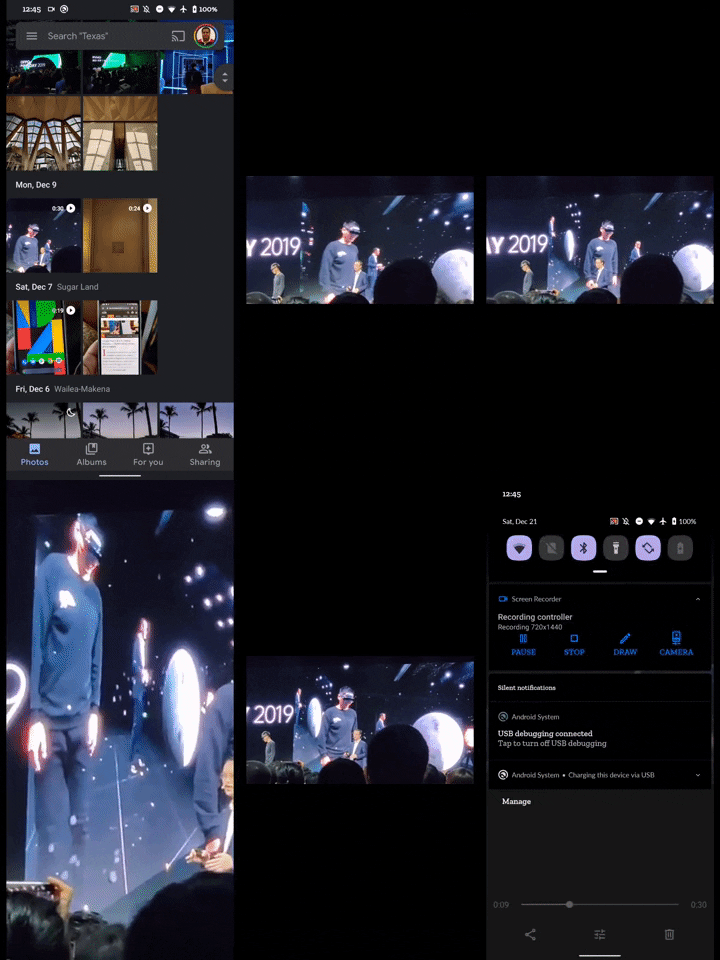
Google Photos gets two new gestures to help you zoom in on videos

Google Photos is inarguably one of the better performing apps in Google’s portfolio. As such, the company does a great job of keeping it fresh by adding new features with each successive update. Over the last few months alone, Google has added a bunch of new features to the app, including a new machine learning-powered feature to make your photos look 3D, a Maps timeline to help you sort your images by location, a tablet-friendly UI, and more. The company is now rolling out another useful feature to Google Photos, which will let you zoom in on videos using familiar gestures.

According to a recent post by u/WimpyTeenDude on Reddit, Google Photos now lets you zoom in on videos using two gestures. You can either double-tap on the video, as you would in the YouTube app, to make the video fill the screen, or you can use the pinch gesture to zoom in or out of the video. The new gestures seem to be rolling out via a server-side update, and they’re already available for some users on the latest Google Photos release. However, it isn’t live for all users at the moment. I tried the new gestures on my device with version 5.27 of the app, and they work as intended.

It’s worth noting that we first spotted these new gestures in an APK teardown of Google Photos v. 4.33 all the way back in December 2019. At the time, our Editor-in-Chief, Mishaal Rahman, had managed to enable the pinch-to-zoom gesture on the app manually. But we hadn’t spotted the new double-tap gesture back then.

In case you haven’t received the new gestures on your device so far, you can try updating to the latest Google Photos release by following the Play Store link below. If you still don’t get the gestures, you may have to wait a few days before they roll out on your device via a server-side update.

Google Photos (Free, Google Play) →

The post Google Photos gets two new gestures to help you zoom in on videos appeared first on xda-developers.


from xda-developers https://ift.tt/36QNDzF
via IFTTT

These are the best OnePlus 8T cases in February 2021

If you just ordered yourself a sweet new OnePlus 8T (and if not, check out our OnePlus 8T review), you’ll want to make sure you can prevent fingerprints, scratches, and dust. As usual, there’s a basic plastic case included with the phone–clear vinyl, flexible, snug-fitting, and emblazoned with a ‘frosted“ ‘Never Settle’ slogan running vertically up the right-hand side. It’s a nice touch that makes it more appealing than a simple clear case, but it also only offers limited protection. What if you want more? Here are some options. There are literally hundreds of phone cases on the market, but how do you know if you’re buying a delight or a dud? Allow us to help with our guide to the best OnePlus 8T cases!

    Official OnePlus 8T Sandstone Case

    Good old faithful

    The old classic is back. The sandstone is a rigid clip-on case which previous OnePlussers will probably be familiar with. The big attraction of this one is that it has a slightly rough-hewn surface which makes it easier to grip because let's face it, these smooth phones can be slippery little suckers. The Sandstone case is available in Black or Cyan.
    OnePlus 8T Karbon Bumper Case

    The best official case

    Old faithful of the OnePlus case world, the Karbon is at the top end of the official designs. The familiar hard case with subtle diagonal pin-stripes is designed to add the maximum in knock and drop protection, with the lowest profile, most sympathetic to your sexy new handset. That level of design comes at a premium of course, and the Karbon is available in black only.
    Otterbox Symmetry 8T Case

    Affordable premium protection

    Otterbox doesn’t always make the most exciting cases, but they’re tough as old boots, and we mean that in the nicest possible way. Largely, the Symmetry is similarly low-profile like the official Karbon case, but with the added bonus of slightly raised edges around the camera and touchscreen, which provides much better protection. Symmetry cases comply with DROP+, which is measured as 3x the protection of a military-grade case.
    dBrand OnePlus 8T Grip Case

    Perfect for customization

    One case. Many customizations. That’s the promise with dBrand, offering a 2mm thick case, including a design that encases the side buttons, protecting them whilst leaving more of the screen-free - an important consideration for a near bezel-less device. There are gripping edges down the sides which can be customized to your preferred color from a huge gamut and the whole thing reaches military protection ratings. dBrand also offers skins to be applied directly to the outer casing of your phone, but for full protection, the Grip Case is the way to go.
    UAG 8T Plasma Series Case

    Best for butterfingers

    Under Armor’s phone cases are among the toughest we’ve seen, combining a stiff translucent body with a rigid toughened frame. As a result, they do tend to add a bit of bulk to your phone, but even so, hardly any extra weight. As ever, it complies with Military Grade drop-protection standards and yet, thankfully, doesn't impact wireless charging or contactless payments. The translucent section is currently available in 'Ice' Blue which complements the handset perfectly. If you want big protection and don't mind making a bigger phone, this OnePlus 8T case should definitely be on your shortlist.
    Olixar OnePlus 8T Leather-Style Wallet Stand Case

    Great value with great features

    The first folio-style case to make our list, we've chosen Olixar's thanks to the company's track record for producing great value cases without compromising on quality. There are the usual carbon-fiber offerings on offer, but we've decided to shine a light on the Wallet Stand, thanks to its imitation leather, three card slots, plus one larger slot of notes or receipts, magnetic clasp, and full compatibility with wireless charging and NFC payments. The whole folio can be rejigged to create a stand for the phone - great for games and watching videos.
    Simicoo Leather Wallet Case

    Swiss Army Knife of Cases

    This cowhide leather Simicoo product can be best described as a 'handbag' (or 'manbag'). The phone is kept in a matching slimline case that tucks into a specially designed slot in the wallet section. That wallet section has 11 slots to cover everything from notes and credit cards to your earbuds. There's also a magnetic clasp, whilst the crucial pockets have zippers and there's still room for the whole thing to become a kickstand. It won't show off your phone, but if you want an all-in-one solution for your stuff, this could be perfect. It's available in a choice of Blue, Black, Brown or Red (which is actually pink).
    Tereyi OnePlus 8T Ultra-Slim Patterened Silicone Case

    Best for Style over Substance

    We chose this one purely to show you that not all cases for the OnePlus 8T are one color! These Tereyi cases are simple, transparent silicone cases, similar to the one you'll find in the box with your phone. But if you don't want to walk around for the next year with 'Never Settle' across the back of your phone, there are six decal designs to choose from - baby elephants, pandas, kittens, and of course the ubiquitous 'Live Laugh Love' slogan. Not the highest spec cases on this list, more one for the Insta-crowd.
    Qitayo Crystal Clear Case

    Show Off Your Phone

    If you like seeing the back of your phone, you'll definitely want a clear case. Qitayo's case is thin and clear, giving you a small amount of protection while still being able to see your OnePlus 8T in its full glory. It's also the cheapest in this list, so give it a go for something simple and sweet. You get a fairly decent level of protection, and you can let your phone retain most of its character. While not included, this case also might work out if you like to rock a skin but want some protection sometimes when you go out.
    Spigen Ultra Hybird Case

    Durable and Thin

    Looking for something that will protect against most normal smartphone wear-and-tear, but don't want to bulk out your phone? Get the of both worlds with the Spigen Ultra Hybrid case. This case has a nice protective bumper, but isn't so thick that it'll get in your way. The sweet spot between two worlds.
    Ringke Fusion-X Case

    You'll Never See It

    Like camo? You'll love Ringke's Fusion-X case. This durable case has a unique semi-transparent design that lets parts of your OnePlus 8T's exterior peek through the camo design. It's pretty neat when you look at it, but there are also clear versions of the case if camo isn't your thing.
    Nillkin CamShield Case

    Protect the Lenses

    Most cases don't do a very good job of protecting your camera lenses. They can get scratched too! Nillkin's CamShield case, however, has a slider on the back that will help you protect your camera when not in use. When you want to take a picture, just slide the protector away, and you're good to go!

Our favorite pick of all the cases is the OnePlus 8T Karbon Bumper case. The Karbon series has been around since the early days of OnePlus and it’s proven consistently to be reliable. If you have slippery fingers and couldn’t transport an egg in the egg-and-spoon race at school, you’ll want to pick up the Otterbox Symmetry Case. If you want something a bit more unique, check out the Simicoo Detachable Leather Wallet!

The OnePlus 8T also ships with a basic clear silicon case, which should serve most users for the initial week of use. But as is the nature with clear silicon cases, it does develop a yellow tint over time as you use it naturally in the sunlight. So it’s best that you do explore some options in case you want some protection for your phone. These cases that we recommend should hold the fort well and let you use your phone with fewer worries. So grab one and ensure that you don’t get any serious damage to your brand new phone!

The post These are the best OnePlus 8T cases in February 2021 appeared first on xda-developers.


from xda-developers https://ift.tt/3myCAAD
via IFTTT

lundi 8 février 2021

Windows 10X may notify you when the camera is being used

A couple of weeks back, we reported that a Twitter user going by the name Gustave Monce managed to install and run a pre-release build of Windows 10X on an old Windows Phone smartphone. While it wasn’t a fully-functional build on that device, it did give us an idea about how the new OS will scale down to devices with screens as small as 5.7-inches, which is the case on the Nokia Lumia 950 XL.

For those who are not up to date, Windows 10X is a new version of Windows that was originally designed for foldable and dual-screen devices. However, the massive boost in demand for single-screen PCs thanks to the COVID-19 pandemic pushed Microsoft to change its focus. Now, Windows 10X has been revamped for single-screen PCs, with access to progressive web apps (PWA) and Microsoft services in a cheaper package. You can read more about Windows 10X over here, and if you’re interested in testing the OS, you can follow try the Device Image Generator tool we covered earlier.


Said to be a competitor for Chrome OS, today we have new details on the lightweight version of Windows 10. Monce has now pointed out that Windows 10X has a ‘camera in use’ indicator whenever an app is using the camera(s). Similar to what you might see on select Android or iOS devices, this indicator is seen next to the Wi-Fi and Battery indicators sitting in the right-hand corner of the system tray. Windows 10, on the other hand, currently only includes an indicator for the microphone, but maybe we could see the same indicator roll out for all versions soon. Just two days back, the Windows 10X port for the Lumia 950 and Lumia 950 XL received a new update with version number 2102.21. You can access it on GitHub over here.

If you own an old Android device and are worried about malicious apps running in the background getting access to your camera or microphone, then you should definitely check out the Access Dots apps. Developed by XDA Recognized Developer jagan2, Access Dots shows colored dots whenever the camera or the mic is in use. The dots show up at the top right corner of the display, but you can also choose the location for the dots from within the app’s settings. Read more about it over here.

The post Windows 10X may notify you when the camera is being used appeared first on xda-developers.


from xda-developers https://ift.tt/3jvM5jE
via IFTTT

The best protective cases for the Nintendo Switch and Nintendo Switch Lite

Take a quick look at your smartphone. More likely than not, you have a case of some sort on it. And why wouldn’t you? A smartphone is an expensive purchase and you want to protect that purchase from being ruined. So, shouldn’t you extend the same logic to your Nintendo Switch? I’d argue that a Switch is even more fragile than a smartphone! So, you’ll definitely want to get a Nintendo Switch protective case!

These are different from a Switch travel case, as a protective case actually goes on the Switch itself, much like a smartphone case. We’ve rounded up both the best Nintendo Switch protective cases, as well as Nintendo Switch Lite protective cases, so you can pick the best one for you!

Nintendo Switch Protective Cases

The original Nintendo Switch is bigger than the Lite, and the cases you can get for it need to account for the detachable Joy-Cons as well. Not to mention docking the console! Be careful though, as not all of these cases will be compatible with one of our favorite Nintendo Switch controllers, the Hori Split Pad Pro.

    Mumba Dockable Case for Nintendo Switch

    Dockable, Grippable Protection

    If you want a great all-rounder case, you'll want Mumba's dockable Switch protective case. The case is dockable, allows you to take the Joy-Cons off the Switch, and gives you extra grip when playing portably.
    OMKUY Switch Protective Cover Case

    Hard Pastel Protection

    If you're going to get a Nintendo Switch protective case, why not go with one that makes your console look beautiful? OMKUY's hard Switch and Joy-Con cases have a nice gradient design that will make your console stand out.
    JETech Protective Case for Nintendo Switch

    Cover The Fragile Joy-Cons

    JETech's Switch case actually goes over the corners of the Joy-Cons, providing extra protection on the notoriously fragile controllers. You can still slide them in and out, too!
    VANJUNN 3 in 1 Protective Case Cover

    Crystal Clear Views

    The VANJUNN Nintendo Switch protective case affixes to the front and back of the Switch, as well as two Joy-Cons. This one protects both the console and the screen from scratches and nicks!
    ProCase Nintendo Switch Flip Cover

    Flip It Up

    How about a protective case and travel case in one purchase? The ProCase for the Nintendo Switch has a detachable front cover, so you can remove it when you're gaming, and place it back on for screen protection and slip it into a bag!
    FINTIE Silicone Case for Nintendo Switch

    Complete Protection and Grip

    Not worry about trying to get your Joy-Cons out of your Switch? FINTIE's silicone protective case fully encases your Switch. It's anti-slip and has a great grip, nor does it compromise protection for functionality.

Switch Lite Protective Cases

Since the Nintendo Switch Lite is purely a portable device without detachable Joy-Cons, grabbing the right protective case is a little less intimidating.

    Mumba Switch Lite Case

    Extra Grippy Protection

    The Switch Lite is a pretty thin console, and for those with bigger hands can find them cramping up quick. Mumba's Nintendo Switch Lite protective case gives you an extra bit of grip as well as protection.
    Nintendo Switch Lite DuraFlexi Protector

    Officially Licensed by Nintendo

    You can never go wrong with an official case! HORI's DuraFlexi Nintendo Switch Lite protective case provides see-through, soft protection, and will definitely fit since Nintendo themselves approved it
    MoKo Case for Nintendo Switch Lite

    Soft Silicone Protection

    If you just want something slim and simple, you can't go wrong with MoKo's case! This is a simple silicone case that matches your Switch Lite, and protects your system against scratches and nicks.
    Ziidii Protective Case for Nintendo Switch Lite

    Stand It Up

    Ziidii's Switch Lite protective case is special because the back grips can double as a stand! The Switch Lite doesn't have a kickstand like the original Switch, so this case gives the Switch Lite the same functionality.
    ProCase Nintendo Switch Lite Flip Cover

    Flip It Up

    How about a protective case and travel case in one purchase? The ProCase for the Nintendo Switch has a detachable front cover, so you can remove it when you're gaming, and place it back on for screen protection and slip it into a bag!
    BENTOBEN Protective Case

    Out of This World

    Who doesn't love a unique design with their case? BENTOBEN's Switch Lite case has a special space-themed background that looks great. Like the other cases on this round-up, it'll protect against shocks and falls too!

So which Nintendo Switch protective case should you get? For the normal Switch, I’d recommend the JETech case myself, as it provides all-around protection, yet still lets you remove the Joy-Cons as needed. The clear VANJUNN case is a close runner up, though. It’s really simple, yet really effective! For the Switch Lite, I like the ProCase Flip Cover, as it makes it super easy to take my Switch Lite on the go. You can’t beat something that works as both a protective case and a travel case!

Which case do you use with your Switch? Let us know in the comments!

The post The best protective cases for the Nintendo Switch and Nintendo Switch Lite appeared first on xda-developers.


from xda-developers https://ift.tt/3jGbBD3
via IFTTT