LightBlog

jeudi 25 juin 2020

Here’s another look at Google’s Android TV dongle from the Android 11 Developer Preview

Today, Google released an Android 11 Developer Preview for the ADT-3, a set-top box aimed at developers that runs Google’s Android TV operating system. The Developer Preview doesn’t contain any user-facing changes—after all, the ADT-3 is only intended for developers—but we still took a look through the update to see if there are any upcoming Android TV-specific features that Google didn’t document. While we were digging through the firmware, we discovered another asset related to Google’s upcoming Android TV dongle.

​Earlier this month, we were sent pre-release firmware for a Google device code-named “sabrina.” Within that firmware, we discovered a video that reveals the design of Google’s Android TV dongle, the dedicated remote for the device, and the new Android TV UI that will presumably debut on the device. The video was created on October 10th, 2019, which was 5 days before the Pixel 4 launch date. Given the lifecycle of product launches, it’s unlikely that the final design and specifications of the dongle have changed much since that video was made. However, since we still don’t know when the dongle will actually launch, there’s always a chance that Google could have gone back at any point in the last several months to order a tweak to the design or internal components.

In the Android 11 Developer Preview for Google’s ADT-3 developer box, though, we found a video named “reboot_sabrina” in SetupWraithPrebuiltGtvs, the system application that handles that setup wizard for Android TV. This video shows the user how to reboot the “sabrina” Android TV dongle by unplugging it from its power connector (which seems to be a USB cord, though we don’t know if it’s micro-USB or Type-C) for 3 seconds. The video shows a sketch of the device with its overall oblong shape and “G” logo in the center, matching the design of the dongle that we saw in the pre-release firmware.

This video alone doesn’t really tell us much about Google’s dongle that we don’t already know, but it does corroborate the design of the renders we published earlier this month. Plus, it’s the first time we’ve seen anything related to “sabrina” in a publicly available source, especially one that’s very recent. Hopefully, this means that it won’t be long until we see the release of “sabrina.” Some of us can’t wait to get our hands on it. One thing to note is that the appearance of this asset in the Android 11 Developer Preview doesn’t guarantee that “sabrina” will launch with Android 11 out-of-the-box—I’m guessing it’ll launch with Android 10-based Android TV but will be one of the first to experience Android 11-based Android TV once that’s available (which usually happens a few months after the new OS for phones is made public.)

Here’s a summary of what we know so far about the specifications for Google’s Android TV dongle. We compiled this list of specifications based on an analysis of the pre-release firmware, so these specifications are not guaranteed to be accurate.

Category Specification
CPU + GPU Amlogic S905X2
  • 4 x ARM Cortex-A53 @ 1.8GHz
  • Mali-G31 MP2
RAM 2GB
Display HLG, HDR10, Dolby Vision, Auto Low Latency Mode (ALLM)
Connectivity Broadcom BCM43569 (Wi-Fi 802.11ac + Bluetooth 4.1)
Audio Cadence’s Tensilica HiFi 4 DSP
Remote Yes, mic for Google Assistant

Here’s a video published on our YouTube channel that showcases the design of the Google Android TV dongle alongside its remote and new Android TV UI.


Thanks to PNF Software for providing us a license to use JEB Decompiler, a professional-grade reverse engineering tool for Android applications.

The post Here’s another look at Google’s Android TV dongle from the Android 11 Developer Preview appeared first on xda-developers.


from xda-developers https://ift.tt/2Nwm3xn
via IFTTT

Google Photos is getting a new logo and a simpler app design

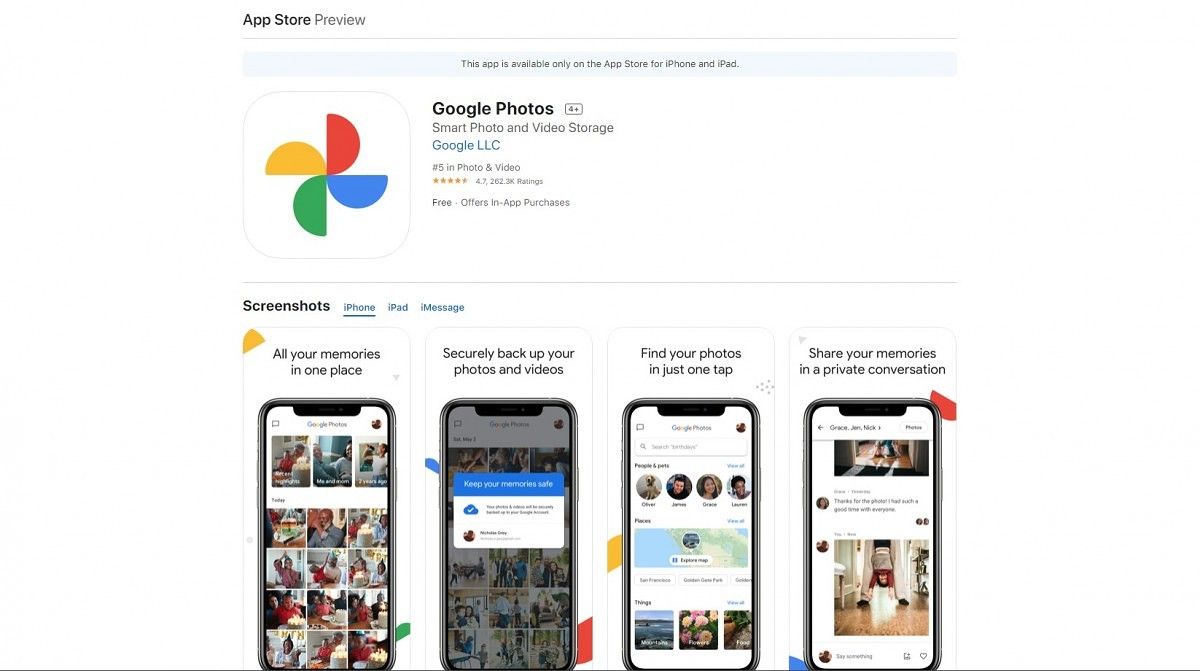
Google appears to be quietly rolling out a brand new logo and app redesign to Google Photos. The new logo and design are live now for the iOS app, and the app was previously nearly identical across platforms, so it should be coming to Android too. Below, you can see a before and after of the app listing in the Apple App Store.

The new logo is the first thing that jumps out. It’s like they flattened the old logo and rounded all the corners. The changelog for Google Photos 5.0 on iOS reads: “Introducing a new, simplified Google Photos to help you find and relive your memories. As part of this, we’ve refreshed the Photos icon to reflect the new, simplified product experience.”

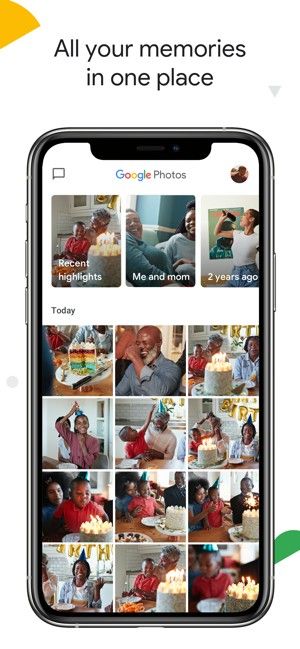
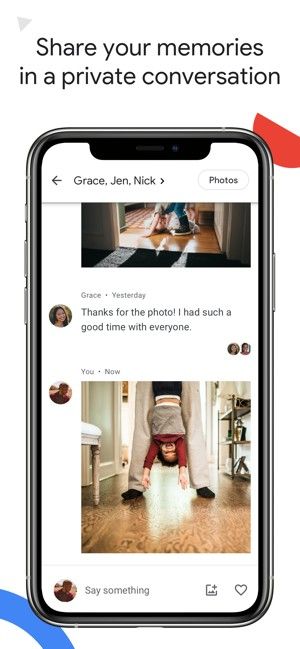
The Android app likely won’t look exactly like the iOS screenshots above, but they were very similar before. The iOS app had the typical search bar across the top, which has now been replaced with the simple  “Google Photos” wordmark. There is now a shortcut to the built-in messenger in the top left corner, which suggests Google will be putting more emphasis on the feature. The “Memories” row is now larger as well.

Other than that, this seems like a fairly simple refresh. The app looks a little cleaner and more streamlined. People will probably be hesitant about the new logo, but I actually think it’s a nice refresh as well. It matches up with Google’s previous logo redesigns nicely. At the time of writing, the Android app and Play Store listing for Google Photos have not been updated yet.

Google Photos (Free, Google Play) →


Via: Justin Duino

The post Google Photos is getting a new logo and a simpler app design appeared first on xda-developers.


from xda-developers https://ift.tt/2YvP7vi
via IFTTT

Google releases an Android 11 Developer Preview for its ADT-3 Android TV box

Late last year, Google announced Android 10 for Android TV and the new ADT-3 developer device to go along with it. The ADT devices are fully intended for developers and they’re guaranteed to receive updates and security patches from Google. Today, Google is announcing the Android 11 Developer Preview for the ADT-3 box.

The Android 11 Developer Preview for Android TV doesn’t include any visual updates or user-facing changes, but there’s a lot going on under the surface. It brings a bunch of privacy, performance, accessibility, and connectivity features. In addition, there are a number of new APIs that Android TV apps can now use.

We wrote about the new developer features in the first Android 11 Developer Preview back in February. There are a few that are especially important for Android TV devices. One of the most notable is low-latency video decoding, which allows apps to check and configure low-latency playback for a specific codec. This is very important for real-time streaming services like Stadia.

Another important feature pertaining to Android TV is HDMI low-latency mode. This allows apps to check for and request auto low latency mode (commonly known as “game mode”) on external displays and TVs. In this mode, the display or TV disables graphics post-processing in order to minimize latency.

We also discovered that Android 11 adds support for a bunch of new game controllers, which will be very handy for gaming with Android TV. Android 11 adds 84 new mappings for Xbox, Razer, Mad Catz, and more. A controller mapping is what allows Android to appropriately associate buttons to the correct KeyEvent. So if you tap the “A” button it will translate to the “A” KeyEvent in the game.

As mentioned, the Android 11 Developer Preview for Android  TV is strictly intended for developers. The following image is for ADT-3 developer device only. All user data on the ADT-3 device will be wiped after flashing. Once the device has been flashed to Android 11, you will not be able to go back to the previous Android 10 build.

  1. Download the system image (link) and unzip the file.
  2. Plug in the ADT-3 developer kit for Android TV and enable Developer options.
  3. Run flash-all.sh in the unzipped folder to perform manual system image installation to the ADT-3 device.

The flash-all script uses fastboot and adb tools to upgrade the system. The latest version of fastboot is recommended; developers can find it in the Android SDK Platform-Tools package.


Source: Google

The post Google releases an Android 11 Developer Preview for its ADT-3 Android TV box appeared first on xda-developers.


from xda-developers https://ift.tt/31fClD5
via IFTTT

DontKillMyApp is a benchmark to test how badly your phone handles background apps

Smartphone companies come up with even more exuberant claims about long-lasting batteries with each new device. Inarguably, the battery sizes on smartphones have increased substantially over the past years – that’s why the popularity of tools like Greenify has dwindled over the years. However, to extend the battery backup, manufacturers also tweak their custom Android-based software to kill or put background apps to sleep, and some of them do it really aggressively. One of the victims of the agonizing issue is Urbandroid the developer of Sleep as Android, a smart alarm app. The same developer is launching a new app called “DontKillMyApp” that will help you measure how well can background apps survive on your phone.

The app is named after Urbandroid’s earlier project – a website by the same name meant to highlight how aggressively different manufacturers freeze background apps. While the website gives a more general overview of the aggressive app killing in custom Android skins, the app should give a more contextual and specific picture of how well a phone – and more importantly, your phone – handles background apps.

To run the benchmark, you need to keep the phone idle for some time for the app to test how well background tasks are handled. It lets you choose the duration of the test between an hour and 8 hours and warns you against using the phone or charging it during that period. The app displays a persistent notification and you can stop the benchmark using the same if you need to use the phone.

dontkillmyapp battery benchmark dont don't kill my app battery optimzation

To test this, the app runs a service in the foreground with the help of a persistent notification, adds wakelock to it, and executes some repeating tasks on the main thread at intervals of 10 seconds. Additionally, the app schedules and alarms for every 8 minutes. At the end of the testing period, it sees how many of those commands have been executed and presents them with a visual graph.

The DontKillMyApp app is currently available in Early Access and you can try it out to see how your phone handles background apps. In the future, we can also expect to see some suggestions within the app about ways to exempt apps from being killed and to keep them running in the background.

Share your results in the comments below! Meanwhile, here’s a gripping editorial on how app developers suffer due to these aggressive battery optimizations.

DontKillMyApp (Free, Google Play) →


Via: Android Police

The post DontKillMyApp is a benchmark to test how badly your phone handles background apps appeared first on xda-developers.


from xda-developers https://ift.tt/31hVYdE
via IFTTT

NVIDIA adds 16 games to GeForce NOW and announces plans to add free games from Epic Games Store each week

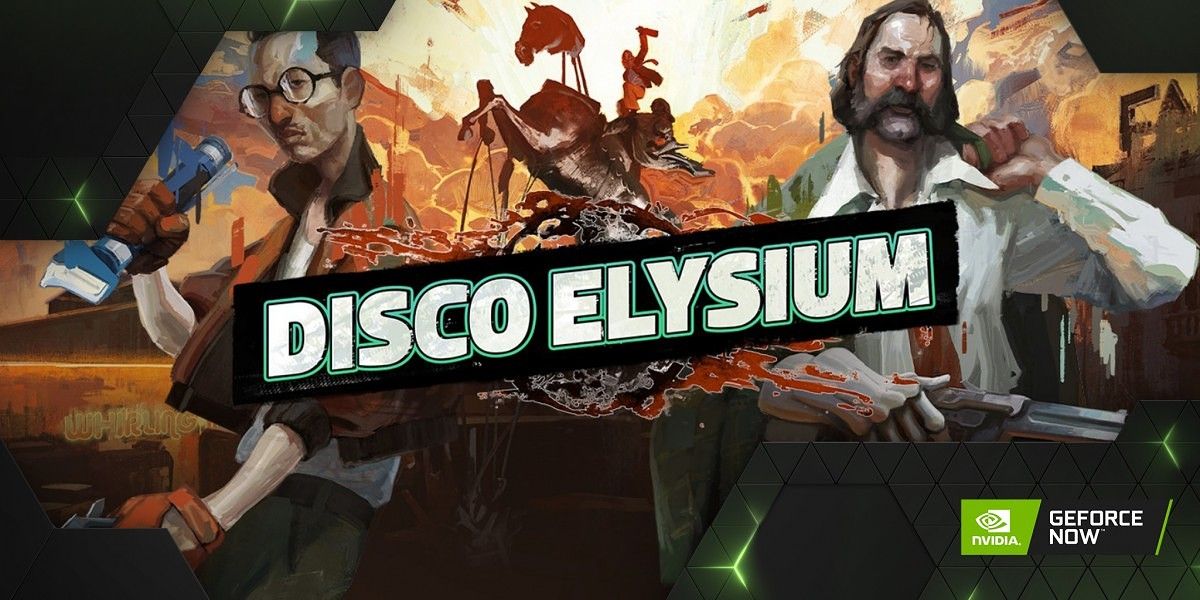
NVIDIA’s GeForce NOW game-streaming service enjoys its share in the now-crowded game streaming market on the fact that it was one of the first to appear for end consumers. The service started beta testing for Android last year and opened up for everyone in February. NVIDIA had pledged to announce new games for GeForce NOW every week, and over the past weeks, it has kept to that promise. This week, NVIDIA is giving GeForce NOW 13 new additions, including Stranger Things 3: The Game, and Farming Simulator 19, as well as 3 returning titles.

While the game releases are exciting on their own accord, NVIDIA is also announcing that it will work with Epic and onboard the free games that are announced for each week on the Epic Game Store.

These are the thirteen titles that have made their way to NVIDIA GeForce NOW this week:

  • Steam:
    • Danger Scavenger
    • Idle Big Devil
    • Spintires
    • Snake Pass
    • Tale of Wuxia: The Pre-Sequel
    • Tunshi Kongming Legends
    • Warhammer Underworlds Online
  • Epic Games Store:
    • Stranger Things 3: The Game (Free on 06/25)
    • Disco Elysium
    • Farming Simulator 19
    • Just Cause 4 Reloaded
    • SAMURAI SHODOWN NEOGEO COLLECTION
    • Surviving The Aftermath

Of these, Danger Scavenger had a recent release on PC on Steam, just 3 days ago.

NVIDIA GeForceNow Farming Simulator 19 game streaming cloud gaming

In addition, these three titles are returning to GeForce NOW:

  • theHunter: Call of the Wild
  • Torchlight II
  • GhostRunner demo

Here are all the previous title additions to NVIDIA GeForce NOW:

NVIDIA GeForce NOW  incorporates technology that utilizes AI and RTX GPUs to enable “the next generation of performance and visuals”. It’s NVIDIA’s improved deep learning neural network that “boosts frame rates while generating beautiful, sharp images for games”. Since the base technology is game streaming, games begin playing instantly when you fire them up. They also include an experience that has been optimized for cloud gaming and includes Game Ready Driver performance improvements, managed directly by NVIDIA.


NVIDIA GeForce NOW (Free, Google Play) →

The post NVIDIA adds 16 games to GeForce NOW and announces plans to add free games from Epic Games Store each week appeared first on xda-developers.


from xda-developers https://ift.tt/2Z7wJrQ
via IFTTT

Google’s ARCore Depth API is now available for developers to make realistic AR experiences

ARCore is Google’s SDK for creating augmented reality experiences on Android and iOS. On Android devices, it’s delivered as part of the Google Play Services for AR app. Late last year, Google previewed the ARCore Depth API which improves the immersion for devices with a single camera. Now, this API is ready for a public launch for developers on Android and Unity, according to a blog post from Google.

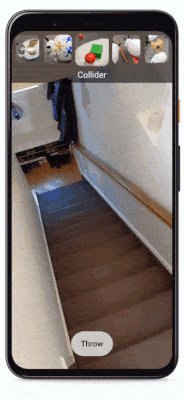
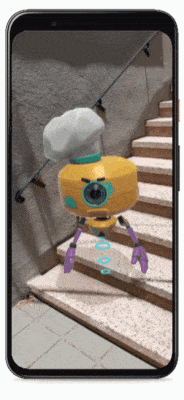
The ARCore Depth API uses Google’s depth-from-motion algorithms to generate a depth map from a single RGB camera. It accomplishes this by taking multiple images from different angles and comparing them as the user moves the camera around. One of the key abilities of the Depth API is occlusion which makes it possible to accurately place digital objects behind real-world objects. Beyond occlusion, the Depth API also enables realistic physics, interaction with real-world surfaces, environmental traversal, and more. As you can see in the GIFs embedded below, these features make the augmented reality experience more realistic. The game Five Nights at Freddy’s AR: Special Delivery uses this feature, and Snap Inc. has used the API for its Dancing Hotdog and new Undersea World Snapchat Lenses. Starting today, the Depth API will be generally available for developers in ARCore 1.18 for Android and Unity.

Snapchat Lens Creators can download a Depth API template to create their own depth-based experiences for Android devices. TeamViewer Pilot, an app for remote assistance, is using the Depth API to enable augmented reality annotations during video calls. Google says we will be able to see even more depth-enabled AR experiences later this year that put surface interactions and environmental traversal to use. For example, a game called SKATRIX will turn your home into a digital skate park while another game called SPLASHAAR will pit AR snails in a race across your room. Developers can build with these concepts through the open-sourced project on GitHub.

Google also points out that time-of-flight (ToF) sensors, while not required, can improve the quality of the experience by reducing scanning time and improving plane detection. Samsung, for example, will be updating its Quick Measure app to use the ARCore Depth API on the Galaxy Note 10+ and Galaxy S20 Ultra. However, Google notes this feature will generally work on the hundreds of millions of Android devices that support Google Play Services for AR since it only requires a single RGB camera.

The post Google’s ARCore Depth API is now available for developers to make realistic AR experiences appeared first on xda-developers.


from xda-developers https://ift.tt/31bjjh8
via IFTTT

TWRP 3.4.0 enables OZIP decryption for Realme/OPPO devices and support for legacy devices upgraded to Android 10

Whether you are an experienced flashaholic or just a newcomer to the flashing scene, you likely have used Team Win Recovery Project, or TWRP for short, at some point. The custom recovery solution officially supports hundreds of Android-powered devices (including TV Boxes and smartwatches). On the other hand, the modding community has managed to integrate unique features like true dual booting in the unofficial builds. Thanks to the ever-changing world of Android, TWRP needs to adapt to newer partition schemes and encryption logics while retaining compatibility with legacy devices. The project has now received a major update that bumps TWRP’s version number to 3.4.0.

As many of you are aware, TWRP developers faced several challenges on their way to make the custom recovery fully compatible with Android 10. A significant portion of the TWRP codebase needed to be revised to support the changes Google introduced in AOSP’s recovery implementation. TWRP 3.4.0 does not yet bring support for dynamic/logical partitions, which is required to support devices that launch with Android 10. It does, however, fix support for legacy devices that upgraded to Android 10, but retain the old partition scheme.

Besides featuring an enhanced decryption module, the latest version of TWRP comes with a bunch of improvements in System-as-Root and A/B dual partitions handling. The A/B installer zip format is completely re-written from scratch based on the contributions of XDA Senior Recognized Developer osm0sis and XDA Recognized Developer arter97. Moreover, OZIP decryption is now natively supported, courtesy of XDA Recognized Developer mauronofrio. It means that OPPO and Realme smartphone users can flash official firmware packages directly from TWRP without converting them to standard ZIP files beforehand.

The full changelog for the update can be found below:

TWRP 3.4.0-0 Changelog

  • System As Root (SAR)
    • Fix backup and restore using SAR – dianlujitao
    • System mount point – Chaosmaster
    • ORS – Chaosmaster
    • Zip install – Chaosmaster
    • system_root bind mount to /system – Chaosmaster
    • Autodetection of SAR – Chaosmaster
  • Digest
    • fix creation of digests for sub-partitions (was bugfix applied to many devices since last year) – Bigbiff
  • Encryption
    • ext4Crypt Wrapped Key Update – Peter Cai
    • Fix upgrading encryption key if export fails – Peter Cai
    • Fix wrapped key support for devices without metadata partition – mauronofrio
    • Don’t skip decryption when using block map file in order to write to /data in ORS – CaptainThrowback
    • FDE – Decrypt master key first – AndroidableDroid
    • vold_decrypt – set Android version and patch level automatically – CaptainThrowback
    • Set wrapped decrypt support by twrp flag – Peter Cai
    • Don’t try wrapped support unless needed – mauronofrio
    • restore ext4 policy on /data/cache – Bigbiff
    • multiuser decryption – Noah Jacobson
    • FDE retry – AndroidableDroid
  • TWRP App
    • unmount system after checking for app – Bigbiff
  • Prebuilt updates –
    • android.hardware.confirmationui@1.0 – cryptomilk
  • Compilation Fixes:
    • TW_EXFAT_FUSE compilation fixes – Bigbiff
    • libuuid – cryptomilk
    • ‘system/etc/ld.config.txt’ not found error – Martin Dünkelmann
  • Language Updates:
    • Portugal – Vasco Machado
    • Dutch – Ian Macdonald
    • Turkish – Fatih Fırıncı
    • Localisation of Backup_Tar: Ian Macdonald
  • ld.config.txt
    • updates for 8.x trees – CaptainThrowback
    • fix search path for /sbin – CaptainThrowback
    • /sbin should come first in search path – Ian Macdonald
  • General Bugs
    • Fix persistent log storage – SyberHexen
    • Compress Persistent Logs – Bigbiff
    • FB2PNG compilation errors – Bigbiff
    • exclude per_boot from backups – Darth9
    • Unmount all directories that point to same block device – AndroidableDroid
    • Blank screen fixes – Sean hoyt
    • Toolbox is default on android-9+ – mauronofrio
  • Cleanup –
    • Typo fix in comment – VDavid003
    • newlines in ext4crypt – CaptainThrowback
    • TW_OEM_BUILD compilation issue – Patrick Zacharias
    • Fix Dependency requirements – Dees_Troy
    • Fix Symbolic links for BB and Toolbox – Dees_Troy
  • Bootloader Message
    • cleanup – Alessandro Astone
    • add configurable offsets
  • Error Cleanup
    • uevent errors and decryption error – mauronofrio
    • using copy_file to copy files from /etc – CaptainThrowback
    • ueventd access to /acct – early directory creation in init – cryptomilk
  • Haptics
    • TSP Driver – LameMonster82
    • QTI Input – AndroidableDroid
  • update_engine
    • read all asserts – Hernán Castañón
  • Resetprop
    • Add Resetprop from Magisk – CaptainThrowback & mauronofrio
    • compile from source – Chaosmaster
    • fix for android-7 and earlier – Chaosmaster
    • cleanup for spaces in properties – AndroidableDroid
  • Properties
    • Add Property override – Chaosmaster
  • Backuptool
    • mount system and vendor for A/B installs for backuptool – Chaosmaster
  • twrpTar
    • fix backup freezes when pigz and openaes are used – Fabrice Bellet
  • Zip Installs
    • Info for A/B zip installing to inactive slot – Chaosmaster
    • Reboot to system button now allows to be rebooted to different partitions after zip install
    • progressbar rework – Chaosmaster
  • Magisk updates
    • update binaries from source – AndroidableDroid
  • A/B Updater Zip Template
    • rewrite A/B installer zip from scratch using a new generic template and latest magiskboot – osm0sis
    • installer zip support for recovery_a/recovery_b partition ramdisks on newer 2SI SAR A/B devices – osm0sis
    • generate installer zips for all prod A/B devices – bigbiff
    • improve installer zip dump/write speed and add more error catching – arter97 & osm0sis
  • OZIP Encryption Support
    • add OZIP encryption – mauronofrio
  • File Selector
    • Support for more extensions in File Selector – mauronofrio

The resetprop support that has been added was used to create libresetprop in the TWRP source which allows read-only props to be easily overwritten by device maintainers. This helps ensure broad compatibility for stock ROMs, decryption, etc. but does not impact end-users.

You can download the latest build of the custom recovery for your device from the official website linked below. Don’t forget to take a look at the device-specific discussion threads as well, which are usually created under the respective XDA sub-forums.

Download TWRP for your device

The official TWRP app is another choice to download the latest version right from your device. With root access, the handy tool can also be used to install the updated TWRP build without rebooting to recovery.

Official TWRP App (Free+, Google Play) →

The post TWRP 3.4.0 enables OZIP decryption for Realme/OPPO devices and support for legacy devices upgraded to Android 10 appeared first on xda-developers.


from xda-developers https://ift.tt/37XwUdl
via IFTTT